






Copilot Simplify SharePoint Presentations with Speaker Notes Animations and Transitions
Let’s discuss how Copilot simplify SharePoint presentations with Speaker Notes, Animations, and Transitions. Hurray! Here are some new features announced at the Microsoft Ignite 2024 event. When we generate the slide, the copilot does all the challenging work. These features will be generally available with Copilot in PowerPoint on the web beginning in January 2025.
It can also help you to create content for our slides, including bullet points, images, etc. We can also use Copilot to rewrite the text, adjust the tone, condense information, elaborate ideas, etc. We can recommend templates and layouts for our presentation and use its editing tools to customise our slides.
Microsoft 365 Copilot can simplify PowerPoint presentations with speaker notes by automatically generating notes for all slides, which can save time. Copilot can also perform other tasks to facilitate presentations, such as summarising, organising, and creating slides.
Copilot helps you create new sites and provides information from your organization. PowerPoint presentations can include animations to make them more attractive, so we can add animations to our slides. Animations can enhance visuals and clarify challenging ideas.

Table of Contents

What are the Advantages of SharePoint?
1. The primary functions of SharePoint are document management and content collaboration.
2. Teams can use SharePoint to assign tasks, track progress, etc.
Copilot Simplify SharePoint Presentations with Speaker Notes Animations and Transitions
The copilot can read the document, organise the information, look at all the keywords that are actually in the document, select images from the library, and add animations and transitions. It makes work that takes days possible in hours. Nicole Herskowitz showcased the latest innovations in Microsoft 365 Copilot at the ignite meet 2024.
- New SharePoint Agent Capabilities Complete Security Controls Conditional Access Authorization Labels etc
- Unable to download multiple files from SharePoint and OneDrive
- Outlook SharePoint Teams Search Issue Microsoft 365
| Feature | Description |
|---|---|
| SharePoint | To create websites |
| Speaker Note | It helps users remember what to say during a presentation (hidden) |
| Animation | To animate Text, Images, etc |
| Transitions | A transition is the special effect in animation |
SharePoint Presentation at Fingertip
When we want to create a presentation, we need to choose the topic, and then the copilot will select the content to make the presentation. We can get an outline of our slide deck before we create it. We can edit, delete, or add topics.
- By clicking Copilot, we can replace it with a new presentation.
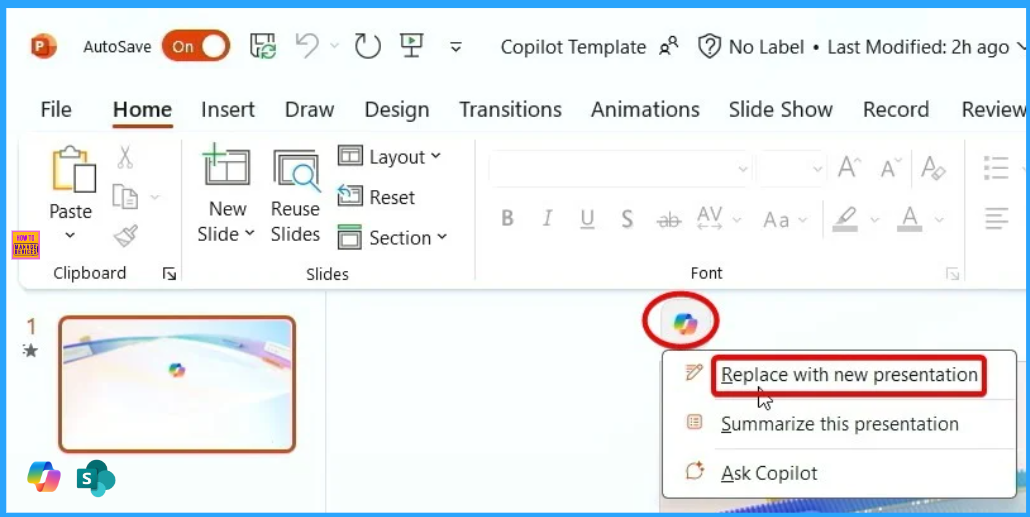
Creating Outline and Topic
After entering your prompt and viewing your description outline, you can add topics that include a Word doc. This helps you better organize your story and allows Copilot to create a first draft deck with relevant issues and information.
- We can choose content for a presentation that is already in a document or other files.
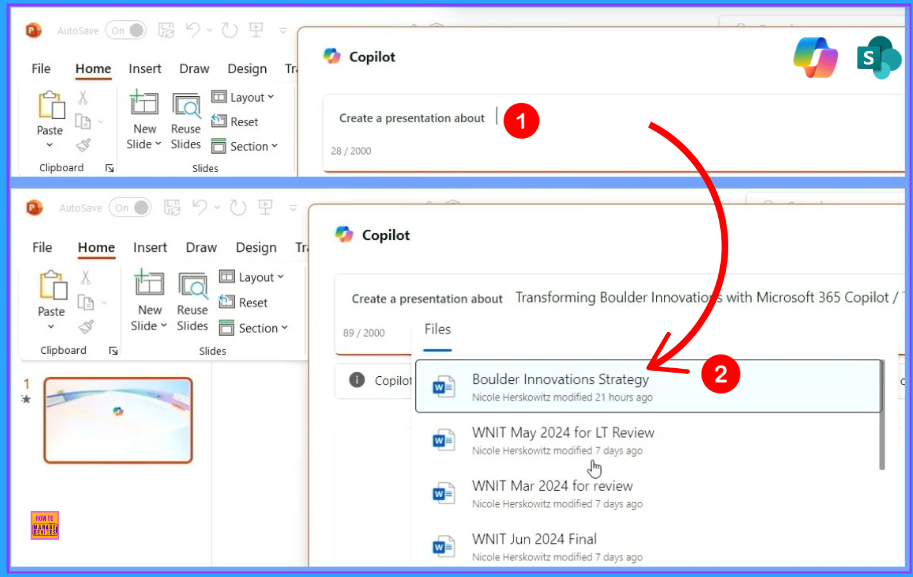
Copilot add Speaker Notes to Slides
Creating Speaker notes for PowerPoint presentations is a time-consuming task, especially for long presentations. Very soon, however, you will be able to add speaker notes using the Copilot. It will automatically generate notes for all your slides, providing a perfect first draft that we can refine as needed. These features will be available starting in January 2025.
Narrative Builder in Copilot
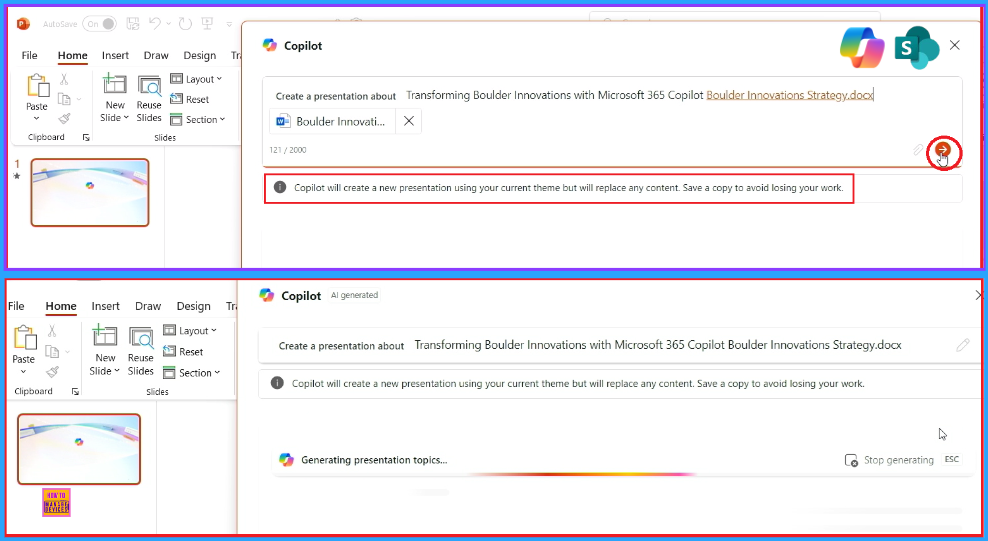
Creating a new presentation is always challenging. Copilot’s Narrative Builder transforms your work with straightforward information and a file, helping you create a draft with the correct information. You can include a Word document, and Copilot will gather the information from the text in your document and do as we need. We can delete or add topics.
- When we agree with the outline, we must click Generate the slides
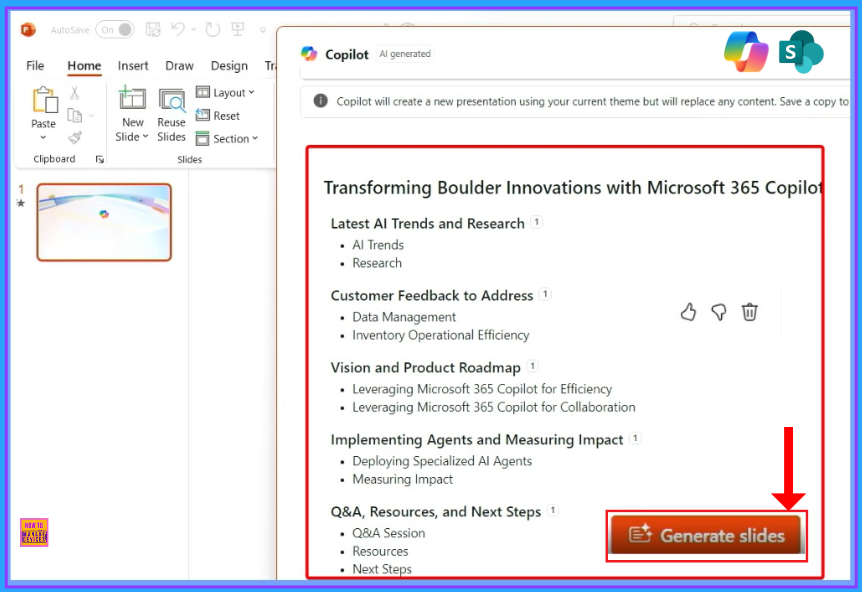
Presentation In a Minute
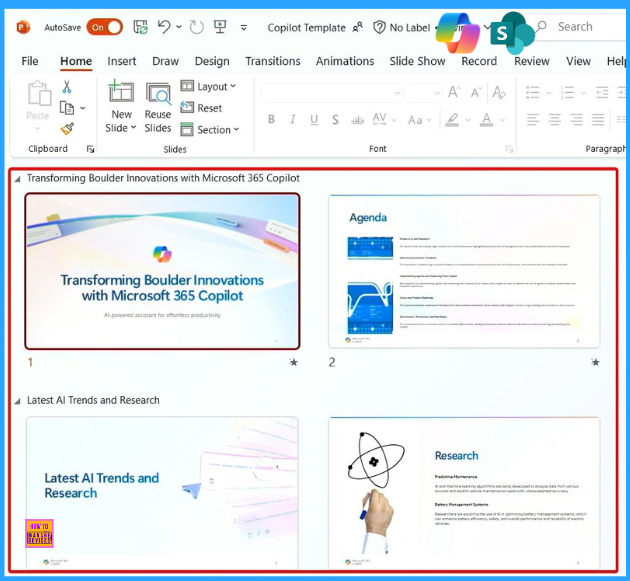
When we click on Generate slides, the copilot starts by reading the document, organizing the information, looking at all the keywords, and choosing images. It then begins to make all the slides, adding speaker notes, animations, and transitions. Finally, we get a rich first draft. It takes only a few minutes, not hours or days, to create the whole presentation.
Need Further Assistance or Have Technical Questions?
Join the LinkedIn and Telegram group to get the latest step-by-step guides and news updates. Join our Meetup Page to participate in User group meetings. Also, Join the WhatsApp Community to get the latest news on Microsoft Technologies. We are there on Reddit as well.
Resource
Unlock the Value of Microsoft 365 Copilot and Copilot Studio
Author
Anoop C Nair has been Microsoft MVP from 2015 onwards for 10 consecutive years! He is a Workplace Solution Architect with more than 22+ years of experience in Workplace technologies. He is also a Blogger, Speaker, and Local User Group Community leader. His primary focus is on Device Management technologies like SCCM and Intune. He writes about technologies like Intune, SCCM, Windows, Cloud PC, Windows, Entra, Microsoft Security, Career, etc.




Discussion