






Simplifying Windows Update Management Integration of Intune and Autopatch
Let’s discuss the Simplifying Windows Update Management Integration of Intune and Autopatch! Microsoft has taken significant steps to improve patch management by integrating Intune with Autopatch. This integration creates a unified experience for managing Windows updates and applications, making it more intuitive and efficient for IT administrators.
With this enhancement, you’ll notice a single, streamlined interface when you manage Windows updates in Intune. This unified platform consolidates update management and reporting, combining the capabilities of Intune and Autopatch.
By combining these tools, Microsoft aims to simplify patching processes, provide better insights through integrated reporting, and help organizations balance updates more effectively. This improvement reduces complexity and ensures that managing updates for devices and applications is easier and more consistent.
This post provides all the details about Windows Autopatch Update Management. It covers everything you need to know to understand and manage updates effectively using Windows Autopatch.

Table of Contents
Simplifying Windows Update Management Integration of Intune and Autopatch
Jason Roszak, the Vice President of Product Management at Microsoft, brings extensive experience and knowledge to his role. He has provided a detailed explanation of Windows Autopatch Update Management, helping users understand how it simplifies and improves the process of managing updates for Windows devices.
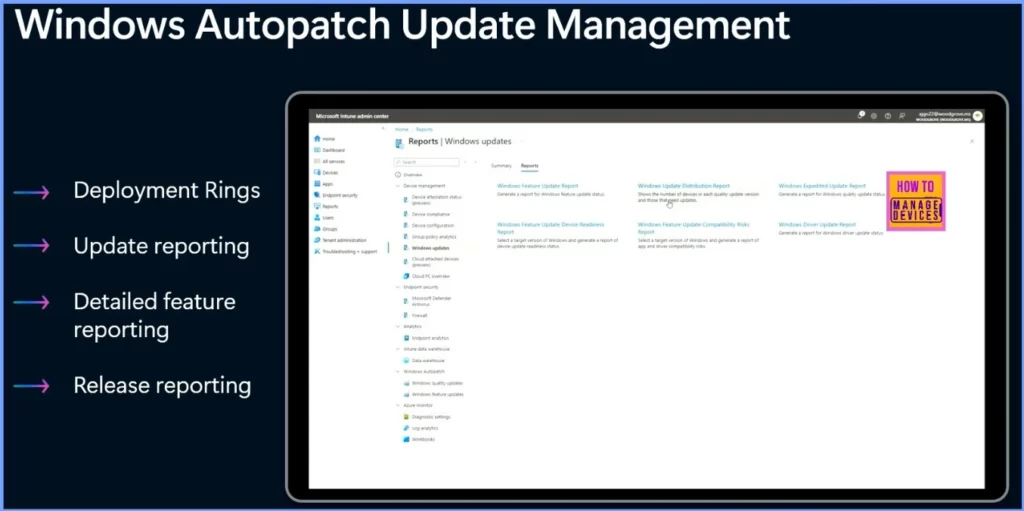
| Windows Autopatch Update Management |
|---|
| Deployment Rings |
| Update Reporting |
| Detailed Feature Reporting |
| Release Reporting |
- Identify Update Issues for Autopatch Devices in Intune using Copilot
- Troubleshoot Remote Desktop Issues in Intune | Finding Registry Value with Query using Copilot
- Fix Windows Autopatch is Inactive Error
- Windows Autopatch Implementation Setup Guide
Windows Update Distribution Report
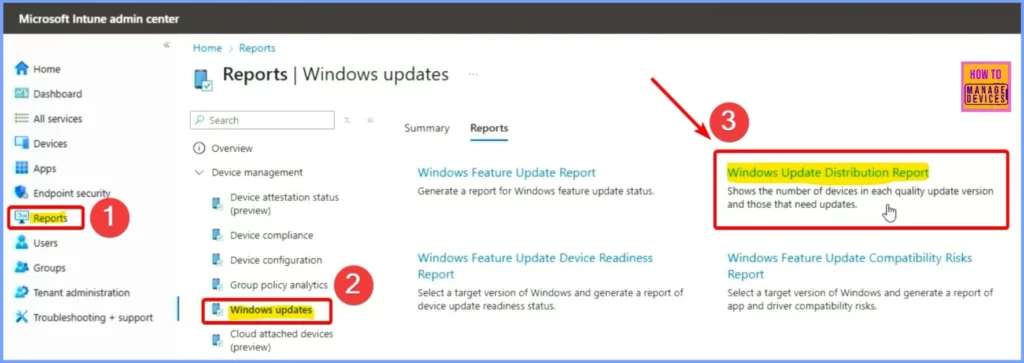
To view the Windows Update Distribution Report in Microsoft Intune, sign in to the Intune portal and go to Reports. Then, select Windows updates. Here, you’ll see two categories: Summary and Reports. Under Reports, choose the Windows Update Distribution Report to get detailed insights.
Windows Quality Update Distribution
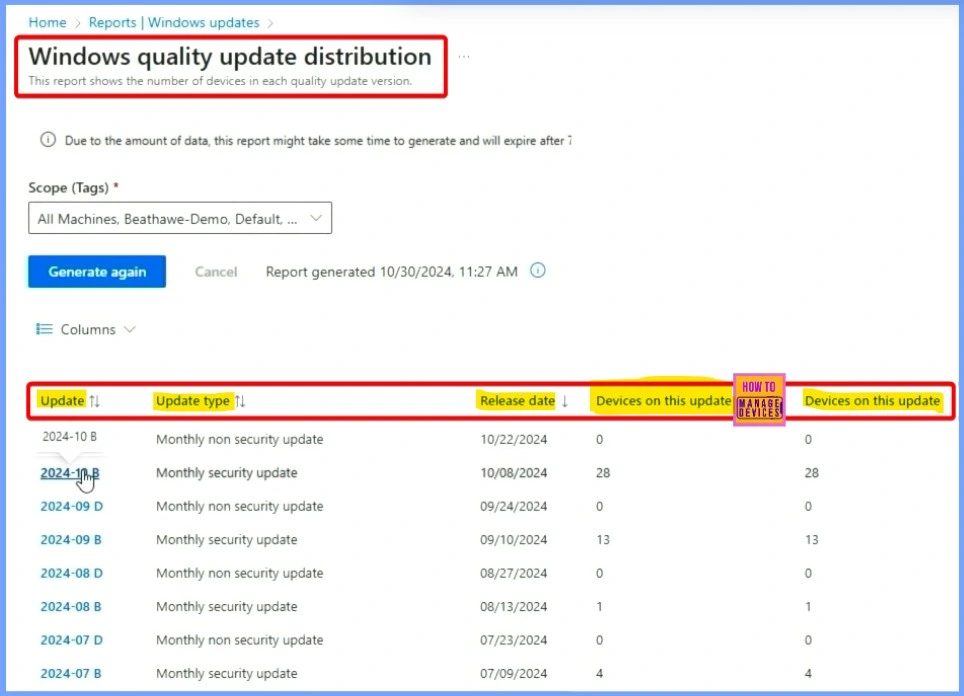
In Windows update reporting from Intune, you can see all the quality updates available for your environment. On the left side, you’ll find a list of these updates. For each update, you can see which devices have installed it, the number of devices, and the percentage of your organization that has received the update. All this information is easily accessible directly from your dashboard.
Quality Update Distribution per Feature Version
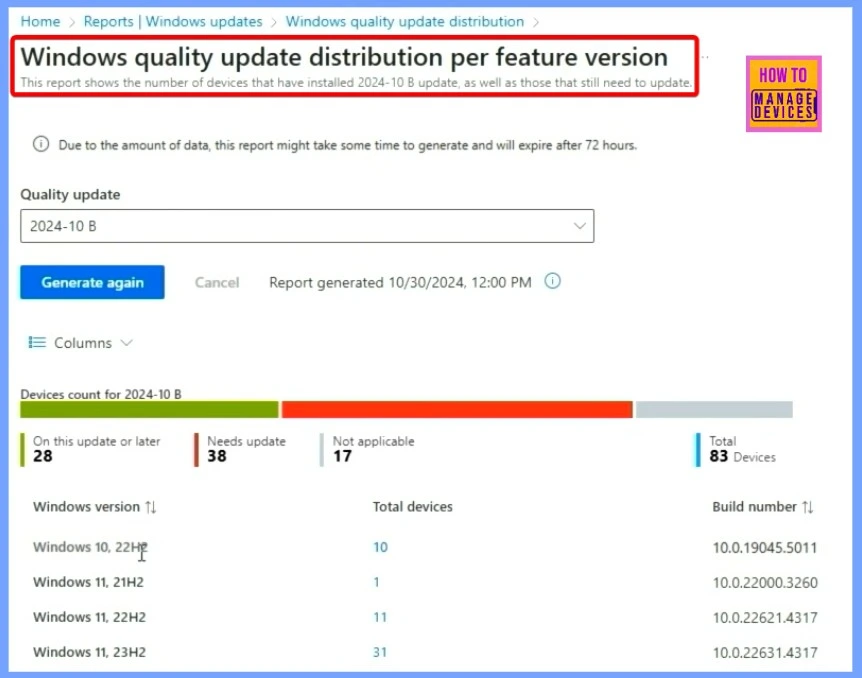
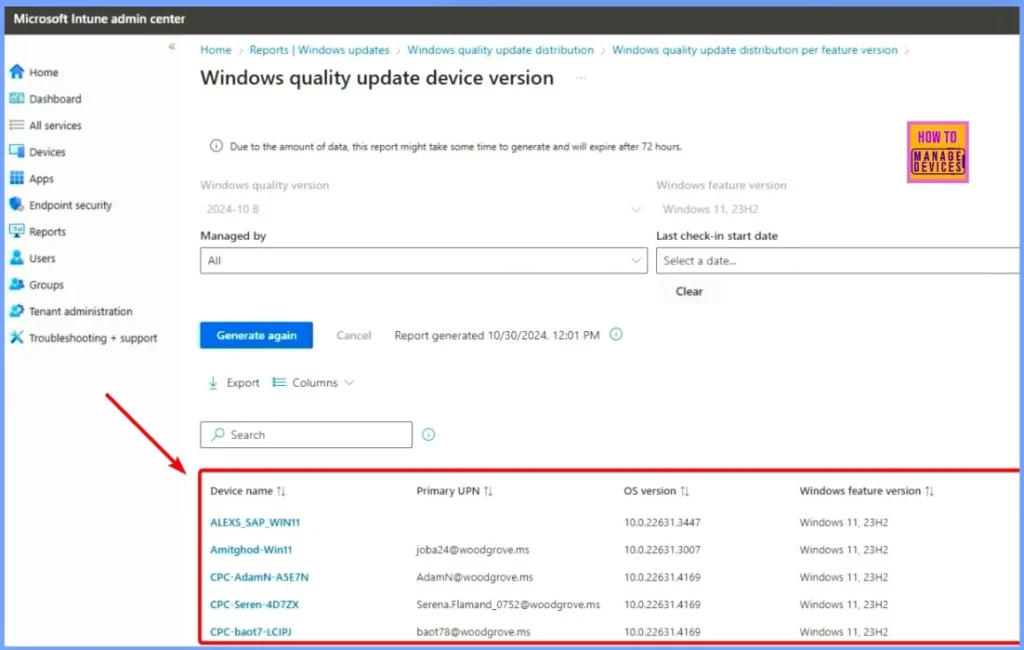
The screenshot below shows detailed information about the device count for the 2024 10B update. It indicates that 28 devices on this update or a later version still need the update and are marked as not applicable. This adds up to 83 devices, with all these details displayed.
If you want to look into a specific update, you can view more details about the KB and see a complete list of devices with it. Feature updates, which take a bit longer to roll out, also show their status across your environment.
You can see details such as the Device name, Primary UPN, OS version, and Windows feature version.
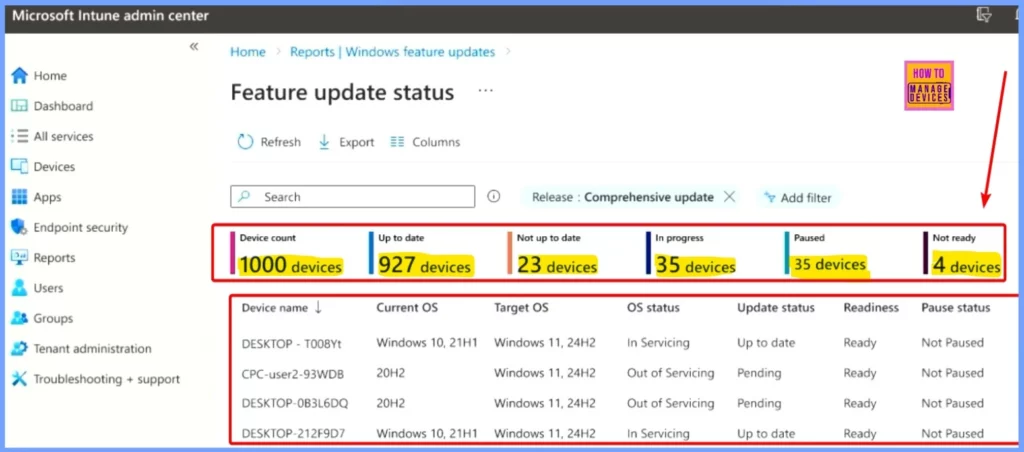
Feature Update Status
You can see which updates are in progress, which devices are up to date, their readiness, and if OS patching is paused. All this detailed and specific information is available for easy tracking.
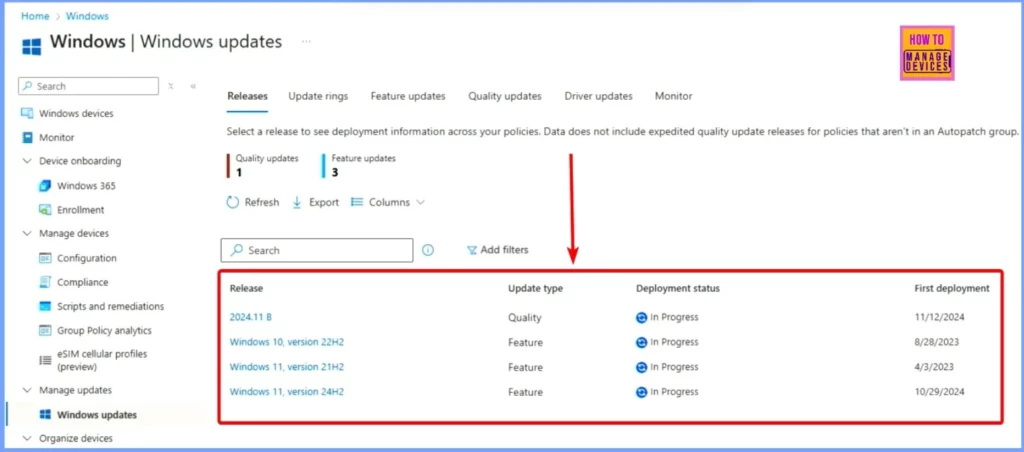
The release details are displayed in the Windows updates window, including the quality updates and feature update numbers, release details, update type, deployment status, and first deployment.
Need Further Assistance or Have Technical Questions?
Join the LinkedIn Page and Telegram group to get the latest step-by-step guides and news updates. Join our Meetup Page to participate in User group meetings. Also, Join the WhatsApp Community to get the latest news on Microsoft Technologies. We are there on Reddit as well.
Resources
Simpler, smarter and more secure endpoint management with Intune
Author
Anoop C Nair has been Microsoft MVP from 2015 onwards for 10 consecutive years! He is a Workplace Solution Architect with more than 22+ years of experience in Workplace technologies. He is also a Blogger, Speaker, and Local User Group Community leader. His primary focus is on Device Management technologies like SCCM and Intune. He writes about technologies like Intune, SCCM, Windows, Cloud PC, Windows, Entra, Microsoft Security, Career, etc.


Discussion