






New Copilot for Azure VM Size Recommendations Simplifying Virtual Machine Selection
We are discussing the New Copilot for Azure VM Size Recommendations, which Simplify Virtual Machine Selection. As you all know, Virtual Machines are essential to cloud computing. In this case, we have to mention that the most essential thing is VM size.
Virtual machine sizes are crucial and challenging to choose from. Choosing the right VM size is essential as it impacts performance, cost, and scalability. Azure allows various VM sizes to meet different needs. You all know that the Ignite 2024 event just happened.
Stefanie Lemon announced the Copilot for Azure VM Size recommendations at this event. Today, we all are enjoying the benefits of Copilot and its growing features day by day. In the Ignite event, many Copilot capabilities were announced.
Now it’s time to help with VM-size recommendations in the Azure portal. Microsoft’s Copilot in Azure aims to make this easier by offering intelligent, personalized VM recommendations. Azure provides various VM sizes to meet multiple needs, like machine learning, data analysis, web hosting, and testing.

Table of Contents
What is Azure VM Size?
Announcing New Copilot for Azure VM Size Recommendations
Above, we discussed an overall view on Announcing New Copilot for Azure VM Size Recommendations. Stefanie Lemon made this discussion during the Ignite event in 2024. We must understand that it is hard for users to pick the best VM size for their tasks.
| Important Steps |
|---|
| When choosing, users must consider factors like capacity, quota, computing needs, and cost, making the process complex and time-consuming. |
| So, we must understand that Copilot integration into the Azure Portal aims to make choosing VMs easier. |
| Copilot helps deployment by offering personalized recommendations based on each workload’s needs. |
| It improves user experience and promotes efficient use of resources, potentially saving costs. |

- Resize Azure VM Disk Storage without Downtime
- Start Stop Deallocate VMs with Inline PowerShell in Azure Logic Apps
- Azure VM Inspector Tool for Troubleshooting Issues of Virtual Machines
How it Works
Copilot works inside the Azure Portal, interacting with users through an easy-to-use interface. When someone wants to set up a new VM, Copilot starts a conversation to gather details about the task. To do that, you have to open the Azure portal.
- Then click on the Copilot Icon.
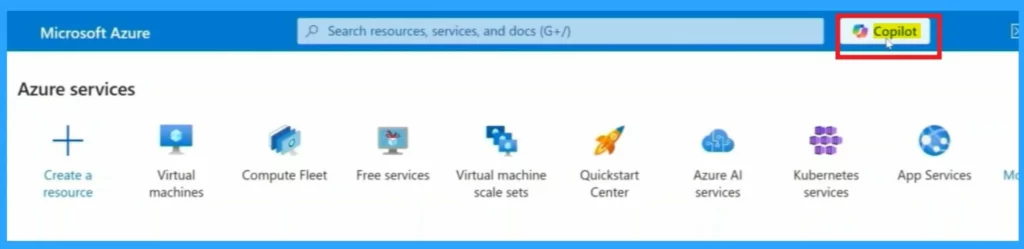
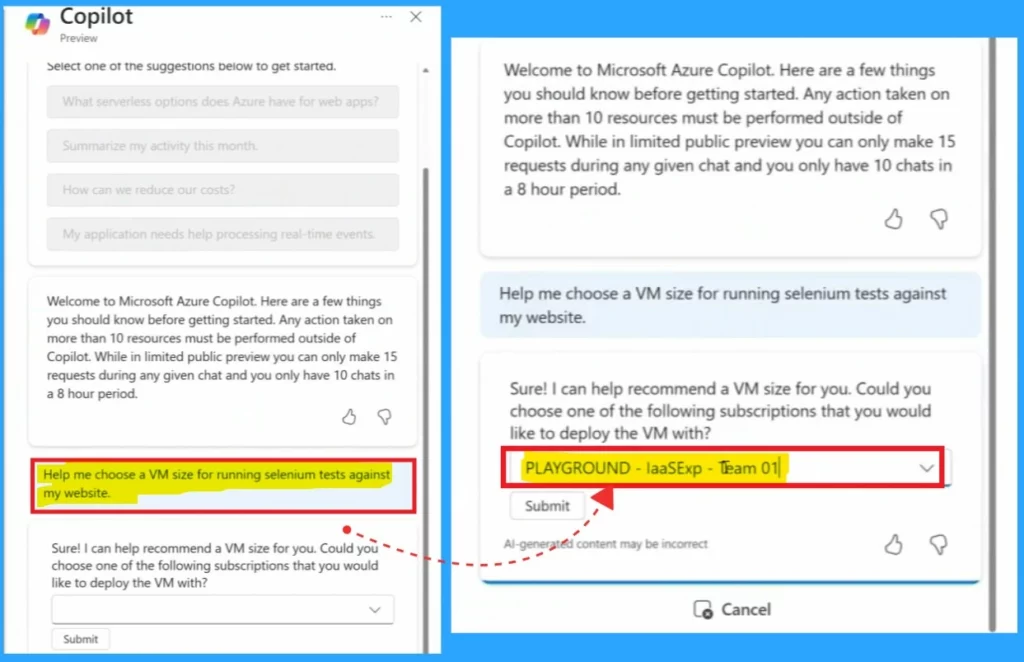
After clicking on the Copilot now, you can see the Copilot opened on the left side of the window. There, you can enter a prompt about the VM-related things. For example, in the demo, asking, “Help me choose a VM size for running a selenium test against my website”.
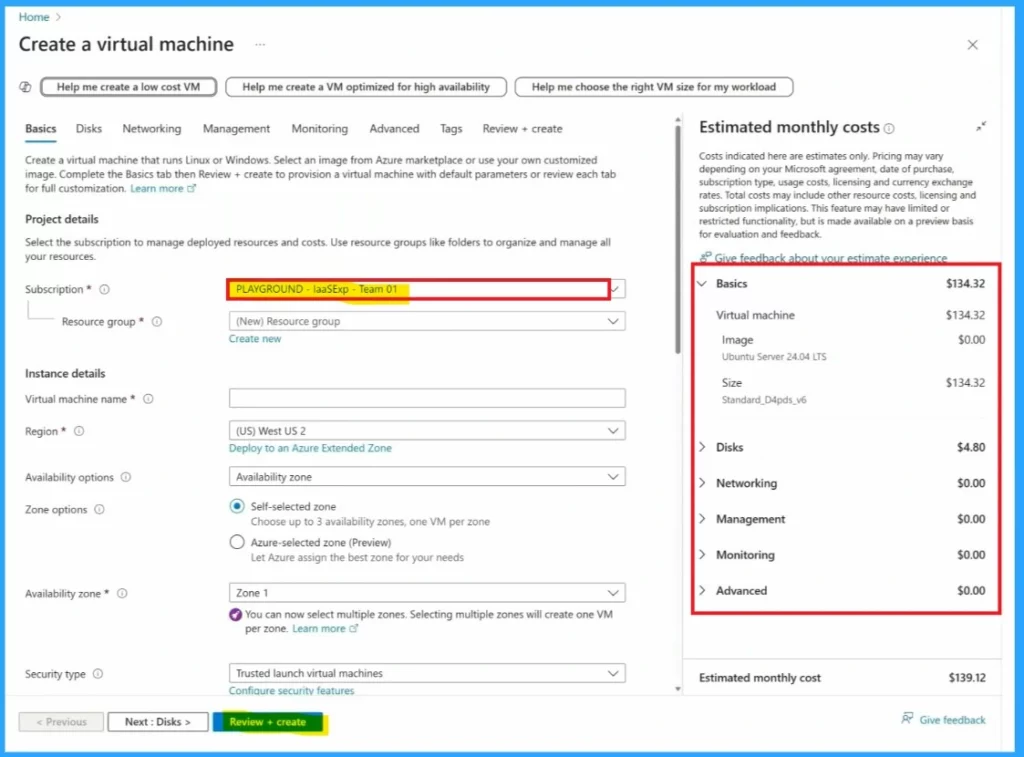
- As a result, you may choose to select the subscription to deploy the VM.
- In the demo, it selected PLAYGROUND-laaSExp-Team 01.
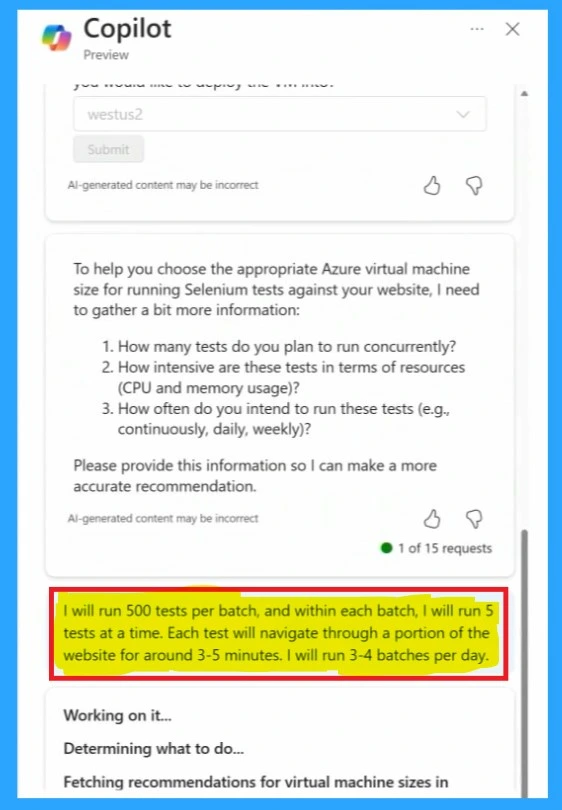
Here, it asks how many tests the user wants to run and how demanding each test is regarding computing power. No matter what we describe, Copilot asks specific questions to help it make the best suggestion. We can see that in the demo prompt.
- ”I will run 500 tests per batch, and within each batch, I will run 5 tests at a time. Each test will navigate through a portion of the website for around 3-5minutes. I will run 3-4 batches per day”.
As a result, Copilot can suggest a specific set of sizes with a CPU and RAM configuration that fits our workload. Since Copilot is closely connected to my Azure environment, it makes recommendations based on my available quota and capacity.
- In screenshots, you can see that Copilot give some suggestions for VM Sizes.
- Please select one of them and click on the Use this Size option.
- Then click on the Go to Create VM
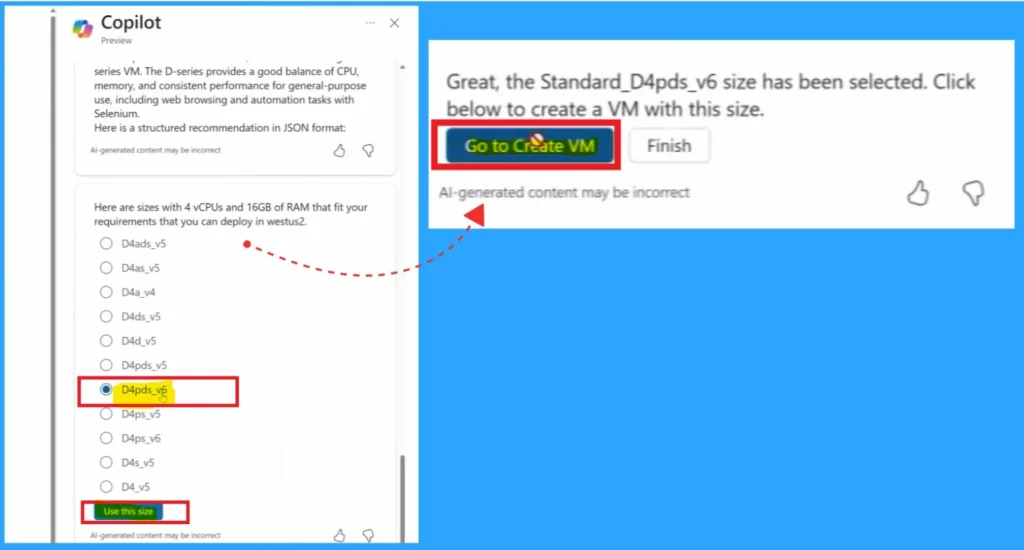
Copilot can guide me through requesting a larger quota for that size. This makes it much easier to choose from the wide range of VM sizes and start deploying new workloads immediately.
Need Further Assistance or Have Technical Questions?
Join the LinkedIn and Telegram group to get the latest step-by-step guides and news updates. Join our Meetup Page to participate in User group meetings. Also, Join the WhatsApp Community to get the latest news on Microsoft Technologies. We are there on Reddit as well.
Author
Anoop C Nair has been Microsoft MVP from 2015 onwards for 10 consecutive years! He is a Workplace Solution Architect with more than 22+ years of experience in Workplace technologies. He is also a Blogger, Speaker, and Local User Group Community leader. His primary focus is on Device Management technologies like SCCM and Intune. He writes about technologies like Intune, SCCM, Windows, Cloud PC, Windows, Entra, Microsoft Security, Career, etc.



Discussion