






How QR Code and PIN Authentication Simplifies Sign-In for Frontline Workers in Microsoft Entra ID
Let’s discuss How QR Code and PIN Authentication Simplifies Sign-In for Frontline Workers in Microsoft Entra ID. Microsoft introduced Managed Home Screen for Android devices, which natively supports QR Code Authentication in Microsoft Entra. This feature was launched as part of the Intune Monthly feature update.
The Entra Managed Home Screen QR Code is available in Preview. This authentication involves a QR code and PIN, which helps users securely complete the sign-in process. This feature is specially designed for frontline workers using shared devices.
This new feature is designed to make signing in faster and easier for frontline workers. QR code authentication in Microsoft Entra ID enables faster, easier, and more secure sign-in to apps on shared devices by eliminating the need to remember and type in usernames and passwords.
Now, frontline workers can scan the unique QR code provided to them and enter their PIN to sign in. In this blog post, I will share more information about Microsoft Entra Managed Home Screen QR Code and PIN Authentication.

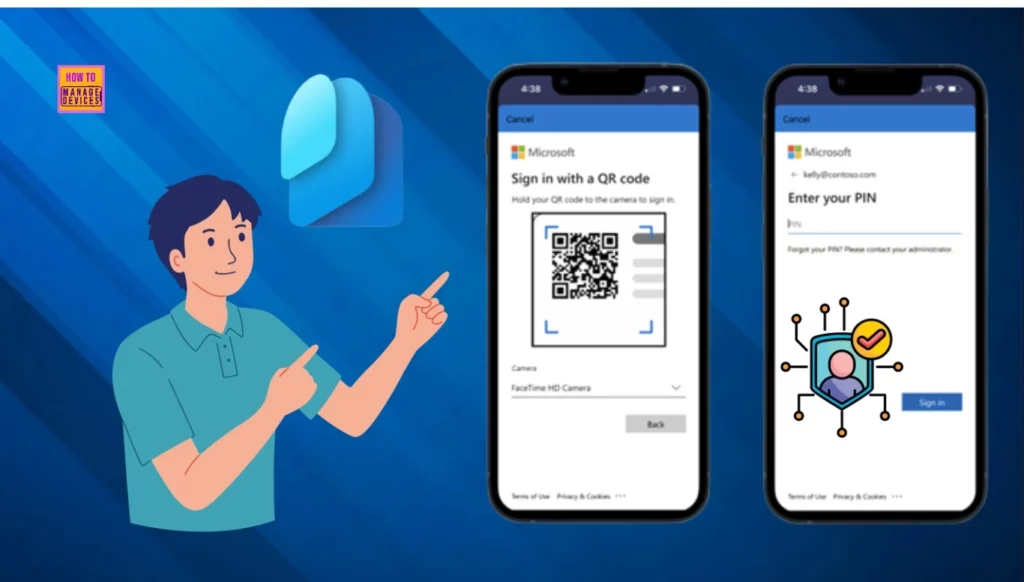
Table of Contents
How QR Code and PIN Authentication Simplifies Sign-In for Frontline Workers in Microsoft Entra ID
Entra Managed Home Screen QR Code and pin authentication capability eliminates the need for users to enter and re-enter long UPNs and alphanumeric passwords. This is an exciting development for organizations employing shared devices, as it doesn’t require provisioning to any specific device. The following table shows the key needs of Frontline workers.
| Key Needs |
|---|
| Quick access to essential applications on shared work devices |
| Simple and secure authentication without the need for usernames and passwords |
- New Entra Custom Authentication Extension | Enable Integration with Any Email Providers
- Microsoft Moves Per-User Multifactor Authentication to Entra ID for Easier Management
- New Entra Phishing Resistant Passwordless Authentication | Zero-Trust Security Strategy | Explicit Verification
QR Code Authentication for Frontline Workers to Simplify Sign-in
Here, we can check how QR code authentication simplifies sign-in for frontline workers with an example provided by Microsoft. Contoso Industries tried this method on frontline workers to check the impact of QR code authentication on worker productivity.
These workers use shared mobile devices (iPads, Android, or iOS) for daily tasks, such as searching or updating the inventory and processing billing transactions. Users must use a username and password to access apps on each shared device.
- This process is time-consuming and frustrating.
- During each shift, workers must repeatedly reauthenticate on shared device apps with usernames and passwords.
- Contoso decided to address this by setting up QR code authentication for this group of users instead.
- First, they introduced QR code authentication for one of the stores and plan to extend it to other stores.
Set Up QR Code Authentication Method
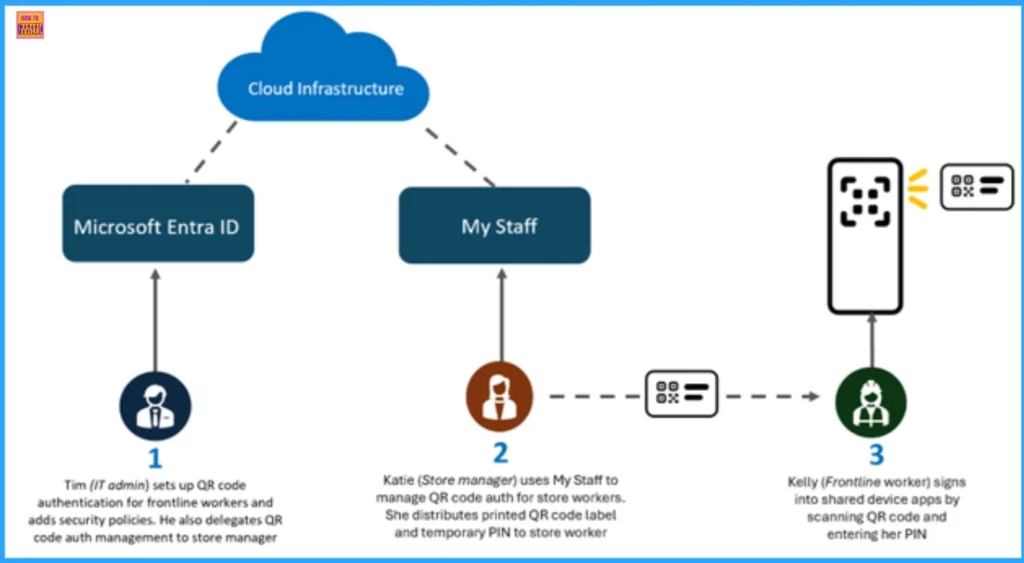
Contoso’s IT admin begins by enabling QR code authentication for one of the store’s frontline workers like he would for any other method in Microsoft Entra. Then, he adds this method to a group of workers, generating a unique QR code and temporary PIN for each user.
He implemented additional Microsoft Entra Conditional Access policies with QR code authentication to restrict workers’ access to Contoso’s resources on compliant devices within the store.
- Using My Staff, Contoso’s IT admin delegates the management of QR code authentication of existing and new employees to Katie, the store manager.
- My Staff enables you to delegate permissions to a figure of authority, such as a store manager or a team lead, ensuring that staff members can access their Microsoft Entra accounts.
- Katie prints the QR codes on labels, which will be attached to worker’s badges.
Sign in with the QR Code Authentication Method
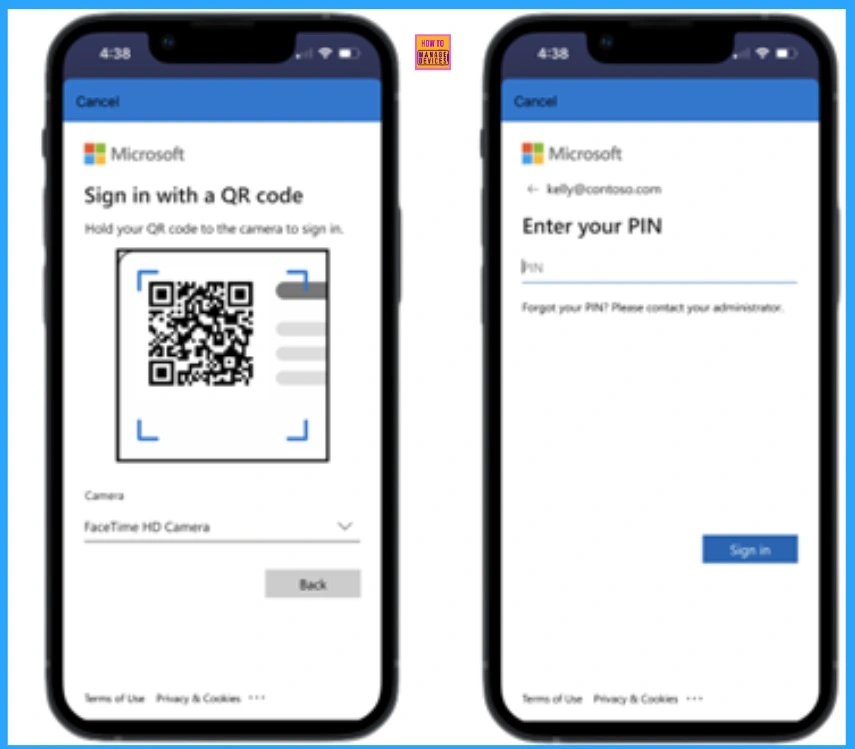
Here, we can check how the QR code authentication method makes sign-in possible. Kelly, a frontline worker, gets her QR code label and temporary PIN from her manager. She puts the label behind her badge, scans the QR code, and sets a new PIN for QR code authentication when signing into Teams.
Need Further Assistance or Have Technical Questions?
Join the LinkedIn Page and Telegram group to get the latest step-by-step guides and news updates. Join our Meetup Page to participate in User group meetings. Also, Join the WhatsApp Community to get the latest news on Microsoft Technologies. We are there on Reddit as well.
Resource
Author
Anoop C Nair has been Microsoft MVP from 2015 onwards for 10 consecutive years! He is a Workplace Solution Architect with more than 22+ years of experience in Workplace technologies. He is also a Blogger, Speaker, and Local User Group Community leader. His primary focus is on Device Management technologies like SCCM and Intune. He writes about technologies like Intune, SCCM, Windows, Cloud PC, Windows, Entra, Microsoft Security, Career, etc.




Discussion