






New iOS Android macOS Mobile Enrollment Options with Intune
Let’s check the Mobile device management options with Microsoft Endpoint Manager (MEM).
Intune Enrollment options(iOS, Android, macOS Mobile Enrollment) are discussed in the Ignite 2019 sessions.
More details about the Microsoft Ignite sessions are given below.
NOTE! – The following details are taken from What’s new in Microsoft Endpoint Manager, including Microsoft Intune and Configuration Manager (Part 1 of 2) Ignite session by Paul Mayfield, Terrell Cox, and Micro-Scott.

Ignite 2019 Coverage
- Microsoft Endpoint Management SCCM Intune Windows Updates (this post)
- Microsoft Endpoint Manager is the future of SCCM Intune MEMMI MEMCM
- iOS Android macOS Mobile Enrollment Options with Intune
- Basics of Windows Dynamic Update Explained Update Management
- WVD End User Experience Availability Updates
- MSIX Updates from Ignite Reliability Network Disk-space
- Microsoft Learning Certification Exams Updates
- On-Prem WVD Options Azure Quantum Qualys Scan Integration
- Intune Reporting Strategies Advanced Reporting
Android Enrollment Options
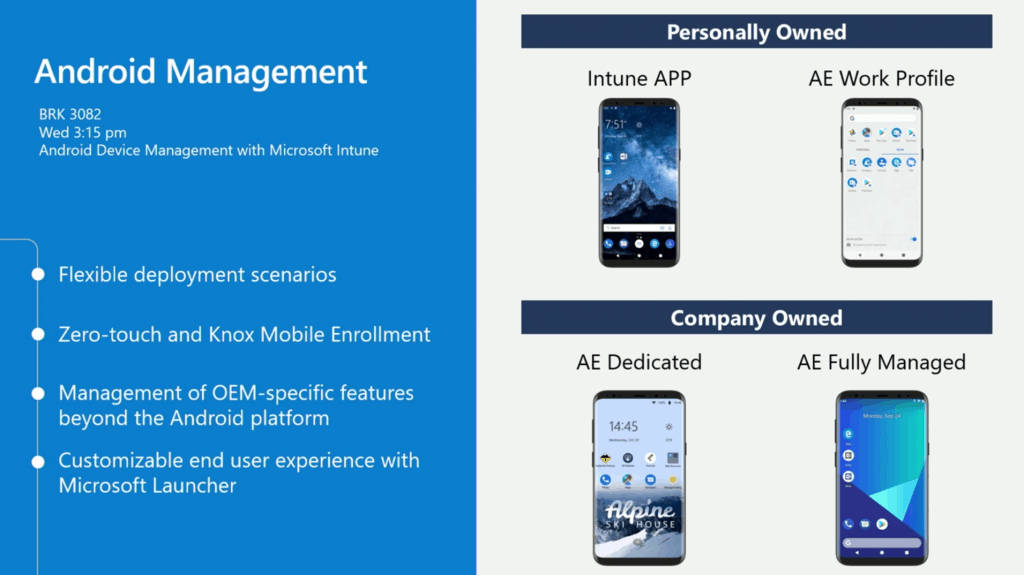
Android management options with Intune.
- Flexible deployment scenarios
- Zero-touch and Knox Mobile Enrollment
- BYOD (Personally Owned)
- Intune APP (App protection – MAM only scenario) – Corp Data and Apps
- Android Enrollment (AE) Work Profile – Deploying Certs and WiFi Profiles
- Company Owned
- AE Dedicated (KIOS Devices)
- AE Fully Managed (Knowledge Workers)
- BYOD (Personally Owned)
- Management of OEM-specific features beyond the Android platform
- Customizable end-user experience with Microsoft Launcher
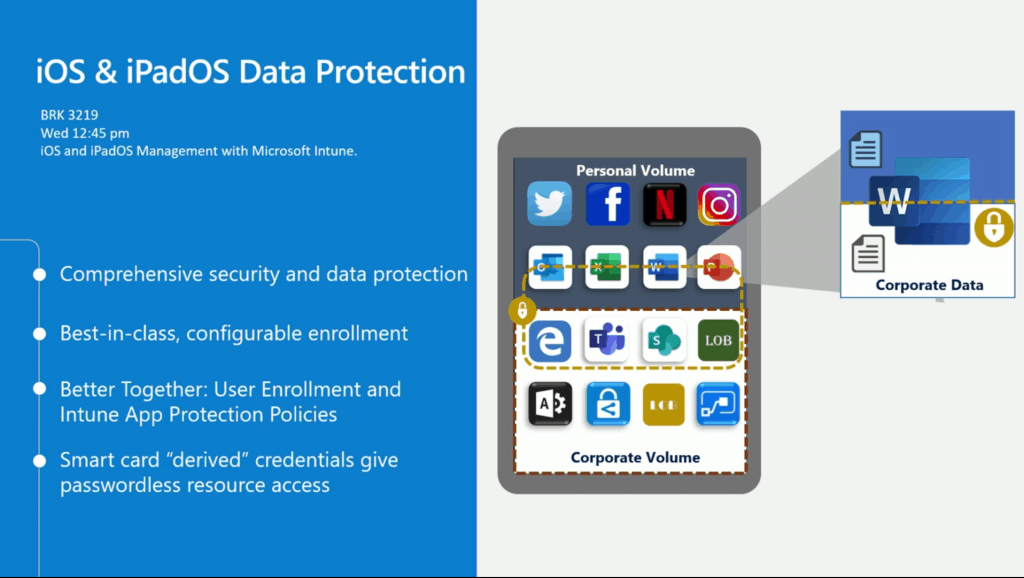
Intune Data Protection Policies
- Comprehensive security and data protection
- Configurable Enrollment
- User Enrollment and Intune App Protection Policies (best user experience for office apps)
- Smart card “derived” credentials give passwordless resource access (advanced scenarios)
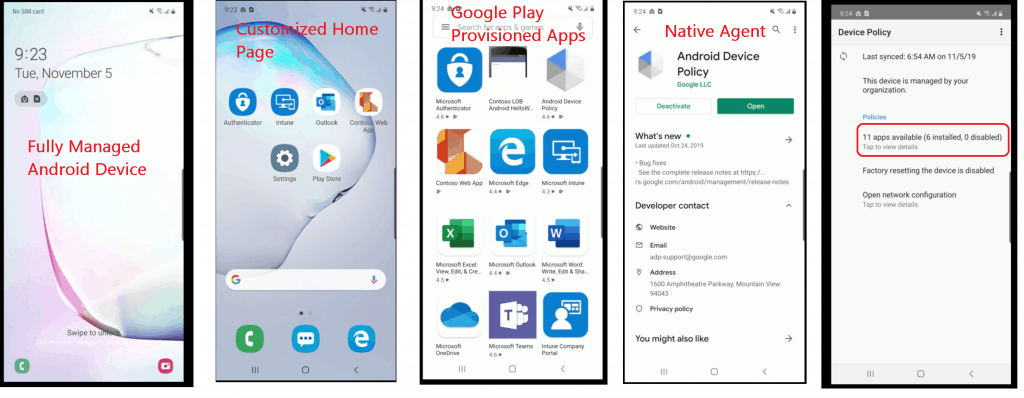
Fully Managed Android Device
- 11 apps provisioned
- Factory reset is disabled
- Android Device Policy – Native Management Client
- Google Play Provisioned apps – Web applications as well
Android OEM Configuration Options – Fully Managed
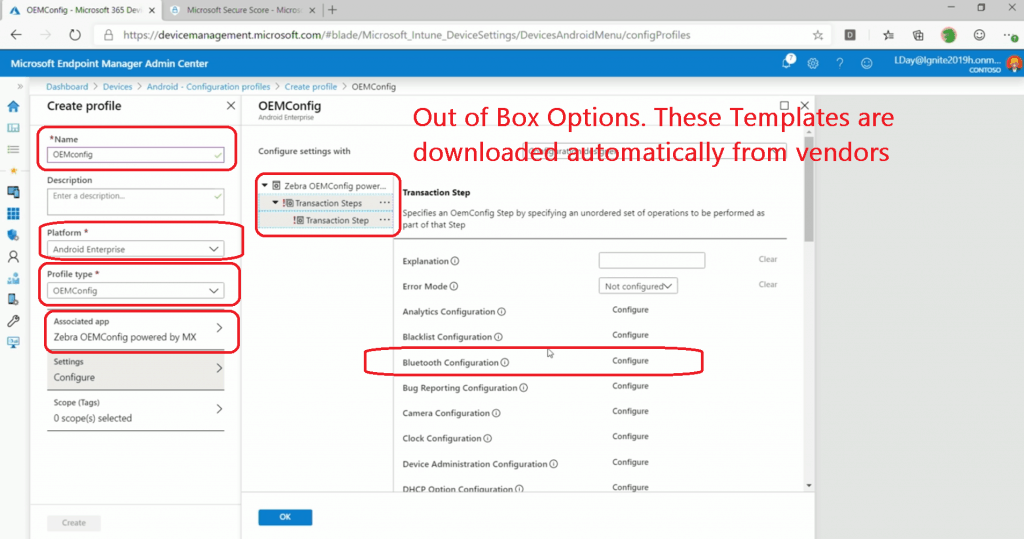
Android App – Associated App – Out of Box Configuration options OEMConfig
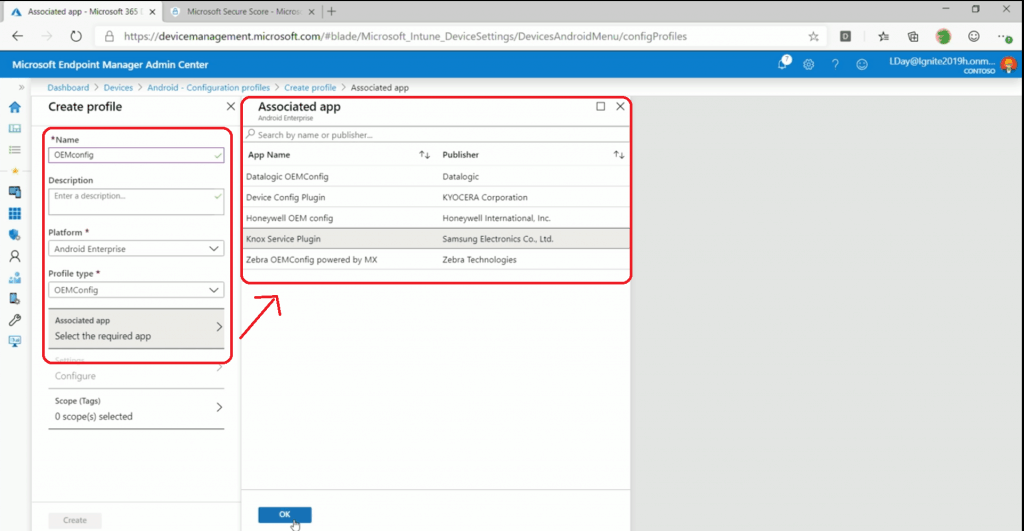
Templates are Downloaded Automatically from Vendors
Android Configuration Out of Box Options. These Templates are downloaded automatically from vendors.
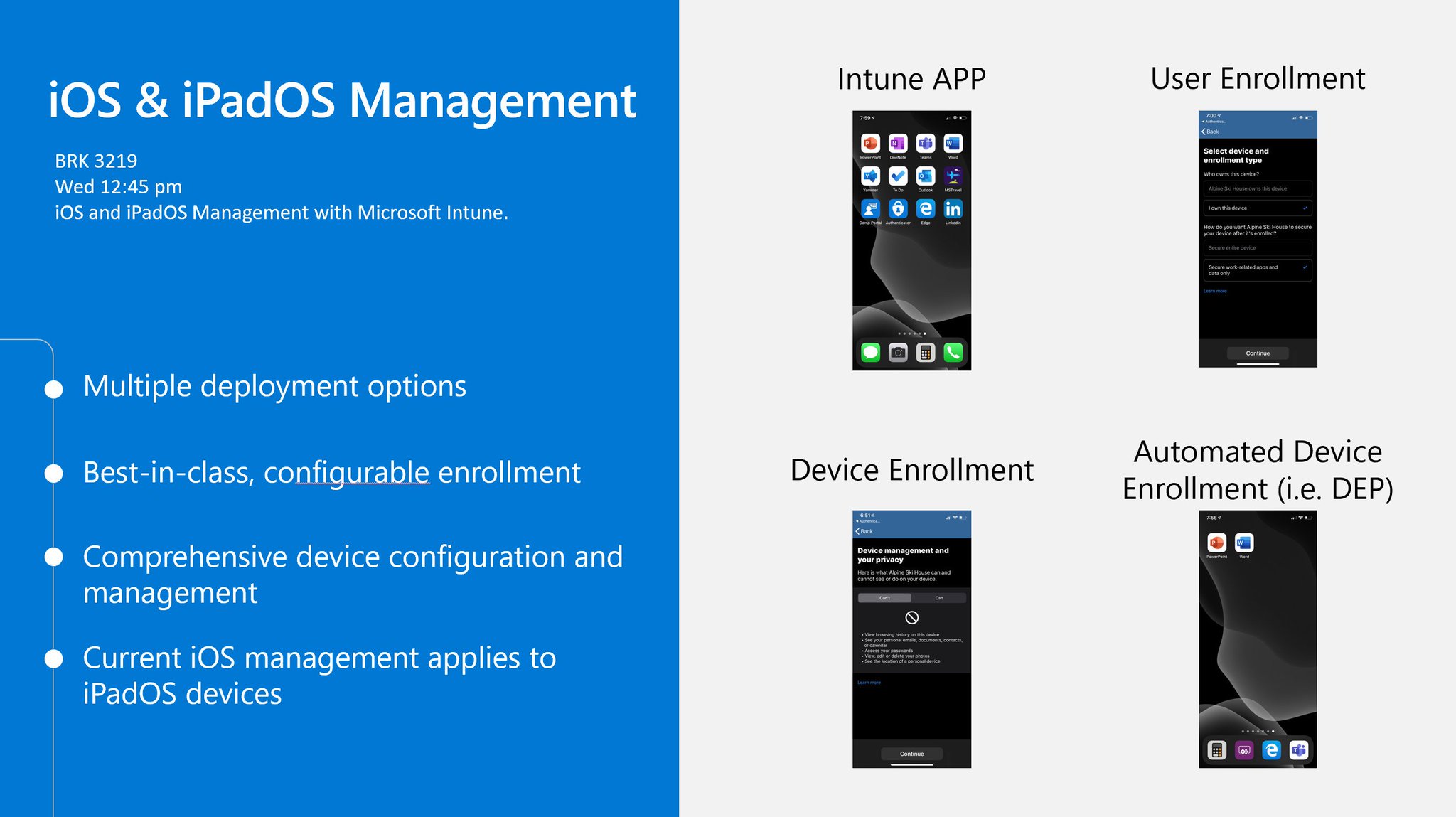
iOS and iPadOS Management
- Multiple Deployment Options
- Best-in-class configurable enrollments
- BYOD
- Intune APP (App Protection Policies)
- User Enrollment (Public Preview – Apple released with iOS 13)
- Company Owned?
- Device Enrollment (Classic MDM enrollment with Intune Company Portal)
- Automated Device Enrollment (Apple DEP)
- BYOD
- Device Configuration and Management
- Current iOS management applies to iPadOS devices
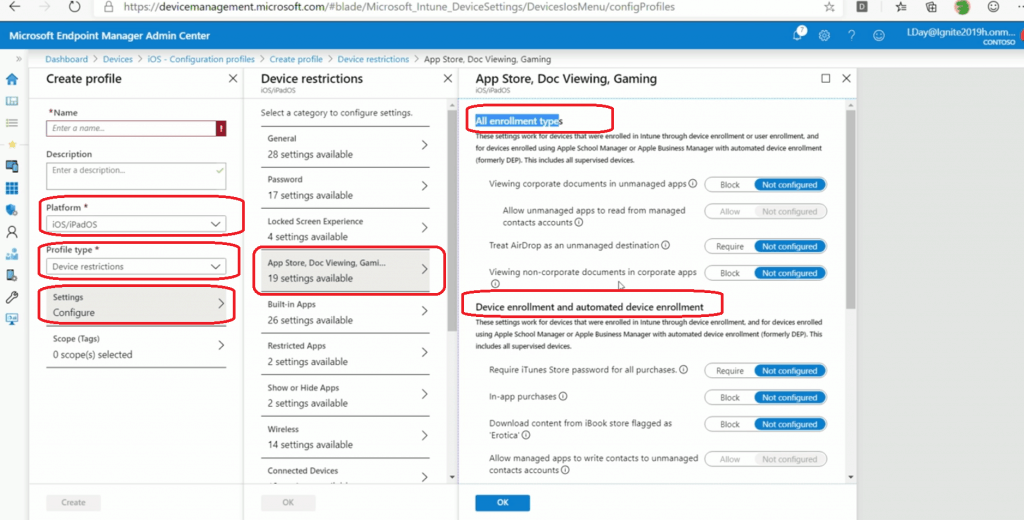
Settings iOS iPadOS Policies from MEM Intune Portal
The same set of policies for iOS and iPadOS. However, there are some changes in the Intune policy settings UI. See the options below:
- All Enrollment Types
- Device Enrollments and Automated Device Enrollments
- Automated Device Enrollment
NOTE! – Policies can be configured – Groups based on Enrollment type
All Enrollment Types – These settings work for devices enrolled in Intune through device enrollment or user enrollment and devices registered using Apple School Manager or Apple Business Manager with automated device enrollment (formerly DEP). This includes all supervised devices.
Device enrollment and automated device enrollment – These settings work for devices enrolled in Intune through device enrollment and for devices registered using Apple School Manager or Apple Business Manager with automatic device enrollment (formerly DEP). This includes all supervised devices.
Automated device enrollment – These settings work for supervised devices enrolled in Intune using Apple School Manager or Apple Business Manager with automatic device enrollment (formerly DEP). This includes devices supervised through Apple Configurator.
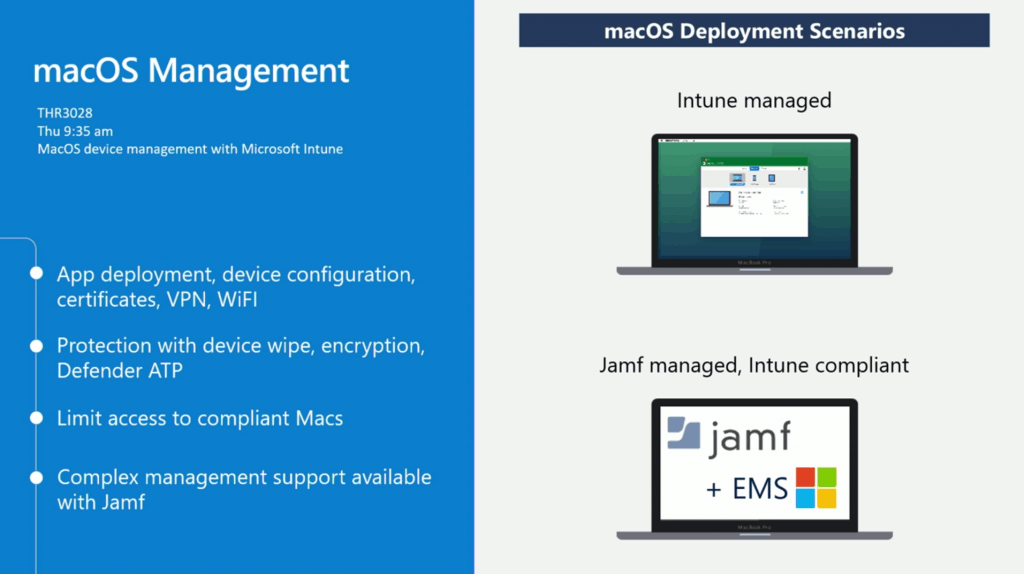
macOS devices Management with MEM Intune
- App deployment, device configuration, certificates, VPN, WiFI
- Protection with device wipe, encryption, Defender ATP
- Limit access to compliant Macs
- Complex management support is available with Jamf
NOTE! – Two management options for macOS management – Intune & Jamf Management.
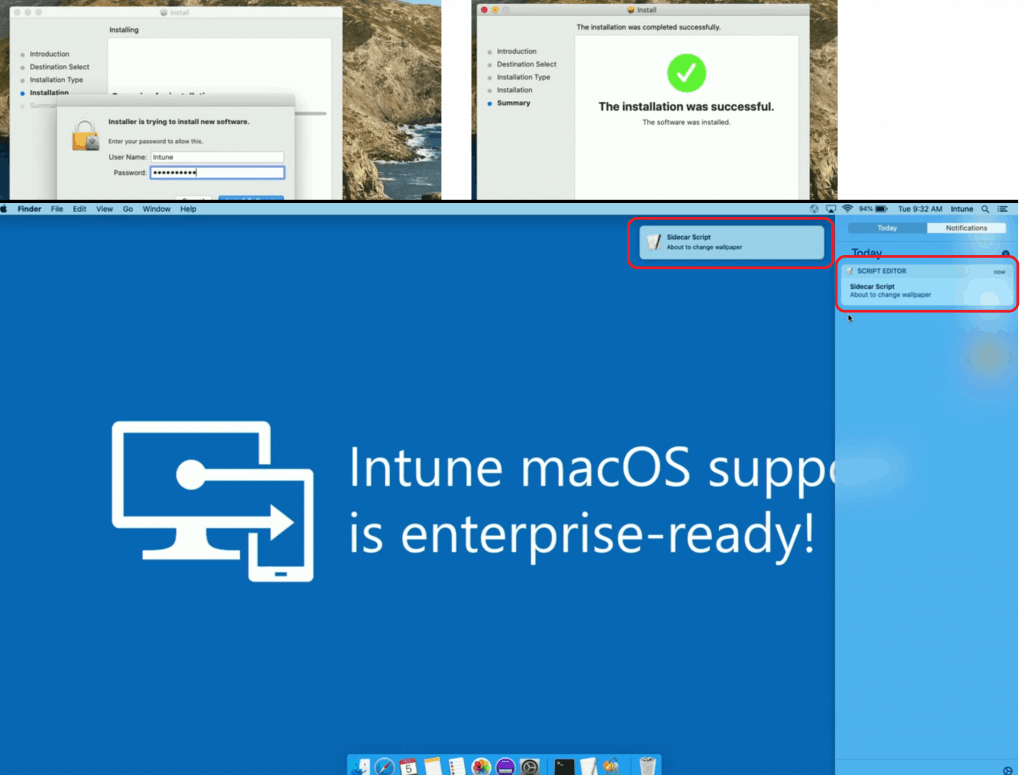
Deploy Script to macOS devices with Intune
The Microsoft Endpoint Manager team is developing a solution to deploy scripts to macOS devices without using Jamf. This feature is demoed in the Ignite 2019 session (linked below).
NOTE! – The macOS script deployment option will be available next year (2020). I didn’t hear about any concrete timelines.
Two agents will be installed on macOS devices to enable this macOS scripting feature. This additional agent is similar to the framework of the “Intune Management Extension for Windows devices.”
- Intune Company portal
- macOS Scripting Agent (macOS sidecar agent)
Office ProPlus Management with Intune
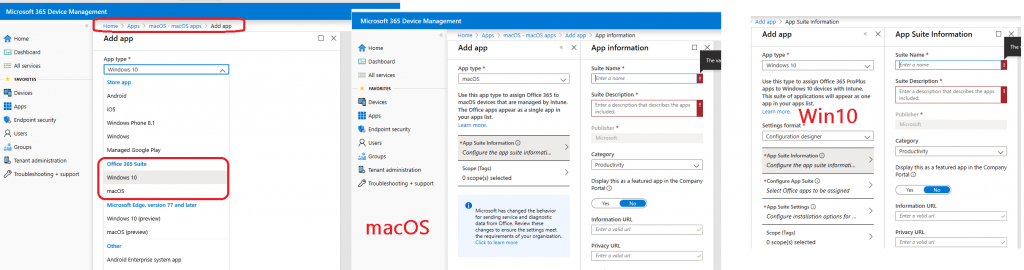
macOS and Windows office proplus management are already available. Configure Office policies using Intune administrative templates!!
Session – iOS Android macOS Mobile Enrollment
- Ignite session What’s new in Microsoft Endpoint Manager, including Microsoft Intune and Configuration Manager (Part 1 of 2)
Resources
- Privacy gets a boost with Apple User Enrollment in Microsoft Endpoint Manager support.
- Intune Android Work SCEP Certificate Deployment Issue
We are on WhatsApp. To get the latest step-by-step guides and news updates, Join our Channel. Click here –HTMD WhatsApp.
Author
Anoop C Nair is Microsoft MVP! He is a Device Management Admin with more than 20 years of experience (calculation done in 2021) in IT. He is a Blogger, Speaker, and Local User Group HTMD Community leader. His main focus is on Device Management technologies like SCCM 2012, Current Branch, and Intune. He writes about ConfigMgr, Windows 11, Windows 10, Azure AD, Microsoft Intune, Windows 365, AVD, etc.


Anoop, thanks for this blog post but where can I find more info for ‘Zero-touch and Knox Mobile Enrollment’ please. if you can point me in right direction. Thanks