






How to Fix Windows 11 24H2 Download Issue using WSUS SCCM
Let’s discuss How to Fix Windows 11 24H2 Download Issue using WSUS SCCM. Microsoft identified an issue on Windows 11 24H2 downloading. Windows 11, version 24H2 might not download via Windows Server Updates Services.
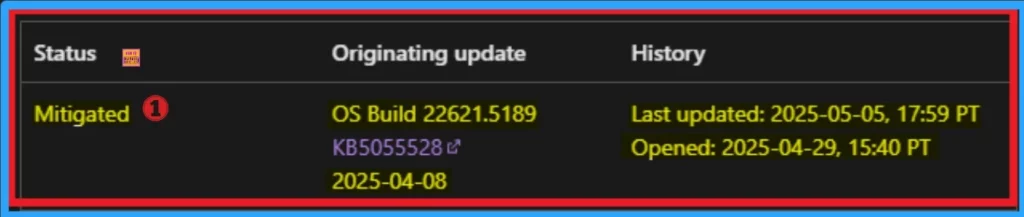
This issue occurred Devices which have installed the April Windows monthly security update, released April 8, 2025, or later (starting with KB5055528) might be unable to update to Windows 11, version 24H2 via Windows Server Update Services (WSUS).
Due to this issue users fell many inconvenience and there are many potential after effects happened due to this issue. Users get error messages while trying to download Windows 11, version 24H2 via Windows Server Update Services WSUS.
As part of this issue, the download of Windows 11, version 24H2 does not initiate or complete. In this blog post I will help you to know more about how to Fix Download Issue of Windows 11, Version 24H2 While using WUSU.

Table of Contents
How to Fix Windows 11 24H2 Download Issue using WSUS SCCM
As mentioned above, due to this issue, the download of Windows 11, version 24H2 does not initiate or complete. Windows updates log can show error code 0x80240069, and further logs might include text similar to “Service wuauserv has unexpectedly stopped“.
| Affected Platform |
|---|
| Windows 11, version 23H2 (Client) |
| Windows 11, version 22H2 (Client) |
- Fix Task Sequence Delays In Windows 11 24H2 During Bare Metal Deployment In SCCM
- Best Way for Windows 11 24H2 Upgrade using Intune and Windows Update for Business WUfB Deployment
- Easy Guide to Configure Multiple Display Mode for Windows 11 24H2 using Intune
- Workaround to FIX SSO Issue with Citrix and Windows 11 24H2
Reasons for Download Issue of Windows 11, Version 24H2
The update issue preventing Windows 11, version 24H2 from downloading via Windows Server Update Services (WSUS) seems to be linked to the April 2025 security update (KB5055528). The following are the reasons.
- Update Conflict
- Unexpected Service Stoppage
Resolution for Download Issue of Windows 11, Version 24H2
This issue is mitigated using Known Issue Rollback (KIR) for enterprise-managed devices managed by IT departments that have installed the affected update and encountered this issue.
Group Policy to Resolve this Issue
IT administrators can resolve this issue by installing and configuring the Group policy listed below. Windows 11 22H2 KB5055528 250426_03001 Known Issue Rollback.msi (also applicable to Windows 11, version 23H2).
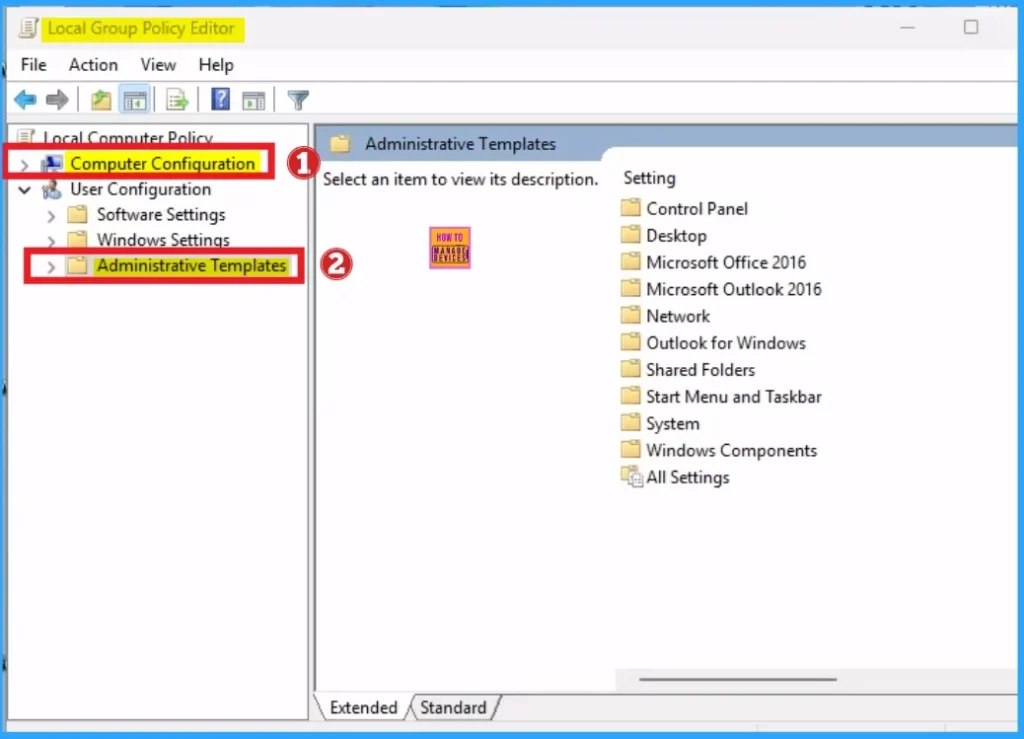
The special Group Policy can be found in Computer Configuration > Administrative Templates > <Group Policy name>. For information on deploying and configuring these special Group Policy.
Final Resolution
Microsoft presently investigating and will provide an update when more information is available. After the information available, you can resolve the issue permanently.
Need Further Assistance or Have Technical Questions?
Join the LinkedIn Page and Telegram group to get the latest step-by-step guides and news updates. Join our Meetup Page to participate in User group meetings. Also, Join the WhatsApp Community to get the latest news on Microsoft Technologies. We are there on Reddit as well.
Resource
Windows 11, version 24H2 might not download via Windows Server Updates Services
Author
Anoop C Nair has been a Microsoft MVP for 10 consecutive years from 2015 onwards. He is a Workplace Solution Architect with more than 22+ years of experience in Workplace technologies. He is a Blogger, Speaker, and Local User Group Community leader. His primary focus is on Device Management technologies like SCCM and Intune. He writes about technologies like Intune, SCCM, Windows, Cloud PC, Windows, Entra, Microsoft Security, Career, etc.




Discussion