






Fix Remove Account Issue on Microsoft Teams for iPhone Enrolled Devices in Intune
Let’s discuss Fix Remove Account Issue on Microsoft Teams for iPhone Enrolled Devices in Intune. Intune iOS users are reporting an issue while using Microsoft Teams. When they open Microsoft Teams, they get error messages.
Many iOS users have faced this issue, and all the devices are enrolled in Intune. Due to this, users cannot access Microsoft Teams or other managed apps, and it impacts communication and productivity. Like this, the Remove Account Issue create many inconveniences for users.
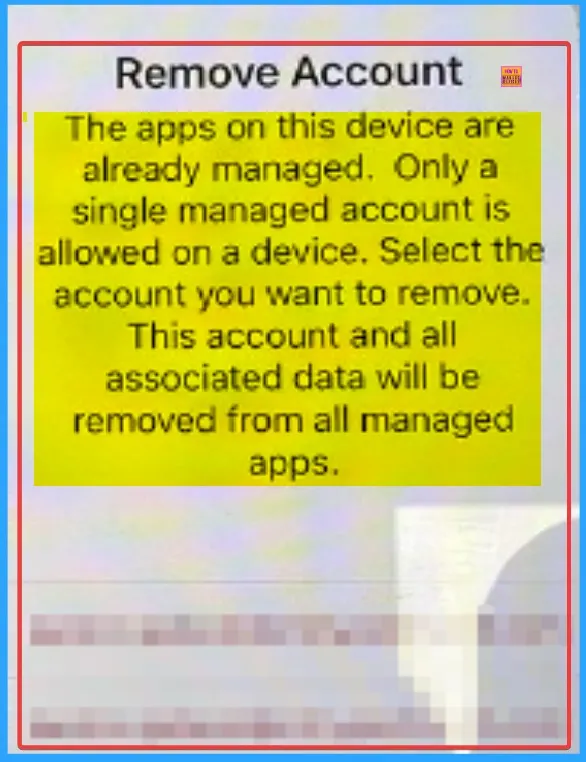
Due to this issue, affected devices show an error message like Remove Account. Only a single managed account is allowed on a device. This issue happens after the user deletes the suggested accounts. This issue only occurred for iOS users and was specific to the Teams App.
In this blog post, I would like to share information about the Remove Account Issue on Microsoft Teams for iPhone devices. Here I will share Reasons, workarounds and some troubleshooting steps for this issue. Hopefully, it will work for you.


Table of Contents
Fix Remove Account Issue on Microsoft Teams for iPhone Enrolled Devices in Intune
As mentioned above, iOS users are only facing this issue on Microsoft Teams. Due to this issue, users got the error message like The apps on this device are already managed. Only a single managed account is allowed on a device. Select the account you want to remove. This account and all associated data will be removed from all managed apps.
- How to Enable or Disable Owners can Delete Sent Messages in MS Teams using Teams Admin Center
- How to Fix Classic Outlook Crashing When Opening Emails from Viva Engage Insights Yammer or Power Automate
- How to Fix CAA2000B 4usqa and 49dvs Sign-In Errors in Outlook and Outlook for Mac
Causes of the Remove Account Issue
There are many reasons behind this issue. When you find this causes you can avoid it easily for a Better experience. Then you can improve the communication in Teams easily. The following table shows the causes.
| Causes | Details |
|---|---|
| Duplicate Managed Accounts | If any duplicate account is shown, it causes conflict in sign in again. |
| Improper Authentication Setup | Microsoft Authenticator not recognizing the new device properly or failing to sync with account changes also contributes to authentication hiccups. |
Workaround for this Issue
Many admins suggested workarounds for this issue. You can follow this workaround to fix this issue on your device. The workaround is contributed by Mr. Ted_Trullinger, JKormos. The following are the Workarounds.
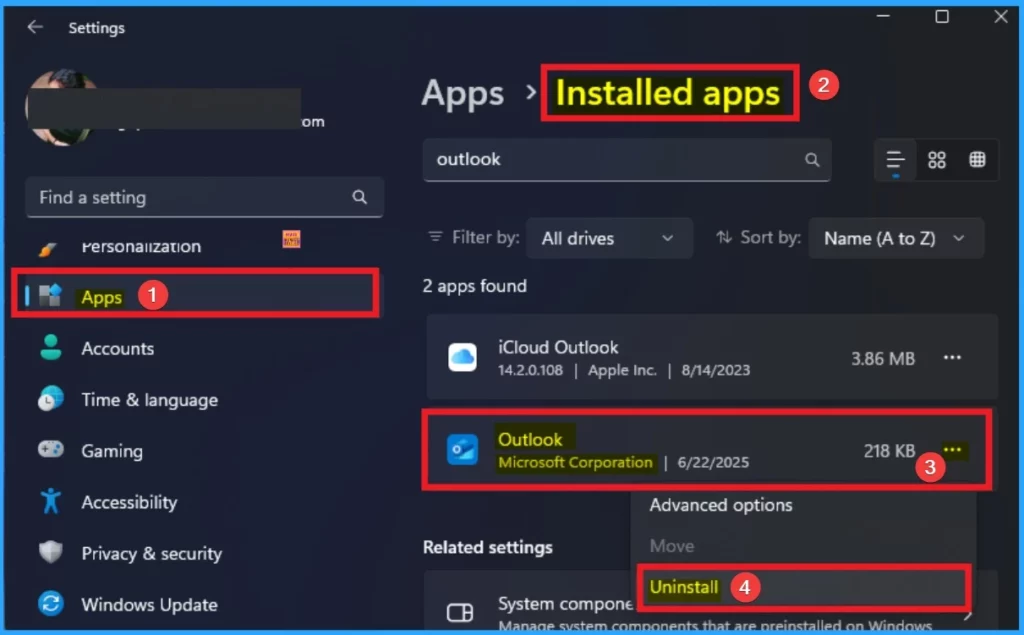
- Workaround which is suggested by Ted_Trullinger Reset Network Removed MS Authenticator account, Resetting MFA, Re-registering to MS Authenticator, Deleting MS Outlook app, making sure all Office apps were signed out especially Edge for iOS, Check Status on device in Company Portal, Re-Installed Outlook for iOS from Company Portal, Outlook found an existing account which we could reset by hitting CONTINUE. Bingo, Mail loaded without the Account needs to be removed message
- Mr JKormos suggested that, update the Outlook app from the App Store. If this doesn’t work, go to settings > General > Transfer or Reset iPhone > Reset > Reset All Network Settings. This does not reset any data, just network settings.
Need Further Assistance or Have Technical Questions?
Join the LinkedIn Page and Telegram group to get the latest step-by-step guides and news updates. Join our Meetup Page to participate in User group meetings. Also, join the WhatsApp Community to get the latest news on Microsoft Technologies. We are there on Reddit as well.
Author
Anoop C Nair has been Microsoft MVP for 10 consecutive years from 2015 onwards. He is a Workplace Solution Architect with more than 22+ years of experience in Workplace technologies. He is a Blogger, Speaker, and Local User Group Community leader. His primary focus is on Device Management technologies like SCCM and Intune. He writes about technologies like Intune, SCCM, Windows, Cloud PC, Windows, Entra, Microsoft Security, Career, etc.


Discussion