






Fix iOS App Installation Error 0x87D1313C in Intune
Let’s discuss Fix iOS App Installation Error 0x87D1313C in Intune. During Application Installation process iOS device users facing error occurring issue. The Error code is 0x87D1313C and due to this error, users cannot complete the app Installation.
In this case, Error 0x87D1313C is occurring due to Network Connection lost. Client Side Network connection is lost or interrupted which creates issue and errors occurred. Network issue on of the major problem which become the reasons many errors.
Due to the Network issue installation is paused. The device lost its network connection while Intune was sending the updated download service URL. Specifically, a server with the specified hostname could not be found.
Network interruption make the users frustrated and installation failed. If the app is marked as Required, users may not understand why it’s not appearing or why it’s stuck. In this blog post I would like to share some information’s and fixes for this issue.

Table of Contents
Fix iOS App Installation Error 0x87D1313C in Intune
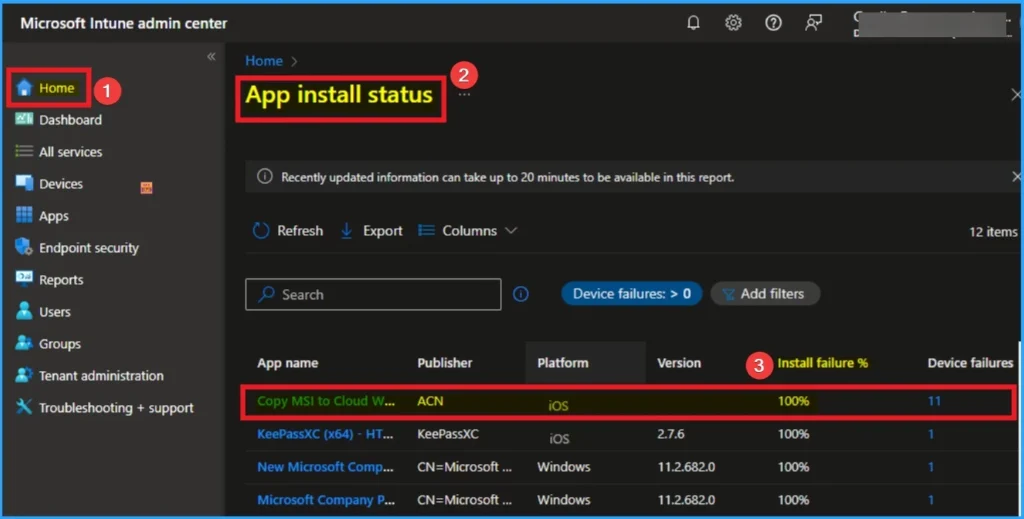
As mentioned above, Network interuption is the reason for this issue. If you are trying to install multiple apps in your organization, it may creates oprational delays. This interruption affects the overall productivity of your organization.
- Configure iOS Store Apps to Simplify App Management using Microsoft Intune
- How to Fix Android App Installation Error 0xC7D14FB5 in Intune
- How to Fix Server Unavailable Error when Opening Automatic Replies for Shared Mailboxes in Classic Outlook
- How to Fix Intune Error 0x87D1041C Application not Detected after Successful Installation
Reasons for this Issue
There are many reasons behind this issue. The device cannot resolve critical hostnames and Network dropout or switching (Wi-Fi to mobile) during app delivery interrupts the request. SSL inspection or blocked outbound connections especially to Apple or Intune MDM URLs can break the download process.
Recommended Actions
To resolve this issue, you can follow some steps. The following recommended actions will be help you to resolve Error 0x87D1313C while Installing iOS application in your organization. Look at the below screenshot.
| Actions | Details |
|---|---|
| Ensure stable Internet | Ussers should connect to a reliable Wi-Fi or cellular network. |
| Retry Installation | Once the device is online, Intune should automatically retry the app install on the next sync. |
| Review Firewall Proxy | If you’re using network filtering, ensure Intune and Apple services are not being blocked. |
Need Further Assistance or Have Technical Questions?
Join the LinkedIn Page and Telegram group to get the latest step-by-step guides and news updates. Join our Meetup Page to participate in User group meetings. Also, join the WhatsApp Community to get the latest news on Microsoft Technologies. We are there on Reddit as well.
Author
Anoop C Nair has been Microsoft MVP for 10 consecutive years from 2015 onwards. He is a Workplace Solution Architect with more than 22+ years of experience in Workplace technologies. He is a Blogger, Speaker, and Local User Group Community leader. His primary focus is on Device Management technologies like SCCM and Intune. He writes about technologies like Intune, SCCM, Windows, Cloud PC, Windows, Entra, Microsoft Security, Career, etc.


Discussion