






Microsoft Revealed Different Types of Intune Check-ins
Exciting News! Microsoft Revealed Different Types of Intune Check-ins. Device check-ins are a fundamental part of how Microsoft Intune maintains control over your managed devices. These check-ins allow devices to communicate with the Intune service to report status. Albert Cabello gave a detailed overview of the different types of Intune check-ins during the Technical Takeoff session, and the related video can be found at the end of the post.
Device check-ins in Intune play a key role in keeping managed devices secure and up to date. These check-ins fall into three main types. Single Device Check-ins happen when an admin or user takes direct action, like syncing the device or installing an app.
Maintenance Check-ins run automatically in the background on a regular schedule to keep devices aligned with policies and configurations. Change-Based Check-ins, also known as fast lane check-ins, are triggered when Intune detects changes like new policy assignments and ensures those updates are applied quickly.
To maintain performance across all customers, Intune applies time-based limits on how often each device can check in. In this post, you will get all the details about Intune Fast Lane Check-ins and the various change triggers that initiate them.

Table of Contents
Microsoft Revealed Different Types of Intune Check-ins – Device Check Ins Type
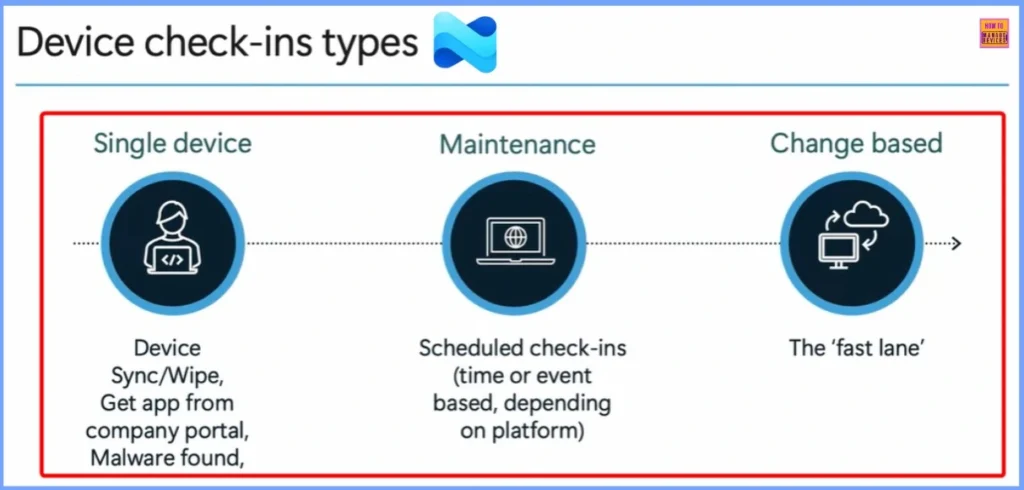
Microsoft groups check-ins into three main categories, based on how and why they are triggered. change-based check-ins are designed to speed up the delivery of policies, apps, and configuration changes to managed devices.
Unlike scheduled maintenance check-ins, these are triggered whenever a change is detected in the Intune environment such as a new policy assignment, updated configuration profile, or app deployment. This mechanism ensures that critical updates reach devices without unnecessary delays, improving responsiveness and user experience in dynamic environments.
| Single Device | Maintenance | Change Based |
|---|---|---|
| Device Sync/Wipe, Get app from company portal, Malware found | Scheduled check-ins (time or event based, depending on the platform) | The Fast Lane |
- Intune MAM App Protection Policies for Screenshot Protection Settings
- Issue with Microsoft Intune App Protection Policies Not Targeting Newly Added Apps
- Create Intune App Protection Policies for iOS iPadOS
Change Based Check-ins
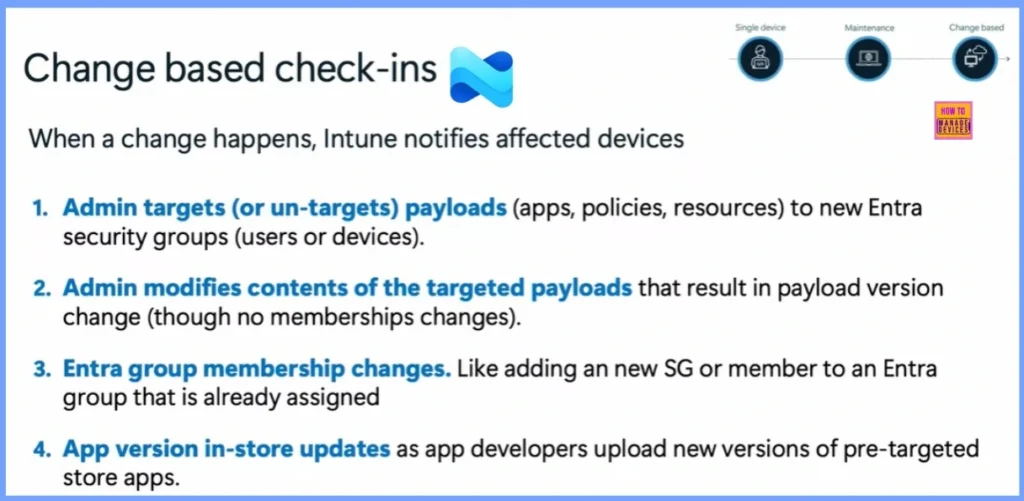
When something changes in Intune, it tells the affected devices to check in and get the latest updates. This happens in a few cases: when an admin adds or removes apps, policies, or settings for a group; when an assigned policy or app is updated; when a user or device is added to an Entra group that’s already targeted; or when a new version of a store app is released that’s already assigned through Intune.
When a change happens, Intune notifies affected devices
- Admin targets (or un-targets) payloads (apps, policies, resources) to the new Entra
security groups (users or devices). - Admin modifies the contents of the targeted payloads that resulting in a payload version
change (though no membership changes). - Entra group membership changes. Like adding a new SG or member to an Entra
group that is already assigned - App version in-store updates as app developers upload new versions of pre-targeted
store apps.
- How to Create App Protection Policies for Windows MAM Devices
- Intune App Protection Policies for Android and iOS Devices
- Enforce Users to use Intune Approved Apps with App Protection Policies using Conditional Access Policies
Need Further Assistance or Have Technical Questions?
Join the LinkedIn Page and Telegram group to get the latest step-by-step guides and news updates. Join our Meetup Page to participate in User group meetings. Also, join the WhatsApp Community to get the latest news on Microsoft Technologies. We are there on Reddit as well.
Resources
Author
Anoop C Nair has been Microsoft MVP for 10 consecutive years from 2015 onwards. He is a Workplace Solution Architect with more than 22+ years of experience in Workplace technologies. He is a Blogger, Speaker, and Local User Group Community leader. His primary focus is on Device Management technologies like SCCM and Intune. He writes about technologies like Intune, SCCM, Windows, Cloud PC, Windows, Entra, Microsoft Security, Career, etc.


Discussion