






How to use Winget to Fix Intune App Installation Error 0x80070005
Let’s discuss how to use Winget to Fix Intune App Installation Error 0x80070005. The error 0x80070005 occurs when an app doesn’t have the right permission to install. This issue is more common with complex apps like Adobe Acrobat DC Pro, which may need special access or elevated permissions during the installation process.
Many IT administrators have reported challenges when deploying apps through Microsoft Intune. Although packaging the installer using the IntuneWinApp tool and uploading it follows the same process used for other applications, the deployment often fails with the error 0x80070005.
This issue doesn’t usually occur with apps like Adobe Reader, Dreamweaver, or Photoshop CC, which typically install without problems using the same method. In a previous post, we covered how to fix Intune error 0x80180013, which occurs during device enrollment. This error typically appears when trying to enroll a device into Intune and can prevent the process from completing successfully.
In this post, you will find all the important details about how to fix the Intune app deployment error 0x80070005. This is a common issue that can occur during app installation when the required permissions are missing.

Table of Contents
How to use Winget to Fix Intune App Installation Error 0x80070005
This error usually occurs when the installer doesn’t have the required permissions or attempts to access restricted areas like user folders or registry keys. To resolve this, you can follow several effective workarounds shown in the sections below.
- How to Fix Intune Error 0x87D1041C Application not Detected after Successful Installation
- How to Fix Intune Error 65000 when Deploying Intune Policy using Settings Catalog
- Fix Intune Enrollment Errors 0x80180014 80180003 Unknown Win32
Winget to Install the Latest Version
This method ensures that the deployment always pulls the most recent version of the application and eliminating the need to manually update or maintain outdated installer packages. You can easily start this by creating a PowerShell script that uses Winget to silently install the latest version of Adobe Acrobat Pro.
winget install Adobe.Acrobat.Pro
Package and Deploy through Intune
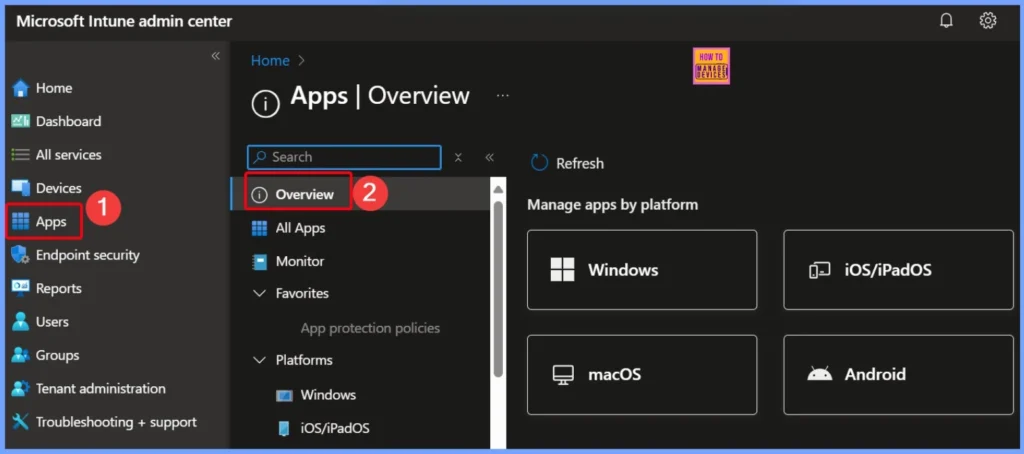
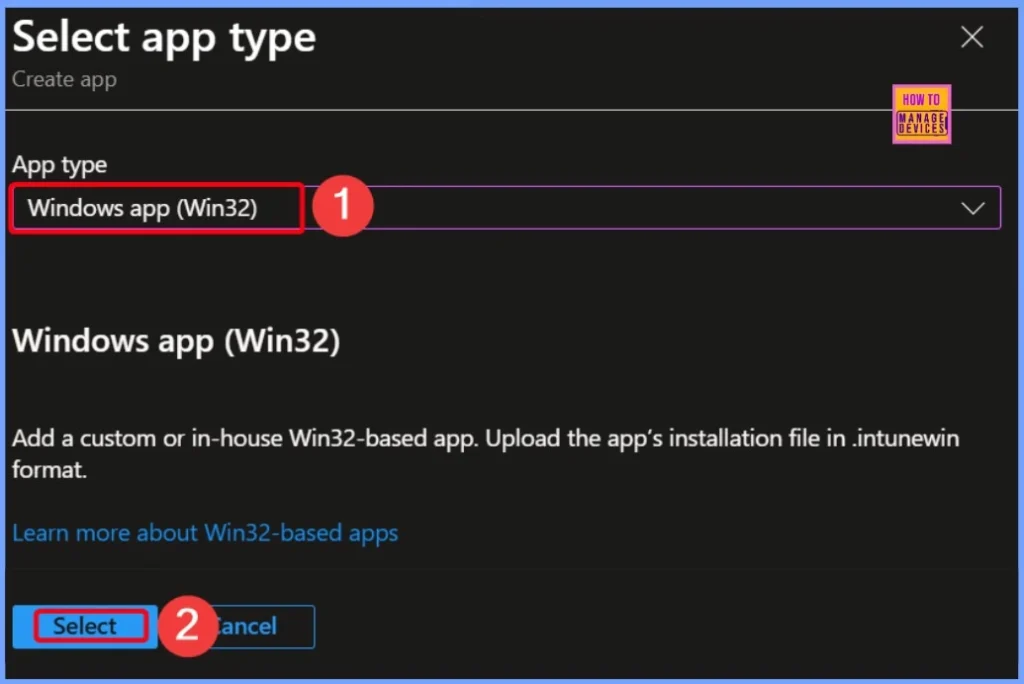
Once your installation script or application is ready, the next step is to prepare it for deployment. You can convert the files into the .intunewin format, which is required for deploying Win32 apps via Microsoft Intune.
After conversion, upload the package to Intune, configure the install and uninstall commands, set up detection rules, and assign the app to your target devices or user groups. This process ensures consistent and centralized deployment across your organization.
- Fix Intune Error Code 80192EE7 the Device Management Enablement Issue on Intune
- Fix Intune Enrollment Errors 0x80180014 80180003 Unknown Win32
- Troubleshoot MDM Enrollment Error Code 80180004
- How to Fix Intune Error 0x87D1041C Application not Detected after Successful Installation
- How to Fix Android App Installation Error 0xC7D14FB5 in Intune
Need Further Assistance or Have Technical Questions?
Join the LinkedIn Page and Telegram group to get the latest step-by-step guides and news updates. Join our Meetup Page to participate in User group meetings. Also, Join the WhatsApp Community to get the latest news on Microsoft Technologies. We are there on Reddit as well.
Author
Anoop C Nair has been a Microsoft MVP for 10 consecutive years from 2015 onwards. He is a Workplace Solution Architect with more than 22+ years of experience in Workplace technologies. He is a Blogger, Speaker, and Local User Group Community leader. His primary focus is on Device Management technologies like SCCM and Intune. He writes about technologies like Intune, SCCM, Windows, Cloud PC, Windows, Entra, Microsoft Security, Career, etc.


Discussion