






SCCM 1910 Rollup Update KB 4537079| Reboot Issues|ConfigMgr
Microsoft released the latest version of the Rollup update is now available for ConfigMgr 1910. SCCM 1910 Rollup Update KB 4537079.
More details (Troubleshooting, Restart Pending issues, Secondary Server update process) about the rollup update are available in the blog post.
This hotfix KB4537079 is available for all the SCCM|ConfigMgr 1910 versions. The SCCM rollup update applies to installations of MEMCM 1910 from packages that have the following GUIDs:
- ConfigMgr 1910 Known Issues Bugs Fixes|SCCM
- https://www.anoopcnair.com/mecm-1910-hotfix-rollup-update-kb-4537079-installation-guide/
| Document Number | SCCM Version | Package GUID |
|---|---|---|
| document_number_1 | 1910 | AC004944-98BC-44C2-A129-320285EC683F |
| document_number_1 | 1910 | 6630E282-AA3F-4921-A65D-4CF493C42066 |
| document_number_1 | 1910 | 5AF6B247-224C-49AB-BE48-8909B3689D5E |
| document_number_1 | 1910 | B1E6FEC0-5A6E-4B56-8F27-7406F9A79CFB |
| document_number_1 | 1910 | 0BB82139-0DC3-4B18-B219-97FB2EFD9E56 |
| document_number_1 | 1910 | E2F7B2F9-4828-4650-9144-5DC7956781B7 |
| document_number_1 | 1910 | 4CE24C49-E6B0-4B4F-9AD8-CA31FF269F23 | |
| document_number_1 | 1910 | 3B4824FF-02FC-40B8-95AB-2AE986B0B63F |
Related Post – ConfigMgr 1910 Known Issues Bugs Fixes|SCCM

How to Find ConfigMgr Package GUID
- Navigate \Administration\Overview\Updates and Servicing
- Right click and add a column called Package GUID column from List View
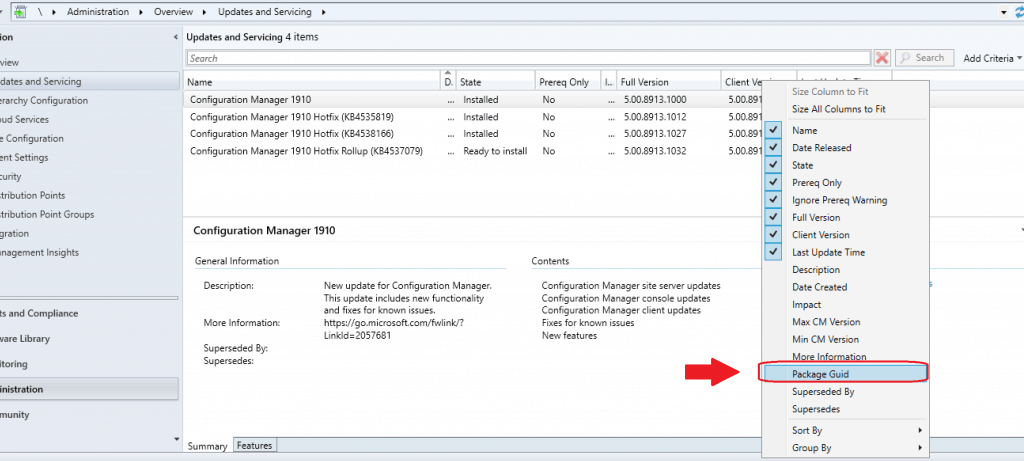
1910 KBs Available in Rollup
You don’t have to install the following hotfixes if you plan to install KB4537079. All these fixes are included in the cumulative rollup update.
More details about ConfigMgr 1910 known issues are explained in the previous.
- KB 4535819 Update for ConfigMgr 1910, early update ring
- KB 4538488 Clients immediately upgrade after updating to ConfigMgr 1910
- KB 4538166 Client update for ConfigMgr 1910
- KB 4537369 The Delete Aged Discovery Data task incorrectly removes active records in ConfigMgr.
Install KB 4537079
Right-click on the hotfix KB4537079 and select the Install Update package to start the installation.
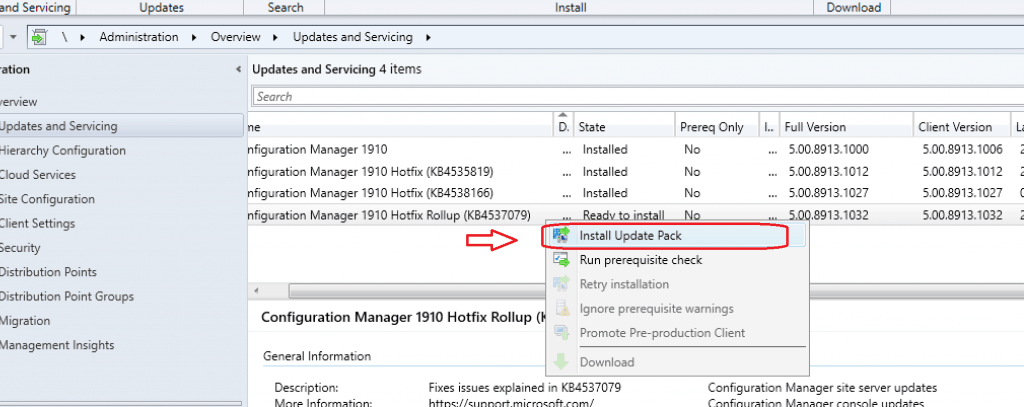
- Go through the Configuration Manager Update Wizard and complete the wizard
- Click on NEXT to continue
- Install Update Package Configuration Manager 1910 Hotfix (KB4537079)
- Prerequisite warnings will be ignored
- Select Update without validating the client and Click NEXT
- Click NEXT, NEXT, and CLOSE to finish the wizard and start the installation of the rollup update
NOTE! – More detailed post is created by Kannan here. https://www.anoopcnair.com/mecm-1910-hotfix-rollup-update-kb-4537079-installation-guide/
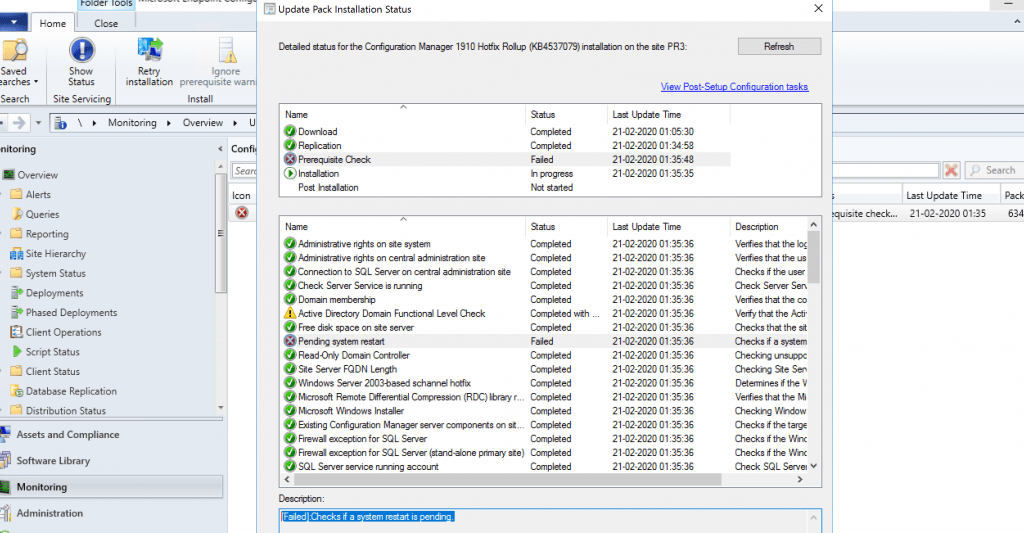
Prerequisite Failed Because of Pending Restart
Let’s restart the server to fix the prerequisite failed issue.
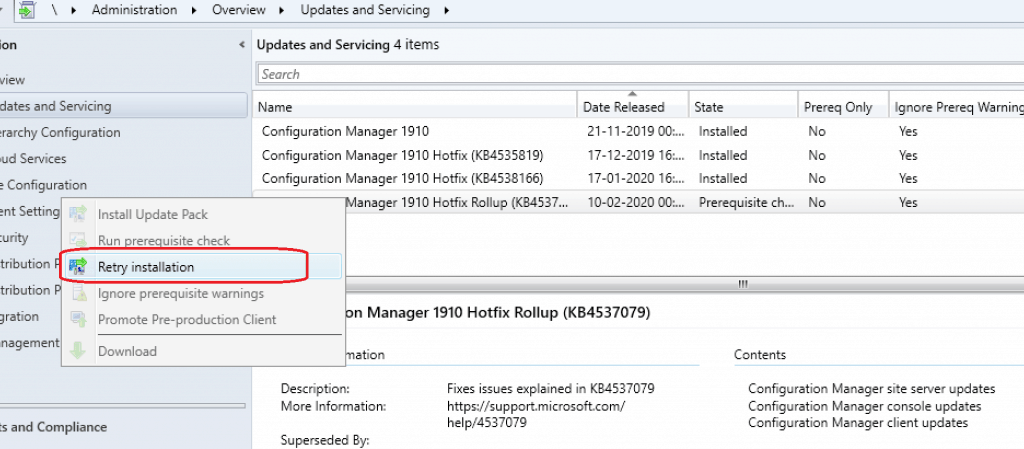
Retry Installation of Hotfix
- Right-click on the hotfix and select Retry installation.
- To install the update pack again, click OK
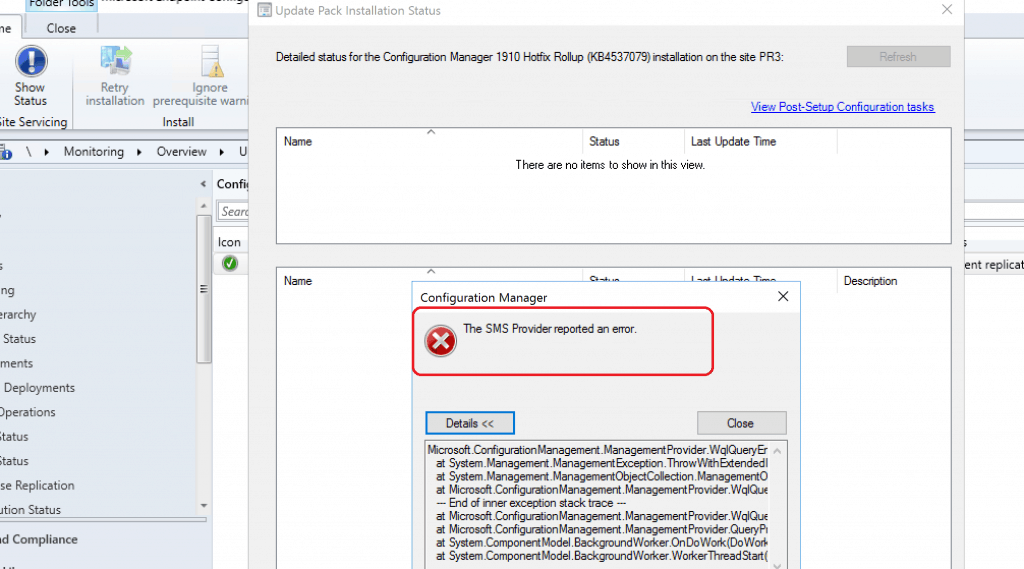
The SMS Provider reported an error?
I think it’s not a good day for me. Another error for me was while installing the 1910 rollup update. The error – “The SMS Provider reported an error.”
NOTE! – I ignored the error message and clicked on the CLOSE button.
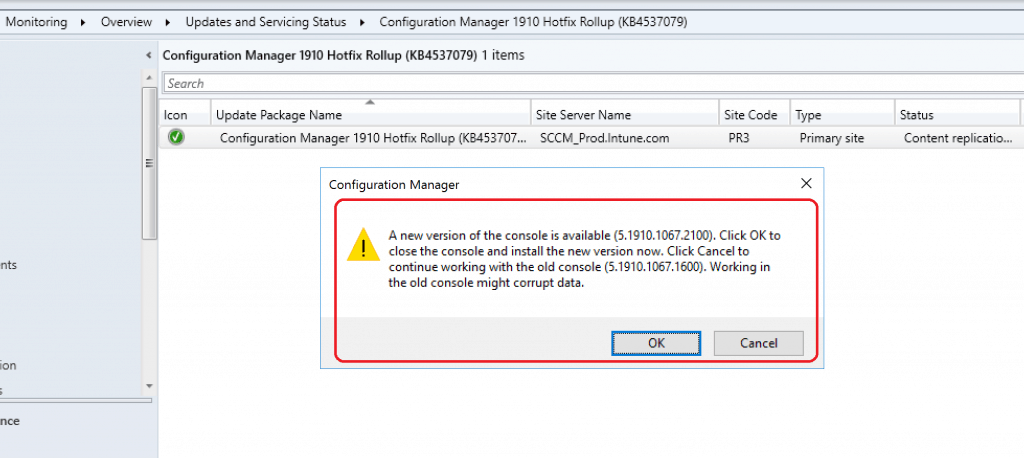
SCCM Console Upgrade
A new version of the console is available (5.1910.1067.2100). Click OK to close the console and install the latest version now.
Click cancel to continue working with the old console (5.1910.1067.1600). Working in the old console might corrupt data.
New Console Version 5.1910.1067.2100
1910 Microsoft Endpoint Configuration Manager console upgrade to 5.1910.1067.2100. More details about SCCM build and client versions.
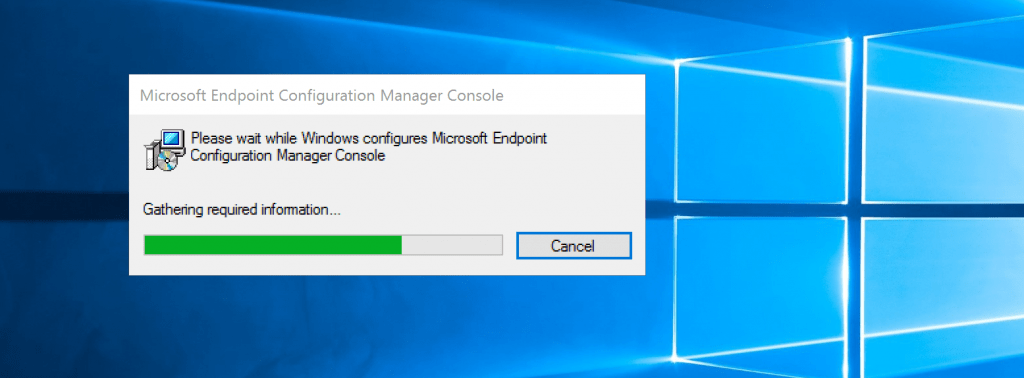
Microsoft Endpoint Configuration Manager console update completed.
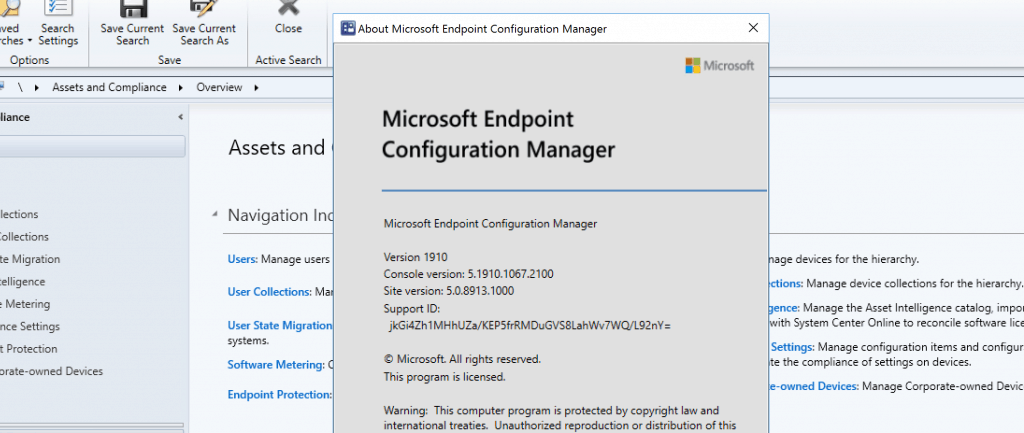
Rollup Update Completed
- Full Version 5.00.8913.1032
- Client Version 5.00.8913.1032
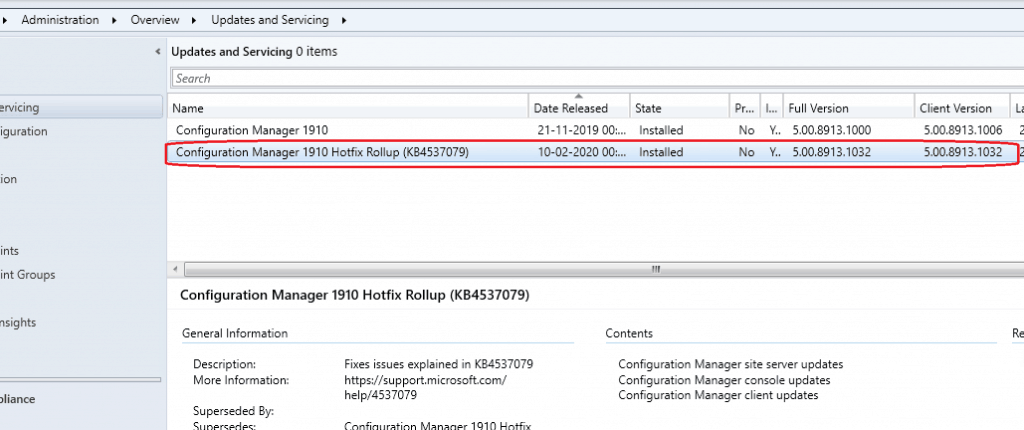
List of Fixes
The following are the fixes available in this 1910 rollup update of MEMCM.
- The MEMCM console may terminate unexpectedly when viewing the properties of a third-party software updates catalog.
- If no policies are downloaded from the site server, local policy instances are not copied to the actual (current) policy on clients.
- Distribution Points incorrectly display a failed status for deployment packages if they are removed from a Distribution Point group while in maintenance mode.
- The SCCMPXE service consumes more memory than expected after updating to MEMCM version 1910.
- The Create Cloud Management Gateway Wizard only displays a given account’s first 50 subscription IDs. Any subscriptions beyond the first 50 are not available in the wizard.
- Powershell.exe terminates unexpectedly when importing modules using the Connect via PowerShell option in the MEMCM console.
- When the BitLocker drive is encrypted, its status shows as non-compliant. This occurs when using Microsoft BitLocker Administration and Monitoring (MBAM) policies that are set to disable or not configured.
- Clients within the boundaries of a secondary site repeatedly send registration requests until the secondary site server is restarted. After a client is successfully registered, a message resembling the following is recorded in the ClientIDManagerStartup.log file, indicating that the client will write again.
- [RegTask] – Client is not registered. Sending registration request for GUID:{client_GUID} …
- When connecting back to the MEMCM console via a Remote Desktop session, personal view preferences are lost.
- The following additional issue is resolved with the installation of this update rollup.
- KB 4542722 SQL database compatibility level changes after applying MEMCM updates
Install SCCM Secondary Site Rollup Update
Secondary sites must be manually updated on your SCCM hierarchy. To upgrade a secondary place in the console, click Administration, click Site Configuration, click Sites, click Recover Secondary Site, and select the secondary site.
The primary site then initiates the reinstallation of the secondary site by using the updated files.
NOTE! – Configurations and settings for the secondary site are not affected by this reinstallation. The new, upgraded, and reinstalled secondary sites under that primary site automatically receive this update.
Verify Secondary Server Update Completion
You can run the following SQL Server command on the site database to confirm and validate that the updated version of a ConfigMgr secondary site matches that of its primary parent site:
select dbo.fnGetSecondarySiteCMUpdateStatus ('SiteCode_of_secondary_site')
If the query returns value one, then the site is up to date, with all the rollup hotfixes. All the hotfixes are installed successfully.
If the query returns the value 0, the site has not installed all the fixes. It would help if you used the Recover Secondary Site option to update the secondary site in this scenario.
Resources – 1910 Rollup Update
- Update Rollup for Microsoft Endpoint Configuration Manager current branch, version 1910
- ConfigMgr 1910 Out of Band Hotfix KB4538166 Client Fix|SCCM
- MECM SCCM 1910 Update Step By Step Guide
We are on WhatsApp. To get the latest step-by-step guides and news updates, Join our Channel. Click here –HTMD WhatsApp.
Author
Anoop C Nair is Microsoft MVP! He is a Device Management Admin with more than 20 years of experience (calculation done in 2021) in IT. He is a Blogger, Speaker, and Local User Group HTMD Community leader. His main focus is on Device Management technologies like SCCM 2012, Current Branch, and Intune. He writes about ConfigMgr, Windows 11, Windows 10, Azure AD, Microsoft Intune, Windows 365, AVD, etc.




after this update the task sequence fails to download the PXE environment in OSD with error 0x8007000F
It points to the ADK but there is no later version available and the compatibility matrix says the 1903 version will work. If anyone knows about this error or how to resolve. I cannot deploy machines now.