






Setup Azure Bastion Connect to SCCM Server | ConfigMgr | MECM
Connecting to the ConfigMgr server using the Azure Bastion solution is very interesting and exciting.
Let’s use Azure Bastion to connect to the Configuration Manager Server hosted in Azure. Let’s Setup Azure Bastion Connect to SCCM Server.
You can connect to the SCCM server hosted in Azure using RDP protocol with a public IP. RDP is a stable and reliable way of connecting servers in the on-prem data centre.
The servers hosted in the cloud should have a better way to connect from a laptop or desktop. I have read about Microsoft’s Azure Bastion solution for a more secure remote connection.

This post teaches you how to connect SCCM servers hosted in Azure with the Azure Bastion solution.
NOTE! – Azure Bastion connection uses SSL without any exposure through public IP addresses. More secured SCCM infra in Azure.
| Index of th Post |
|---|
| What is Azure Bastion? |
| Prerequisites |
| Setup Bastion Connection for SCCM Primary Server |
| Setting Up Bastion Connection Configuration |
| Creating A New Azure Bastion |
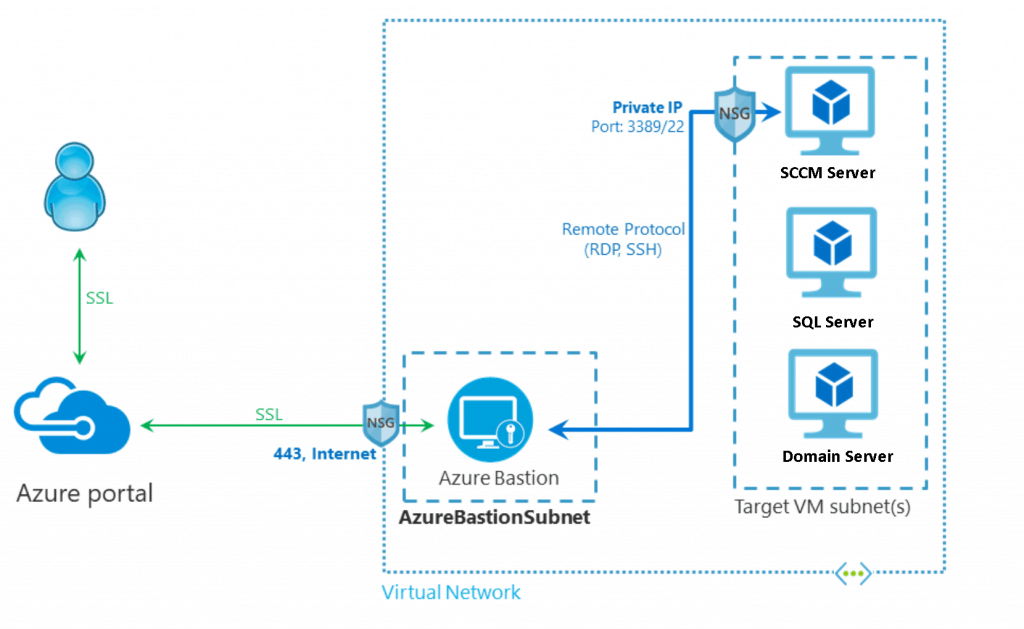
What is Azure Bastion?
Azure Bastion is a fully managed PaaS service from Microsoft that provides secure and seamless RDP and SSH access to virtual machines hosted in Azure. Azure Baston helps to connect to VMs directly through the Azure portal.
Azure Bastion is provisioned directly in your Virtual Network (VNet) and supports all VMs in your Virtual Network (VNet) using SSL without exposure to public IP addresses.
Prerequisites
I hope you already have SCCM | Configuration Manager infrastructure (LAB) in Azure.
- Azure Subscription
- Appropriate permissions to create VMs, Vnets, Public IPs, etc…
- Virtual Network (Subnets) for ConfigMgr LAB infrastructure in Azure
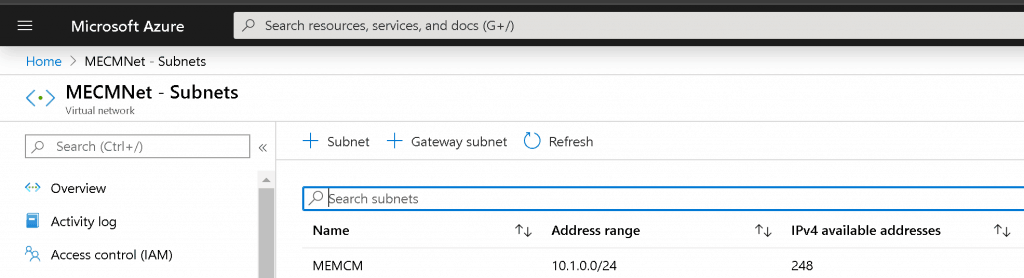
- Public IP and all the prerequisites of Azure Bastion
Setup Bastion Connection for SCCM Primary Server
- Login to Azure Portal https://portal.azure.com/
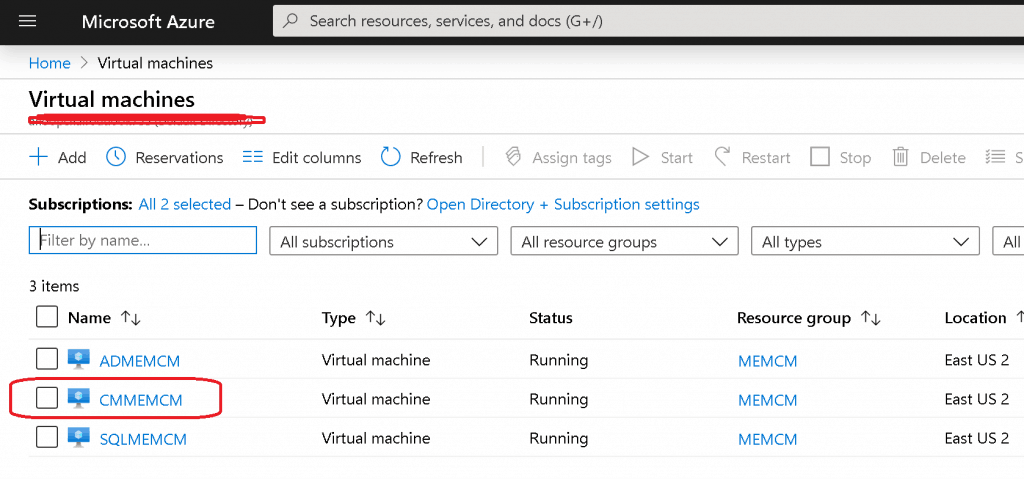
- Search for your SCCM|ConfigMgr Virtual Machine – CMMEMCM
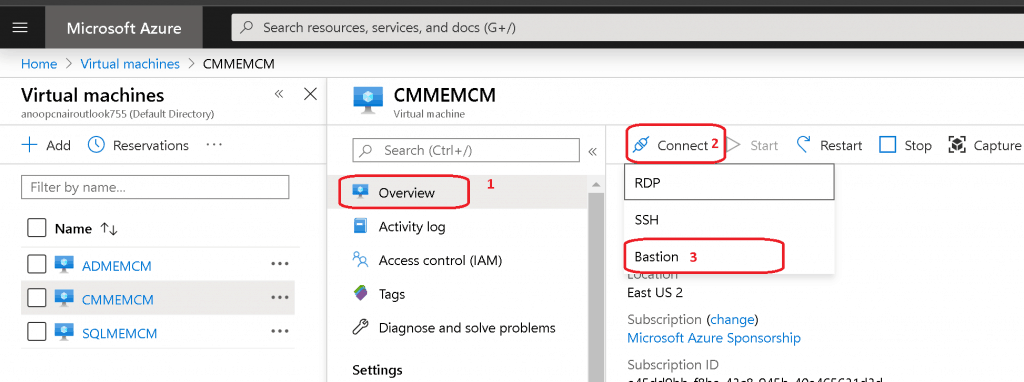
- Click on Connect -> Bastion
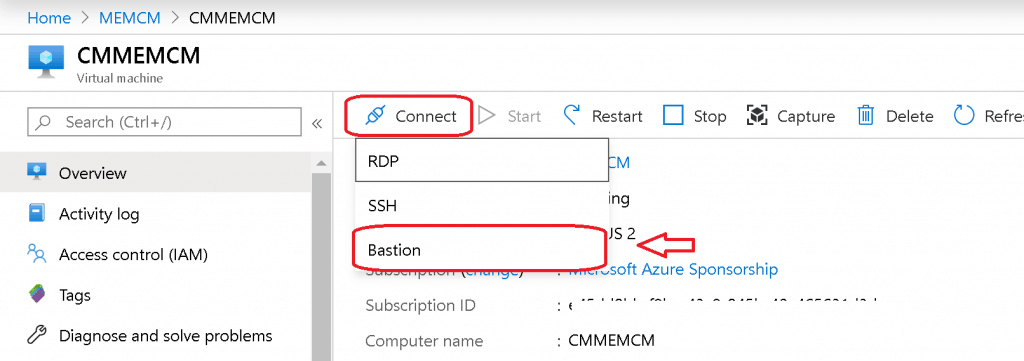
- Otherwise, you can click on the Connect button from the left-side menu
- Select BASTION
- Click Use Bastion
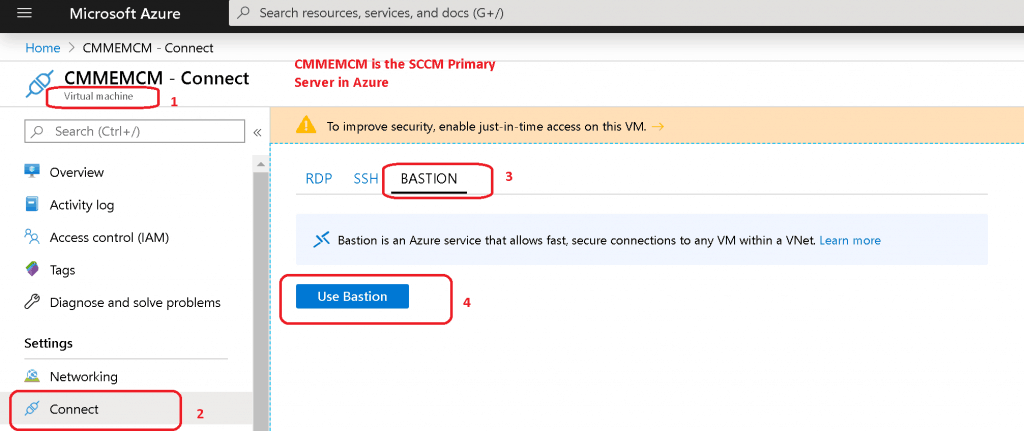
Setting Up Bastion Connection Configuration
- Enter the name of the Bastion connection – MEMCMnet-Bastion
- Enter the New Subnet Name – AzureBastionSubnet (the mandatory name for all Azure Bastion subnets)
- Configure the subnet IP range /27 /26
- Click Manage subnet configuration to create the AzureBastionSubnet. Click Create to create the subnet, then proceed with the following settings.
- Create a Public IP address for Azure Bastion
- Enter the name of the Public IP addresses name – MEMCMNetSastionIP
- Select the Resource Group, which is already used for SCCM Lab infra in Azure
- Click Create
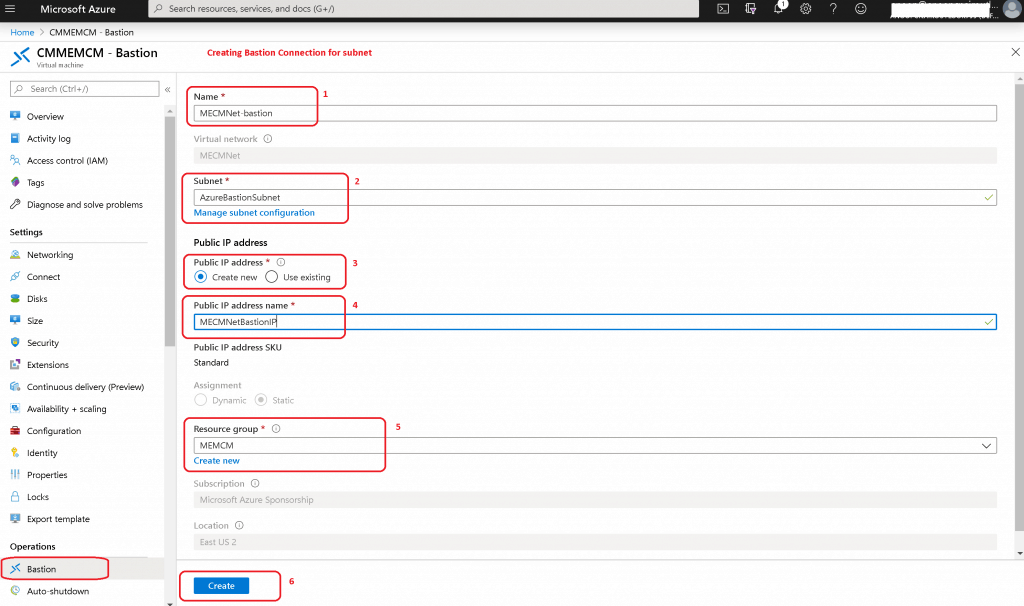
Creating A New Azure Bastion
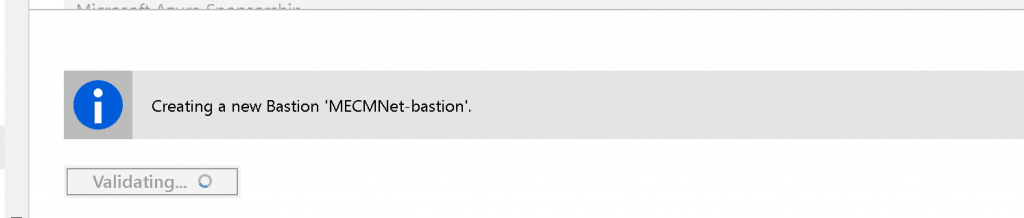
Let’s wait until Azure creates a new Bastion connection for the SCCM Server – Setup Azure Bastion Connect to the SCCM Server.
Connect to Azure SCCM Server with Bastion
Let’s connect to the virtual machine as shown below and search for your virtual machine in the Azure portal
- Click on CMMEMCM virtual machine (SCCM Primary server)
Click on Connect to get the drop-down option to connect
- Select Bastion
Connect using Azure Bastion and select the option Open in New Window. Enter the User Name and the Password to your virtual machine to connect using Bastion.
- Click on CONNECT
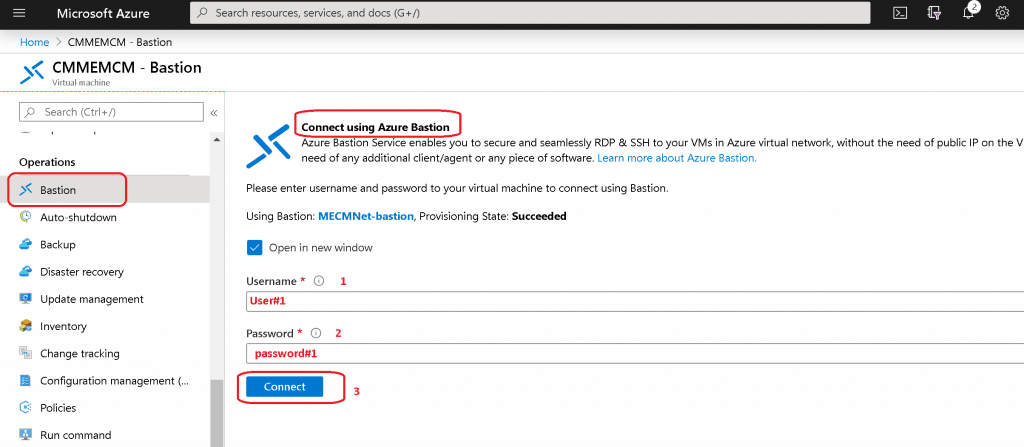
Connecting to ConfigMgr Primary server using Azure Bastion.
- Connected to Bastion Host. Waiting for response
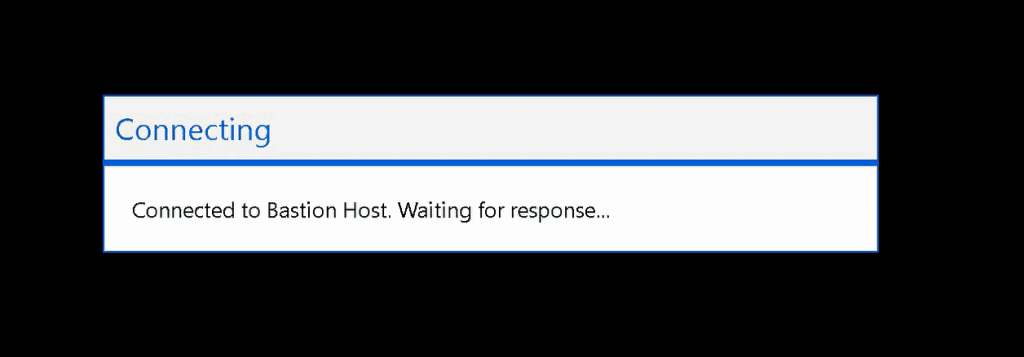
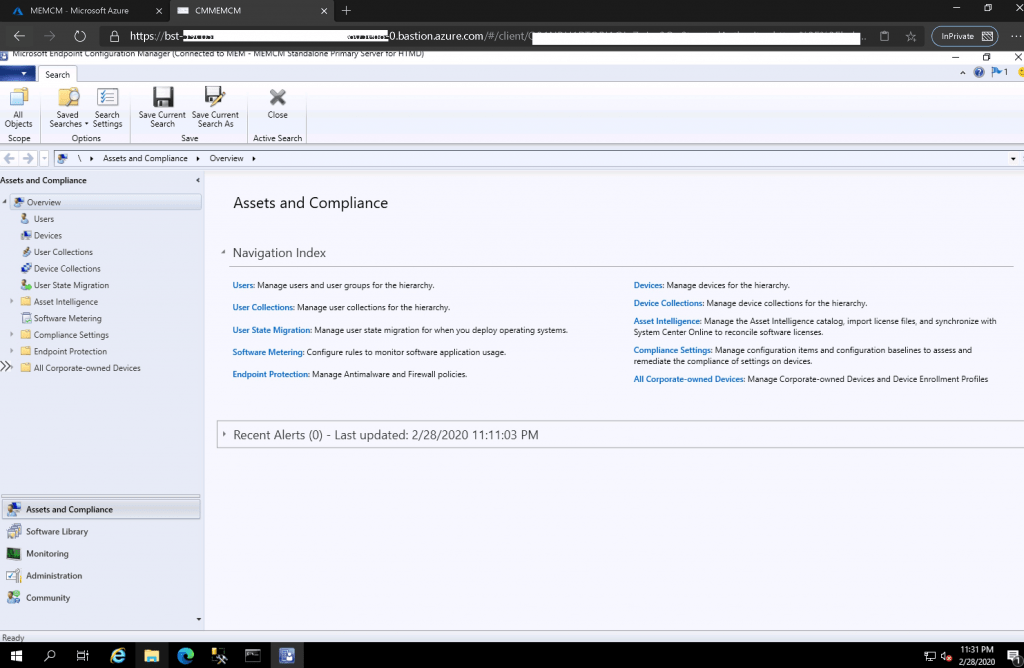
Results-Setup Azure Bastion Connect to SCCM Server
- I’m connected to ConfigMgr | SCCM primary server using Azure Bastion
- Azure Bastion connection uses SSL without any exposure through public IP addresses. More secured SCCM infra in Azure.
Resources
- What is Azure Bastion? Microsoft documentation – https://docs.microsoft.com/en-us/azure/bastion/bastion-overview
- Create a bastion host – specify settings
We are on WhatsApp. To get the latest step-by-step guides and news updates, Join our Channel. Click here –HTMD WhatsApp.
Author
Anoop C Nair is Microsoft MVP! He is a Device Management Admin with more than 20 years of experience (calculation done in 2021) in IT. He is a Blogger, Speaker, and Local User Group HTMD Community leader. His main focus is on Device Management technologies like SCCM 2012, Current Branch, and Intune. He writes about ConfigMgr, Windows 11, Windows 10, Azure AD, Microsoft Intune, Windows 365, AVD, etc.




Discussion