






Why Intune Update Reports show Blank Number Cards in Dark Mode
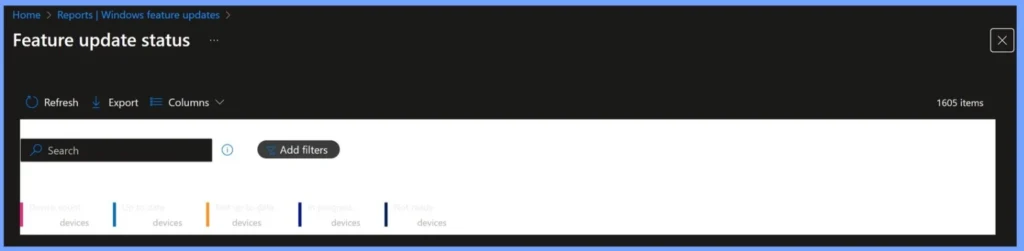
Why Intune Update Reports show Blank Number Cards in Dark Mode. A recent update to the Microsoft Intune portal has introduced a user interface issue in Dark Mode that affects the visibility of data within the Windows Quality and Feature Update reports.
This is a minor issue, but it can be time-consuming for IT administrators. Many of them rely on those number cards in Intune to quickly see how many devices are updated or still pending. If the numbers disappear in Dark Mode, they can’t get quick answers.
The new Windows 11 version 25H2 has been released, and Intune now supports Feature Update policies to help IT admins manage its rollout across their organisation. These policies allow devices to remain on a specific Windows version, providing a predictable upgrade path and avoiding unexpected feature changes.
In this post, you will get all the details about why Intune update reports show blank number cards in Dark Mode. We will explain the cause of the issue, how it affects IT admins and organizations, and the temporary workarounds you can use to continue monitoring update compliance effectively.

Table of Contents
Why Intune Update Reports show Blank Number Cards in Dark Mode
Microsoft’s Intune Support Team confirmed they could reproduce the bug on the Quality/Feature Update status page and requested screenshots from users to check if other parts of the reporting interface are affected.

- Enhanced Windows Update Reports with Windows Diagnostic Data in Intune
- Cloud PC Monitoring Health Performance Using Endpoint Analytics Intune
- Configure Windows Update For Business Reports | Intune WUfB Patching Reports
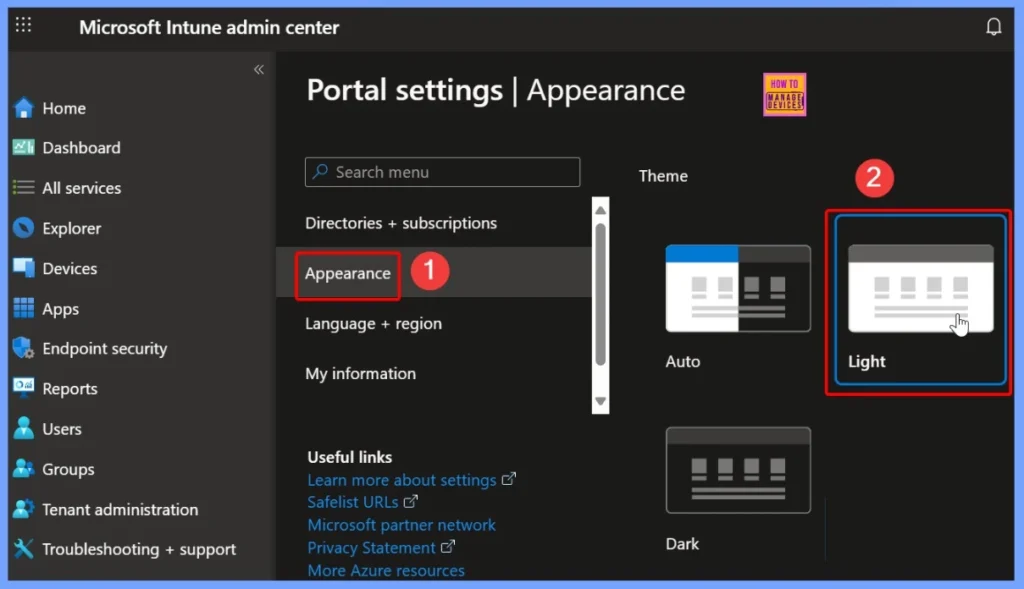
Switch to Light Mode to View Numbers
If you can see that the number cards in Intune reports are blank in Dark Mode, a quick workaround is to temporarily switch to Light Mode. Doing so makes the numbers visible again, allowing IT admins to quickly check device compliance and update status without exporting reports or navigating through extra menus.
Hover or Select the Card to Reveal Numbers
If the number cards in Intune reports appear blank in Dark Mode, you can hover over or click on a card. This action sometimes highlights the text, making the numbers readable without switching themes or exporting the report.
Additional Workarounds for Missing Number Cards in Intune Dark Mode
If the number cards in Intune reports are not visible in Dark Mode, there are several alternative ways to view the data without waiting for an official fix. These methods help IT admins quickly access update. The below table helps you to show more details.
| Workaround | Details |
|---|---|
| Use Browser Zoom Out | Can improve contrast |
| Turn on High Contrast Mode | Helps to improve readability. |
| Use Browser Developer Tools | Restores visibility without leaving Dark Mode. |
| Switch to a Different Browser | Some browsers render text better in Dark Mode. |
| Print or Export Report | Numbers display correctly in exported files. |
Need Further Assistance or Have Technical Questions?
Join the LinkedIn Page and Telegram group to get the latest step-by-step guides and news updates. Join our Meetup Page to participate in User group meetings. Also, join the WhatsApp Community to get the latest news on Microsoft Technologies. We are there on Reddit as well. You can see these details have been discussed in Reddit and other social media forums.
Author
Anoop C Nair has been Microsoft MVP for 10 consecutive years from 2015 onwards. He is a Workplace Solution Architect with more than 22+ years of experience in Workplace technologies. He is a Blogger, Speaker, and Local User Group Community leader. His primary focus is on Device Management technologies like SCCM and Intune. He writes about technologies like Intune, SCCM, Windows, Cloud PC, Windows, Entra, Microsoft Security, Career, etc.


Discussion