





How Infusing AI into Intune Settings turning Configuration into Intelligent Guidance
Key Takeaways:
- AI-driven transformation of Intune Settings
- Admins can describe desired outcomes in plain language
- AI analyzes usage patterns to suggest optimized defaults
- Before changes are applied, AI simulates the impact
Let’s discuss about How Infusing AI into Intune Settings turning Configuration into Intelligent Guidance. Copilot or AI integrations has been helpful to see how shows up in the product. With Copilot in Intune helps to secure your endpoints with policy and Microsoft Defender.
Table of Contents
Table of Contents
How Infusing AI into Intune Settings turning Configuration into Intelligent Guidance
As we know that, many Intune users spending a lot of time on copilot or AI integrations into the product. It has been really helpful to see some of the translations from AI, you know show users kind of what they should be setting in their environment, what these settings do what they means. And users also spend lot of time to sort of you 15 or 16,000 settings in the settings catalog to know the enterprise configurations and help people deploy those.
Infusing AI into Intune Settings, it is to move away from “manual configuration” and toward “intent-based customization.” It includes Natural Language Configuration, Proactive “Smart Defaults”, Contextual Documentation.
- How to Retrieve Noncompliant Windows Devices with Intune Explorer and Security Copilot
- How Microsoft Security Copilot Improves Intune Admin Center Efficiency
- Best Copilot Assistance for Querying Device Inventory Data using KQL in Intune
Natural Language Configuration
Natural Language Configuration is the biggest attraction of Infusing AI into Intune Settings. Instead of hunting through nested menus (e.g., Workspace > Permissions > Security > IP Whitelisting), you can simply describe the outcome you want.

| Features | Details |
|---|---|
| The Interface | A global search bar within Settings that acts as a command line. |
| The Action | AI identifies the required changes as per the prompt |
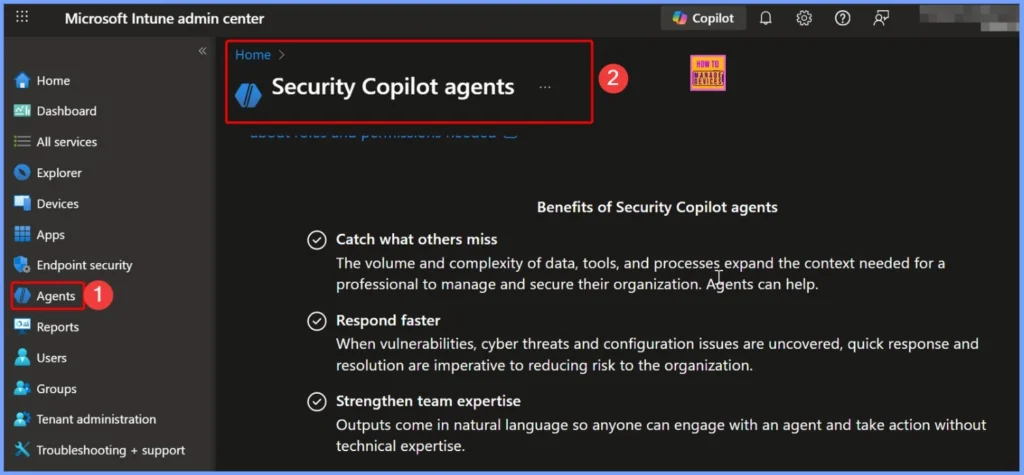
Proactive “Smart Defaults”
Proactive “Smart Defaults” helps you to analyze ow your team actually uses the product to suggest optimizations. AI can do usage analysis and give notifications according to that.
Contextual Documentation
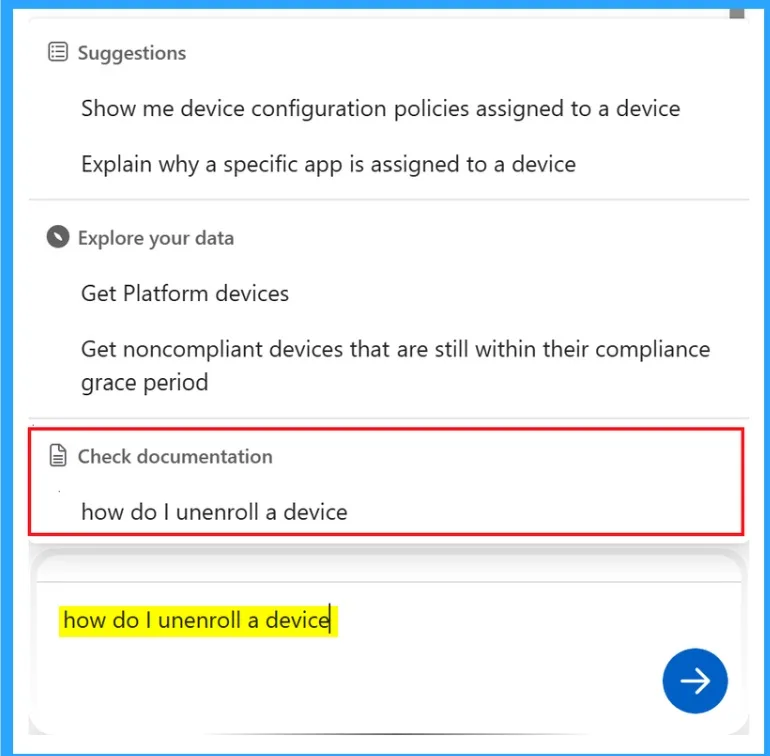
AI-powered tooltips explain what a setting does specifically for your data. For example, Instead of “Enables API Rate Limiting,” it says, “Enabling this will prevent the 4 high-volume scripts your team currently runs from crashing the workspace during peak hours.”
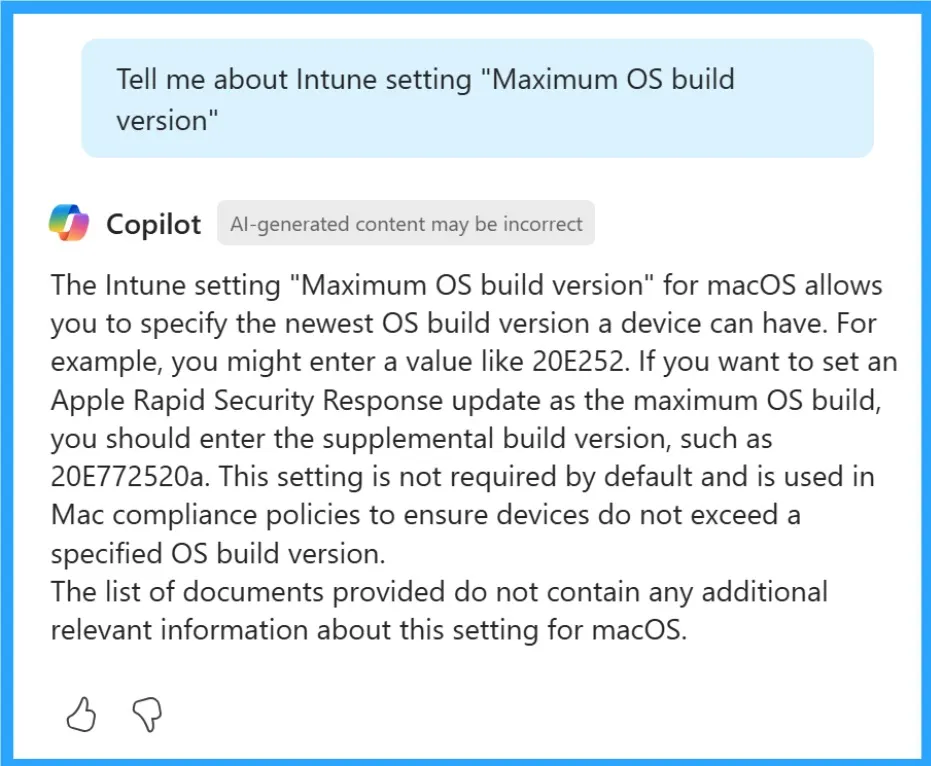
Conflict Resolution & Impact Mapping
Conflict Resolution & Impact Mapping is easy with AI. Changing one setting can often break another. AI acts as a “pre-flight check.” For example If you change a privacy setting, the AI generates a brief impact summary: “Changing this will restrict access for 12 guest users and disable the Slack integration. Do you want to proceed?”
Need Further Assistance or Have Technical Questions?
Join the LinkedIn Page and Telegram group to get the step-by-step guides and news updates. Join our Meetup Page to participate in User group meetings. Also, Join the WhatsApp Community and WhatsApp Channel to get the latest news on Microsoft Technologies. We are there on Reddit as well.
Author
Anoop C Nair has been Microsoft MVP for 10 consecutive years from 2015 onwards. He is a Workplace Solution Architect with more than 22+ years of experience in Workplace technologies. He is a Blogger, Speaker, and Local User Group Community leader. His primary focus is on Device Management technologies like SCCM and Intune. He writes about technologies like Intune, SCCM, Windows, Cloud PC, Windows, Entra, Microsoft Security, Career, etc.


Discussion