





Protecting Endpoints with Zero Trust Principles and Microsoft Intune Capabilities
Key Takeaways
- Zero Trust protects systems by verifying users, limiting access, and assuming attacks can happen.
- Microsoft Intune and Microsoft Entra ID work together to protect both devices and user identities.
- Intune checks device compliance and uses MFA and conditional access to allow only trusted access.
- Security features like encryption, patching, and threat detection help organizations quickly respond to attacks.
Hey, let’s discuss about Protecting Endpoints with Zero Trust Principles and Microsoft Intune Capabilities. The Zero Trust security model focuses on protecting systems by continuously enforcing, verifying, and limiting access. One key principle is assuming breach, meaning organizations should act as if a system is already compromised and quickly contain potential damage. Another principle is verify explicitly, where every access request is validated through strong authentication methods such as MFA, device registration, and continuous monitoring of user activity, location, and device status.
Table of Contents
Protecting Endpoints with Zero Trust Principles and Microsoft Intune Capabilities
Another important principle is least privilege access, which ensures users only receive the minimum permissions needed to perform their tasks. This reduces the risk of unauthorized access and limits the impact of potential threats. By continuously monitoring access and regularly reviewing permissions, Zero Trust helps organizations secure every layer of their environment while allowing only essential and verified access.
- Advancing Windows 11 Security with In-Memory Patching and Zero Trust DNS
- How to Manage Agents through Microsoft Entra Agent ID Interface for Security and Zero Trust Enforcement
- 7 Effective Ways to Secure Data in Zero Trust with Microsoft Intune
Microsoft Zero Trust Capability Mapping
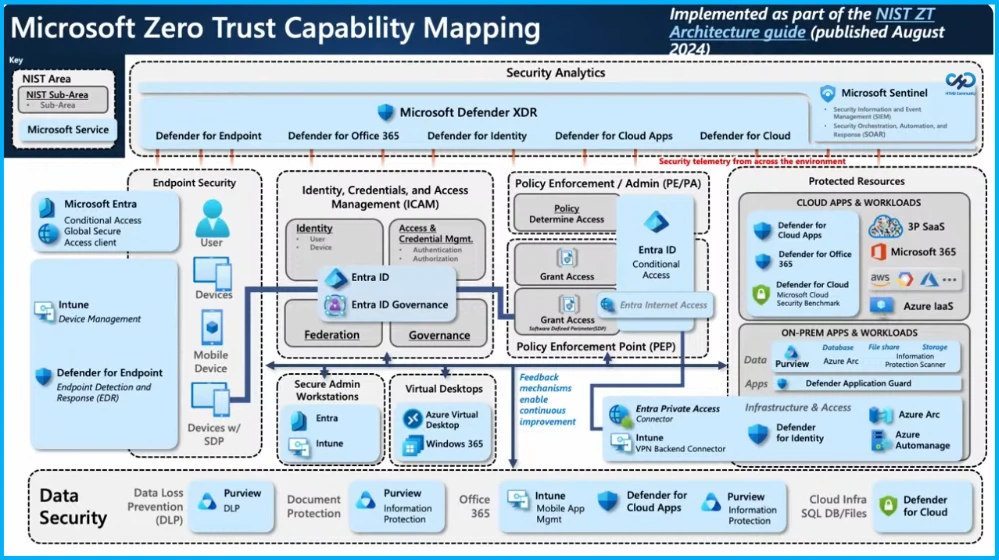
The Microsoft Zero Trust capability mapping shows how different Microsoft security tools work together to protect users, devices, applications, and data. It integrates services such as Microsoft Entra ID, Microsoft Intune, and Microsoft Defender to enforce identity verification, device management, and threat protection.
Cloud-Native Endpoint Management
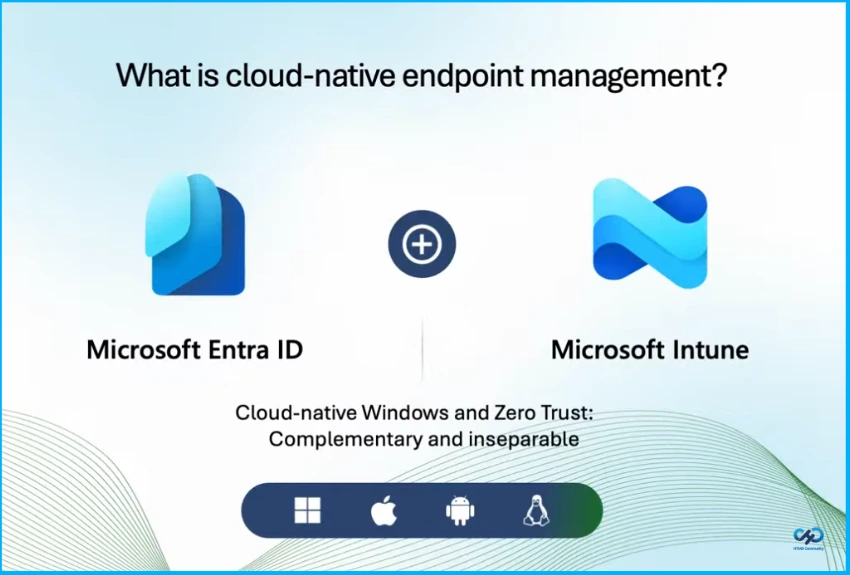
It is a combination of using Microsoft Entra ID and Microsoft Intune. It’s going to allow you to have holistic cloud first approach to protect both your identity and your devices. But it’s really built for hybrid works.

Key Security Principles of the Intune Platform
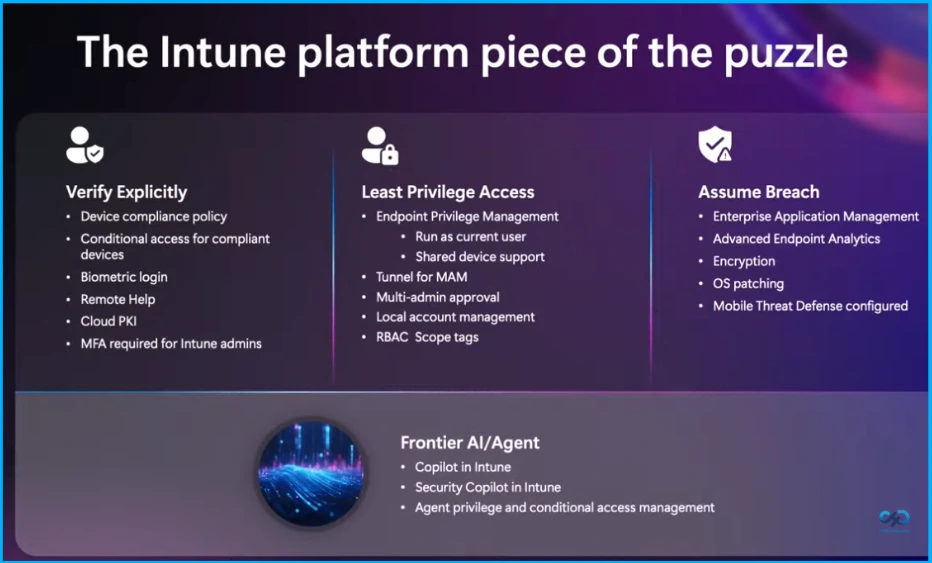
The Intune platform supports security through three key principles Verify Explicitly, Least Privilege Access, and Assume Breach. Verify Explicitly includes device compliance policy, conditional access for compliant devices, biometric login, remote help, cloud PKI, and MFA for Intune admins. Least Privilege Access provides endpoint privilege management, shared device support, Tunnel for MAM, multi-admin approval, local account management, and RBAC scope tags.
Assume Breach focuses on enterprise application management, advanced endpoint analytics, encryption, OS patching, and mobile threat defense configuration. It also includes Frontier AI features like Copilot in Intune, Security Copilot in Intune, and agent privilege with conditional access management.
Need Further Assistance or Have Technical Questions?
Join the LinkedIn Page and Telegram group to get the latest step-by-step guides and news updates. Join our Meetup Page to participate in User group meetings. Also, join the WhatsApp Community and the Whatsapp channel to get the latest news on Microsoft Technologies. We are there on Reddit as well
Author
Anoop C Nair has been Microsoft MVP for 10 consecutive years from 2015 onwards. He is a Workplace Solution Architect with more than 22+ years of experience in Workplace technologies. He is a Blogger, Speaker, and Local User Group Community leader. His primary focus is on Device Management technologies like SCCM and Intune. He writes about technologies like Intune, SCCM, Windows, Cloud PC, Windows, Entra, Microsoft Security, Career, etc.


Discussion