





Complete Guide to Microsoft Entra ID Authentication Methods and Passkeys
Key Takeaways
- Passkeys and passwordless sign-ins are becoming more popular in Microsoft Entra ID.
- Some MFA methods do not support password reset (SSPR).
- FIDO2, Windows Hello, and CBA are strong phishing-resistant authentication methods.
- Temporary Access Pass (TAP) helps users set up sign-in and MFA.
- Verified ID is used for account recovery, not for sign-in or MFA.
Microsoft Entra ID supports many authentication methods, including passwords, passkeys, FIDO2 security keys, Windows Hello for Business, Microsoft Authenticator, SMS sign-in, and Certificate-Based Authentication (CBA). Organisations can use these methods for primary sign-in, multi-factor authentication (MFA), self-service password reset (SSPR), and account recovery based on their security and user experience requirements.
Table of Content
Complete Guide to Microsoft Entra ID Authentication Methods and Passkeys
Passkeys and phishing-resistant authentication methods are becoming more important for improving security and reducing password-related risks. Methods like FIDO2 passkeys, Windows Hello for Business, and CBA provide stronger protection against phishing attacks. At the same time, features like Temporary Access Pass (TAP) help users securely onboard and configure MFA during device or account setup.
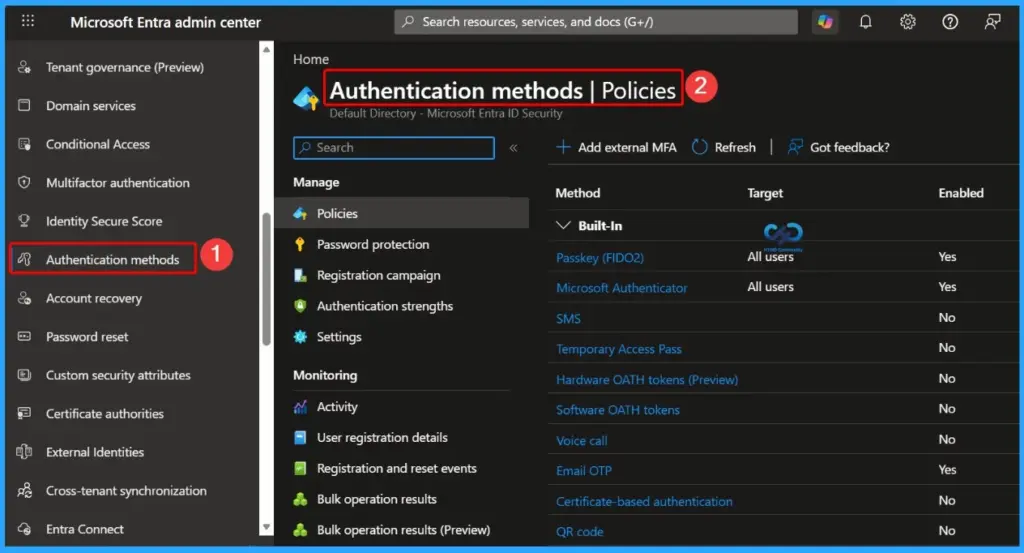
| Authentication Method | Primary Auth | Secondary Auth (MFA) | SSPR | Account Recovery |
|---|---|---|---|---|
| Authenticator Lite | No | MFA | No | No |
| Certificate-based authentication (CBA) | Yes | MFA | No | No |
| Email OTP | No | SSPR and sign-in | SSPR | No |
| External MFA | No | MFA | No | No |
| Hardware OATH tokens (Preview) | No | MFA | SSPR | No |
| Microsoft Authenticator Passwordless | Yes | No | No | No |
| Microsoft Authenticator Push Notifications | Yes | MFA | SSPR | No |
| Passkey (FIDO2) | Yes | MFA | No | No |
| Passkey in Microsoft Authenticator | Yes | MFA | No | No |
| Password | Yes | No | No | No |
| Platform Credential for macOS | Yes | MFA | No | No |
| QR Code | Yes | No | No | No |
| SMS sign-in | Yes | MFA | SSPR | No |
| Software OATH tokens | No | MFA | SSPR | No |
| Synced passkey | Yes | MFA | No | No |
| Temporary Access Pass (TAP) | Yes | MFA | No | No |
| Verified ID | No | No | No | Account recovery |
| Voice call | No | MFA | SSPR | No |
| Windows Hello for Business | Yes | MFA | No | No |
- Microsoft Reports 95% Passkey Sign-In Success and 14× Faster Authentication
- Native Authentication for Microsoft Entra External ID | Complete Control Over Login Experience
- How to Setup Passwordless Login for Microsoft Accounts
- Entra External ID Now Supports SMS as an MFA Option
- Windows Elevates Passkey Security with Plug-in Credential Manager Integration
Phishing-Resistant Authentication Methods in Microsoft Entra ID
Microsoft Entra ID supports several phishing-resistant authentication methods designed to provide stronger protection against credential theft and phishing attacks. These methods include Windows Hello for Business, Platform Credential for macOS, Synced Passkeys (FIDO2), FIDO2 Security Keys, Passkeys in Microsoft Authenticator, and Certificate-Based Authentication (CBA).
- Windows Hello for Business
- Platform Credential for macOS
- Synced passkeys (FIDO2)
- FIDO2 security keys
- Passkeys in Microsoft Authenticator
- Certificate-based authentication (CBA)
Important Authentication and SSPR Takeaways
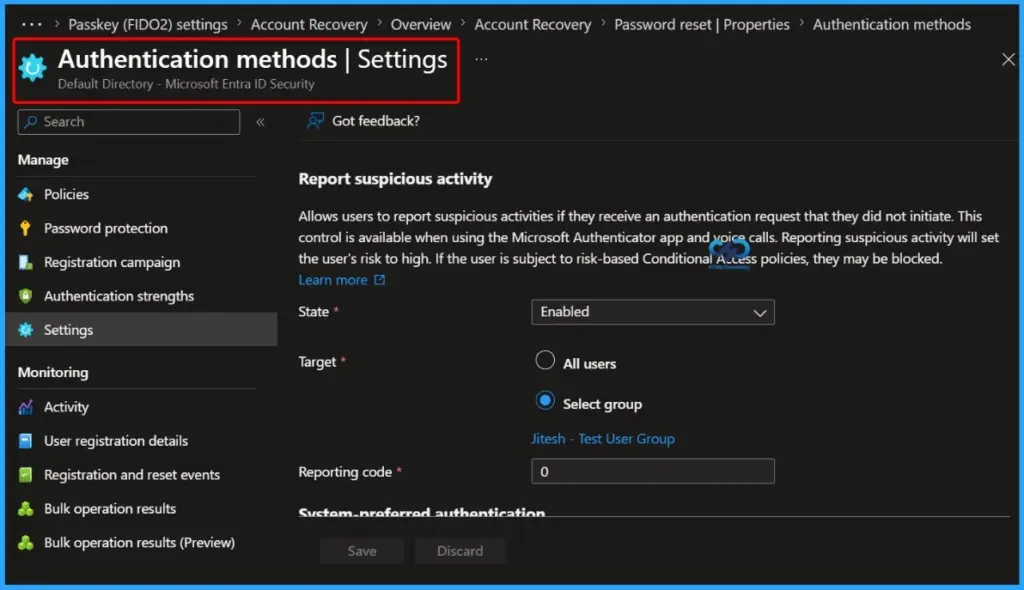
Microsoft Entra ID supports many authentication and MFA methods, but not every method can be used for Self-Service Password Reset (SSPR). Organizations should carefully choose authentication methods based on both security and recovery requirements. For example, External MFA supports multi-factor authentication but cannot be used for password reset scenarios.

Temporary Access Pass (TAP) is mainly designed to help users sign in securely and complete MFA registration during onboarding or device setup. However, TAP does not support SSPR, so additional recovery methods should be configured to ensure users can reset passwords when needed.
| Notes |
|---|
| Windows Hello for Business can work as a step-up MFA credential when passkey (FIDO2) is enabled and registered for the user. |
| Email OTP supports Self-Service Password Reset (SSPR) for tenant members and can also be used for guest user sign-ins. |
| Verified ID is used for identity verification and account recovery, but it cannot be used for sign-in, MFA, or SSPR. |
Need Further Assistance or Have Technical Questions?
Join the LinkedIn Page and Telegram group to get the latest step-by-step guides and news updates. Join our Meetup Page to participate in User group meetings. Also, join the WhatsApp Community and the Whatsapp channel to get the latest news on Microsoft Technologies. We are there on Reddit as well
Author
Anoop C Nair has been Microsoft MVP for 10 consecutive years from 2015 onwards. He is a Workplace Solution Architect with more than 22+ years of experience in Workplace technologies. He is a Blogger, Speaker, and Local User Group Community leader. His primary focus is on Device Management technologies like SCCM and Intune. He writes about technologies like Intune, SCCM, Windows, Cloud PC, Windows, Entra, Microsoft Security, Career, etc.




Discussion