






FIX SCCM Duplicate Records Co-Management Tenant Attach Issues
Let’s understand how to Fix SCCM Duplicate Records when Co-Management and tenant Attachment are enabled. Microsoft recently released a new hotfix for ConfigMgr 2002, KB 4575339, to fix the co-managed devices duplicated in the Microsoft Endpoint Manager admin centre.
The KB 4575339 hotfix is an out-of-band hotfix similar to the one we discussed for the 1910 version of SCCM Fix Out of Band KB4538166. SCCM Out of band hotfix format:
<Product>-<product version>-<KB article ID>-<platform>-<language>.exe = CM2002-KB4575339.ConfigMgr.Update.exe
- Learn How to Merge Obsolete Duplicate Records in ConfigMgr SCCM
- ConfigMgr SCCM How to Resolve Duplicate or Conflict Record Issues.
- SCCM 2002 Known Issues Bugs Fixes | ConfigMgr.
| Index |
|---|
| Missing KB4575339 from SCCM 2002 Console |
| Logs Troubleshooting Out of Band Hotfix |
| Install – FIX SCCM Duplicate Records |
| Installation Status |
| Version Number |
Missing KB4575339 from SCCM 2002 Console
The KB4575339 is out of band hotfix and won’t be visible in the ConfigMgr 2002 console. Make sure the Prerequisites for using the update registration tool are in place. After completing the following wizard, the KB article will be available in the SCCM 2002 console. You need to open the following steps:

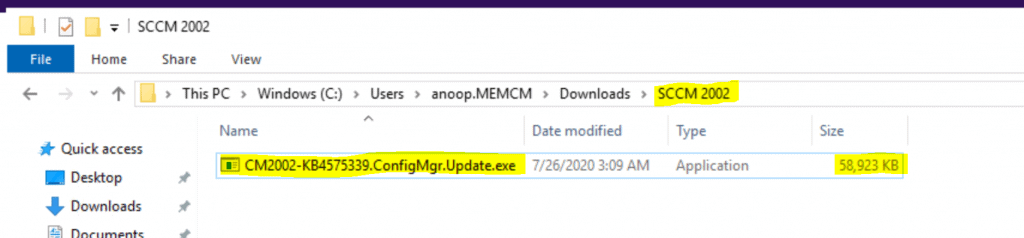
- Download the SCCM 2002 KB4575339 – here.
- Install CM2002-KB4575339.ConfigMgr.Update.exe
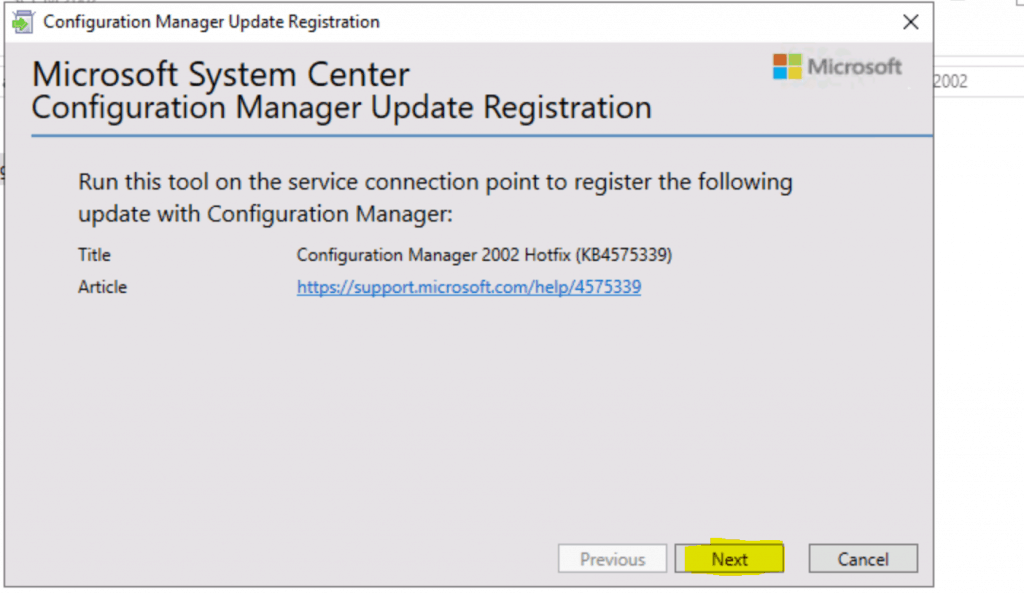
To ensure the Configuration Manager is updated with the latest hotfix, please run the “Microsoft System Center Configuration Manager Update Registration” tool on the service connection point. This will register the “Configuration Manager 2002 Hotfix (KB455339)” update with Configuration Manager. This process will help apply the necessary fixes and improvements to the Configuration Manager system.
- Microsoft System Center Configuration Manager Update Registration
- Run this tool on the service connection point to register the following update with Configuration Manager.
- Title – Configuration Manager 2002 Hotfix (KB455339).
- Click Next
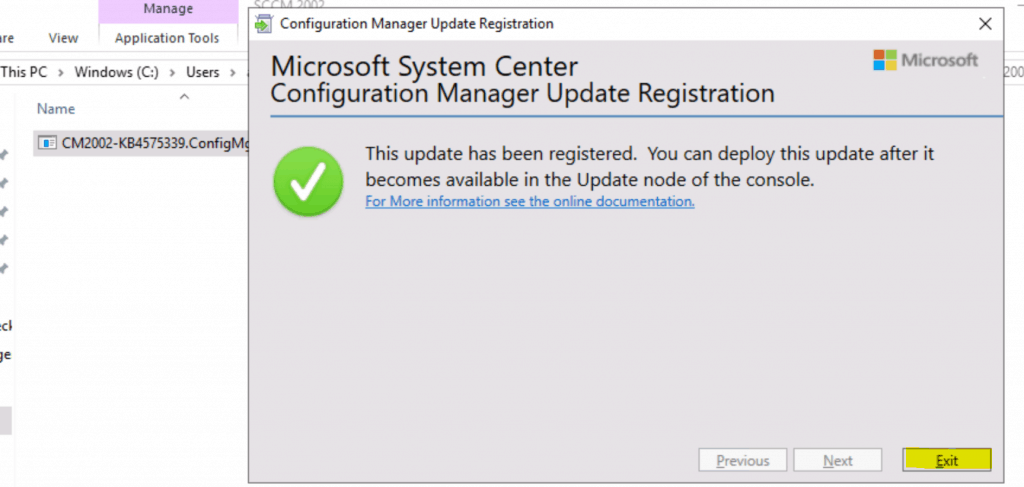
Click EXIT to complete the process.
This update has been registered. You can deploy it after it becomes available in the console’s update node.
Logs Troubleshooting Out of Band Hotfix
C:\Windows\Temp C:\Windows\Temp ==> CMRegisterUpdate.log
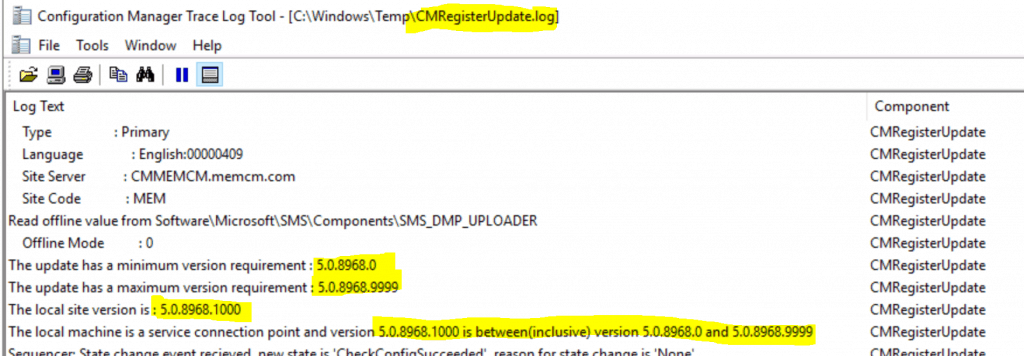
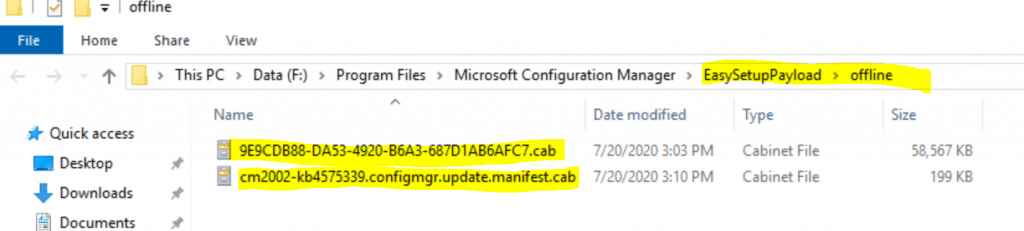
The following is the extract of the Out of Band Hotfix log file CMRegisterUpdate.log.
F:\Program Files\Microsoft Configuration Manager\EasySetupPayload\offline
Install – FIX SCCM Duplicate Records
Let’s start the installation of the hotfix. But before that, you must ensure the prerequisites are in place and met.
- Navigate \Administration\Overview\Updates and Servicing.
- Click Check for Updates Updates.
- Click on Refresh.
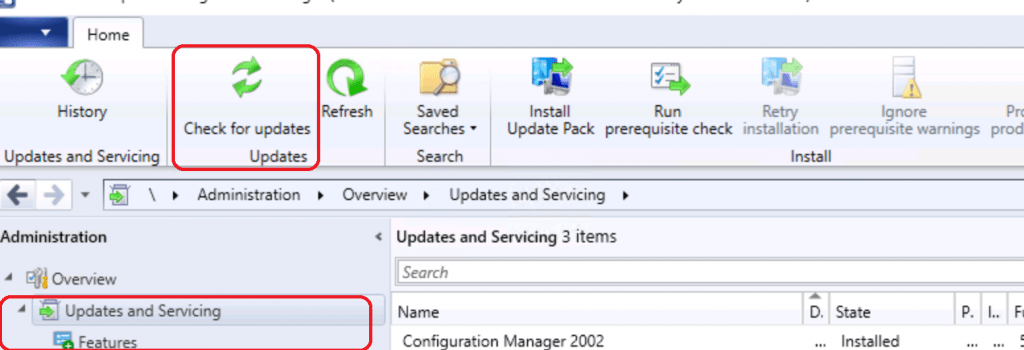
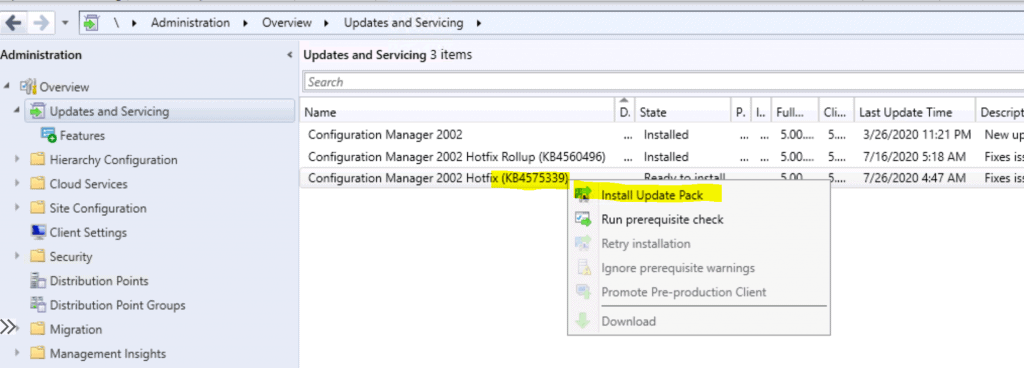
Wait for the update to become available on the console. Additional details can be found in Dmpdownloader.log (DMPDownloader Troubleshooting with State Messages). Right-click on Configuration Manager 2002 Hotfix (KB4575339) update.
- Select Install Update Pack.
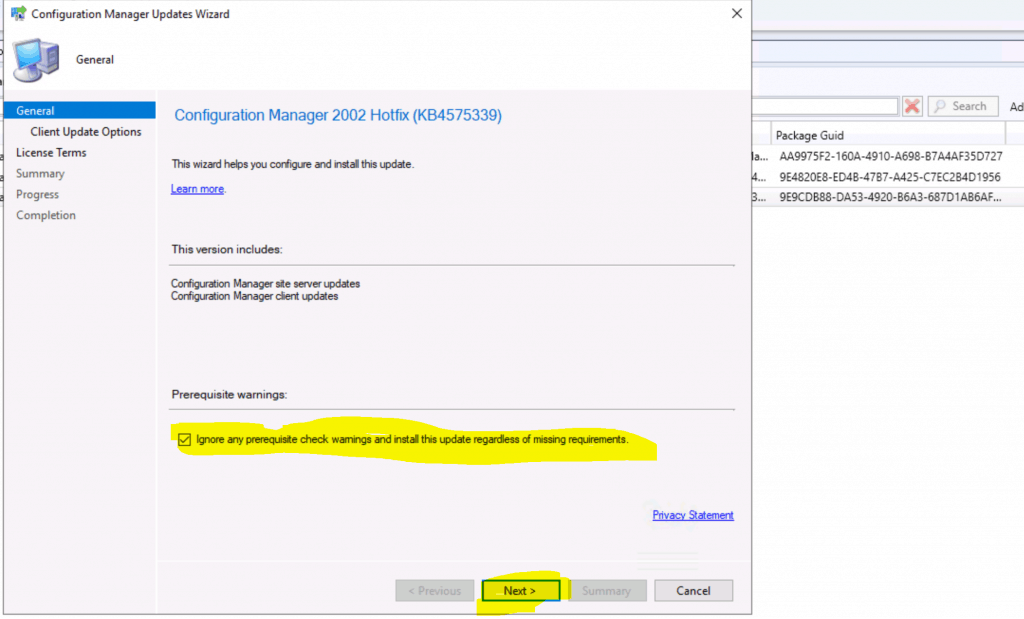
Click on Ignore the warning.
- Click on NEXT.
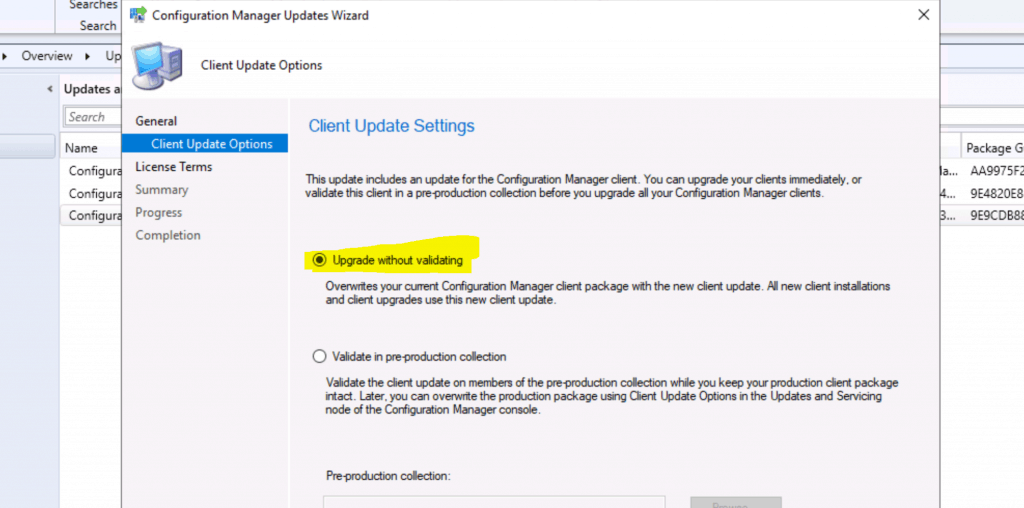
Click on Upgrade without Validating.
- Click on Next.
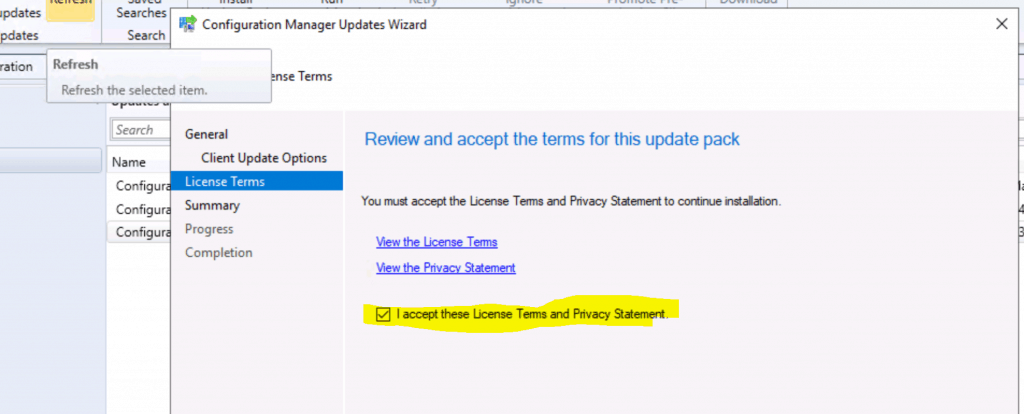
Review and Accept the license terms for this update pack.
- Click Next to Continue.
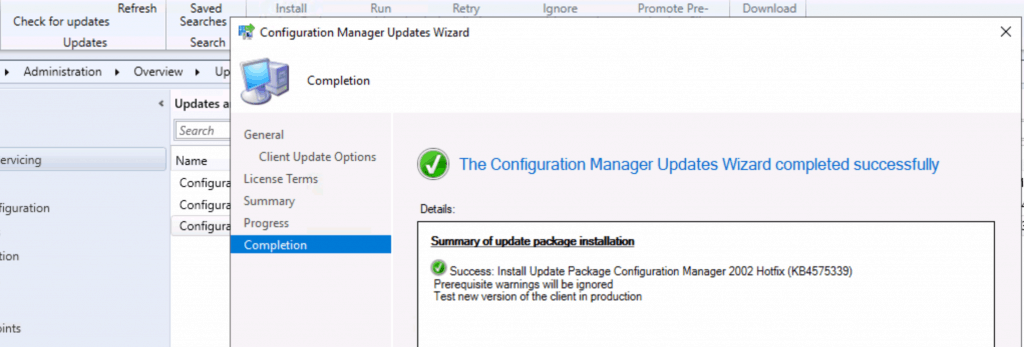
Summary of Configuration Manager Updates Wizard.
Summary of update package installation
Install Update Package Configuration Manager 2002 Hotfix (KB4575339)
Prerequisite warnings will be ignored
Test new version of the client in production
Click on Next, Next, and Close.
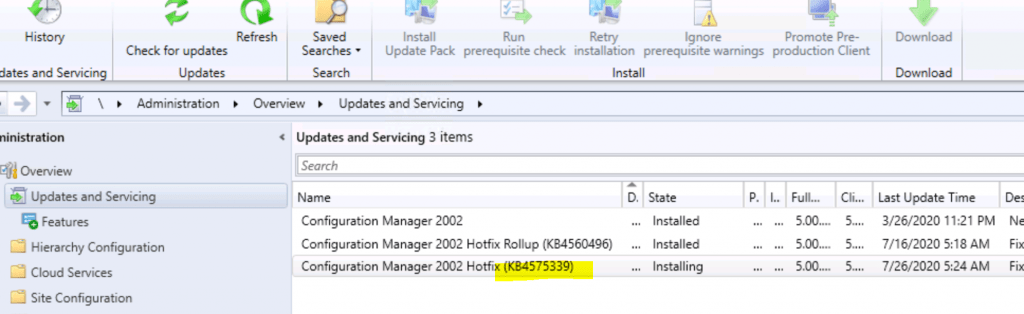
Installation Status
Check the status changed to Installing.
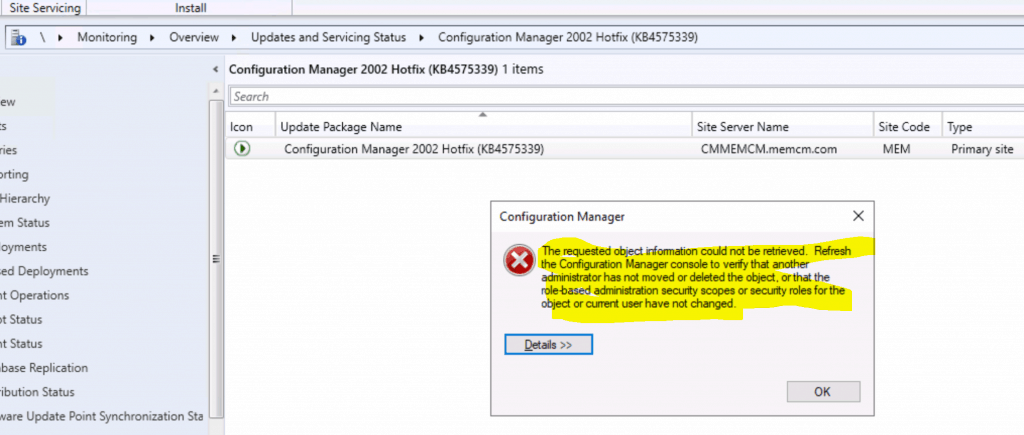
- Navigate \Monitoring\Overview\Updates and Servicing Status\Configuration Manager 2002 Hotfix (KB4575339)
- The following error was when I clicked Show Status.
ConfigMgr Error Object:
instance of __ExtendedStatus
{
	Operation = "GetObject";
	ParameterInfo = "SMS_CM_UpdatePackageSiteStatus.PackageGuid=\"9E9CDB88-DA53-4920-B6A3-687D1AB6AFC7\",SiteNumber=1";
	ProviderName = "WinMgmt";
};

Error Code:
-2147217270

-------------------------------
Microsoft.ConfigurationManagement.ManagementProvider.WqlQueryEngine.WqlQueryException
The SMS Provider reported an error.


Stack Trace:
   at Microsoft.ConfigurationManagement.ManagementProvider.WqlQueryEngine.WqlResultObject.Get(ReportProgress progressReport)
   at Microsoft.ConfigurationManagement.AdminConsole.UtilityClass.GetWithStatus(IResultObject selectedResultObject)
   at Microsoft.ConfigurationManagement.AdminConsole.UtilityClass.RefreshForAction(ActionDescription actionItemDescription, IResultObject selectedResultObject)
   at Microsoft.ConfigurationManagement.AdminConsole.SccmTaskHandlerBase.DoTask(IList`1 navigationNodes, NavigationModelNodeTask task)
   at Microsoft.EnterpriseManagement.ConsoleFramework.WindowTaskHandler.WindowTaskOperation.ExecuteTaskJob(Object sender, ConsoleJobEventArgs jobArguments)
   at Microsoft.ConfigurationManagement.AdminConsole.ConsoleJobExceptionHandler.ExecuteJob(IComponent component, EventHandler`1 job, Object sender, ConsoleJobEventArgs args)

-------------------------------

System.Management.ManagementException
Exception of type 'System.Management.ManagementException' was thrown.


Stack Trace:
   at Microsoft.ConfigurationManagement.ManagementProvider.WqlQueryEngine.WqlResultObject.Get(ReportProgress progressReport)
   at Microsoft.ConfigurationManagement.AdminConsole.UtilityClass.GetWithStatus(IResultObject selectedResultObject)
   at Microsoft.ConfigurationManagement.AdminConsole.UtilityClass.RefreshForAction(ActionDescription actionItemDescription, IResultObject selectedResultObject)
   at Microsoft.ConfigurationManagement.AdminConsole.SccmTaskHandlerBase.DoTask(IList`1 navigationNodes, NavigationModelNodeTask task)
   at Microsoft.EnterpriseManagement.ConsoleFramework.WindowTaskHandler.WindowTaskOperation.ExecuteTaskJob(Object sender, ConsoleJobEventArgs jobArguments)
   at Microsoft.ConfigurationManagement.AdminConsole.ConsoleJobExceptionHandler.ExecuteJob(IComponent component, EventHandler`1 job, Object sender, ConsoleJobEventArgs args)-------------------------------
The following issue was fixed after restarting the ConfigMgr 2002 console.
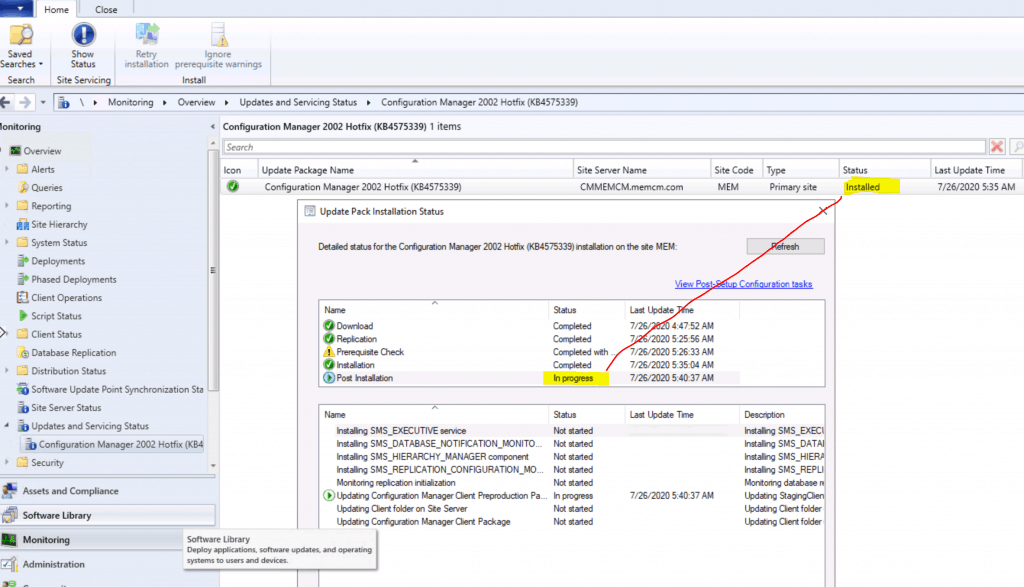
Post Installation – In Progress; however, the overall status of the installation is COMPLETE.
- Click OK.
NOTE! – More details about post-installation status SCCM 2002 Site Version Confusion HotFix KB4567007 Update | ConfigMgr.
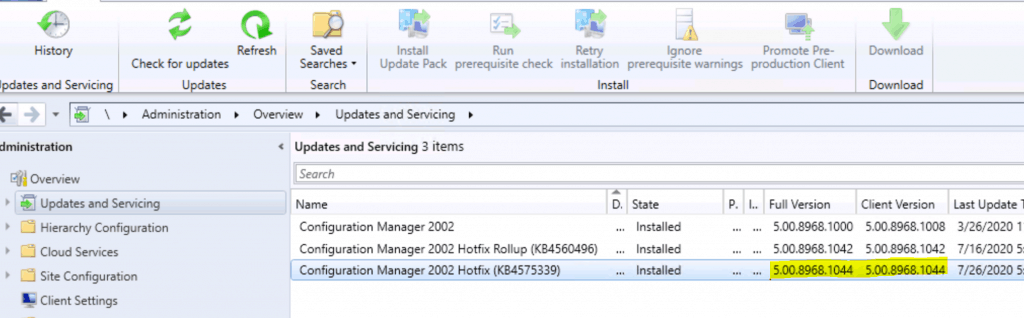
Version Number
SCCM 2002 Full Version after KB4575339 installation – 5.00.8968.1044.
- SCCM 2002 Client Version KB4575339 installation – 5.00.8968.1044.
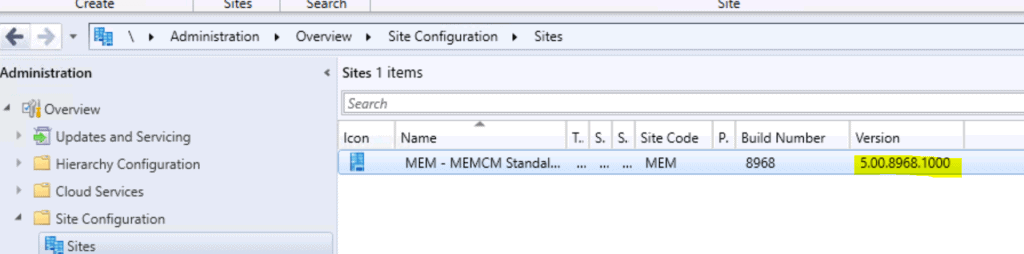
The site version stays the same as 5.00.8968.1000.
Resources
- https://www.anoopcnair.com/sccm-2002-site-version-confusion-hotfix-kb4567007-update-configmgr/
- SCCM 2002 Hotfix Rollup KB4560496 | ConfigMgr | Update Rollup | 30 Fixes
We are on WhatsApp. To get the latest step-by-step guides and news updates, Join our Channel. Click here –HTMD WhatsApp.
Author
Anoop C Nair is Microsoft MVP! He is a Device Management Admin with more than 20 years of experience (calculation done in 2021) in IT. He is a Blogger, Speaker, and Local User Group HTMD Community leader. His primary focus is Device Management technologies like SCCM 2012, Current Branch, and Intune. He writes about ConfigMgr, Windows 11, Windows 10, Azure AD, Microsoft Intune, Windows 365, AVD, etc.




Discussion