






SCCM CMPivot Query Devices with Greater than 15 GB Free Disk Space
Let’s discover the SCCM CMPivot Query for Devices with more than 15 GB of Free Disk Space. The ConfigMgr CMPivot is based on a fast-channel notification architecture.
CM Pivot is a valuable feature within SCCM that enables administrators to execute real-time device queries, offering immediate insights into various aspects of the managed environment.
The Configuration Manager CMPivot query tool allows us to assess the state of devices quickly. When we run a query against a device collection, the CMPivot tool runs a query in real-time on all currently connected (online) devices in the selected Collection.
The following blog post provides details on CMPivot troubleshooting and log files. It also includes details on CMPivot architecture and communication. SCCM CMPivot Architecture Fast Channel Making | ConfigMgr.

- SCCM CMPivot Architecture and Sample Queries
- SCCM CMPivot Standalone App Installation Guide | ConfigMgr
- Quickly Check Registry Values using SCCM CMPivot Query
| Index |
|---|
| Launch SCCM CMPivot Query Tool |
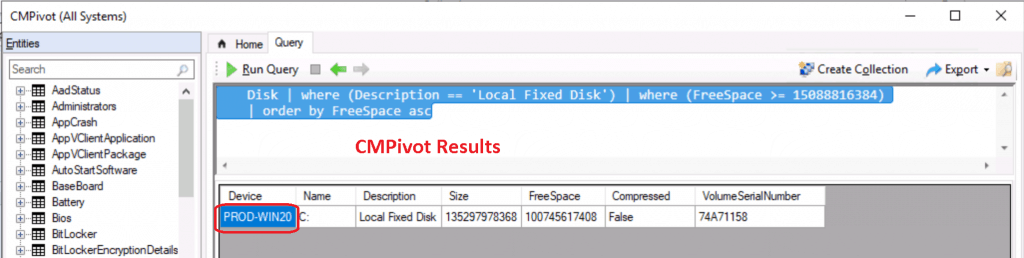
| CMPivot Results – Devices with Greater than 15 GB Free Disk Space |
Launch SCCM CMPivot Query Tool
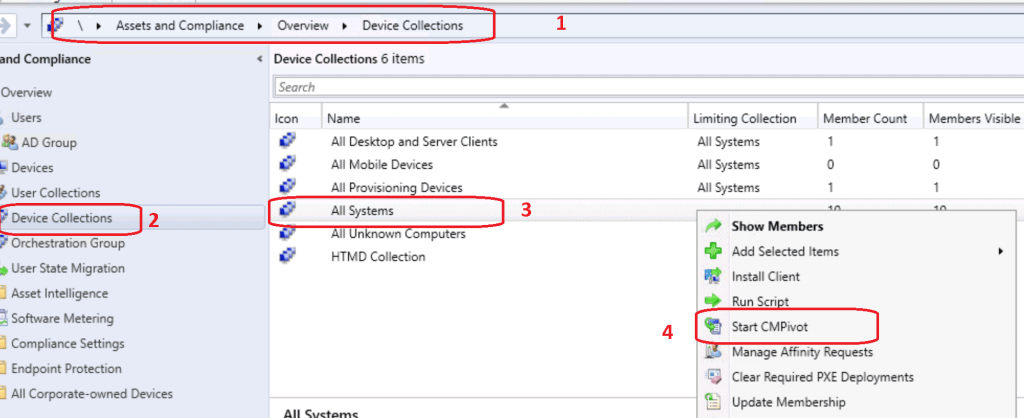
Navigate to the device collection against which you want to run the CMPivot query. Select All Systems device collection.
NOTE! I don’t recommend using the All System collection in a production environment with more than a few devices. Instead, use the Collection with fewer devices to try out the query.
Right-click on the All Systems collection.
- Select Start CMPivot.
CMPivot Query tool was launched. Get familiarized with new query language and CMPivot tool.
- Check out the Run Query button from the SCCM CMPivot tool.
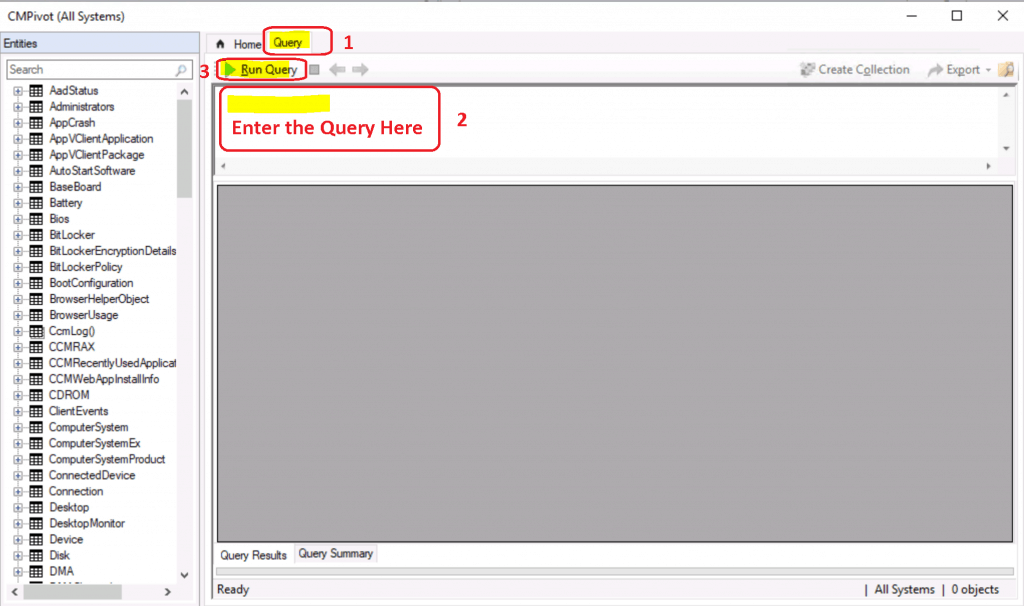
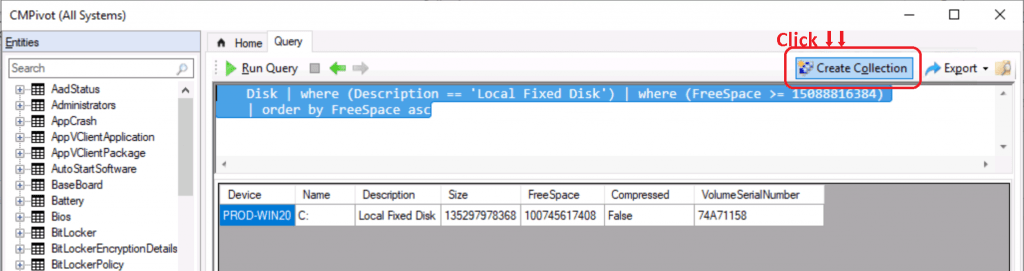
Copy the following query to find the devices with over 15 GB of free disk space.
Disk | where (Description == 'Local Fixed Disk') | where (FreeSpace >= 15088816384)
| order by FreeSpace asc
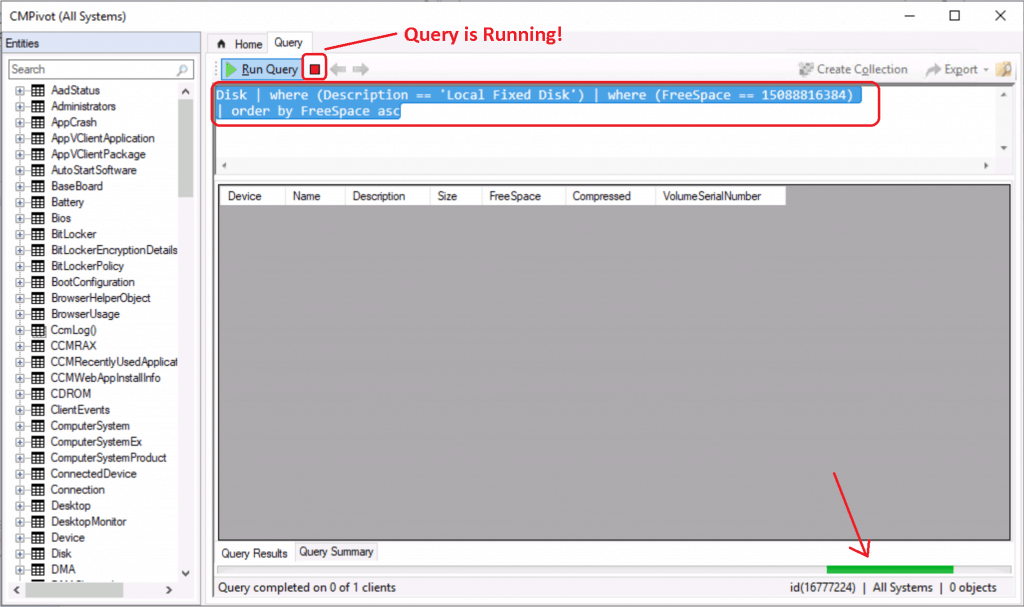
- Paste the query in the CMPivot query window as shown below.
NOTE! – Ignore the == symbol in the following screen capture. This is to show the running status of the SCCM CMPivot query. >= is the correct symbol for finding devices with over 15 GB of disk space!
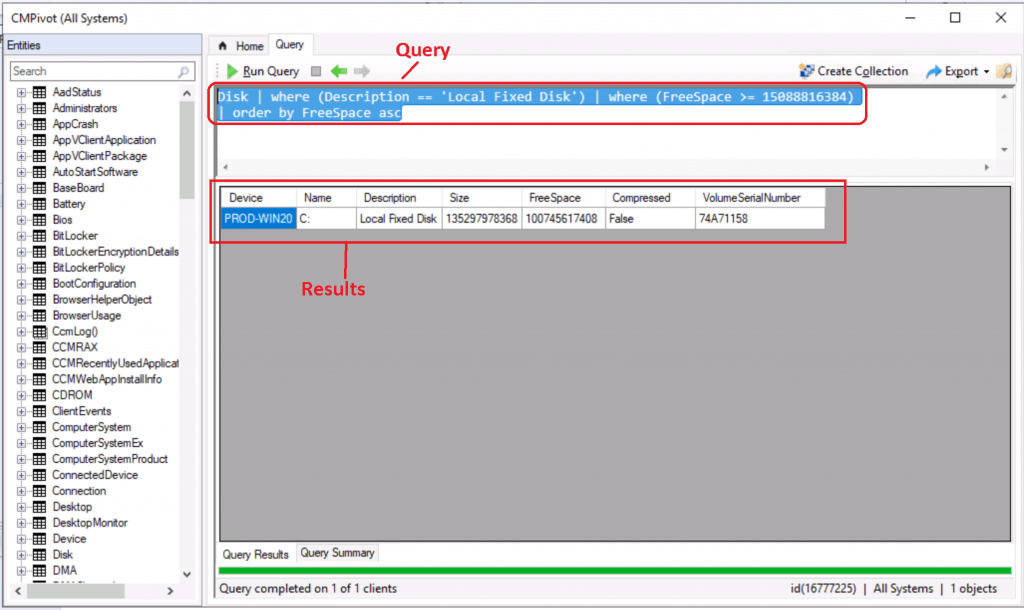
Now, you have the details of devices with more than 15 GB of free disk space.
- Now you have the results of the SCCM CMPivot query.
NOTE! Depending on the number of devices and complexity of the query, the CMPivot query may take time to return results. The following blog post provides more details: SCCM CMPivot Architecture Fast Channel Making | ConfigMgr.
Let’s create a device collection with the result and deploy a “special application” to that device collection.
- Click on the Create collection (device collection) option as shown below.
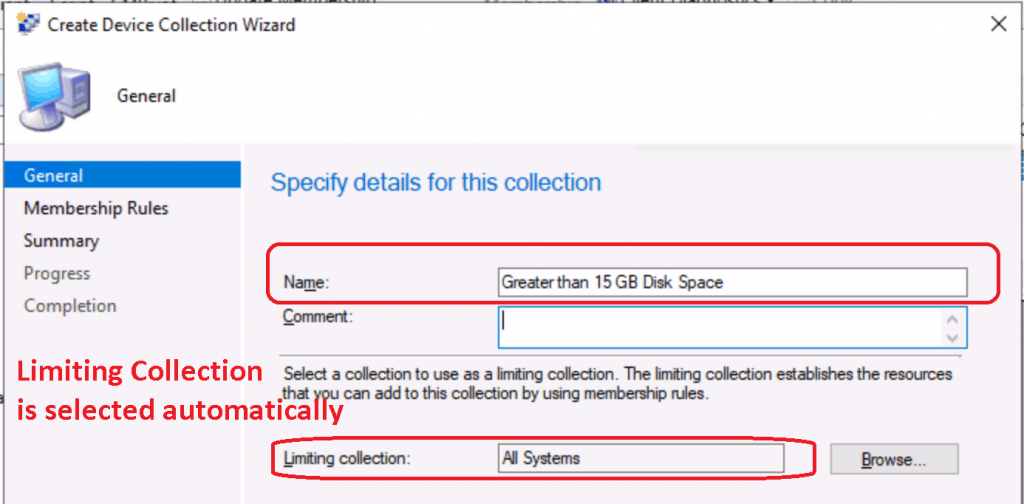
A collection creation wizard gets launched. Limiting Collection is selected automatically. The Limiting Collection is selected based on the device collection that you run CMPivot.
- Click Next to continue.
NOTE! – The following blog post explains more about the SCCM Collection creation process. What is Collection? How to Create SCCM Direct Membership Collections?
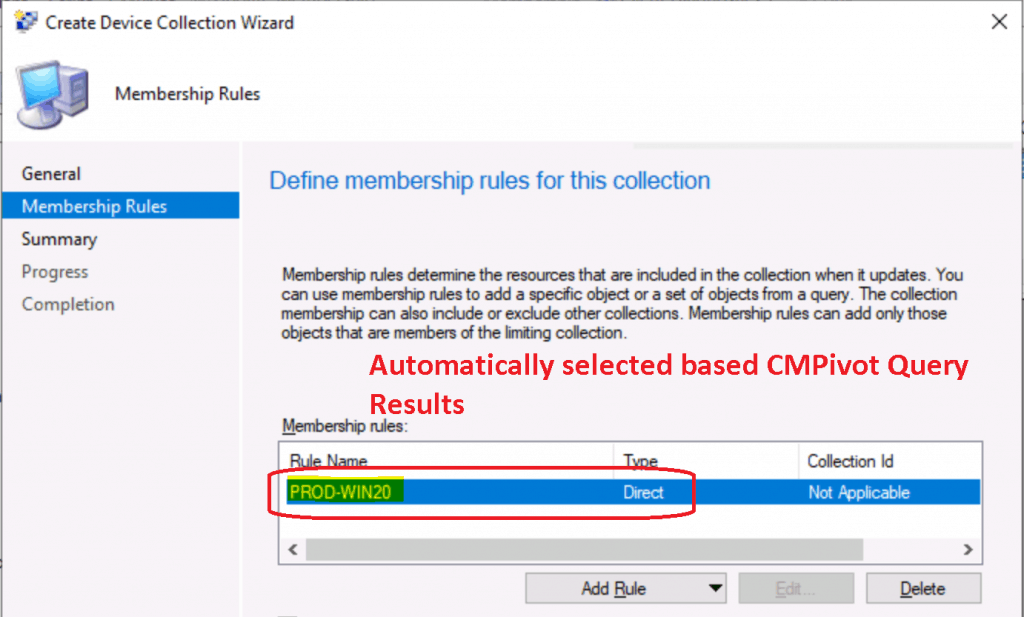
This device collection is static. All the devices in the CMPivot query were automatically added to the static device collection called “Greater than 15 GB Disk Space.”
- Click Next to continue.
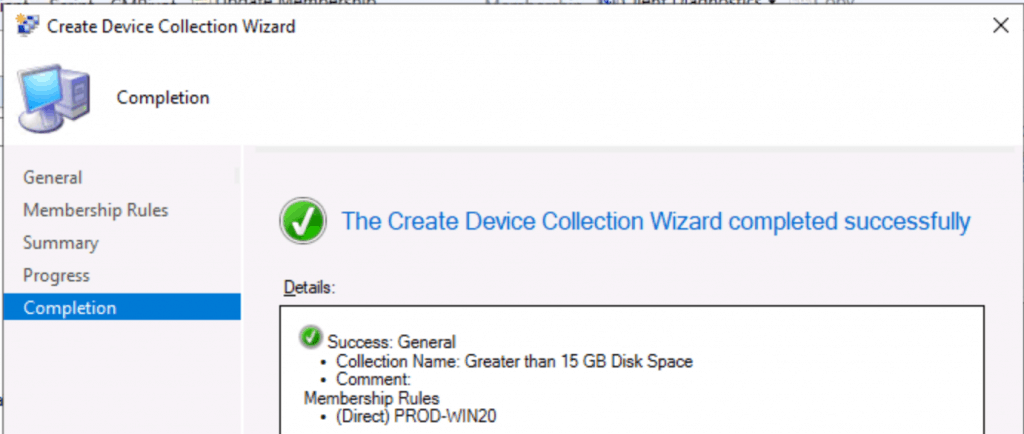
Click Next, Next, and Close to complete the collection creation process based on CMPivot query results.
Success: General
• Collection Name: Greater than 15 GB Disk Space
• Comment:
Membership Rules
• (Direct) PROD-WIN20
CMPivot Results – Devices with Greater than 15 GB Free Disk Space
Let’s check the CMPivot query results to determine which devices have more than 15 GB of disk space!
Let’s see the collection membership created directly from CMPivot query results!
- Navigate to \Assets and Compliance\Overview\Devices\Greater than 15 GB Disk Space.

The results of both Collection and CMPivot are the same! Happy Learning.
We are on WhatsApp. To get the latest step-by-step guides and news updates, Join our Channel. Click here –HTMD WhatsApp.
Author
Anoop C Nair is Microsoft MVP! He is a Device Management Admin with more than 20 years of experience (calculation done in 2021) in IT. He is a Blogger, Speaker, and Local User Group HTMD Community leader. His primary focus is Device Management technologies like SCCM 2012, Current Branch, and Intune. He writes about ConfigMgr, Windows 11, Windows 10, Azure AD, Microsoft Intune, Windows 365, AVD, etc.




Discussion