






Deactivate Office Install Fix Install Limit Reached Already Error
Deactivate Office Install Fix Install Limit Reached Already Error. Let’s review how to deactivate the Office installation and fix the install limit reached error for the Microsoft Office 365 enterprise app. I encountered this issue with my test account and want to address it.
Microsoft Office is a versatile suite of computer applications designed to enhance productivity. It includes tools for creating and editing documents, managing data in spreadsheets and databases, and developing presentations and posters.
To download Microsoft 365 or Office, sign in and then select Install apps from the Microsoft 365 home page. Click on “Install” (or “Install apps”) to continue.
This post will also teach you how to deactivate and install Microsoft Office 365 ProPlus. Recently, Microsoft renamed Office 365 to Microsoft 365 App for enterprise; for more details, Office 365 is now Microsoft 365.

- Microsoft Office 365 Online And Quick Repair
- Office 365 Is Now Microsoft 365
- Windows 365 App Experience | Cloud PC Application For Windows
| Index |
|---|
| What |
| How to Fix |
| Deactivate |
| Results-Deactivate Office Install Fix Install Limit Reached Already Error |
What
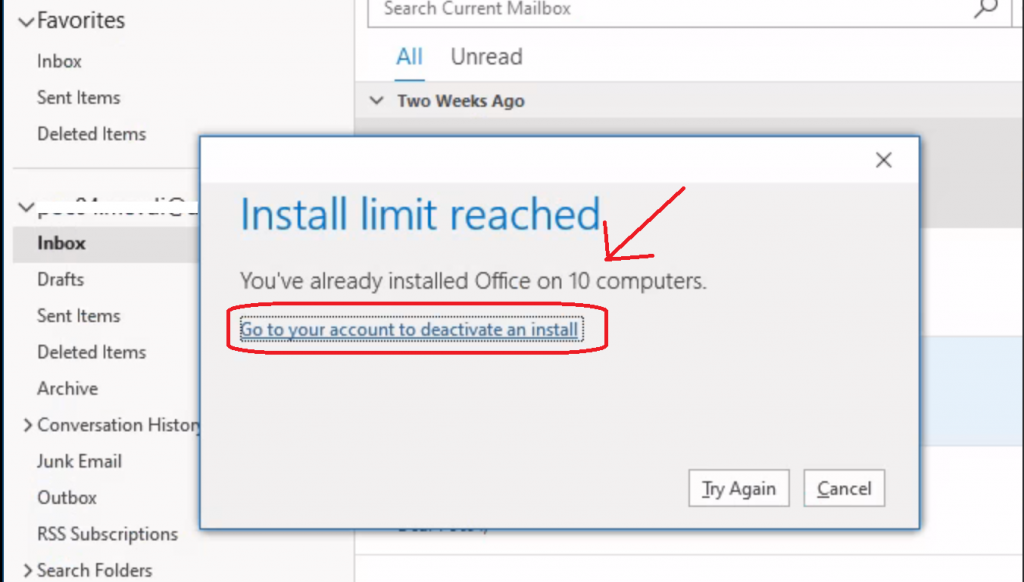
I found this Microsoft 365 app issue when I tried to open the Outlook application on one of my test WVD VMs.
“You’ve already installed Office on 10 computers. Go to your account to deactivate an install.“
Let’s see how to fix this issue and activate Microsoft Office ProPlus using the following method.
How to Fix
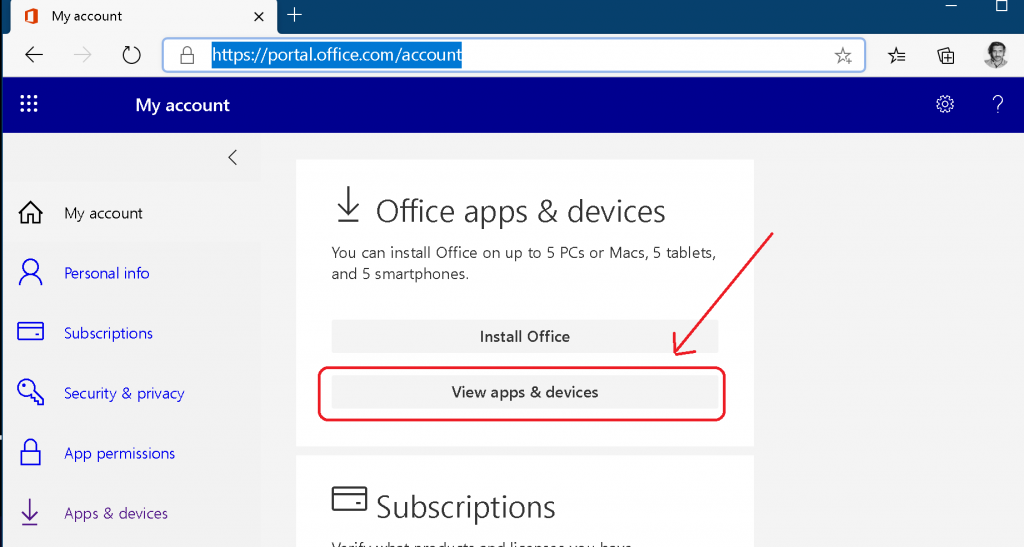
Open https://portal.office.com/account
- Select Office Apps & devices (Microsoft 365 App)
- Click View apps & devices
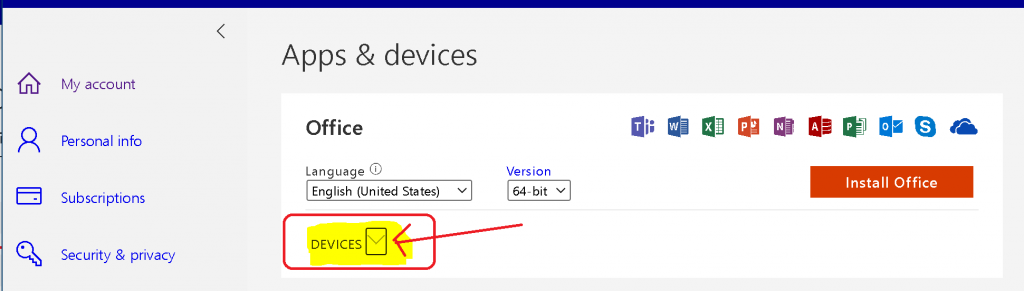
Click on the Devices drop-down menu
NOTE! – Sign out of Office (Microsoft App for Enterprise) – After you sign out, you won’t be able to edit files or create new ones on your devices. Signing out does not remove the software from your device or cancel your software subscription.
Deactivate
- Click on the Sign Out button.
NOTE: Signing out is the option to deactivate Microsoft Office ProPlus.
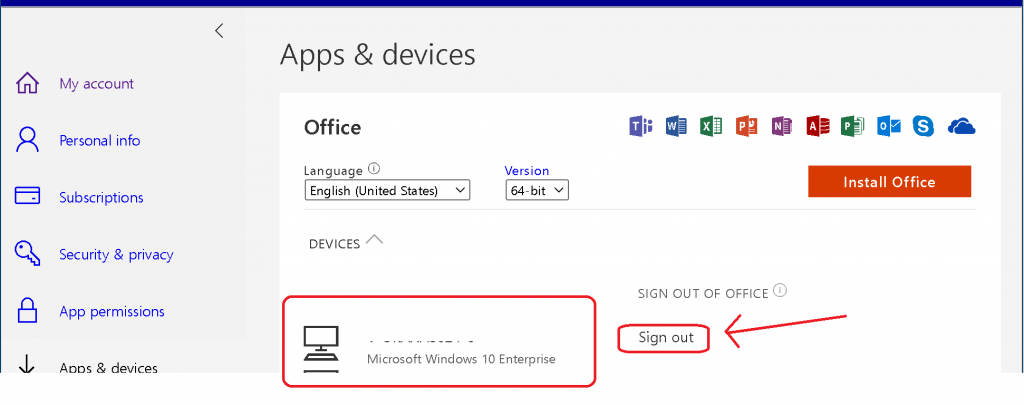
Make sure you have removed or signed out from Office 365 App.
Click the Try Again button.
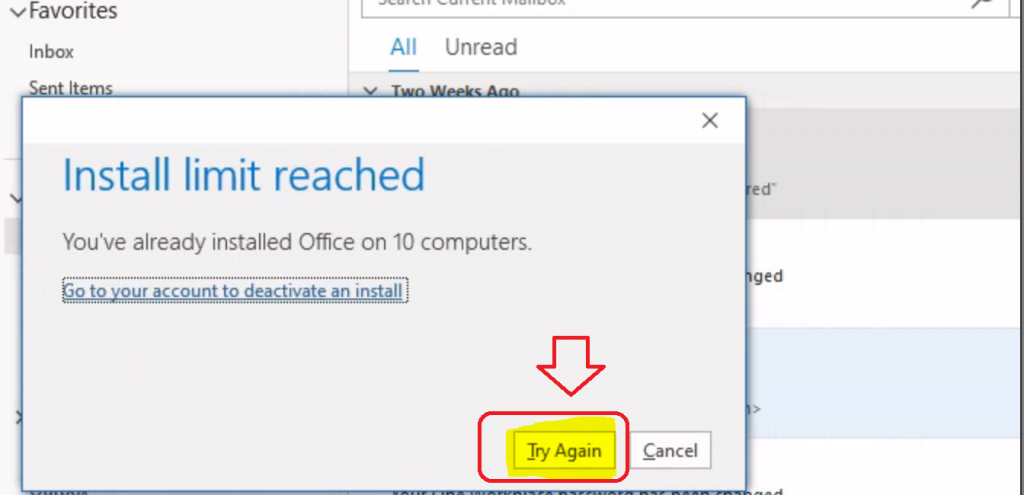
Results – Deactivate Office Install Fix Install Limit Reached Already Error
The activation of Microsoft Office 365 Pro Plus has been completed.
- Start using the Outlook application without any issues.
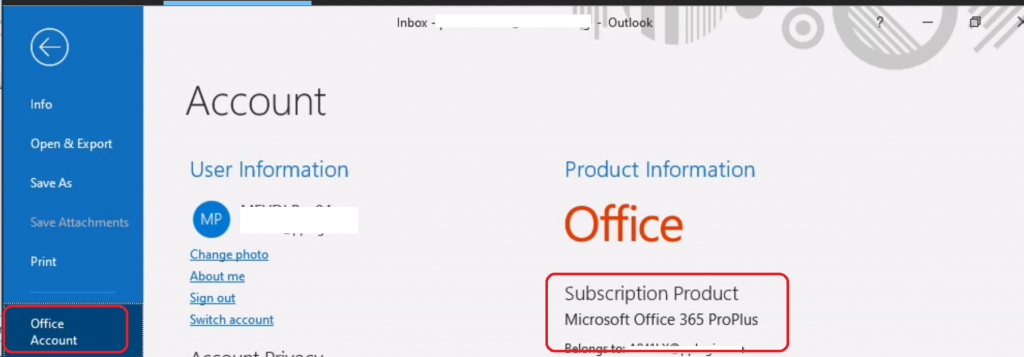
Resources
- Update History of Office 365 Apps – https://docs.microsoft.com/en-us/officeupdates/update-history-microsoft365-apps-by-date
- ConfigMgr CMPivot Query for Out-of-Support Office 365 ProPlus
- SCCM Out of Support Versions of Office 365 Semi-Annual Channel
We are on WhatsApp. To get the latest step-by-step guides and news updates, Join our Channel. Click here –HTMD WhatsApp.
Author
Anoop C Nair is Microsoft MVP! He is a Device Management Admin with more than 20 years of experience (calculation done in 2021) in IT. He is a Blogger, Speaker, and Local User Group HTMD Community leader. His primary focus is Device Management technologies like SCCM 2012, Current Branch, and Intune. He writes about ConfigMgr, Windows 11, Windows 10, Azure AD, Microsoft Intune, Windows 365, AVD, etc.




Hi Anoop, but this wouldn’t happen when you use the shared computer installation of the MS 365 apps right?
StaffI don’t think so … this could be an issue for shared devices
Ok thanks we will check this out.