






SCCM Console Notification Option in Action for ConfigMgr OLD vs New | Configuration Manager
Let’s concentrate on the Console Notification Option in Action for ConfigMgr 2010 | ConfigMgr. In the ConfigMgr console, you can receive Push Messages.
After installing ConfigMgr 2010, I received a notification alert in the SCCM console. In this post, I share my first experience with notification.
The 2010 version makes the notifications more readable and the action link more straightforward. The notification’s age is displayed to help you find the latest information.
You can dismiss or snooze a notification. That action is now persistent for your user across consoles.

- Troubleshoot SCCM Fast Channel Push Notification Issues
- FIX SCCM Client Inactive Issue After The Upgrade SCCM Notification Server Component Issue
- New Key Features Of SCCM 2309 | Top Improvements
- SCCM 1902 Preview – 7 New Features – Console Connections Node
| Index |
|---|
| Old Notification |
| New Notification |
| How to Enable ConfigMgr Console Notification Option |
| Check Console Notification |
| Action Link |
| Results |
| Re-evaluation of Notification |
| RBAC |
Old Notification
You can see the Old notification at the top console window below the ribbon like a flag icon.

New Notification
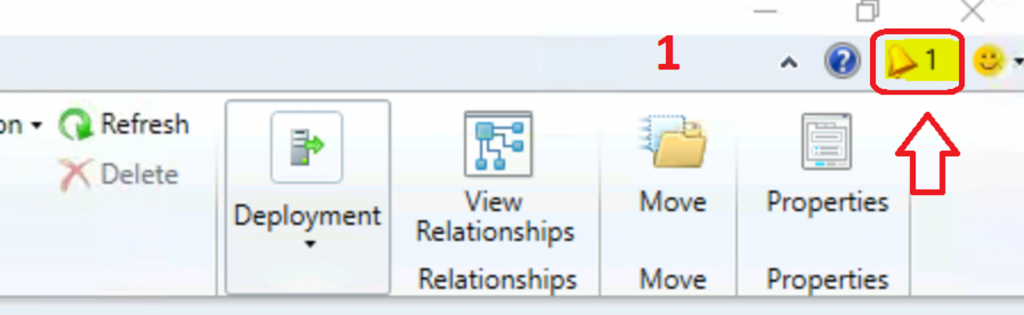
You can see the New notification at the top console window below the ribbon like a bell.
How to Enable ConfigMgr Console Notification Option
I have explained how to enable ConfigMgr console notification in the blog post here.
- Navigate to \Administration\Overview\Site Configuration\Sites
- Select the CAS / Standalone Primary server site
- Right-click on the site server – select Properties
- Click on the Alerts tab to enable push messages in the admin console
- Select the following options, which are given in the table below:
| Notification Options | Features |
|---|---|
| Prevent/fix | Known issues affecting your organization that may require you to take action. |
| Plan for change | Changes to Configuration Manager that may require you to take action |
| Stay informed | Informs you of new or updated features that are available |
Check Console Notification
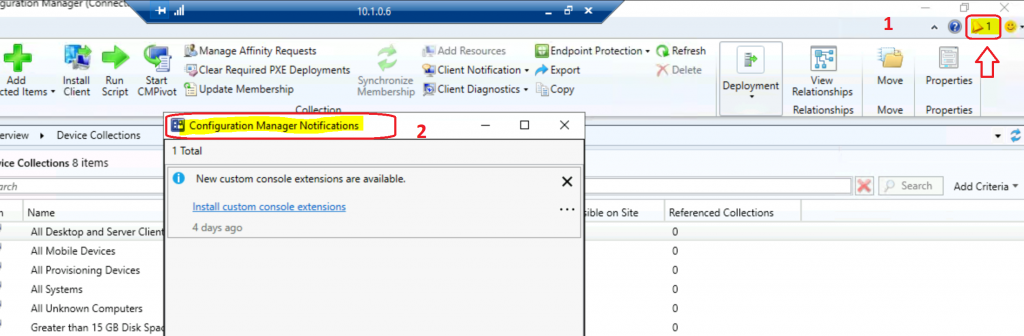
You can check the SCCM console notification just below the close button. To access the ConfigMgr notification alert, click on the bell icon in the console.
It also details the number of notifications available for you in the console. In my first experience, I saw only one notification.
Action Link
The notification action link option is useful to perform the actions directly from the Admin console notifications.
- Click on the bell icon to see the notification details.
- New custom console extensions are available.
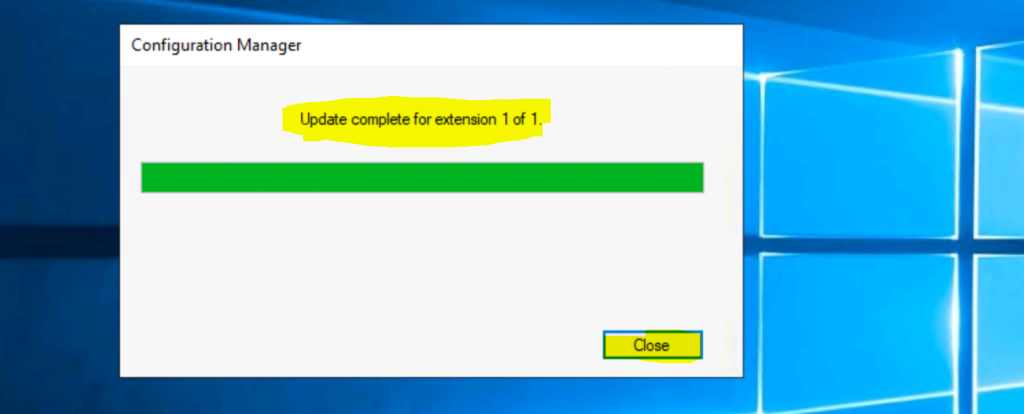
- Click on the Hyperlink Install custom console extensions to get this installed.
Update complete for extension 1 of 1.
Results
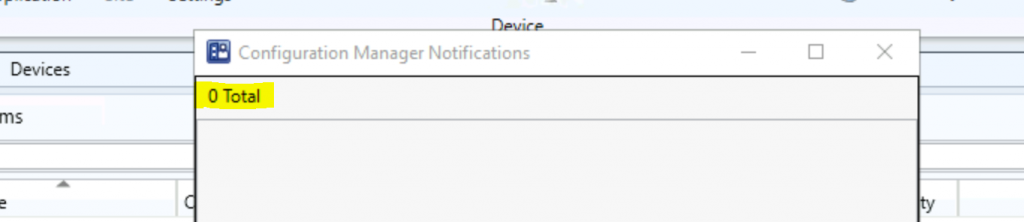
The following results will be displayed once you have actioned or read all the notifications.
A total of zero (0) notifications are available.
Re-evaluation of Notification
The below notifications are reevaluated every 5 minutes.
- The site is in maintenance mode
- The site is in recovery mode
- The site is in upgrade mode
RBAC
The RBAC configuration is respected for the notification. If you don’t have access to perform some actions, those notifications won’t be shown to you in the console.
Resources
- Enable SCCM Console Notification from Microsoft | ConfigMgr
- SCCM Server Upgrade to 2010 | ConfigMgr | Guide | Step by Step
We are on WhatsApp. To get the latest step-by-step guides and news updates, Join our Channel. Click here –HTMD WhatsApp.
Author
Anoop C Nair is Microsoft MVP! He is a Device Management Admin with more than 20 years of experience (calculation done in 2021) in IT. He is a Blogger, Speaker, and Local User Group HTMD Community leader. His primary focus is Device Management technologies like SCCM 2012, Current Branch, and Intune. He writes about ConfigMgr, Windows 11, Windows 10, Azure AD, Microsoft Intune, Windows 365, AVD, etc.




Thanks for the nice write up. Now anyway to know what that extension is/was? It really needs a way to get more details.
StaffThis is not an extension … this feature comes with the latest version of ConfigMgr