






SCCM ConfigMgr Client Status Reports | Default Reports | |Configuration Manager
Let’s check the default ConfigMgr Client Status Reports. Configuration Manager is a client-server application. Windows 10 devices run the client version of the ConfigMgr application. The default client reports mentioned below help to get the client’s appropriate status.
Other helpful hardware-related reports are available outside ConfigMgr, such as client push and status reports. In the previous post, you learned how to launch ConfigMgr Reports.
If you have trouble opening SSRS reports, refer to Fix Report Server cannot Open a Connection Error ConfigMgr. Let’s also learn how to create a New Database for SSRS Reporting Service.
In this post, you will find all the details about SCCM ConfigMgr Client Status Reports, which are explained below. They provide comprehensive insights into the health and operational status of SCCM-managed client devices.

Table of Contents
Requirements
Ensure you have all the following to access the ConfigMgr client push and status-related default reports.
- Reporting Services Point is installed.
- SSRS reports are working fine.
- Ensure you have appropriate permissions to launch reports from the Console and SSRS URL.
- SCCM Client InActive Obsolete Status Using SQL Query | ConfigMgr
- Overview of Client Online Status in SCCM Console Configuration Manager ConfigMgr
- FIX SCCM Client Issues Using Automation Client Health
- SCCM Management Insights Configuration Manager ConfigMgr Details
Launch ConfigMgr Client Reports
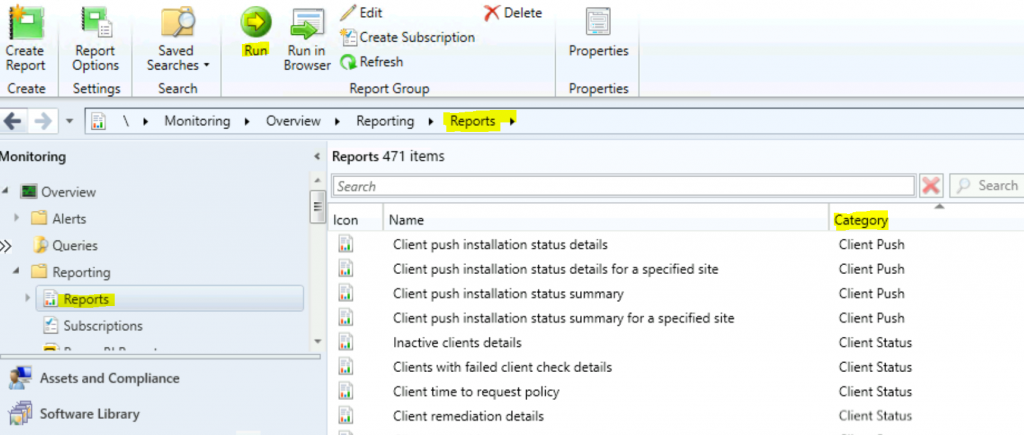
Let’s learn how to launch a client push and status-related default reports from the console.
- Launch Console
- Navigate to \Monitoring\Overview\Reporting\Reports.
- Sort the reports by Category.
- Right-click on the Report “Client Push“ and “Client Status“.
- Select the RUN option.
Client Push Reports
If you don’t know how to Install the ConfigMgr client using the client push installation method, let’s check the four (four) ConfigMgr client push reports.
| Client Push |
|---|
| Client push installation status details |
| Client push installation status details for a specified site |
| Client push installation status summary |
| Client push installation status summary for a specified site |
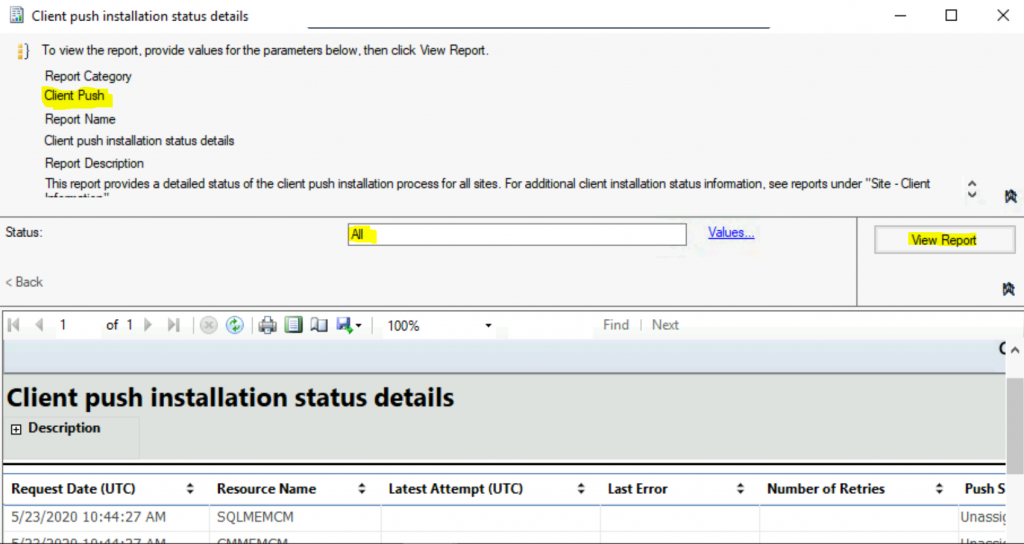
Client push installation status details – This report provides a detailed status of the client push installation process for all sites. See reports under “Site – Client Information” for additional client installation status information.
Client Status Reports
Let’s check the 7 (seven) ConfigMgr client status reports. ConfigMgr Client Health refers to the state of the core client components. When the SCCM core client components and dependent Windows components are inactive and functioning, the SCCM client is NOT healthy.
| Client Status |
|---|
| Client remediation details |
| Client remediation summary |
| Client status history |
| Client status summary |
| Client time to request policy |
| Clients with failed client check details |
| Inactive clients details |
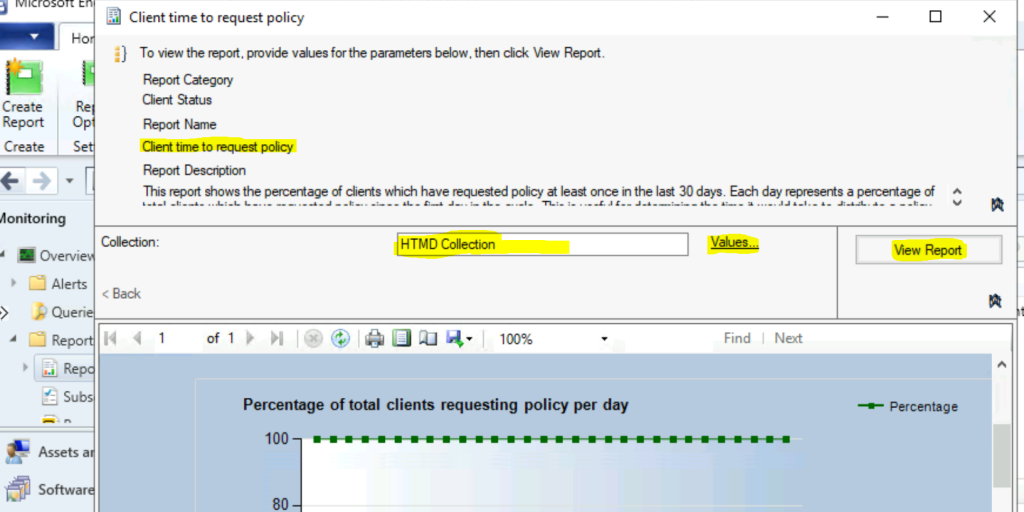
Client time to request policy – This report shows the percentage of clients who have requested policy at least once in the last 30 days. Each day represents a percentage of clients who have requested the policy since the first day in the cycle.
This is useful for determining the time it would take to distribute a policy update to your client population. Client deployments or changes in client count can affect the report’s accuracy.
Resources
We are on WhatsApp. To get the latest step-by-step guides and news updates, Join our Channel. Click here –HTMD WhatsApp.
Author
Anoop C Nair is Microsoft MVP! He is a Device Management Admin with more than 20 years of experience (calculation done in 2021) in IT. He is a Blogger, Speaker, and Local User Group HTMD Community leader. His primary focus is Device Management technologies like SCCM 2012, Current Branch, and Intune. He writes about ConfigMgr, Windows 11, Windows 10, Azure AD, Microsoft Intune, Windows 365, AVD, etc.




Discussion