






SCCM BitLocker Management Reports | Default Reports
Let’s understand which SCCM BitLocker Management Reports (default) are available. You can use ConfigMgr to manage BitLocker Drive Encryption (BDE) for on-premises Windows 11 or Windows 10 clients in Active Directory.
SCCM Bitlocker management provides complete BitLocker lifecycle management, which can replace Microsoft BitLocker Administration and Monitoring (MBAM).
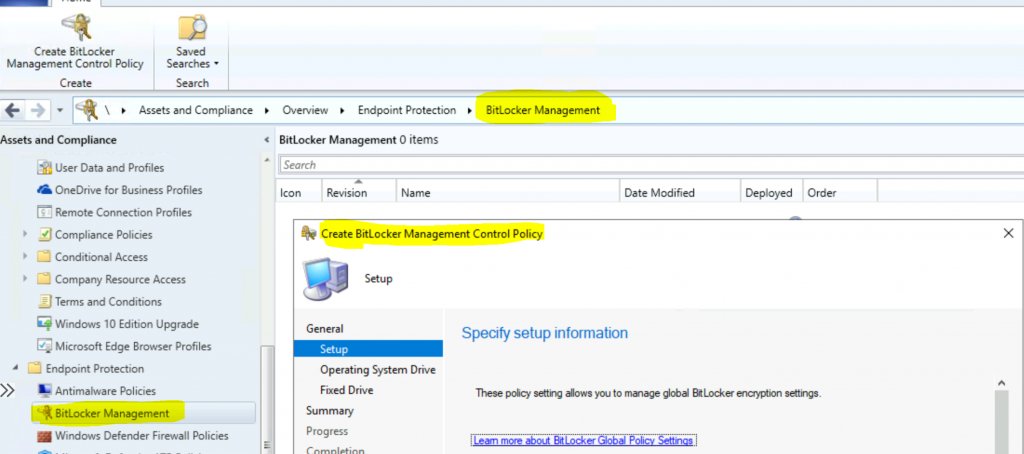
Microsoft introduced integrated BitLocker functionality into ConfigMgr with version 1910. You can navigate to \Assets and Compliance\Overview\Endpoint Protection\BitLocker Management workspace in the SCCM console and configure BitLocker policies.
Reviewing Microsoft documentation can help you Plan and configure BitLocker management policies. In this post, I won’t cover the BitLocker configuration guide. However, we will look into the default BitLocker reports in the ConfigMgr 2010 version.

Table of Contents
ConfigMgr BitLocker Management Reports
There are five (5) default reports available for ConfigMgr BitLocker. Once you install the reporting services point, you can view all the default reports. The reports show BitLocker compliance and audits for the enterprise and individual devices.
- Best Method to Manage Bitlocker Using SCCM | ConfigMgr
- Get SCCM BitLocker Recovery Key using Console Extension | PowerShell Script
- Navigate to \Monitoring\Overview\Reporting\Reports
| BitLocker Management |
|---|
| BitLocker Computer Compliance |
| BitLocker Enterprise Compliance Dashboard |
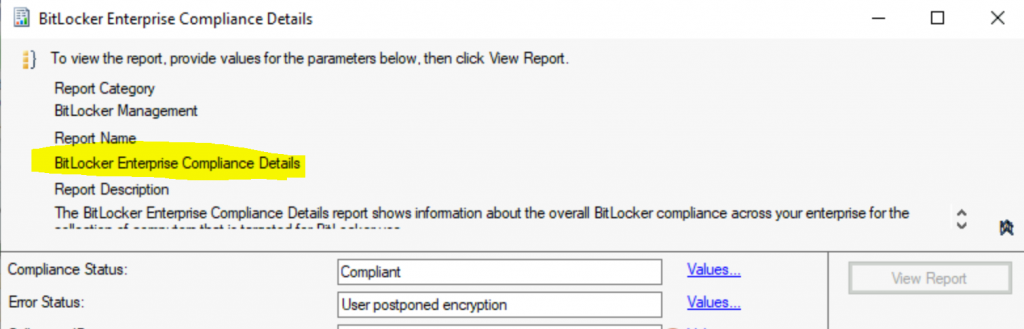
| BitLocker Enterprise Compliance Details |
| BitLocker Enterprise Compliance Summary |
| en-us Recovery Audit Report |

BitLocker Computer Compliance – The BitLocker Computer Compliance Report provides detailed encryption information about each drive on a computer (operating system and fixed data drives). It also indicates the policy applied to each drive type on the computer. To view the details of each drive, expand the Computer Name entry.
BitLocker Enterprise Compliance Dashboard – The BitLocker Enterprise Compliance Dashboard provides several graphs that show BitLocker compliance status across the enterprise.
BitLocker Enterprise Compliance Details—The BitLocker Enterprise Compliance Details report shows overall BitLocker compliance across your enterprise for the collection of computers targeted for BitLocker use.
BitLocker Enterprise Compliance Summary—The BitLocker Enterprise Compliance Summary report shows information about your enterprise’s overall BitLocker compliance and the compliance of individual computers in the collection of computers targeted for BitLocker use.
Resources
- Fix Report Server cannot Open a Connection Error ConfigMgr | SCCM
- Configure reporting in Configuration Manager
- SQL Server Database Migration
- SQL Server – Installation
We are on WhatsApp now. To get the latest step-by-step guides, news, and updates, Join our Channel. Click here – HTMD WhatsApp.
Author
Anoop C Nair is Microsoft MVP! He is a Device Management Admin with more than 20 years of experience (calculation done in 2021) in IT. He is a Blogger, Speaker, and Local User Group HTMD Community leader. His primary focus is Device Management technologies like SCCM 2012, Current Branch, and Intune. He writes about ConfigMgr, Windows 11, Windows 10, Azure AD, Microsoft Intune, Windows 365, AVD, etc.




Hello. BitLocker Computer Compliance is allways empty. Doesn’t it happen to you?
StaffI have not tested this because I don’t have BitLocker enabled in my lab. But can you check the SQL database to confirm whether the compliance data is being reported to SCCM or not?
I think there’s something screwy going on where SCCM doesn’t always populate the v_GS_BITLOCKER_DETAILS table even with the BitLocker inventory classes selected.