






SCCM ConfigMgr Asset Intelligence Reports | Default Report | Configuration Manager
The ConfigMgr Asset Intelligence Reports provide hardware, license management, and software information. They are in the ConfigMgr console, the Monitoring workspace, and the Asset Intelligence folder under the Reporting node.
To get the details in this category of reports, you need to enable Asset Intelligence in ConfigMgr sites. You can allow the classes on the Asset Intelligence home page, Administration workspace, Client Settings node, and client settings properties.
There are other helpful hardware related reports outside ConfigMgr asset intelligence reports. Also, you can learn How to Launch ConfigMgr Reports from the previous post here.
I also have a detailed post covering the collection of license details for IBM SPSS.

Table of Contents
Hardware
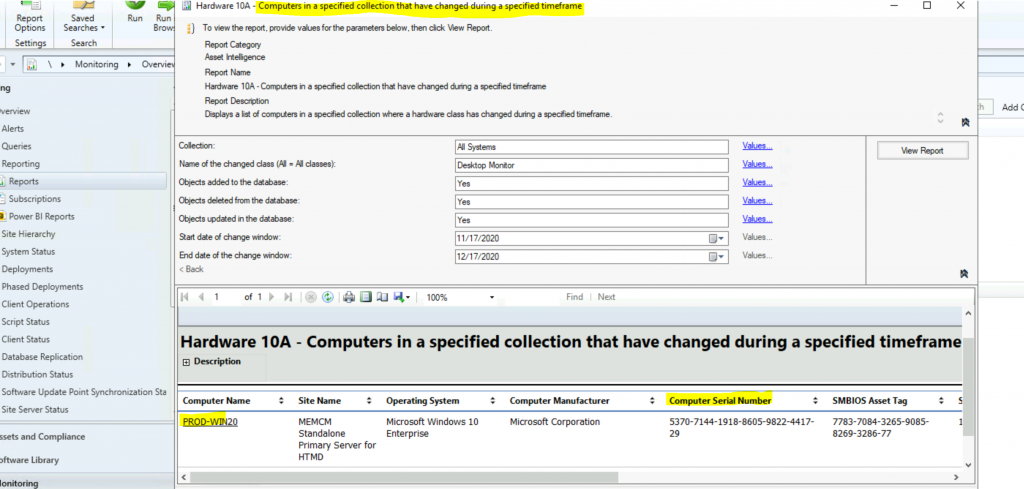
This section provides hardware information about the computer, such as the computer serial number, SMSBIOS asset tag, etc. Many other valuable reports are available under this category. Want more Details on SCCM ConfigMgr Asset Intelligence Reports?
- Enable SCCM Asset Intelligence Hardware Inventory
- SCCM ConfigMgr Asset Intelligence Reports | Default Reports | Configuration Manager
- SCCM Asset Intelligence Deprecation and Remove Asset Intelligence Sync Point Role
| Hardware Information |
|---|
| Hardware 01A – Summary of computers in a specific collection |
| Hardware 03A – Primary computer users |
| Hardware 03B – Computers for a specific primary console user |
| Hardware 04A – Computers with multiple users (shared) |
| Hardware 05A – Console users on a specific computer |
| Hardware 06A – Computers for which console users could not be determined |
| Hardware 07A – USB devices by manufacturer |
| Hardware 07B – USB devices by manufacturer and description |
| Hardware 07C – Computers with a specific USB device |
| Hardware 07D – USB devices on a specific computer |
| Hardware 08A – Hardware that is not ready for a software upgrade |
| Hardware 09A – Search for computers |
| Hardware 10A – Computers in a specified collection that have changed during a specified timeframe |
| Hardware 10B – Changes on a specified computer within a specified timeframe |
License
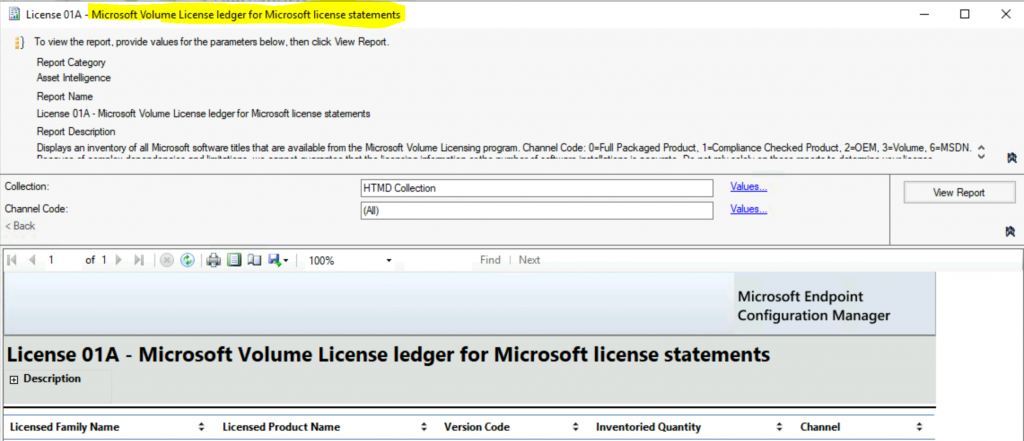
This section provides information on license information on the computer. I have taken one of the reports as an example here.
Displays an inventory of all Microsoft software titles from the Microsoft Volume Licensing program.
Channel Code:
- 0=Full Packaged Product,
- 1=Compliance Checked Product,
- 2=OEM,
- 3=Volume,
- 6=MSDN.
Because of complex dependencies and limitations, we cannot guarantee that the licensing information or the number of software installations is accurate. Do not rely solely on these reports to determine your license compliance.
Other ConfigMgr asset intelligence reports are
| License Information |
|---|
| License 01A – Microsoft Volume License ledger for Microsoft license statements |
| License 01B – Microsoft Volume License ledger item by sales channel |
| License 01C – Computers with a specific Microsoft Volume License ledger item and sales channel |
| License 01D – Microsoft Volume License ledger products on a specific computer |
| License 02A – Count of licenses nearing expiration by time ranges |
| License 02B – Computers with licenses nearing expiration |
| License 02C – License information on a specific computer |
| License 03A – Count of licenses by license status |
| License 03B – Computers with a specific license status |
| License 04A – Count of products managed by software licensing |
| License 04B – Computers with a specific product managed by Software Licensing Service |
| License 05A – Computers providing Key Management Service |
| License 06A – Processor counts for per-processor licensed products |
| License 06B – Computers with a specific product that supports per-processor licensing |
| License 14A – Microsoft Volume Licensing reconciliation report |
| License 14B – List of Microsoft software inventory not found in MVLS |
| License 15A – General license reconciliation report |
| License 15B – General license reconciliation report by computer |
Lifecycle
This report displays machines that have products with an expired lifecycle support policy.
| Lifecycle |
|---|
| Lifecycle 01A – Computers with a specific software product |
| Lifecycle 02A – List of machines with expired products in the organization |
| Lifecycle 03A – List of expired products found in the organization |
| Lifecycle 04A – General product lifecycle overview |
| Lifecycle 05A – Product lifecycle dashboard |
Software
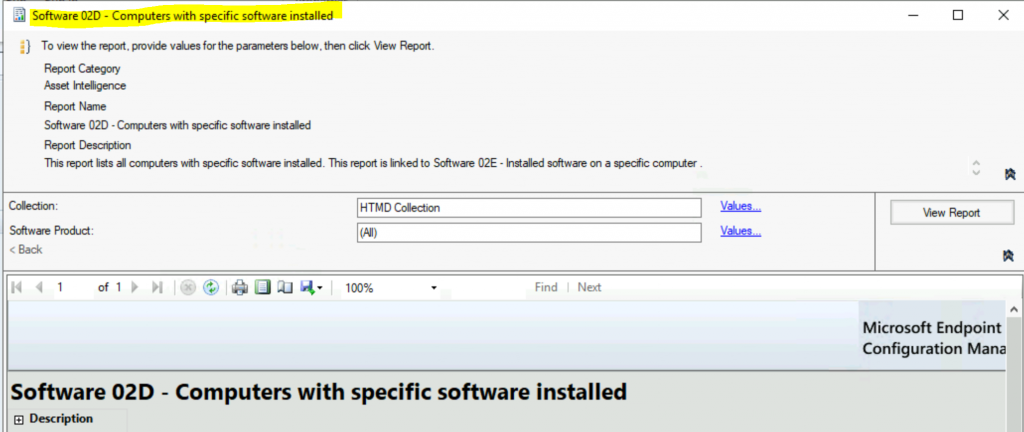
This section provides software information about the computer, such as Installed applications, version details, etc. One example of a software report lists the product families and the number of software in each family for a specific collection. SCCM ConfigMgr Asset Intelligence Reports?
| Software Information |
|---|
| Software 01A – Summary of installed software in a specific collection |
| Software 02A – Product families for a specific collection |
| Software 02B – Product categories for a specific product family |
| Software 02C – Software in a specific product family and category |
| Software 02D – Computers with specific software installed |
| Software 02E – Installed software on a specific computer |
| Software 03A – Uncategorized software |
| Software 04B – Computers with specific software configured to run automatically |
| Software 04C – Software configured to run on a specific computer automatically |
| Software 04C – Software configured to automatically run on a specific computer |
| Software 05A – Browser Helper Objects |
| Software 05B – Computers with a specific Browser Helper Object |
| Software 05C – Browser Helper Objects on a specific computer |
| Software 06A – Search for installed software |
| Software 06B – Software by product name |
| Software 07A – Recently used executable programs by the count of computers |
| Software 07B – Computers that recently used a specified executable program |
| Software 07C – Recently used executable programs on a specified computer |
| Software 08A – Recently used executable programs by the count of users |
| Software 08B – Users that recently used a specified executable program |
| Software 08C – Recently used executable programs by a specified user |
| Software 09A – Infrequently used software |
| Software 09B – Computers with infrequently used software installed |
| Software 10A – Software titles with specific multiple custom labels defined |
| Software 10B – Computers with a specific custom-labelled software title installed |
| Software 11A – Software titles with a specific custom label defined |
| Software 12A – Software titles without a custom label |
| Software 14A – Search for software identification tag-enabled software |
| Software 14B – Computers with specific software identification tag-enabled software installed |
| Software 14C – Installed software identification tag-enabled software on a specific computer |
Resources
- Fix Report Server cannot Open a Connection Error ConfigMgr | SCCM
- Configure reporting in Configuration Manager
- SQL Server Database Migration
- SQL Server – Installation
We are on WhatsApp now. To get the latest step-by-step guides, news, and updates, Join our Channel. Click here – HTMD WhatsApp.
Author
Anoop C Nair is Microsoft MVP! He is a Device Management Admin with more than 20 years of experience (calculation done in 2021) in IT. He is a Blogger, Speaker, and Local User Group HTMD Community leader. His primary focus is Device Management technologies like SCCM 2012, Current Branch, and Intune. He writes about ConfigMgr, Windows 11, Windows 10, Azure AD, Microsoft Intune, Windows 365, AVD, etc.




I am looking to pull a report from sccm to give me attributes – device name, vendor, product, installs counts,
I don’t see any in the list .
Can you help please