






Patch Connect Plus Now Includes Intune Update Management
Learn more about Intune Update Management with the Patch Connect Plus solution. Released in 2011, Microsoft Intune was seen as a much-needed and promising alternative to traditional on-premise systems management.
However, with the announcement of Microsoft Endpoint Manager (MEM), Microsoft took a stride forward in unifying on-premise and cloud endpoint management, thus allowing all existing SCCM license holders to start managing endpoints over the cloud.
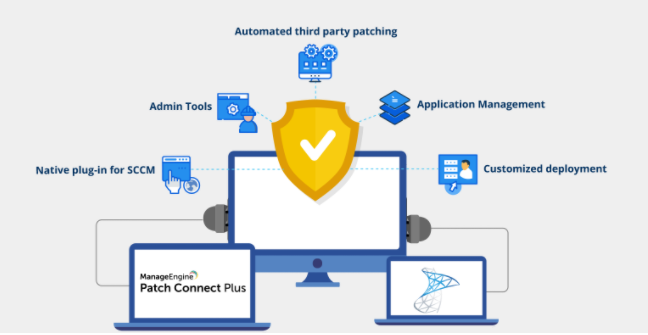
Patch Connect Plus has been the tool for IT admins worldwide because it can deploy third-party software and patches to manage systems across a business IT network using the SCCM infrastructure.
The recent Intune Update Management feature release indicates that Patch Connect Plus is further expanding the product’s cloud-based endpoint management functionality. Furthermore, Patch Connect Plus even supports the same automation capabilities in SCCM third-party patch management; let’s find out how!
Table of Contents
What’s New with Patch Connect Plus Version 90088 and Above
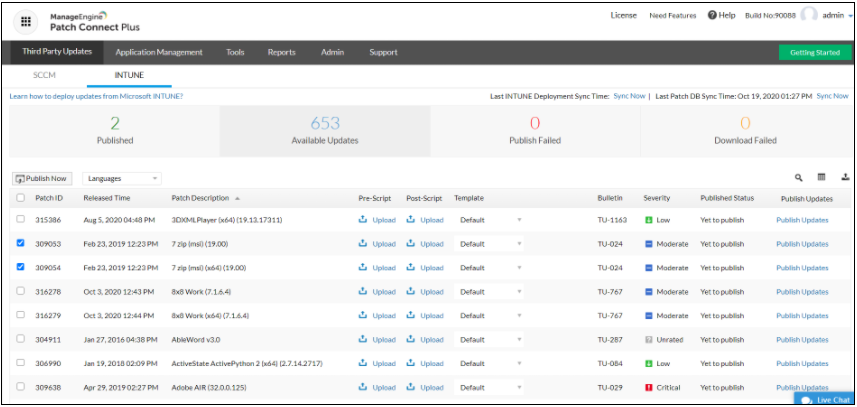
A closer look at the product console reveals Patch Connect Plus now offers users the ability to carry out third-party patch management with Microsoft Intune, using an expanding library of third-party updates under its dedicated tab.
Like the existing Application Management feature, Patch Connect Plus users can toggle between SCCM and Intune while managing the distribution of updates across their network. It aims to make enterprise patch management a simple and unified experience.
System administrators using the product can now navigate to ‘Update Management’ and then toggle to Intune. There, they can select the desired third-party updates to publish to Intune, after which the deployment is carried out automatically.
Apart from this significant feature reveal, Patch Connect Plus has improved the product’s overall usability, such as UI and more readme text and help documents to help users along their way.
- Intune Monthly Patching Guide Software Update Patching Options with Intune WUfB
- In-depth analysis of Intune Update Management from Patch Connect Plus
Auto-Publish Updates for Created Applications with Intune
Existing product users may be familiar with the ‘Auto-detect third-party applications’ feature, allowing Patch Connect Plus to automatically publish third-party updates for all applications detected across the network.
Intune Update Management has automation capabilities similar to SCCM’s Automated Deployment Rules (ADR), which carry out the automated patch distribution for on-premise management.
Patch Connect Plus automatically publishes updates for all applications created within Intune. The ManageEngine product ensures that all third-party applications within the managed network are updated with the most recent patch.
This can benefit users who prioritize network security alongside everyday systems management operations.
Download the Free Trial!
Patch Connect Plus offers a fully functional 30-day free trial for users to try the product hands-on. Additionally, customers can get a personalized pricing estimate based on the number of endpoints to be managed.
We are on WhatsApp now. To get the latest step-by-step guides, news, and updates, Join our Channel. Click here – HTMD WhatsApp.
Author
Anoop C Nair is Microsoft MVP! He is a Device Management Admin with more than 20 years of experience (calculation done in 2021) in IT. He is a Blogger, Speaker, and Local User Group HTMD Community leader. His primary focus is Device Management technologies like SCCM 2012, Current Branch, and Intune. He writes about ConfigMgr, Windows 11, Windows 10, Azure AD, Microsoft Intune, Windows 365, AVD, etc.


Discussion