






Free ConfigMgr Training Part 2 | 20 Hours of Technical | SCCM
Let’s check the videos available in part 2 of the Free ConfigMgr training post, which has more than 20 hours of technical content. This is part 2 of the Free SCCM training post. We have already produced 63 Episodes of Free Intune Training for Device Management Admins.
In the previous post, we discussed setting up a Configuration Manager lab. Behind the scenes, the entire How to Manage Devices (a.k.a HTMD) community worked hard to share the ConfigMgr (a.k.a SCCM) knowledge with the IT Pro community.
The free ConfigMgr training has two parts.
- Part 1️⃣ – End-to-End SCCM/ConfigMgr Server Infrastructure setup.
- Part 2️⃣ This Post – Technical Deep dive into SCCM Features like OSD Task Sequence, Cloud Management Gateway, Patching, Reporting, and many more.
Let’s start by considering SCCM’s various features, including OSD Task Sequences, Cloud Management Gateway, Patching, Reporting, and other functionalities that make it an effective system configuration and management tool.

Table of Contents
SCCM Exams
I always get questions related to SCCM (a.k.a. ConfigMgr) exams. Do we still have SCCM certification, like 70-703 which have already expired? What is the next exam you can take for Configuration Manager?
As per my understanding, Microsoft’s learning strategy has changed from product-based certifications ( ConfigMgr/Intune/WVD) to role-based certifications (architect/desktop admin/help desk admin). So, you won’t get any product-based certification anymore.

- Free SCCM Training 37 Hours of Latest Technical Content Lab Setup
- Top 10 ConfigMgr Intune Videos of 2020 | Configuration Manager | Videos
- Intune Learning for ConfigMgr Admins
Free ConfigMgr Training Part 2
In part 2 of Free ConfigMgr training, the HTMD community team explored each feature of SCCM. In part 1, we covered the basics of SCCM (a.k.a. ConfigMgr).
- OSD task Sequence.
- Cloud Management Gateway (CMG).
- Software Updates/Patching – Troubleshooting
- SCCM with PowerBI.
- Client-side troubleshooting.
- 3rd party Application patching.
- Configuration Items and Baselines.
- SCCM SSRS Reporting Tips and Tricks.
- MDT Operating System Deployment.
HTMD Weekend Live Episodes Season#1 SCCM ConfigMgr Intune, etc. – YouTube (All the videos are available in the playlist below).
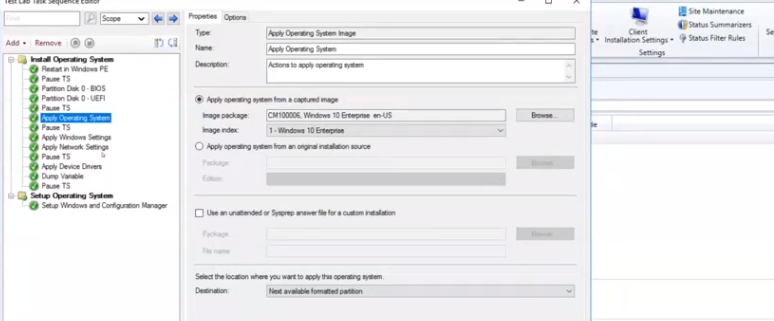
SCCM OSD Task Sequence Background Process
In this free ConfigMgr training, Vishal Goyel explains how to troubleshoot the SCCM OSD task sequence with real-time live demos. The video covers the following topics. More details are available in his blog post, SCCM OSD Task Sequence Ultimate Guide 5 Understand Process (anoopcnair.com).
- Basic SCCM OSD Task Sequence Structure
- WinPE & PXE Boot Stage – SCCM OSD Task Sequence
- Download Variable Files
- NIC Card is Initialized – SCCM MP Communication
- Time Zone Update
- Connects with SCCM MP
- List of Available SCCM OSD Task Sequence
- Policy Download & Resolving Dependencies
- Download SCCM OSD Task Sequence Content
- Launch TSManager.EXE
- OSD Diskpart
- Apply the Operating System Image
- Download OS WIM File
- Wipes Primary Partition
- Additional Windows Configurations
- Apply Network Settings
- Unattend.XML Injection
- Windows and SCCM Client Setup
Video Link – SCCM OSD SMSTS Log Background Process by Vishal Goyel -> https://youtu.be/U5L8wbJemb8?list=PL67vGzo-INWODJeLSun9N7lPWTqDckDxB&t=331
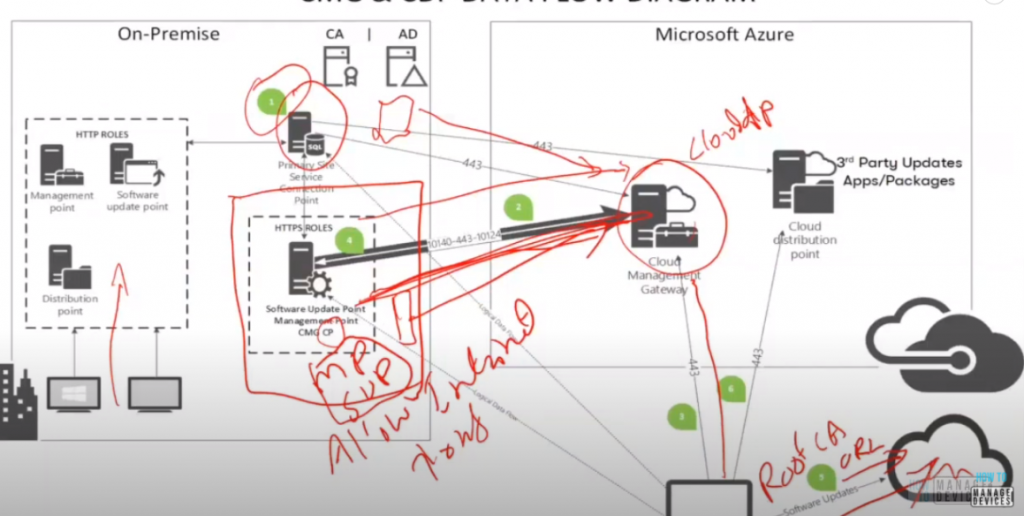
SCCM Cloud Management Gateway Implementation
Rajul OS shared the best practices for implementing Cloud Management Gateway (CMG) in the free ConfigMgr Training organized by the HTMD community. Rajul’s post about Fixing SCCM Client CMG Communication Failure Error 0x87d0027e is also helpful. Take a look at – https://www.anoopcnair.com/sccm-client-cmg-communication-failure/.
- How to take Cloud Management Gateway Architecture Decisions?
- How to purchase public certificates for Cloud Management Gateway (CMG)?
- How to understand whether the clients are getting connected to the correct Cloud Management Gateway?
- How to make sure you have root certificates deployed with intermediate certificates?
- Are the ConfigMgr CMGs location-aware?
- Can we control the client and Cloud Management Gateway with SCCM boundaries?
Video Link – SCCM ConfigMgr CMG Architecture Decisions | Cloud Management Gate Questions – SCCM ConfigMgr CMG | Cloud Management Gate Questions by Rajul OS | Answered FAQs | HTMD Live Ep #6 – YouTube.
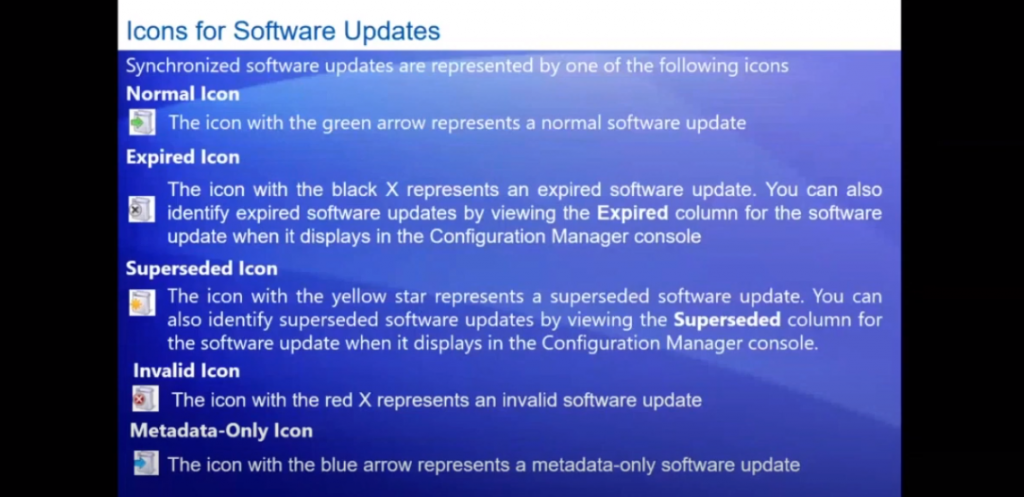
SCCM Software Update Basics | Troubleshooting Technics
Kannan CS explained software update/patching topics in this Free ConfigMgr Training organized by the HTMD community. It’s worth reading his post on installing the SCCM SUP role from Install New ConfigMgr Software Update Point Role |SUP | SCCM HTMD Blog (anoopcnair.com). The following are some of the topics explained in the video.
- How do you get started with Software Updates/Patching?
- What is the architecture of SCCM’s software updates/patching infrastructure?
- How do you configure patching infra in the SCCM world?
- What are the top tasks of SCCM patching?
- What is the core concept of ConfigMgr Patching?
Video Link 1 Kannan – SCCM Software Update Troubleshooting Technics and Tips by Kannan – SCCM Software Update Basics | Troubleshooting Technics |Tips by Kannan HTMD Live Ep #2 | ConfigMgr – YouTube
Video Link 2 Deepak – HTMD-WE15 SCCM Software Update Patching Troubleshooting by Deepak HTMD ConfigMgr Patching Process – YouTube
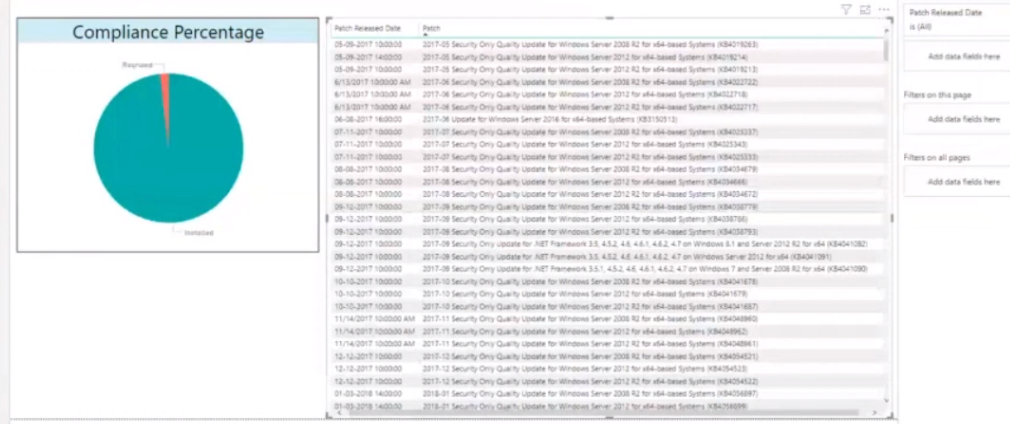
What is PowerBI & How to Integrate with SCCM?
Mohan explained in the following free ConfigMgr training organized by the HTMD community about PowerBI integration with SCCM. It’s with reading his post about How to Build PowerBI Dashboard – How To Build PowerBI Live Dashboard Integration With SCCM | ConfigMgr HTMD Blog (anoopcnair.com). The following are some of the topics covered in his video:
- What is PowerBI?
- What are the PowerBI data sources?
- How do we get data from SCCM CB to PowerBI?
- Sample PowerBI dashboards
- Questions and Answers related to PowerBI?
Video Link – Use PowerBI with SCCM by Mohan | How to Use PowerBI Templates with ConfigMgr| HTMD Live Session Ep#5 – YouTube
Client Troubleshooting Tips
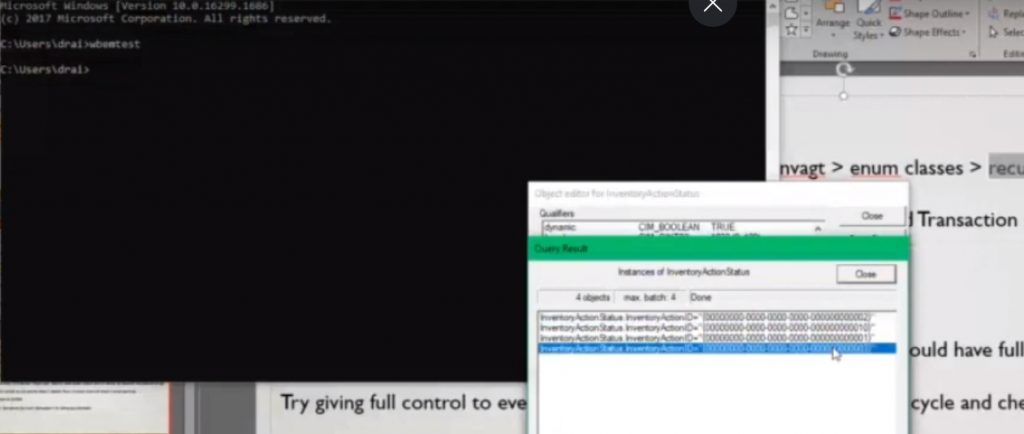
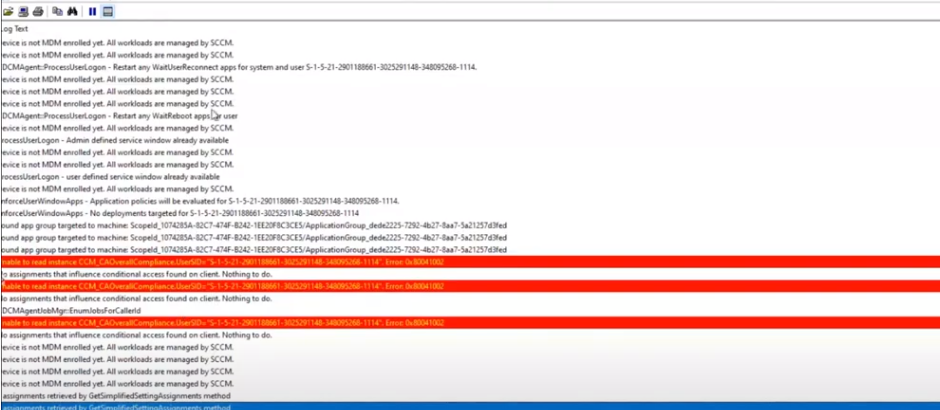
Deepak explained how to troubleshoot SCCM client-related issues in the free ConfigMgr training episode. It’s worth reading his other post related to WMI troubleshooting – Fix SCCM Client WMI Issues & WMImgmt Errors – Fix SCCM Client WMI Issues | ConfigMgr | WMImgmt Errors HTMD Blog (anoopcnair.com).
He shared The following key points about troubleshooting in the training video.
- What are the SCCM client requirements/prerequisites?
- Do’s and don’t of SCCM client troubleshooting?
- How to start SCCM client troubleshooting?
- What are the important points to remember to have better client health?
- What are the top challenges of Client health?
- What are the client health remediation & automation options?
- How do you troubleshoot & fix WMI-related issues with a client?
- Questions related to SCCM client troubleshooting
- DP Monitoring Error Failed To Create Virtual Directory |SCCM |ConfigMgr – https://www.anoopcnair.com/dp-error-failed-to-create-virtual-directory/
- Error Verify Inventory Action Status Failed 80041003 ConfigMgr|SCCM – https://www.anoopcnair.com/error-verify-inventory-action-80041003-sccm/
- FIX Software Center Crash Error SCNotification Has Stopped Working | SCCM | ConfigMgr – https://www.anoopcnair.com/fix-software-center-crash-error-scnotification-has-stopped-workingsccm-configmgr/
- Fix DCM Compliance Rules Error 0x87d00320 with ConfigMgr | SCCM – https://www.anoopcnair.com/fix-dcm-compliance-rules-error-0x87d00320/
Video Link – ConfigMgr SCCM Client Advanced Troubleshooting by Deepak – HTMD Community Weekend Learning Episode#8 – YouTube
Video Link 2 – HTMD02-2 Configuration Manager Client Troubleshooting by Deepak Rai Weekend Learning SCCM MEMCM – YouTube
Application Supersedence Options?
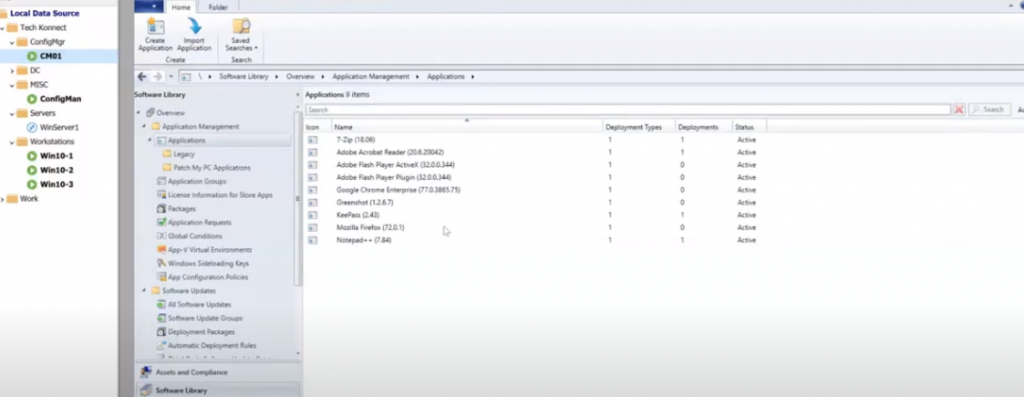
In the free ConfigMgr training, Harjit explained his real-world experience with third-party Application Patching Using ConfigMgr Application Supersedence options. The following are some of the points he explained in the training session.
- How can we build a strategy for third-party application patching without spending additional licenses?
- How do we create dummy applications to help third-party patching in SCCM?
- How do you use SCCM application supersedence options to patch 3rd party applications?
- What are the best practices for SCCM application configuration?
- How do we remove the old applications from SCCM?
- SCCM 3rd Party Application Patching
- ConfigMgr 3rd Party Application Patching
- ConfigMgr Application Supersedence
- SCCM ConfigMgr Application Supersedence
- ConfigMgr Application Command Lines
- Firefox Best Practices – ConfigMgr App Deployment
- SCCM App creation scenarios
- ConfigMgr App Deployment Options
- SCCM Application Deployment User Experience
- SCCM application Deployment restart behaviors
- 3rd Party Patching Automation with SCCM | ConfigMgr
Video Link – 3rd Party Application Patching Using ConfigMgr Application Supersedence By Harjit – Microsoft MVP – YouTube
SSRS Report Creation?
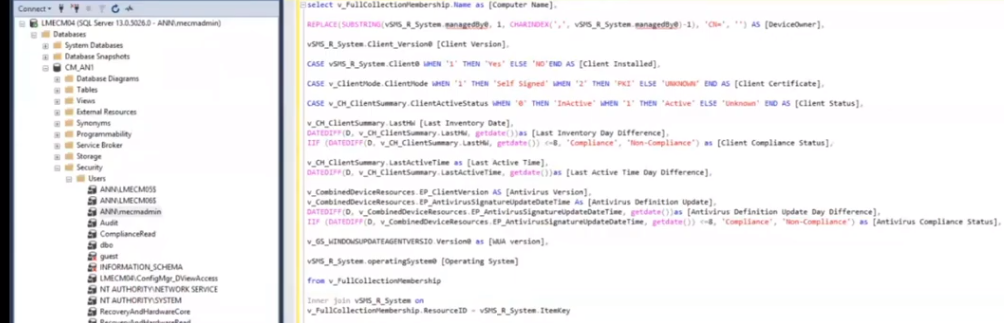
Kannan CS explained the SSRS report creation and custom report creation-related best practices, which the HTMD community also shared in the following free ConfigMgr training. The following queries help to understand the views and functions supported in SCCM DB.
select * from sys.all_objects
select * from sys.all_objects where type = 'v'
The following are some of the topics discussed in the video.
- SQL Views access in SCCM Database.
- SQL query knowledge is required.
- Knowledge about SCCM SSRS default reports.
- Do you use views or tables when you create custom reports?
- What are the different types of views available for SCCM?
Video Link – SCCM SSRS Custom Report Creation with Graphs by Kannan SQL Query Tips How to Find SCCM Views Ep #11 – YouTube
SCCM Configuration Item Baseline?
Deepak Rai explained the concepts of the SCCM Configuration Item Baseline Explained in this Free ConfigMgr training episode. The following are some of the key topics highlighted by Deepak.
- Create custom configuration items and Baseline.
- How do you create child configuration items in the Configuration Manager?
- Create configuration baselines in Configuration Manager.
- How to deploy configuration baselines in Configuration Manager.
Related topic – How To Create SCCM Configuration Items Configuration Baselines | ConfigMgr HTMD Blog (anoopcnair.com).
Video Link – HTMD12 SCCM Configuration Item Baseline Explained by Deepak Rai Configuration Remediation ConfigMgr – YouTube
MDT Tips and Tricks
Jitesh Kumar explained MDT Windows 10 Operating System Deployment details in the free ConfigMgr training session below. It’s worth reading his post – Deploy Windows Image Using MDT SCCM Step By Step Guide (anoopcnair.com). The key points of the video are given below:
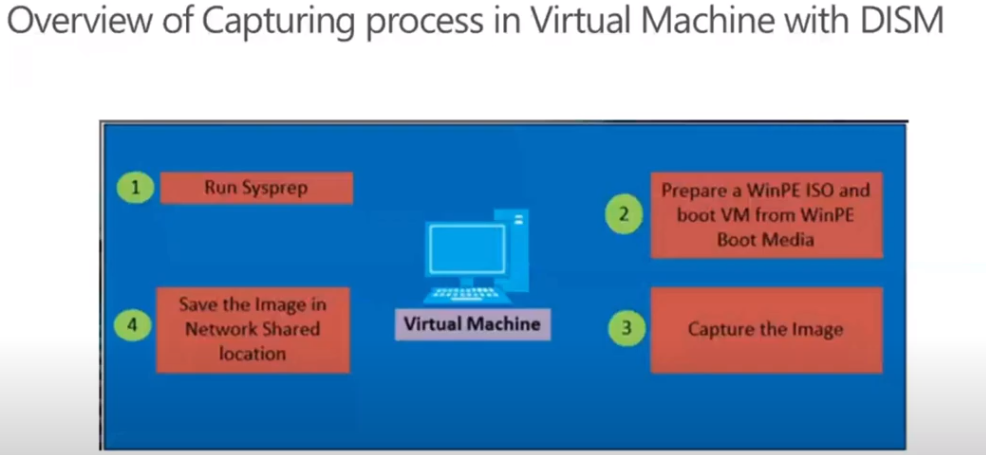
- Review the Windows 10 Image Capturing Process
- Gather requirements
- Create MDT Task Sequences
- Configure the Deployment Share
- Offline MDT Deployment Media
- Troubleshooting Tips
Video Link – HTMD-WE14-MDT Windows 10 Operating System Deployment by Jitesh Kumar Configuration Manager SCCM – YouTube
Resources
We are on WhatsApp. To get the latest step-by-step guides and news updates, Join our Channel. Click here –HTMD WhatsApp.
Author
Anoop C Nair has been Microsoft MVP for 10 consecutive years from 2015 onwards. He is a Workplace Solution Architect with more than 22+ years of experience in Workplace technologies. He is a Blogger, Speaker, and Local User Group Community leader. His primary focus is on Device Management technologies like SCCM and Intune. He writes about technologies like Intune, SCCM, Windows, Cloud PC, Windows, Entra, Microsoft Security, Career, etc.




Discussion