






SCCM Task Sequence Boot Media Creation from Untrusted Forest DP ConfigMgr
In this post, I will be exploring the SCCM Task Sequence Boot Media Creation from Untrusted Forest DP ConfigMgr.
The task sequence error is the most common, The Failed to Run Task Sequence problem also exists when there is a duplicate Mac address, SMBIOS existence, which might have caused conflict with the identification of the devices, which can be resolved by setting up an exception in the SCCM Hierarchy Settings.
In large environments with multiple domains and forests without two-way trust, it’s always troubling to get small things working. The following is one example.
I have a primary server and DP with a PXE remote site system in an untrusted forest. Cannot create Task Sequence offline boot media from the primary server console.

It got failed with the following error. In this post, we will see “ConfigMgr SCCM Task Sequence Boot Media Creation from Untrusted Forest DP”
Table of Contents
SCCM Task Sequence Boot Media Creation from Untrusted Forest DP
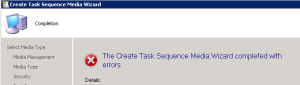
Error in Console:
Media creation failed with the error message: ‘Unspecified error’ Refer to CreateTsMedia.log file to find more details.
Errors in CrateTsMedia.log:
Cannot connect to remote registry on 'RemoteDPName'' (frequent cause is remote registry service is not running)

Unable to open WMI namespace '\\RemoteDPName\root\default' (0x80070005)

Failed to open to WMI namespace '\\RemoteDPName\root\default' (80070005)

Failed to connect to namespace 'root\default' needed to read remote registry values. The user who creates media has to be local administrator on remote DP on 'RemoteDPName' which contains media content.

Content library location could not be found.

Failed to create media generator (0x80004005)

CreateMedia.exe finished with error code 80004005
My user account in the PSS domain doesn’t have access to a remote DP server in an untrusted forest. How can I overcome this issue? Here you go!
- Fix SCCM Failed to Run Task Sequence because it is not active yet
- SCCM 2403 New Key Features and Improvements
- SCCM Technical Preview 2311 New Features Improvements
- Deploy Windows 11 23H2 using SCCM Step by Step Guide
- New Key Features of SCCM 2309 | Top Improvements
Solution SCCM Task Sequence Boot Media Creation from Untrusted Forest DP ConfigMgr Endpoint Manager
1. Create a local admin user on the Remote DP with the same username and password as the domain user running the console on the PSS.
2. log in to the Primary server, launch the SCCM 2012 console and create bootable media.
That is, it. That resolved the issue. If you’re in the same scenario, you can use these tips to resolve the issue and create task sequence bootable media.
Resources
- Free SCCM Training Part 1 | 17 Hours Of Latest Technical Content | ConfigMgr Lab HTMD Blog (anoopcnair.com)
- How To Disable SCCM Application Deployment | ConfigMgr | MEMCM – HTMD Blog #2 (howtomanagedevices.com)
We are on WhatsApp now. To get the latest step-by-step guides, news, and updates, Join our Channel. Click here – HTMD WhatsApp
Author
Anoop C Nair is Microsoft MVP! He is a Device Management Admin with more than 20 years of experience (calculation done in 2021) in IT. He is a Blogger, Speaker, and Local User Group HTMD Community leader. His primary focus is Device Management technologies like SCCM 2012, Current Branch, and Intune. He writes about ConfigMgr, Windows 11, Windows 10, Azure AD, Microsoft Intune, Windows 365, AVD, etc.




Nice.
Thank you very much!