






ConfigMgr SCCM Prestage Packages to a Remote DP Using PowerShell Script
In this post I will explore the ConfigMgr SCCM Prestage Packages to a Remote DP Using Powershell Script. In SCCM 2007, I used to ship USB drives with PCK files to different geographical locations to preload the content (packages) onto secondary sites.
Prestaged content is a reduced file that holds the content files and connected metadata for a content type. You can then physically import this content to another site server, a secondary site, or a distribution point.
That was achieved using preloadpkgonsite.exe (The Preload Package Tool). However, as mentioned above, the preloadpkgonsite.exe won’t work in SCCM 2012, so we should have another solution.
I will share a very useful script by Ken Smith (PFE). This script is very helpful in preloading the packages/content in SCCM 2012 to remote DPs. Read his full post from here.

Table of Contents
ConfigMgr SCCM Prestage Packages to a Remote DP Using Powershell Script
One thing we can utilize is to pull DP, but my first experience with PULL DP was not very exciting. There is scope for improvement:).
- Free SCCM Training Part 1 | 17 Hours Of Latest Technical Content | ConfigMgr Lab HTMD Blog (anoopcnair.com)
- Deploy Windows 10 Feature Update Using SCCM Task Sequence | ConfigMgr
- ConfigMgr Server Side Bandwidth Management Options | SCCM | Configuration Manager
- ConfigMgr Windows 10 Servicing Upgrade to 20H2 | SCCM
- Upgrade to Windows 10 2004 Using SCCM | ConfigMgr | Servicing
PS C:\>.\CloneDP.ps1 -Prestage -SourceDP sccm01.contoso.com -TargetDP
DP01.contoso.com -ContentShare \\dp01.contoso.com\c$\pkgx
$DeploymentPackages = Get-CMDeploymentPackage -DistributionPointName $SourceDP$command = "Publish-CMPrestageContent "Switch ($DeploymentPackage.ObjectTypeID) {
2 { $command += "-PackageID $($DeploymentPackage.PackageID) " }
14 { $command += "-OperatingSystemInstallerId $($DeploymentPackage.PackageID) "}
18 { $command += "-OperatingSystemImageId $($DeploymentPackage.PackageID) "}
19 { $command += "-BootImageId $($DeploymentPackage.PackageID) "}
23 { $command += "-DriverPackageID $($DeploymentPackage.PackageID) "}
24 { $command += "-DeploymentPackageID $($DeploymentPackage.PackageID) "}
31 { $command += "-ApplicationName '$($DeploymentPackage.Name)' "}
}| Name | PackageType |
| Package | 2 |
| Driver Package | 23 |
| Task Sequence Package | 20 |
| Software Updates Package | 24 |
| Device Setting Package | 21 |
| Virtual App | 31 |
| Application | 31 |
| Image Package | 18 |
| Boot Image Package | 19 |
| Operating System Install Package | 14 |
$command += "-FileName '$($env:TEMP)\$($DeploymentPackage.PackageID).pkgx'” `+ “ -DistributionPointName $($SourceDP)"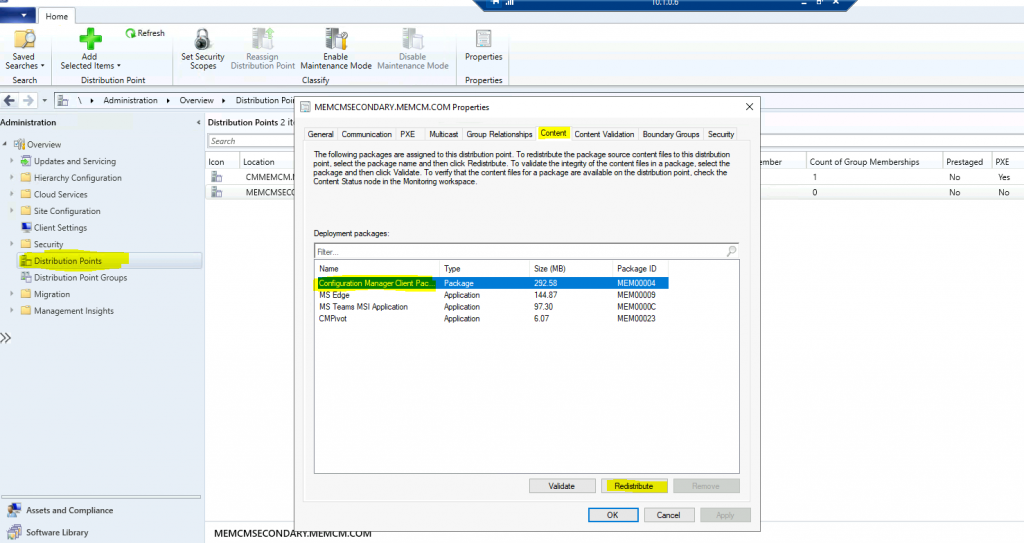
We are on WhatsApp now. To get the latest step-by-step guides, news, and updates, Join our Channel. Click here – HTMD WhatsApp.
Author
Anoop C Nair is Microsoft MVP! He is a Device Management Admin with more than 20 years of experience (calculation done in 2021) in IT. He is a Blogger, Speaker, and Local User Group HTMD Community leader. His primary focus is Device Management technologies like SCCM 2012, Current Branch, and Intune. He writes about ConfigMgr, Windows 11, Windows 10, Azure AD, Microsoft Intune, Windows 365, AVD, etc.




Hi Anoop,
i heared about you from jaydeep and Anil who worked with you at CSC.i have an issue iwth package distribution put the question under
http://social.technet.microsoft.com/Forums/en-US/198a15c2-916a-4868-8318-a89bd8655298/in-our-secondary-server-packages-are-not-showing-after-1902?forum=configmgrswdist ,please have a look and if any idea please let me know…:)