






What is Intune Endpoint Manager
Let’s discuss the basics now. What is Intune Endpoint Manager? Microsoft Intune is a software-as-a-service (SaaS) Mobile Device Management (MDM) and Mobile Application Management(MAM) solution. You don’t have to set up any on-prem or cloud servers to use Intune.
Intune is part of the Microsoft Endpoint Manager solution. It allows you to control how an organization’s devices, including mobile phones, tablets, desktops, and laptops, are used. It also helps you configure specific policies to control applications.
Mobile Device Management (MDM) is a wider term for managing or administering various devices. It also includes administering a wide range of new laptops, desktops, etc. For example, with Windows 10, all desktops and laptops can be managed through the MDM channel.
In this post, I will explore Intune, how to access it, and more. Let’s start.

Table of Contents
What is Intune
Microsoft manages the Intune architecture. As a device management admin or architect, you don’t need to worry much about Intune server infra and replication of application content, etc. The following are the main functionalities of Microsoft Intune.
- Configure Devices
- Protect Data
- Manage Apps
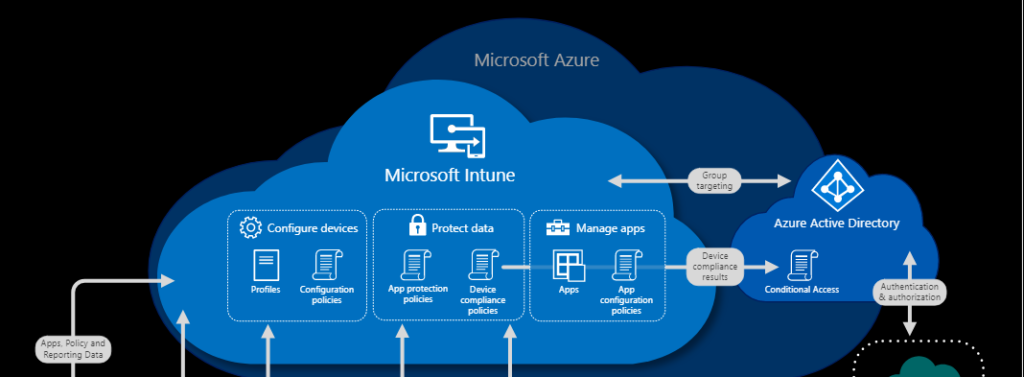
How to Access Microsoft Intnue?
As I mentioned above, Intune is a Microsoft SaaS solution for device management. You can access the Microsoft Intune admin portal called Microsoft Endpoint Manager Admin Center.
- Launch endpoint.microsoft.com
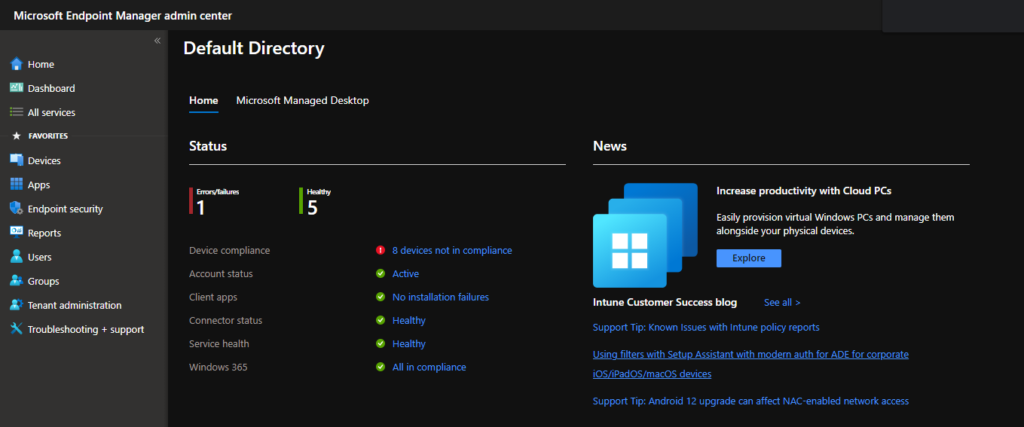
You can try to watch Intune training videos to get more ideas about Intune. Also, you will get to know how to get a free Intune subscription. More details – 63 Episodes of Free Intune Training for Device Management Admins.
Manage Devices using Intune
You can use Intune to manage devices using different approaches. You can manage the organization’s device using special policies. You can also use a different set of policies for BYO devices. All these options are available using the Devices node in the MEM admin center portal.
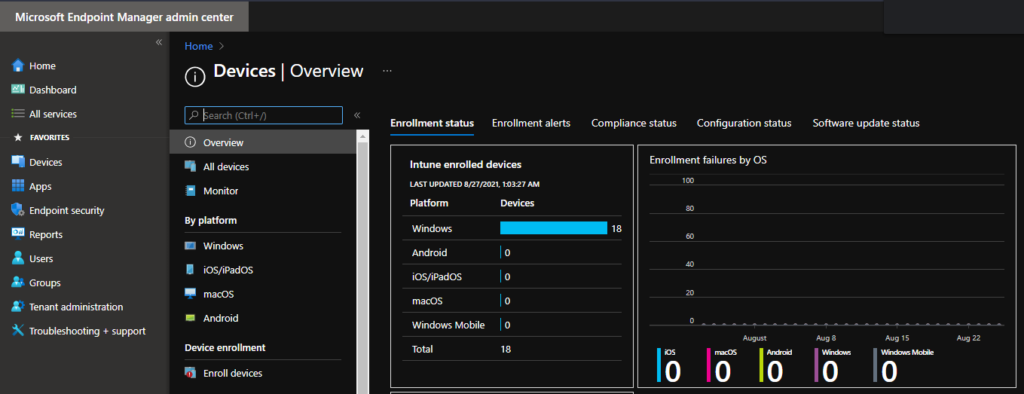
You can enrol on Windows, iOS, and Android devices using different methods. Intune Windows 11 enrollment manually or automatically.
Manage Policies using Intune
You can create and manage policies using Microsoft Intune. You can try to use any of the following policy categories to create policies in Intune.
- Settings Catalog
- Administrative Templates
- Device Restriction Policies
- Custom policies
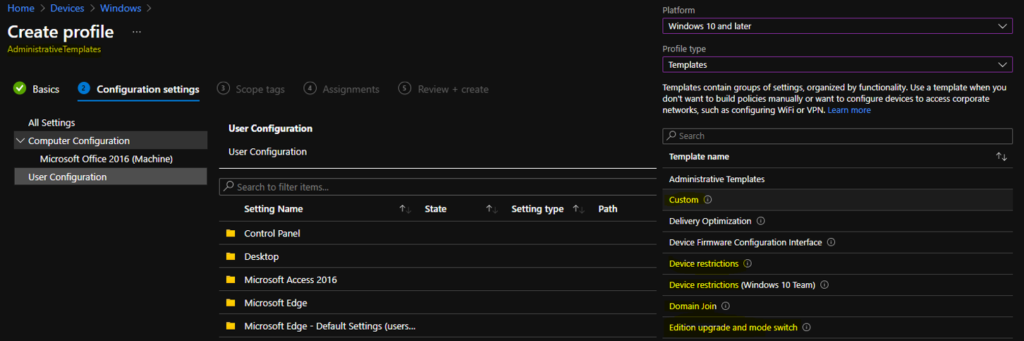
Deploy Scripts using Intune
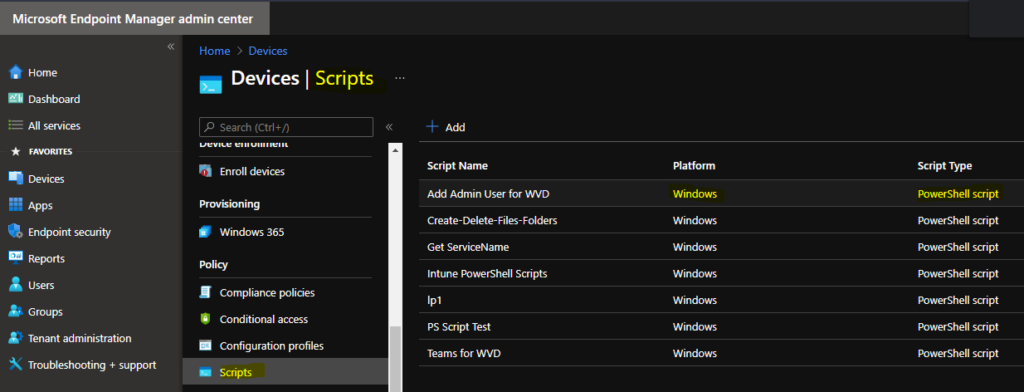
You can deploy scripts using Intune. You can deploy PowerShell scripts to Windows devices. There are options to deploy scripts to macOS devices as well. The script helps to configure out-of-box configurations.
Windows Quality Updates and Features Updates using Intune
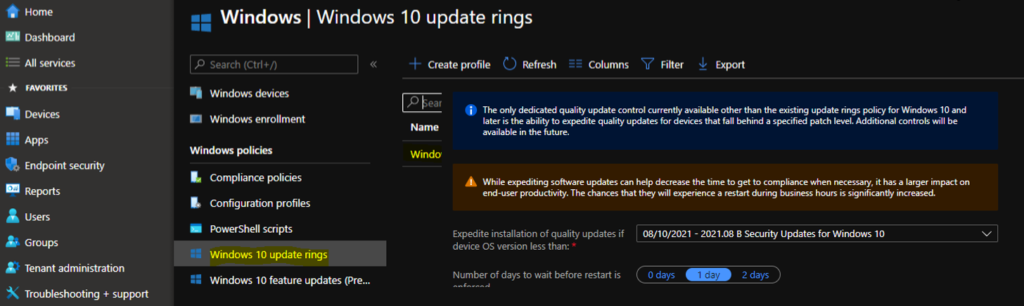
You can use Intune to deploy Windows quality and feature updates using Intune. The only dedicated quality update control currently available other than the existing update rings policy for Windows 10. It later is the ability to expedite quality updates for devices that fall behind a specified patch level. Additional controls will be available in the future.
While expediting software updates can help decrease the time it takes to reach compliance when necessary, it has a larger impact on end-user productivity. It significantly increases the chances that they will experience a restart during business hours.
Enroll Devices | Windows Enrollment Policies using Intune
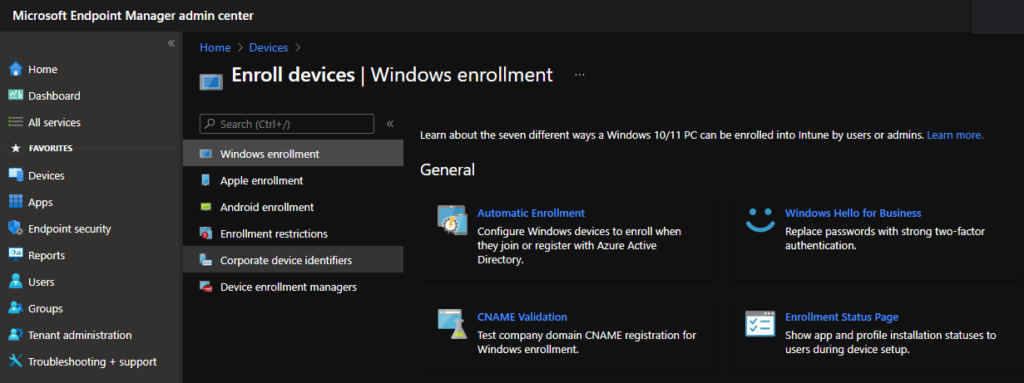
Learn how users or admins can enrol a Windows 10/11 PC into Intune. There are seven types of configurations in Windows enrollment policies that use Intune.
- Automatic Enrollment – Configure Windows devices to enrol when they join or register with Azure Active Directory.
- Windows Hello for Business – Replace passwords with strong two-factor authentication.
- CNAME Validation – Test company domain CNAME registration for Windows enrollment.
- Enrollment Status Page – Show app and profile installation statuses to users during device setup.
- Windows Autopilot Deployment Program – Deployment Profiles, Customize the Windows Autopilot provisioning experience. Manage Windows Autopilot devices.
- Intune Connector for Active Directory – Configure hybrid Azure AD joined devices.
Application Deploying using Intune
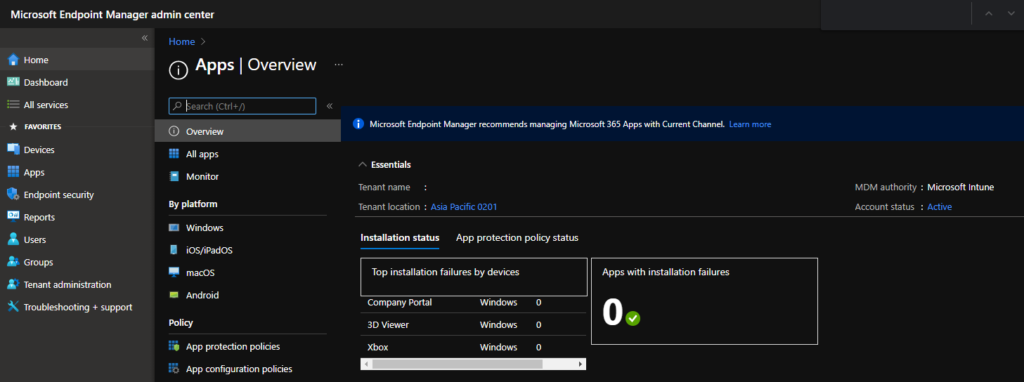
You can use Intune to deploy applications to iOS, Android, Windows, and Mac devices. You can use Intune to deploy Microsoft Store, Google App Store, and Apple App Store. Also, you can Win32 application (IntuneWin) using Intune to Windows PCs.
Endpoint Security Policy Deployment using Intune
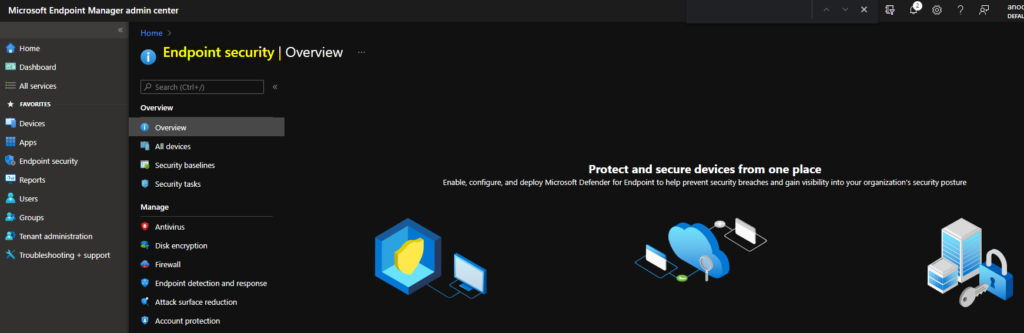
There are many options related to endpoint security policy deployments using Intune. Intune can be used to protect and secure devices from one place – Enable, configure, and deploy Microsoft Defender for Endpoint to help prevent security breaches and gain visibility into your organization’s security posture.
Intune Reports
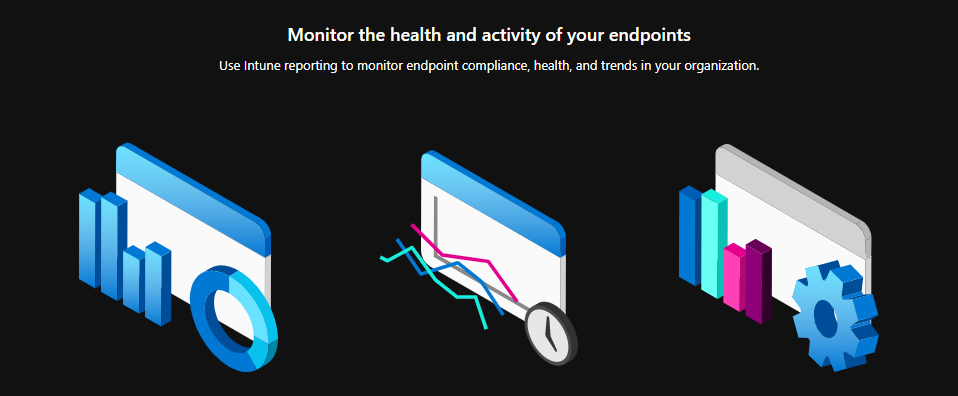
This section allows you to use Intune reports. This helps you monitor the health and activity of your endpoints. Use Intune reporting to monitor endpoint compliance, health, and trends in your organization.
We are on WhatsApp. To get the latest step-by-step guides and news updates, Join our Channel. Click here –HTMD WhatsApp.
Author
Anoop C Nair has been Microsoft MVP for 10 consecutive years from 2015 onwards. He is a Workplace Solution Architect with more than 22+ years of experience in Workplace technologies. He is a Blogger, Speaker, and Local User Group Community leader. His primary focus is on Device Management technologies like SCCM and Intune. He writes about technologies like Intune, SCCM, Windows, Cloud PC, Windows, Entra, Microsoft Security, Career, etc.


Discussion