Skip to content
Windows 11 Upgrade to Build 22449 Branch

Windows 11 Upgrade to Build 22449 Branch

Written By Anoop C Nair
Last Updated September 2, 2021
Posted In Windows 11
SHARE

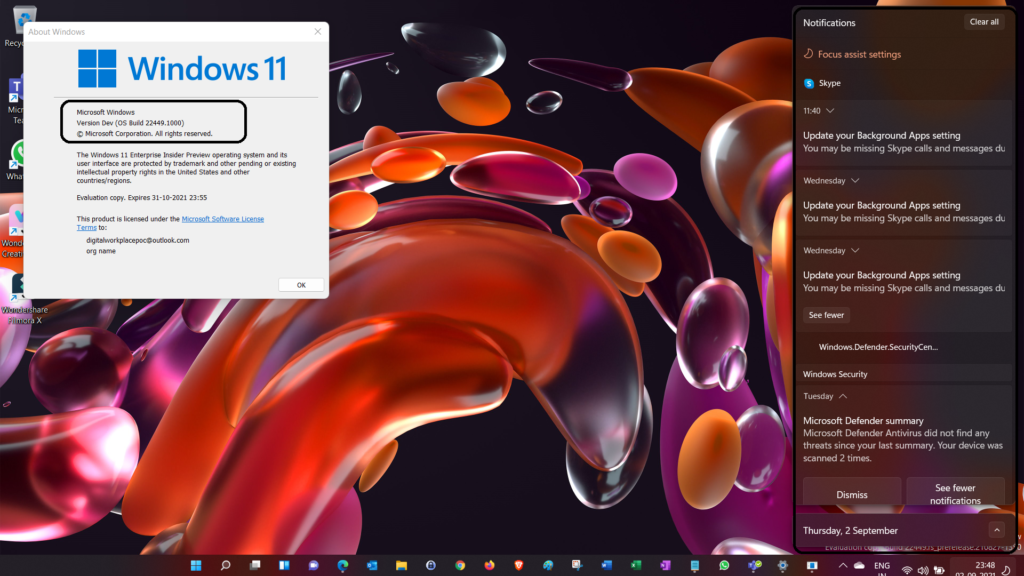
Let’s see more details about Windows 11 upgrade to build 22449 branch. Microsoft released the next branch of the Windows 11 Insider Dev channel. Microsoft is moving the Dev Channel back to receiving builds from our active development branch (RS_PRERELEASE).

Branch 22449 builds are from the earliest stage in a new Windows 11 development cycle with the latest work-in-progress code from our engineers. So Microsoft doesn’t recommend using this build on production devices.

New features and Windows 11 OS improvements from these builds could show up in next future Windows releases. These features could be part of the Windows 11 2022 release. So these features won’t be available for the Windows 11 planned to release on 5th Oct 2021.

Microsoft announced the boot screen update, and the boot screen shows a progressive ring animation for loading the OS instead of an animated circle of dots. The following are the other updates coming with Windows 11 22449 branches.

Patch My PC

New FeaturesNext Branch of Windows 11

Windows 11 Upgrade to Build 22449 Branch
  • Right-clicking on the Bluetooth entry in Quick Settings and selecting Settings will now open the main Bluetooth & Devices page in Settings.
  • The Windows startup sound will no longer play after an unattended update (aka a scheduled Windows update when you are not at your PC).
  • Added a link to the touch keyboard personalization settings from Typing > Touch Keyboard to help improve discoverability.
  • Notifications now have an acrylic background.
  • Updated animation used in the notification introducing you to Windows Hello if it hasn’t been set up.
  • Updated the dialog when closing Windows Sandbox so that it has rounded visuals.
  • Adjusted the design of the Notification Center to make the app names more visibly separated from the notifications.

Windows 11 Build 22449 Upgrade

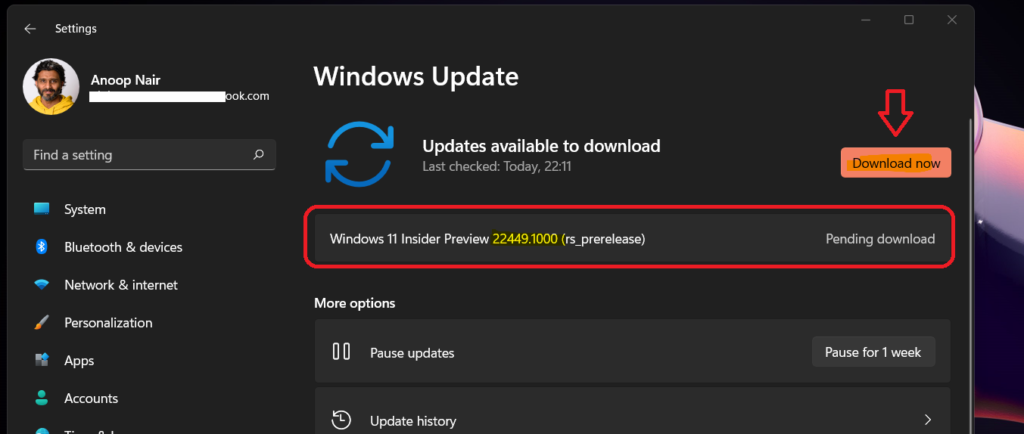
Let’s see the how-to upgrade to Windows 11 Build 22449. You can go to Settings apps from Start. Navigate to Windows Updates -> Click on Download now button to start the upgrade process.
Windows 11 Upgrade to Build 22449 Branch

Normally the download of Windows 11 Build 22449 takes more time if you compare it with normal Windows 11 upgrades within the same branch. The Windows 11 one branch update to the next branch update is similar to the full version upgrade.

NOTE! I don’t think the Windows 11 yearly update won’t be similar to the enablement package update/upgrade in Windows 10.
Windows 11 Upgrade to Build 22449 Branch

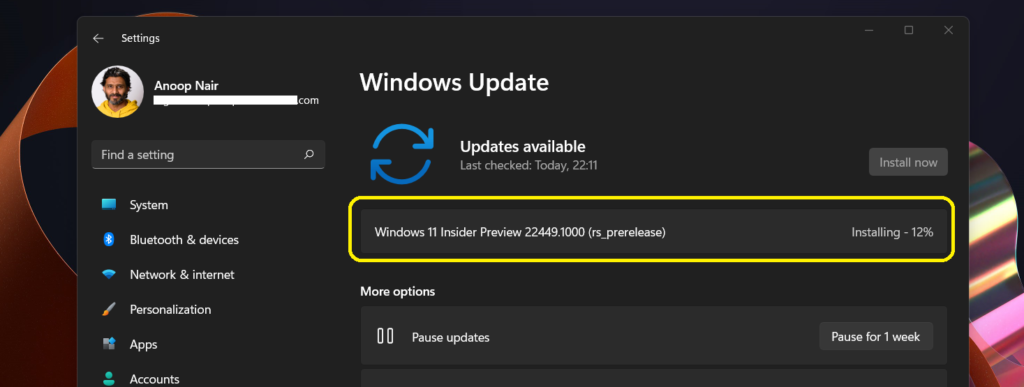
The installation of the Windows 11 upgrade to the next branch took around 20-30 minutes on the physical device shown in the following video – Windows 11 Free Upgrade Requirements | Why are you not getting Free Windows 11 Upgrade?

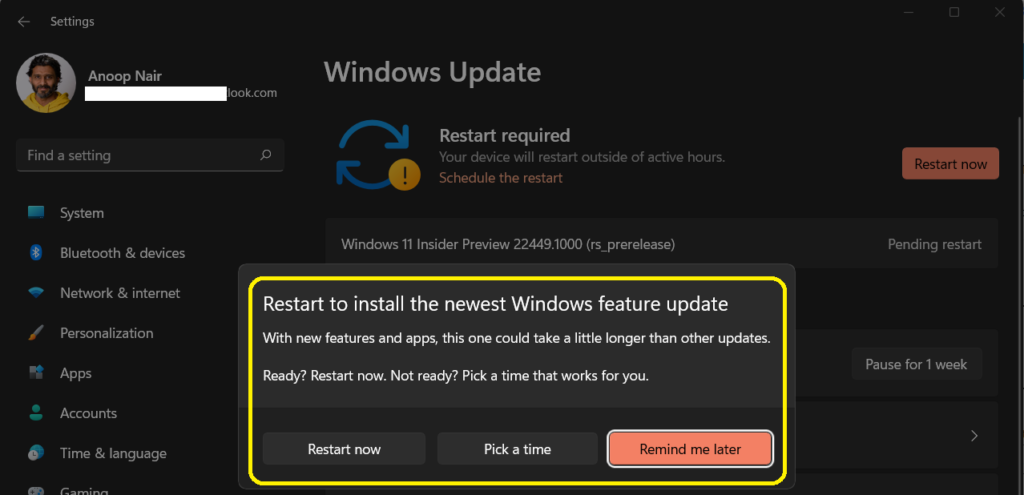
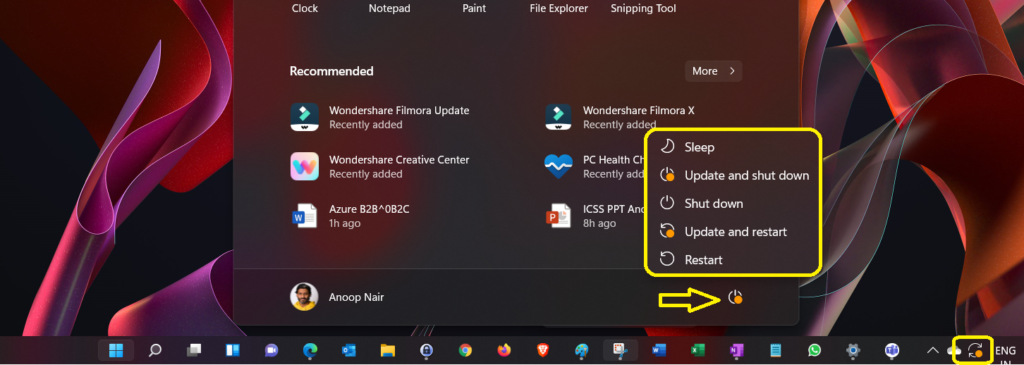
Restart to install the newest Windows feature update with new features and apps; this one could take a little longer than other upgrades/updates. There are three options below:

  • Restart Now
  • Pick a time
  • Remind me Later
Windows 11 Upgrade to Build 22449 Branch

The restart notification of the next Windows 11 branch 22449 is not changed much. I got the same notification experience as explained in the previous branch upgrade – The latest Windows 11 update experience.
Windows 11 Upgrade to Build 22449 Branch

Resources

PC Health Check App Windows 11 Upgrade Requirement Updates

Written by

Anoop C Nair is Workplace Technology solution architect with 25+ years of experience in global enterprise organizations such as JP Morgan, Capgemini, etc. Microsoft Certified Trainer. Microsoft MVP from 2015 onwards for consecutive 11+ years! He also conducts Intune and modern workplace tech training for enterprise organizations. He is Blogger, Speaker, and Founder of HTMD Community and HTMD Conference. His main focus is on Device Management technologies like Intune, Windows, Cloud PC. He writes about technologies like Intune, SCCM, Windows, Cloud PC, Windows, Entra, Microsoft Security.

Discussion

Join the discussion

Your email address will not be published. Required fields are marked *

Related guides

Security

Microsoft Fixes 570 Security Vulnerabilities and 3 Zero-Day Vulnerabilities in July 2026 Patch Tuesday

Key Takeaways Microsoft Fixes 570 Security Vulnerabilities and 3 Zero-Day Vulnerabilities in July 2026 Patch Tuesday! Microsoft fixed 3 zero-day vulnerabilities as part of the July 2026 Patch Tuesday updates. Two of them, CVE-2026-56164 (Microsoft SharePoint Server Elevation of Privilege) and CVE-2026-56155 (Active Directory Federation Services Elevation of Privilege), were actively exploited before the security […]

AC Anoop C Nair 29 min read
Intune

Windows 11 KB5101650 KB5099414 July 2026 Patch and 3 Zero Day Vulnerabilities and 570 Flaws

Key Takeaways Windows 11 KB5101650 KB5099414 July 2026 Patch and 3 Zero Day Vulnerabilities and 570 Flaws! In the July 2026 Patch, Microsoft introduced new features designed to improve the overall Windows experience. The update adds enhancements to Windows Update for more flexible update management and introduces Point-in-Time Restore, providing an additional recovery option for […]

AC Anoop C Nair 9 min read
Windows 11

Boost Productivity with Zoom Workplace on Windows 11 | Setup Guide for Meetings Chat Calls and Collaboration

Key Takeaways Hey, let’s learn about Boost Productivity with Zoom Workplace on Windows 11 | Setup Guide for Meetings Chat Calls and Collaboration. Zoom workplace is an AI-powered collaboration app used for online meetings, team collaboration, and video calls. This application helps to conduct meetings Including chat and messaging, screen sharing and Calendar Integration. Boost […]

AC Anoop C Nair 35 min read
Windows 11

13 Windows AI Features to Turn Off for Better Privacy

Key takeaways Hey, let’s discuss about 13 Windows AI features to turn off for better privacy. AI is widely used in modern systems such as Windows 11 to automate tasks, improve productivity, and enhance user experience. However, AI also has several disadvantages. It may raise privacy concerns because personal data can be collected and analysed […]

AC Anoop C Nair 15 min read