






Dark Mode MS Paint App for Windows 11
Microsoft released a new revamped MS Paint app for Windows 11 with Dark Mode and Zoom capabilities. This app is available only with the latest version of Windows 11 in the dev channel of Windows Insider. Microsoft released another redesigned version of MS Paint on 1st June 2023.
Microsoft Paint comes with Dark Mode and Zoom improvements. The new Windows 11 MS Paint is entirely designed by Microsoft. The Windows 11 new MS Paint app appeared with the latest version of Windows 11 dev build 22468.
All the improvements of MS Paint are part of Insider builds at this point in time (2nd June 2023). Later this year (2023), Microsoft is planning to release the new MS Paint version with Dark Mode and new Zoom capabilities to all Windows 11 users.
As per Panos Panay, this is the beautifully redesigned Paint app. However, I don’t know how many of you like the newly redesigned MS Paint app in Windows 11 Insider version. But remember that Microsoft has almost 6-7 months to make this MS Paint better before the release in production, with the next version of Windows 11 in the second half of 2022.

Video – Enable Dark Mode for Microsoft Paint
Learn how to enable Dark Mode for Microsoft Paint. In this video, let’s find out a quick tip to Enable Dark Mode for Microsoft Paint.
MS Paint didn’t get updated with the Windows 11 upgrade process?
A few days back, I updated Windows 11 10.0.22468 version. However, MS Paint didn’t get updated with the Windows 11 upgrade process. So I think the update of Windows 11 is independent of the MS Paint update.
The revamped MS Paint app appeared a few days after the upgrade to the latest version of the Windows 11 Dev channel. Did you also have the same experience? The following is the latest version of MS Paint with the Dark mode.
Paint version -> 11.2304.17.0
| MS Paint – Fully Supported | Microsoft Store App |
| MS Paint Direct Download (Twitter User) | MSIX Package Bundle |
Enable MS Paint Dark Mode
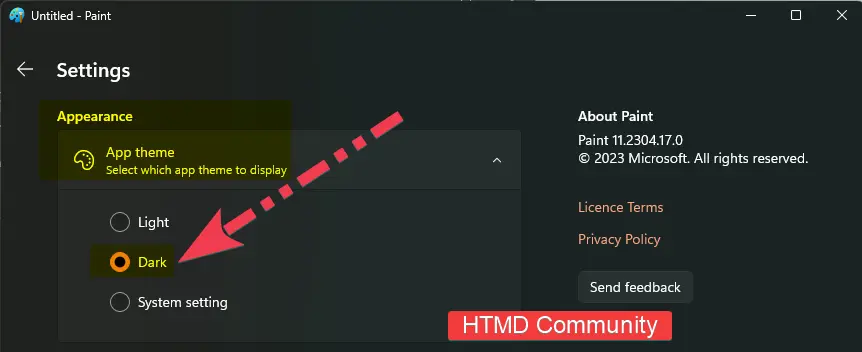
Let’s check how to Enable MS Paint Dark Mode using the Microsoft Paint Settings page. There is a new Settings page in the latest version of MS Paint which is in preview.
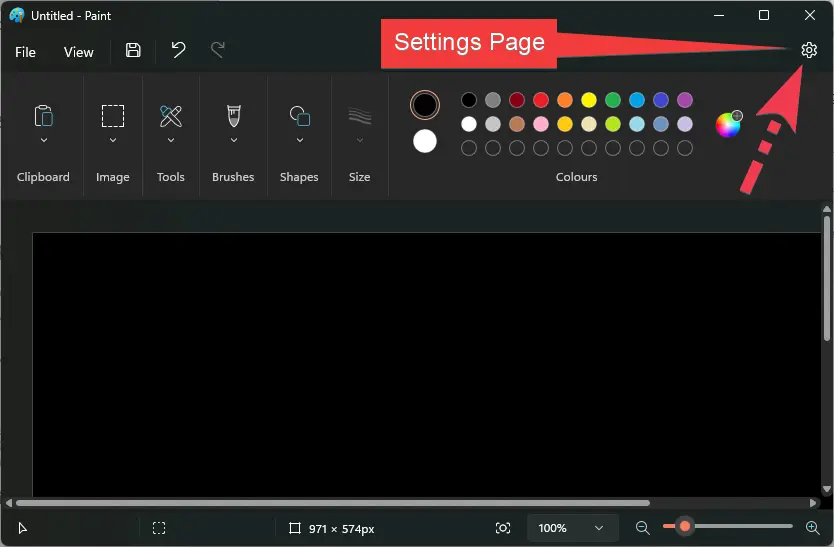
From the Settings page, you can check the app to select which app theme to display. You can select the DARK App theme to make MS Paint dark theme.
New Zoom Capabilities in MS Paint
Let’s now check the MS Paint Zoom capabilities from the following screenshot. The Zoom capabilities are very smooth and user-friendly.
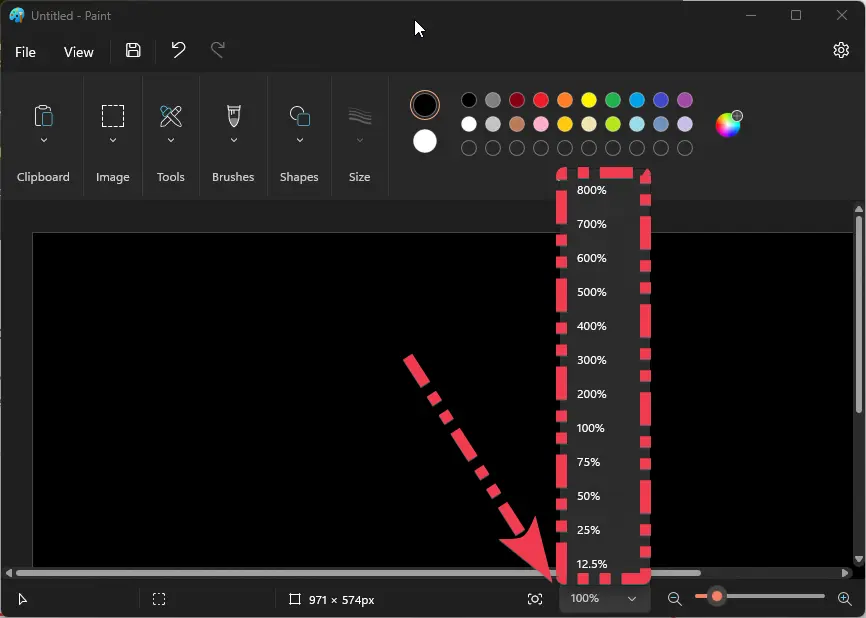
Newly Simplified Toolbar – Revamped MS Paint App for Windows 11
Microsoft claims that the redesigned MS Paint app for Windows 11 is a modern version of the classic Paint app. You will notice a completely updated UI that matches the new visual design of Windows 11.

MS Paint New Drop Down Menus
The most visible change to MS Paint is the newly simplified toolbar with updated icon designs. These options come with the revamped MS Paint app for Windows 11.
- A rounded color palette
- A new set of drop-down menus
- Brushes
- Stroke size
- A new flip/rotate controls for brushes and stroke size.

New Text Tool with Newly Released MS Paint
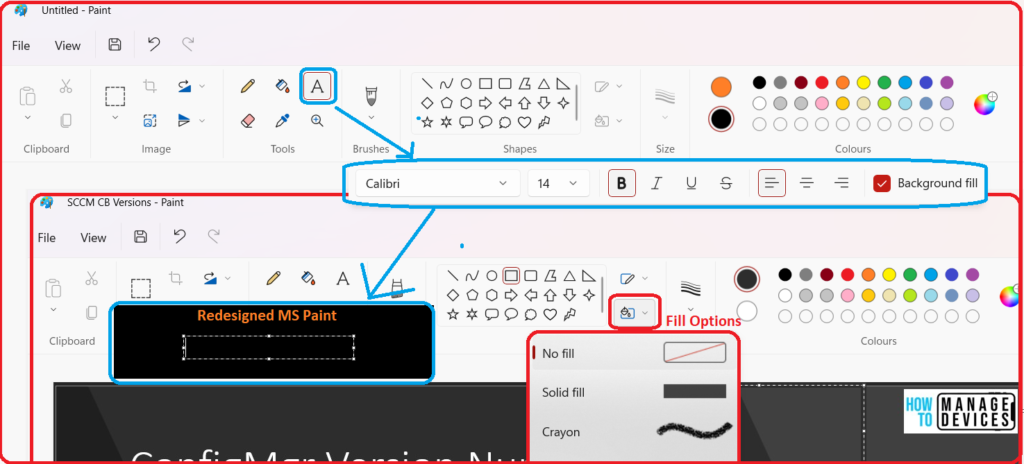
Microsoft introduced a New Text Tool with Newly Released MS Paint. The newly redesigned/revamped MS Paint app for Windows 11 included a new text tool for you to try. This is not a floating text toolbar, but it’s positioned differently for sure. Do you like it?
The following are the new text tool options with the MS Paint insider version of Windows 11.
- To access the new TEXT tool, click on the “A” icon in the toolbar.
- New Background fill options.
- Allignment options.
- Font selection options.
- Other options are also available:
- Italics.
- Bold.
- Underline.
- Strickout.




Can’t remove the menu anymore, it is blocking prtscrn top of picture.
Same for me. I don’t understand why features are removed in new versions.
It;s a completely distroyed ms paint programm!
Why did they do it?
Not workable anymore sad people who did this?