






Download Windows 11 Administrative Templates
This post helps you to download Windows 11 Administrative Templates. Microsoft released Windows 11 version with several new, updated administrative templates settings to support Windows 11 new settings. Each version of the Windows 10 or Windows 11 operating system comes with its specific administrative templates.
Windows 11 new Group Policy settings details of the device and user configurations available in Administrative Templates. If you are looking to get details of Group Policy settings added in Windows 11. You can refer to the blog post – list of Windows 11 Group policies.
To get Group Policy settings added in Windows 10, version 21H1, and earlier. Let’s check about how to download Windows 10 Administrative Templates for all versions, and to find the list of policies, refer to the blog post below –
- Download Windows 10 Administrative Templates for All Versions
- What’s New Group Policy Settings Available in Different Versions of Windows 10.
- List of New Group Policy Settings in Windows 10 21H1.
Administrative Templates – Overview
Administrative Templates files are divided into .admx files and language-specific .adml files for use by Group Policy administrators. The changes implemented in these files let administrators configure the same set of policies using two languages. Administrators can configure policies by using the language-specific .adml files and the language-neutral .admx files.

Download Windows 11 Administrative Templates (.admx)
Here’s how to download Administrative templates admx for Windows 11 –
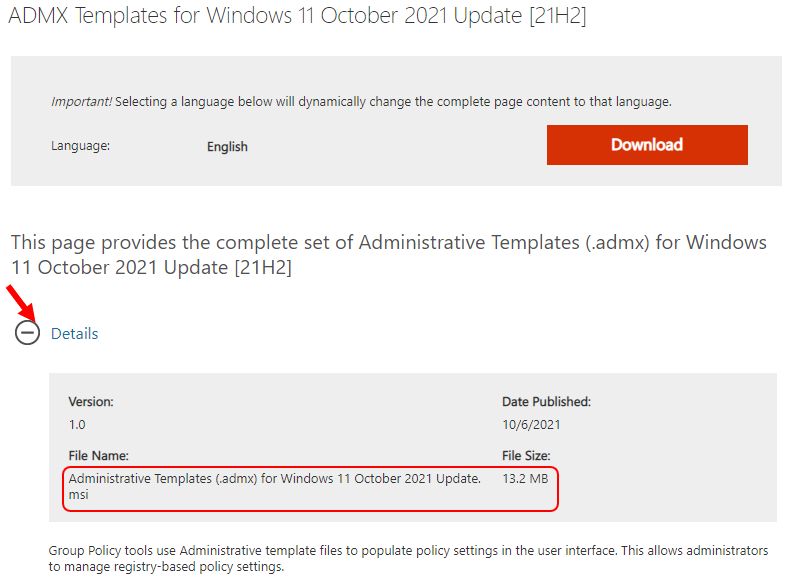
- Browse to Microsoft Download Center ADMX Templates for Windows 11 October 2021 Update [21H2].
- Click the Download button. The files will automatically start downloading, If your download does not start after 30 seconds you can proceed to manual download.
Install Administrative Templates for Windows 11
- Copy the downloaded file (.MSI) to your device.
- Double-click the downloaded file Administrative Templates (.admx) for Windows 11 October 2021 Update.msi to start the installation. Click Next.
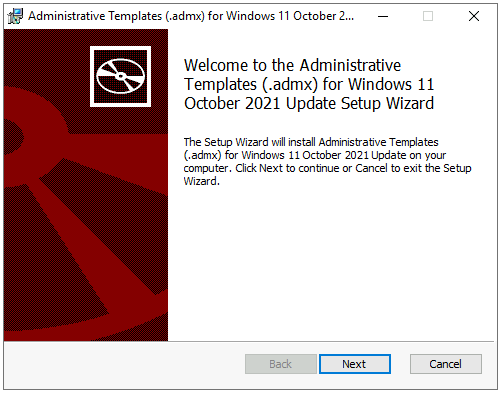
- Accept End-User License Agreement (EULA), Click Next.
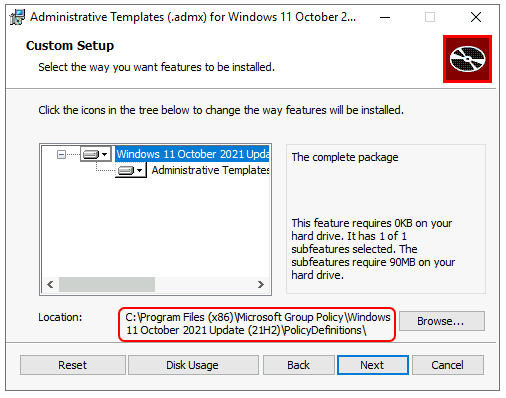
- This file will extract to the default location –
C:\Program Files (x86)\Microsoft Group Policy\version-specific\PolicyDefinitionsfolder. Leave it to default and click Next.
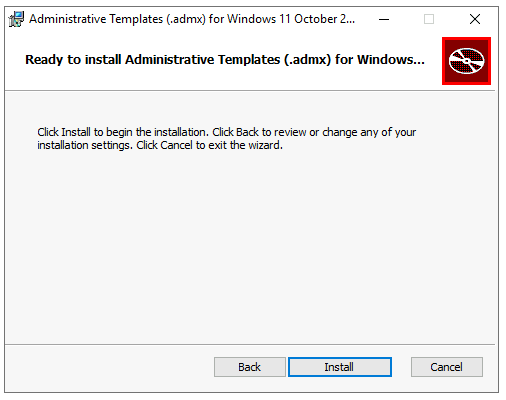
Now You’re ready to install Administrative Templates for Windows 11. Click Install to begin the installation.
Note – You might get a UAC prompt “Do you want to allow this app to make changes to your device?” in the installation process for ADMX 21H2. Select Yes to confirm.
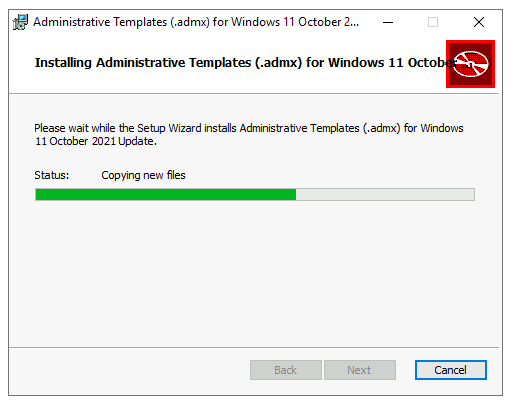
You will see the status copying new files to the location. Please wait while the setup installs Administrative Templates (.admx) for Windows 11 October 2021 Update.
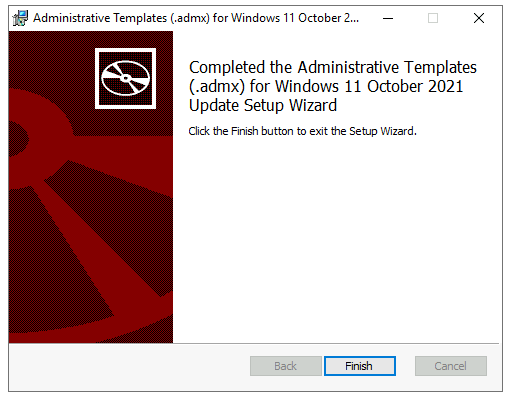
Once you have been successfully extracted download Windows 11 Administrative Templates, click the Finish button to exit the setup wizard.
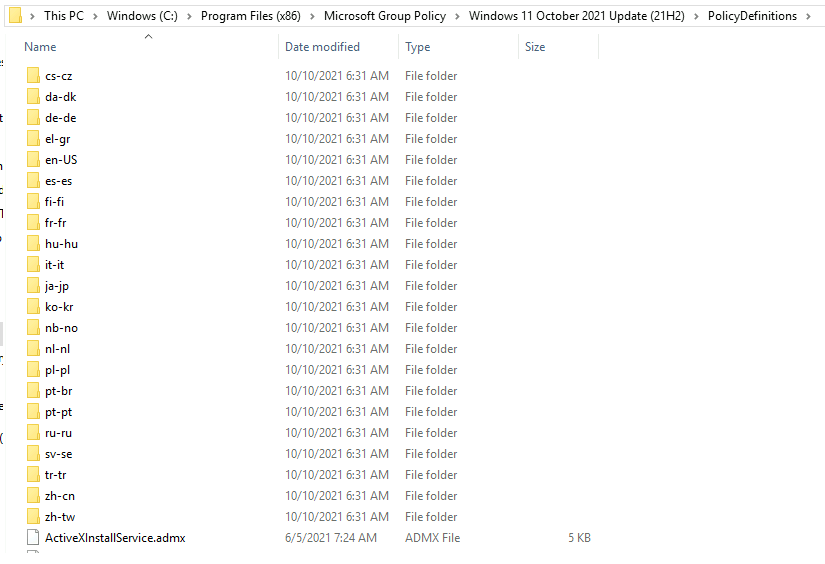
You can find the extracted PolicyDefinitions folder stores all .admx files and .adml files for all languages in the destination folder – C:\Program Files (x86)\Microsoft Group Policy\Windows Version\PolicyDefinitions folder as shown below.
News and Interest ADMX are currently available only in the English language, and once it is available in other languages a new version of ADMX templates will be republished. Each of the downloads includes the Administrative Templates (.admx) for Windows 11 in the following languages –
- cs-CZ Czech – Czech Republic
- da-DK Danish – Denmark
- de-DE German – Germany
- el-GR Greek – Greece
- en-US English – United States
- es-ES Spanish – Spain
- fi-FL Finnish – Finland
- fr-FR French – France
- hu-HU Hungarian – Hungary
- it-IT Italian – Italy
- ja-JP Japanese – Japan
- ko-KR Korean – Korea
- nb-NO Norwegian (Bokmål) – Norway
- nl-NL Dutch – The Netherlands
- pl-PL Polish – Poland
- pt-BR Portuguese – Brazil
- pt-PT Portuguese – Portugal
- ru-RU Russian – Russia
- sv-SE Swedish – Sweden
- tr-TR Turkish – Turkey
- zh-CN Chinese – China
- zh-TW Chinese – Taiwan
Copy ADMX ADML files from Windows 11 ADMX to Central Policy Store
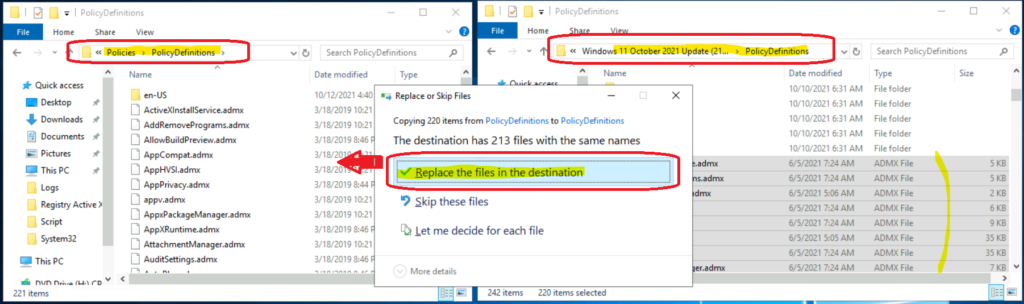
You can now copy the Windows 11 21H2 ADMX and ADML files to the central policy store location on your domain controller. The following is the central store path for the HTMD lab environment – \Admemcm\sysvol\memcm.com\Policies.
Make sure you take a backup of existing files from the policy Definitions folder as shown in the below picture. Also, you must move the backup folder to another safe location. It’s not recommended to save unwanted files here in the SYSVOL location.
Also, you should copy the only language files (ADML files in language folders) to SYSVOL central policy store to reduce the size of the Sysvol folder. For example, if you only need the English language group policy, then you should copy only the en-US folder from C:\Program Files (x86)\Microsoft Group Policy\Windows Version\PolicyDefinitions folder.
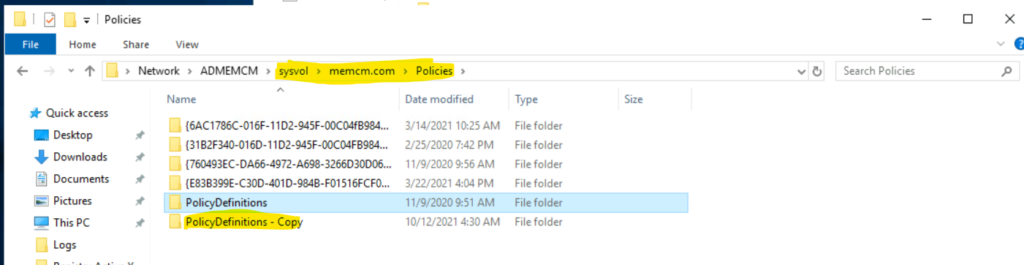
Make sure that you have copied the language folder (en-US) and All the ADMX files from the extracted folder above to the SYSVOL folder as shown in the below screenshot. Also, Replace the files in the destination to replace the old ADMX files with new Windows 11 21H2 files.
Create Windows 11 Group Policies
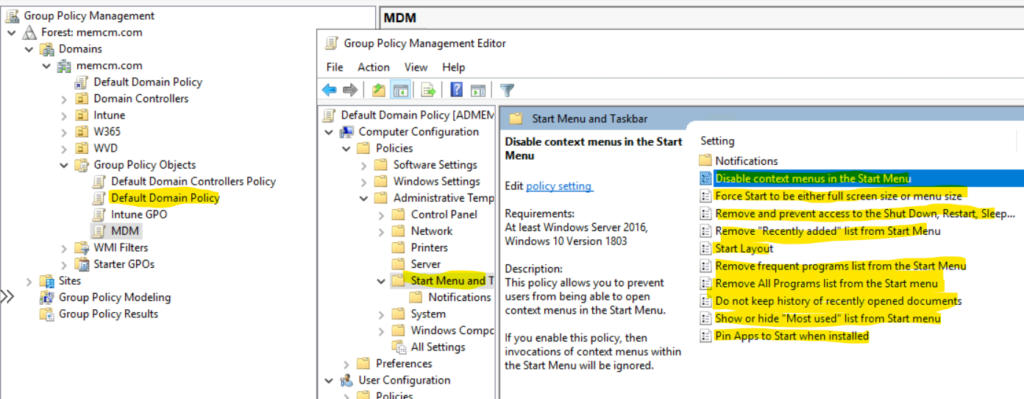
You can now create Windows 11 group policies with the 21H2 ADMX version that is released in OCT 2021. You can start Group Policy Management. Right-click the Default Domain Policy and click Edit.
You can navigate to any of the following policies and configure Windows 11 start menu layout using group policy. There are Intune ways of deploying this policy as well – Customize Windows 11 Start Menu Layout Settings Using Intune.
Computer Configuration\Administrative Templates\Start Menu and Taskbar
User Configuration\Administrative Templates\Start Menu and Taskbar
Author
About Author -> Jitesh has over 5 years of working experience in the IT Industry. He writes and shares his experiences related to Microsoft device management technologies and IT Infrastructure management. His primary focus area is Windows 10 Deployment solution with Configuration Manager, Microsoft Deployment Toolkit (MDT), and Microsoft Intune.




Discussion