






Fix Unable to Download Software Change Returned Error Code 0x87D00669
Let’s understand how you can FIX SCCM Unable to Download Software Change Returned Error Code 0x87D00669. The error 0x87D00669 (-2016410007) prompts when you attempt to install an application or update from SCCM software center.
First of all, you will need to understand the meaning of the error code 0x87D00669. You can use the method to translate SCCM Error Codes To Error Messages.
The error code 0x87D00669 translates to Not able to get software updates content locations at this time. This means the client can’t find the update in the DP’s. You need to make sure your package is distributed and boundaries set up.
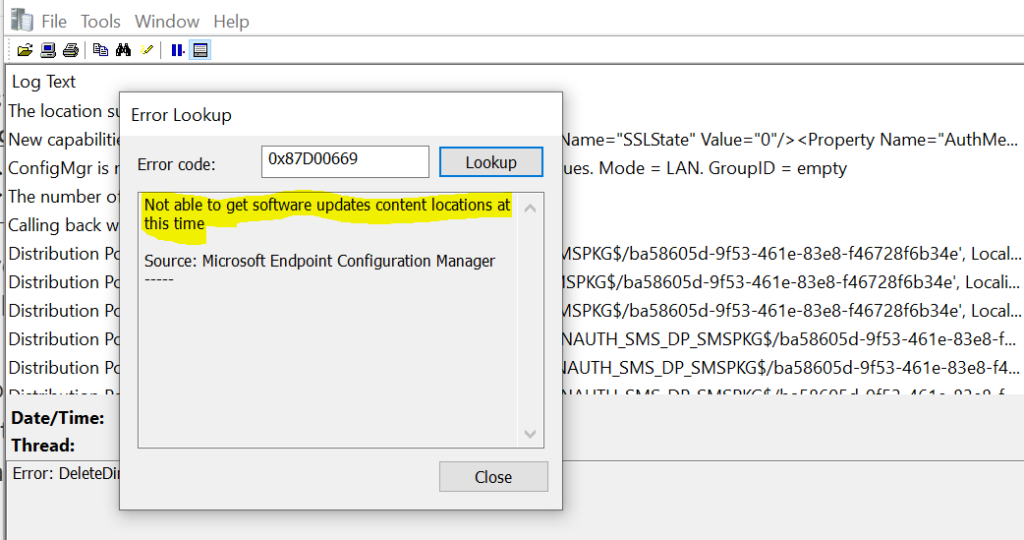
You might also be experienced the error 0x87D00607 while installing the applications from the software center. That also indicates a similar issue there was a problem downloading the software from SCCM.

Here you can check details for major components involved in SCCM application model troubleshooting. This post will help get more information about why the installation failed and learn the Deep Dive SCCM Application Model Troubleshooting.
- Fix Scan failed with error 0x80244022 Service is Temporarily Overloaded Issue SCCM
- FIX: SCCM Application Installation Failed 0x87D00607
- Fix the SCCM Software Center cannot be loaded Issue with ConfigMgr
Issue Descriptions – SCCM Unable to Download Software Change Returned Error Code 0x87D00669
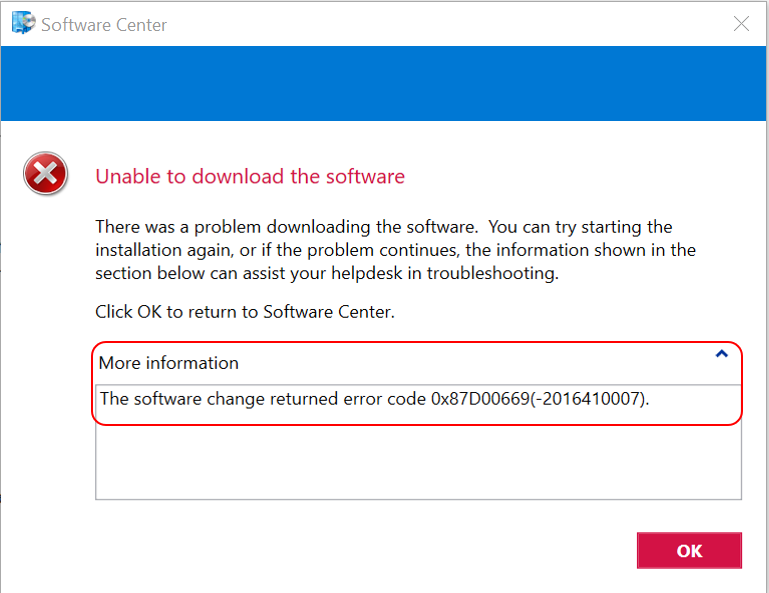
The error application installation failed 0x87D00669 (-2016410007) was received while installing an application from Software Center.
It indicates there was a problem downloading the software from SCCM. You can try starting the installation again, or if the problem continues, the information shown in the section below can assist your helpdesk in troubleshooting.
The software change returned error code 0x87D00669, Unable to download the software with Status Failed.
Let’s analyze the ConfigMgr logs before proceeding to the next step, CAS.log, ContentTransferManager.log, and LocationServices.log.
Possible Reasons
Let’s check the possible solutions to FIX SCCM Software Change Returned Error Code 0x87D00669. It could be different based on the details you get into logs –
The first step is to validate whether the deployed package content is successfully distributed to applicable distribution points or groups. If the content is not distributed to the SCCM distribution point, the clients would go to the DP and find no content to download.
To avoid issues with the content distribution of SCCM packages. Let’s check how to Redistribute package or application content to Distribution Point. I had seen in many scenarios If we are facing the content download issue in all sites locations. In this scenario, Try to remove the content from distribution points, and package redistribution will work.
The next step is to validate Is the boundary that the client is in added to a boundary group associated with the DP that has the content.
If you start looking at the LocationServices logs, it shows “calling back with empty location” which means the boundaries were not set for this location. Adding site to DP, start the content downloading properly.
It’s always best to check the boundaries and boundary groups. The Boundaries in Configuration Manager define network locations on your intranet. These locations include devices or clients that you want to manage.
The error can also occur when an update requires another update to be installed, but the location to download is not found. Check UpdateHandler.log to see if it’s your case.




I am surprised nobody mentioned the obvious and likely issue, namely that the Updates Deployment package had not yet been distributed to distribution points.