






Block Vulnerable Signed Drivers Using Intune ASR Rules
In this post, you will learn how to Block Vulnerable Signed Drivers Using Intune ASR Rules. Attack surface reduction rules (ASR rules) help prevent actions that malware often abuses to compromise devices and networks.
This rule prevents an application from writing a vulnerable signed driver to disk. In the wild, vulnerable signed drivers can be exploited by local applications that have sufficient privileges to gain access to the kernel.
Vulnerable signed drivers enable attackers to disable or circumvent security solutions, eventually leading to system compromise. The Block abuse of exploited vulnerable signed drivers rule doesn’t block a driver already existing on the system from being loaded.
Use audit mode to evaluate how attack surface reduction rules would affect your organization if enabled. Run all rules in audit mode first so you can understand how they affect your line-of-business applications.

Many line-of-business applications are written with limited security concerns, and they might perform tasks in ways that seem similar to malware. By monitoring audit data and adding exclusions for necessary applications, you can deploy attack surface reduction rules without reducing productivity.
- Enable Controlled Folder Access To Protect Data Using Intune
- Block Potentially Unwanted Applications in Windows | Microsoft Defender
- Intune Security Baselines Policies for Windows 10 or Windows 11 Deployment Guide
Block Vulnerable Signed Drivers Using Intune ASR Rules
The following steps help you to Block Vulnerable Signed Drivers using Intune MEM Portal –
- Sign in to the Endpoint Manager Intune portal https://endpoint.microsoft.com/
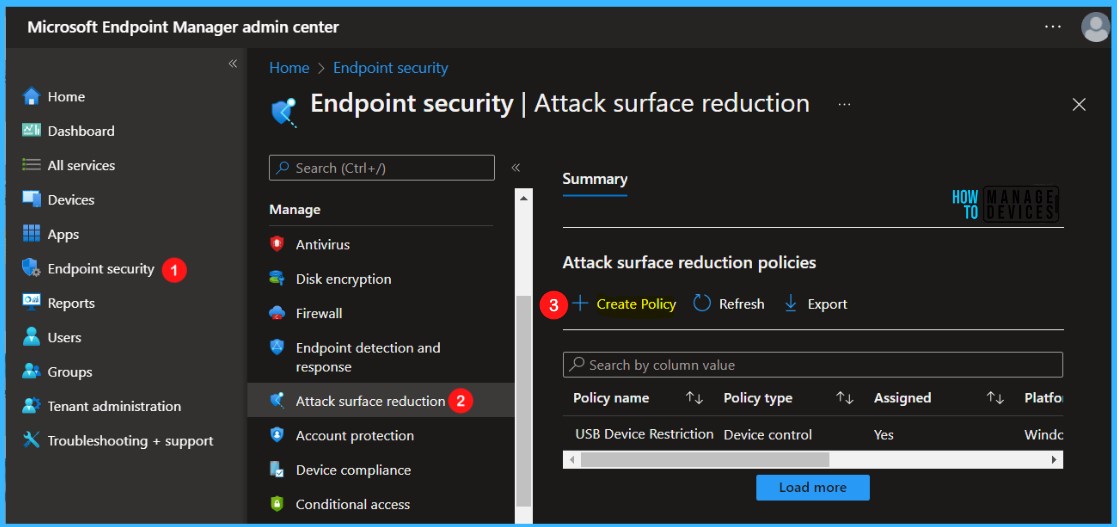
- Select Endpoint security, Navigate to Attack Surface Reduction > Create Policy.
Note – The policy settings can also be accessible by selecting Devices > Windows > Configuration profiles > Create profile.
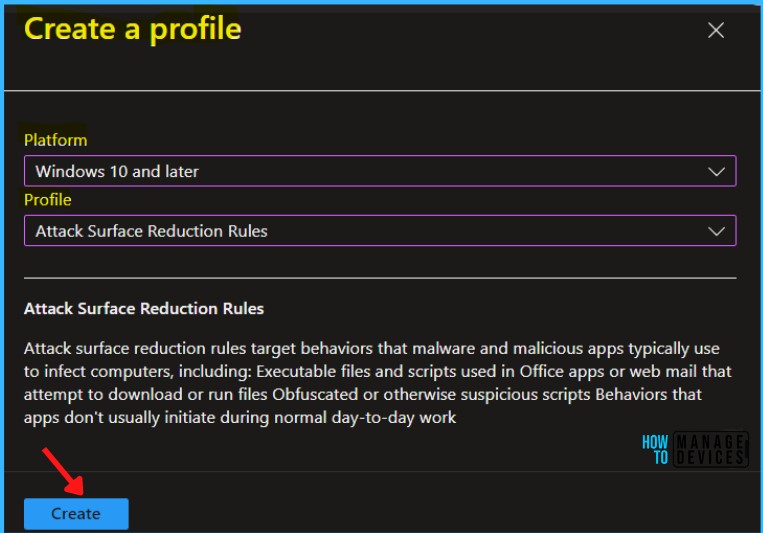
In Create Profile, Select Platform, Windows 10 and later, and Profile, Attack Surface Reduction Rules. Click on Create button.
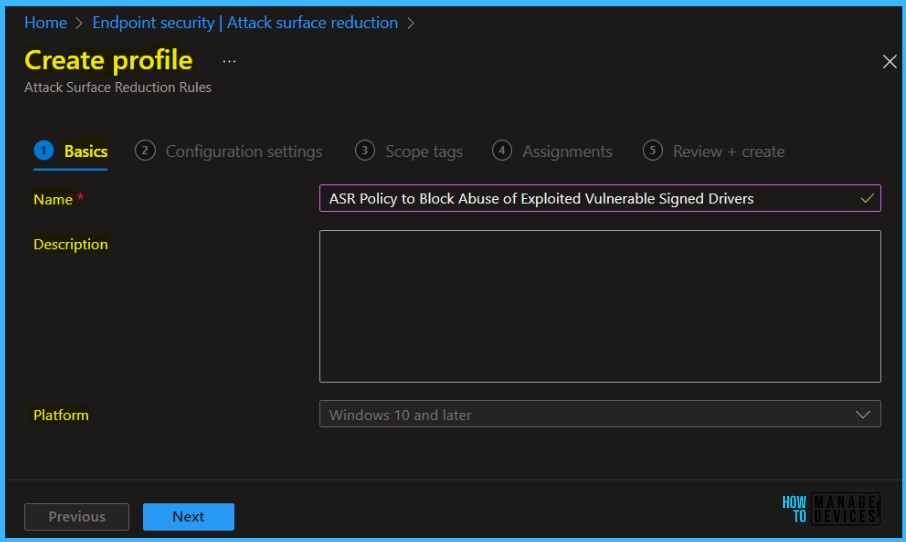
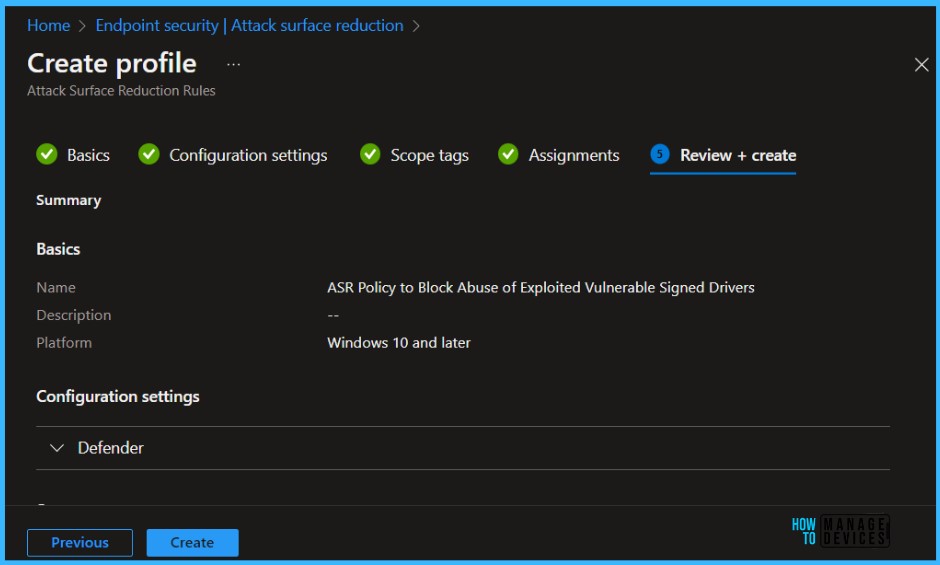
On the Basics tab, enter a descriptive name, such as Policy ASR Policy to Block Abuse of Exploited Vulnerable Signed Drivers. Optionally, enter a Description for the policy, then select Next.
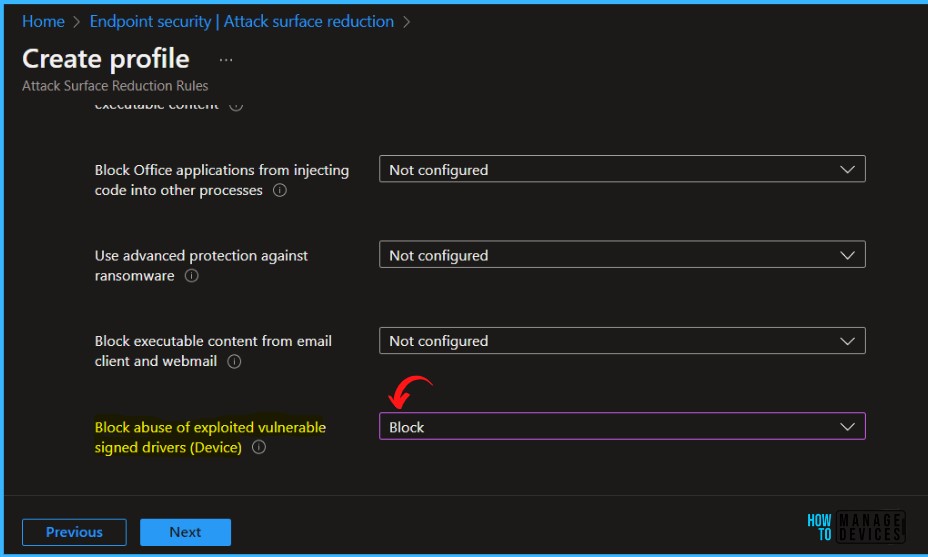
On the Configuration settings page, configure the following settings and click Next.
Block abuse of exploited vulnerable signed drivers – Vulnerable signed drivers enable attackers to disable or circumvent security solutions, eventually leading to system compromise. The Block abuse of exploited vulnerable signed drivers rule does not block a driver already existing on the system from being loaded.
In Scope tags, you can assign a tag to filter the profile to specific IT groups. Add scope tags (if required) and click Next.
Under Assignments, In Included groups, select Add groups and select groups to include one or more groups. Select Next to continue.
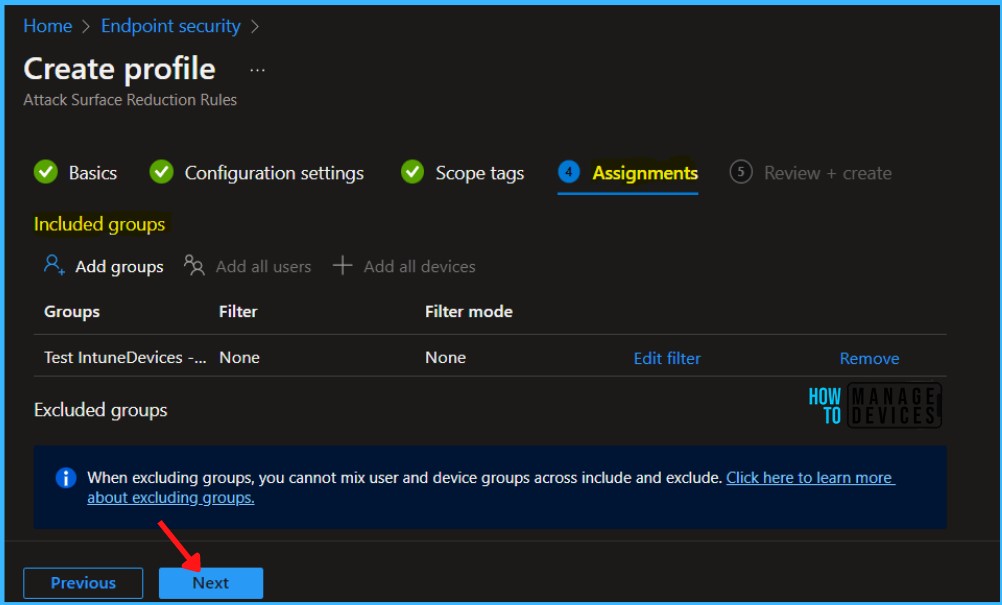
In Review + create, review your settings. When you select Create, your changes are saved, and the profile is assigned.
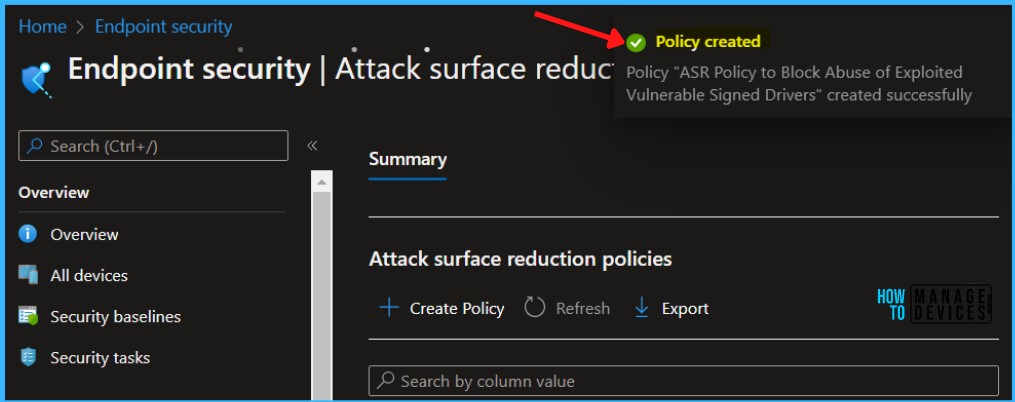
A notification will appear automatically in the top right-hand corner with a message. You can see that the Policy “ASR Policy to Block Abuse of Exploited Vulnerable Signed Drivers” created successfully. The policy is shown in the Endpoint security.
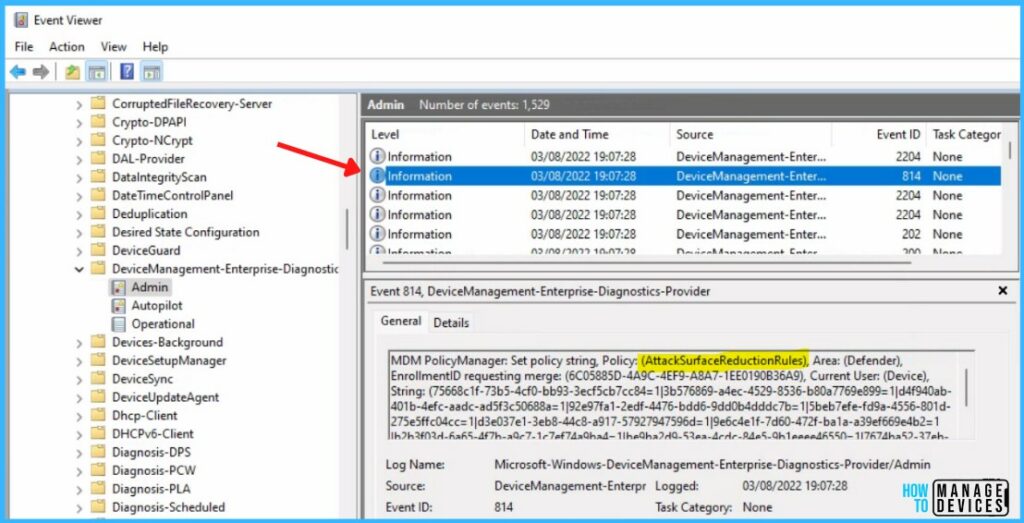
Intune MDM Event Log
The Intune event ID 814 indicates that a string policy is applied on Windows 11 or 10 devices. You can also see the exact value of the policy being applied to those devices.
Your groups will receive your profile settings when the devices check in with the Intune service the policy applies to the device.
MDM PolicyManager: Set policy string, Policy: (AttackSurfaceReductionRules), Area: (Defender), EnrollmentID requesting merge: GUID
You can review the Windows event log to view events generated by attack surface reduction rules, details will be present in the Event Viewer, Windows Defender > Operational.
- 5007 -> Event when settings are changed.
- 1121 -> Event when rule fires in Block-mode.
- 1122 -> Event when rule fires in Audit-mode.


Hi, we have an existing ASR policy created some time in the past when the vulnerable signed drivers rule was not an available option.
If I was to create a new policy which does now include the ability, and target it at the same group of users, will both policies work together cumulatively or would one policy supersede the other?
imho a JSON file get applied, so if the old profile doesnt have the option in the JSON it will work together.