






iOS iPadOS ADE enrollment Profile Authentication method Company Portal Removal from Intune
Microsft is planning to remove the legacy authentication method from the iOS iPadOS ADE enrollment Profile. The Authentication in question here is Company Portal. The Company Portal is one of the authentication methods to use while authenticating users.
The iOS/iPadOS ADE is Automated Device Enrollment. Apple used to call ADE as Device Enrollment Program (DEP) previously. ADE lets you enroll many iOS/iPadOS/macOS devices without user interaction.
ADE sets devices into supervisory mode configurations once enrolled users can’t remove the enrollment profile. The only supported method to come out of enrollment is to wipe the device.
There are three authentication methods to authenticate users while using Enroll with User Affinity option. Microsoft announced that by November 2022, they would remove the Company Portal authentication option.

iOS iPadOS ADE enrollment Profile Authentication method
As per Microsoft advisory MC408678, they scheduled the removal of the Company Portal authentication method from new and existing iOS/iPadOS ADE enrollment profiles in November 2022.
Apple is investing in a modern authentication method called Setup Assistant with modern authentication. This authentication method is required for enrollment during ADE with the user affinity option.
This authentication method change also includes removing the Run Company Portal in Single App Mode. More details are available in a separate advisory MC284343. You can check all the advisory details from Intune Service Health Status Message Center.
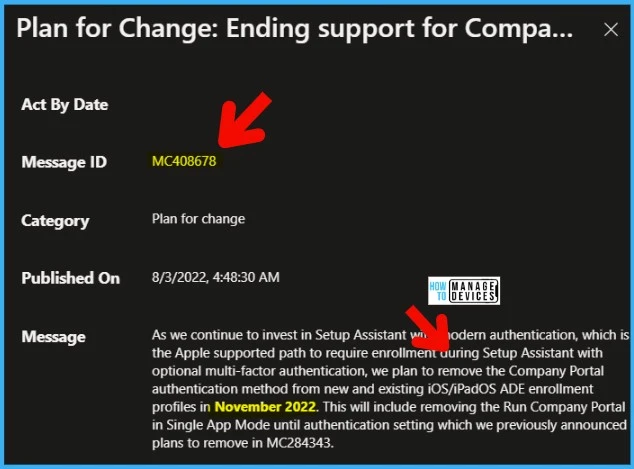
Impact on iOS iPadOS ADE enrollment Profile Authentication method change
Let’s see the impacts of the iOS iPadOS ADE enrollment Profile Authentication method change. The following are the impacts you should be aware of after removing the Company Portal as the authentication method.
- The new iOS/iPadOS ADE enrollments will get failed when using the Company Portal authentication method within the existing enrollment profiles.
- New iOS/iPadOS devices targeted with an existing enrollment profile with the Company Portal authentication method will get Failed.
- The ADE enrollment for devices re-enrolling using the existing profile with the company portal authentication method will also fail.
This will not impact existing enrolled devices unless the device is re-enrolled after this change. The iOS/iPadOS devices will not be able to re-enroll until the authentication method is switched in the enrollment profile to Setup Assistant with modern authentication.
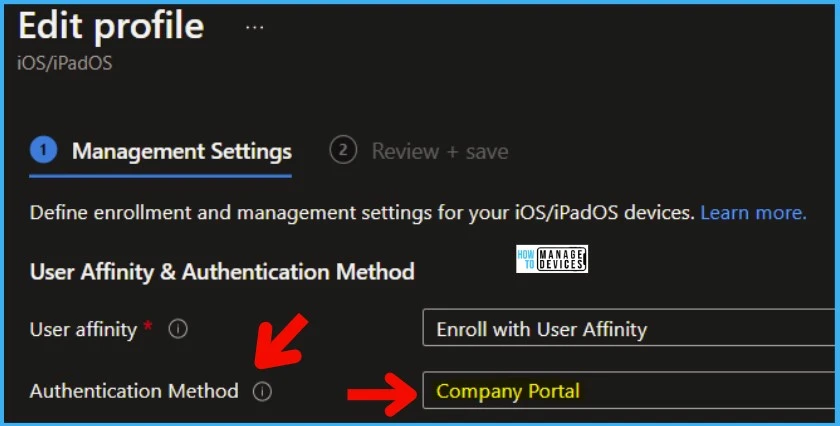
How to Change iOS iPadOS ADE enrollment Profile Authentication method
Let’s see How to Change the iOS iPadOS ADE enrollment Profile Authentication method. You need to change the authentication method to Setup Assistant for the existing ADE profiles with modern authentication.
You don’t have to worry about the new iOS/iPadOS enrollment profiles because you will not have the option to select Company Portal as the authentication method.
You will need to move to this new authentication method before this change in November 2022. You can do it from the Microsoft Endpoint Manager(aka MEM) admin center portal. You can either create a new ADE enrollment profile or edit the existing ADE enrollment profile to use the “Setup assistant with modern authentication.”
- Login to the MEM Admin Center portal – endpoint.microsoft.com.
- Navigate to Devices -> Enroll Devices -> Enroll Devices -> Apple Enrollment.
- Click on Enrollment Program tokens -> and then select the existing HTMD ADE (just an example ) profile.
- Select any of the iOS/iPadOS ADE enrollment profiles from the list.
- I have selected iOS Supervised Devices and then click on Properties
You need to edit the Management Settings section from iOS/iPadOS ADE enrollment profile to change the authentication method. As you can see, there are three authentication methods now (while writing this post). But in November 2022, there will be only two authentication methods.
- Setup Assistance (Legacy)
- Setup Assistant with modern authentication
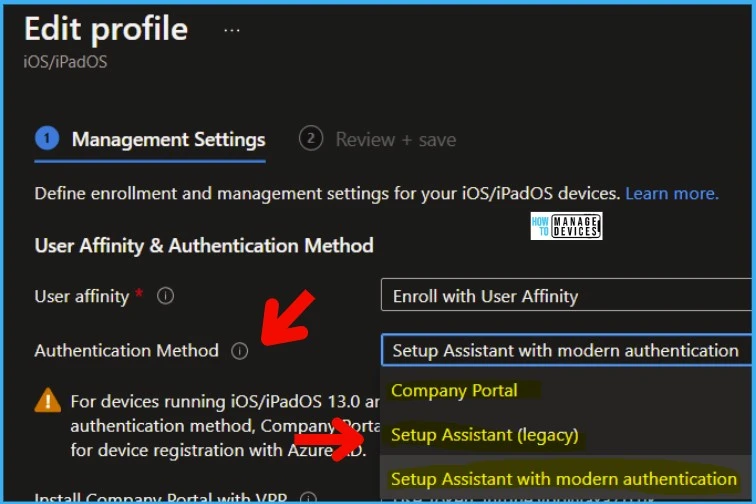
You need to select Setup Assistant with modern authentication method from the drop-down menu of the User Affinity & Authentication Method section. This authentication method must be used for all existing and new ADE enrollment profiles.
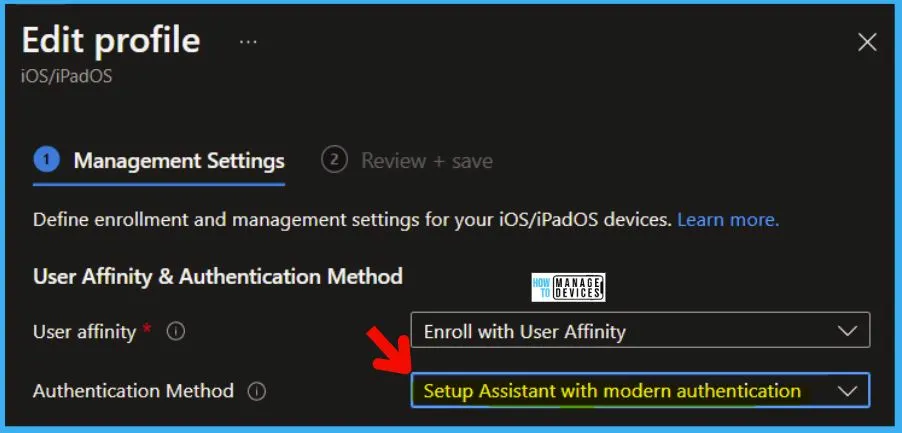
User experience Changes | Setup Assistant with modern authentication
Microsoft also provided a note on User experience Changes for Setup Assistant with modern authentication in the advisory #MC408678.
You must update end-user enrollment guides for iOS and iPadOS devices with new screenshots. The Setup Assistant with modern authentication enrollment flow does change the enrollment screen order where authentication will occur before accessing the home screen.
Resource -> How to Configure Intune Enrollment Setup for iOS macOS Devices
Author
Anoop C Nair is Microsoft MVP! He is a Device Management Admin with more than 20 years of experience (calculation done in 2021) in IT. He is Blogger, Speaker, and Local User Group HTMD Community leader. His main focus is on Device Management technologies like SCCM 2012, Current Branch, and Intune. He writes about ConfigMgr, Windows 11, Windows 10, Azure AD, Microsoft Intune, Windows 365, AVD, etc.


Thank you for the Post ! A Wrap up regarding the Impact to the Users as well as the additional Protection like Conditional Access Policy to restrict Access to Ressource before Registering to Company Portal would be nice.
Thank you for the post.
Do you have any idea why I cannot get past this scree?
https://ibb.co/KG8hkVQ
I followed all steps mentioned here. Then I enter my username but the password screen never shows up.
Hey Anoop,
i got this right: Company Portal should have been deprecated? I Cannot find this information anywhere in the ms docs: https://learn.microsoft.com/en-us/mem/intune/enrollment/automated-device-enrollment-authentication#option-1-intune-company-portal-app
StaffHey Patrick – You mean the Company Portal authentication method, if so yes.