






Windows Autopilot with ESP Timeout Error 0x800705b4 Issue Intune Incident IT408981
Let’s look at the Windows Autopilot with the reported ESP Timeout error 0x800705b4 issue. As per Microsoft, the Users utilizing Autopilot with Enrollment Status Page may see intermittent timeouts when provisioning devices.
Affected users see the error, “Something went wrong, and we weren’t able to install the enrollment status policy provider. Error: 0x800705b4“. The impact is specific to Windows 10 and 11 devices with the July feature update (KB5015878).
Microsoft first reported this incident on 3rd Aug 2022 via Intune Service Health and Message Center. The start time of the issue mentioned in the incident ticket is interesting – 21st July 2022. Microsoft provided an ETA along with the root cause of the issue in the updates. More details are in the below section.
It seems the Root Cause is changed a bit between the second last update and the last update. So if you are getting this error during the Windows Autopilot Enrollment Status Screen (ESP). There is nothing wrong with your side. You need just wait until Microsoft fixes this issue.

Read More on Windows Autopilot Username Or Password Is Incorrect Error, and this issue was due to Windows OOBE and Azure AD.
Update 4th Aug 2022 – It seems the service is restored as per the latest update on ticket IT408981.
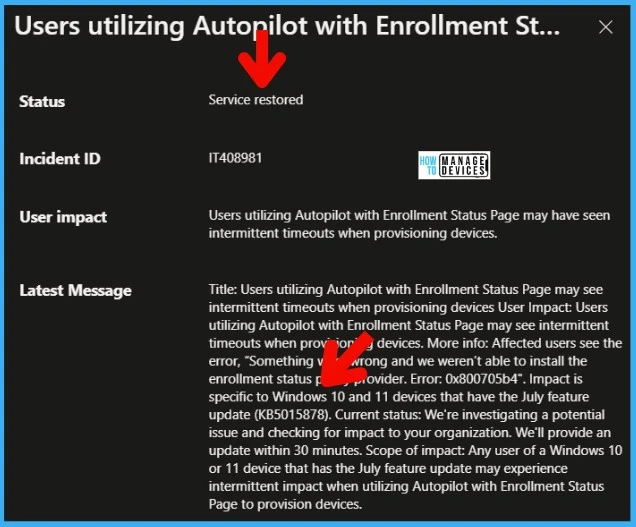
Autopilot with ESP Timeout Error 0x800705b4 Issue
Microsoft confirmed that Impact is specific to Windows 10 and 11 devices with the July feature update (KB5015878). Any Windows 10 or 11 device user with the July feature update may experience intermittent impact when utilizing Autopilot with ESP to provision devices.
Error Message that users will receive is “Something went wrong and we weren’t able to install the enrollment status policy provider. Error: 0x800705b4.”
If you look at the previous update on this incident from Microsoft, they pointed out two KBs as the root cause of the issue. There is also an update that talks about the implementation of the fixes. More details on Windows Autopilot with ESP Timeout Error 0x800705b4 are available below.
- But the latest update (while writing this post) is changed a bit; now, the impact is only because of one KB, which is KB5015878.
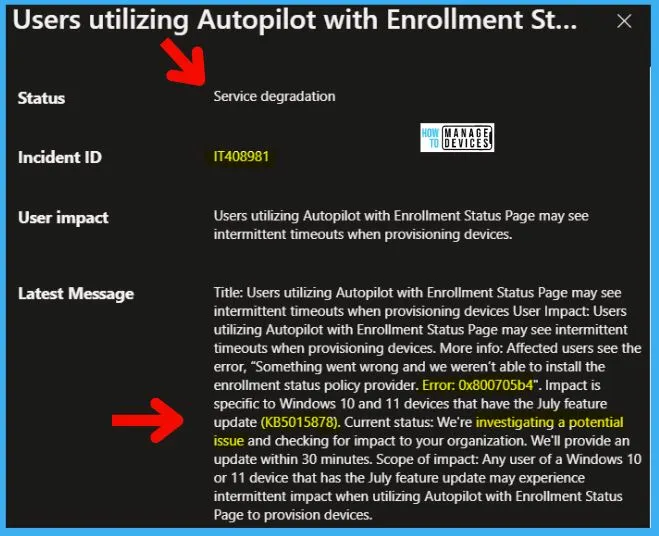
Read More -> Intune Enrollment Status Page Troubleshooting
Windows Autopilot Impact with KB5015878 and KB5015882
In the initial update from Microsoft, it was mentioned that the issue is because of two KBs, KB5015878 and KB5015882. But in the latest message, as mentioned above, I see the impact is only with one feature update KB (KB5015878).
The Initial update – Microsoft reviewed the recent changes made to the service and determined that the July feature update (KB5015878 and KB5015882) contains a code defect causing the issue. They also update the Root Cause of the issue as KB5015878 and KB5015882.
They also confirmed that they had already developed a fix to address the code defect and are in the initial stages of deploying it to production.
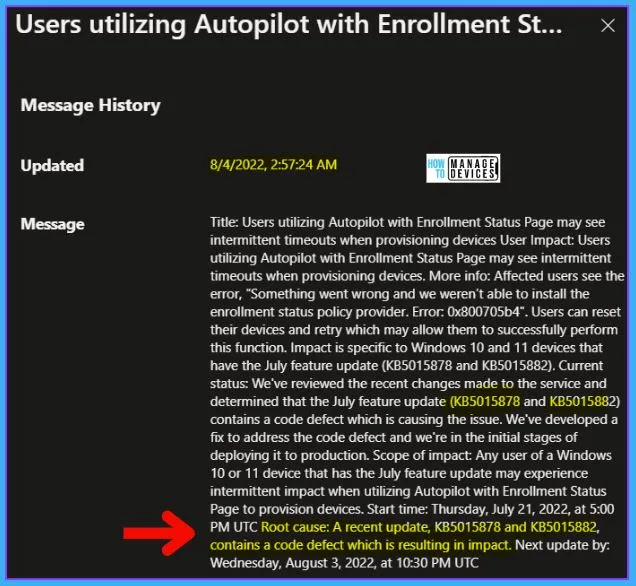
Microsoft ETA for Windows Autopilot ESP 0x800705b4 error Issue
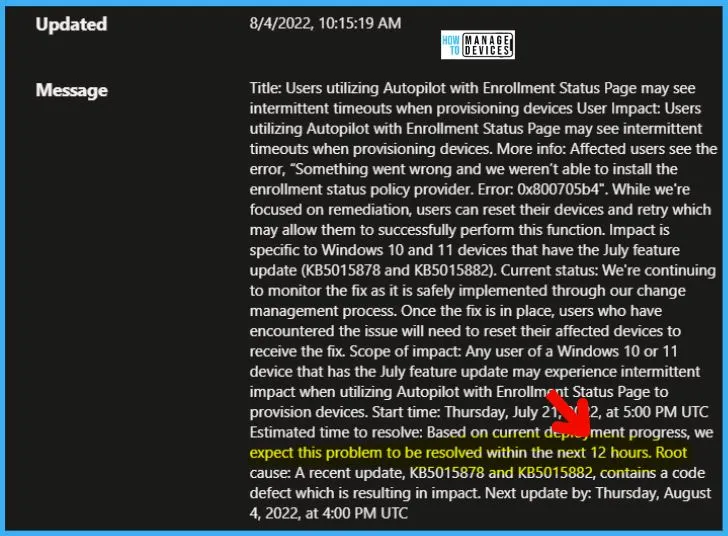
Interestingly, in one of the updates, Microsoft provided an ETA for fixing the Windows Autopilot ESP 0x800705b4 error. But in the latest update, there is no mention of ETA. The following is the second last update from Microsoft on incident #IT408981.
“Estimated time to resolve: Based on current deployment progress, we expect this problem to be resolved within the next 12 hours. Root cause: As per recent update, KB5015878 and KB5015882, contain a code defect resulting in impact. Next update by: Thursday, August 4, 2022, at 4:00 PM UTC.”
However, there is no mention of ETA in this ticket’s latest update, which is a bit concerning! Also, there is a change in the root cause as well in the latest update.
How to Fix the Impacted Devices with ESP Timeout Error 0x800705b4
Let’s see how to Fix the Impacted Devices with ESP Timeout Error 0x800705b4. As per Microsoft, the only option to fix the impacted devices is to wait for Microsoft’s fix and then reset the device to go through the enrollment process again.
Resources -> Windows Autopilot troubleshooting overview | Microsoft Docs
Author
Anoop C Nair is Microsoft MVP! He is a Device Management Admin with more than 20 years of experience (calculation done in 2021) in IT. He is Blogger, Speaker, and Local User Group HTMD Community leader. His main focus is on Device Management technologies like SCCM 2012, Current Branch, and Intune. He writes about ConfigMgr, Windows 11, Windows 10, Azure AD, Microsoft Intune, Windows 365, AVD, etc.


Hi Anoop,
Do you know if this has been resolved? i’m experiencing the same problem all of a sudden, it was working fine last week.
thanks,
Do we know if this has been resolved?
I got this error randomly on a device I was intuning this morning (03/11/2022).
I am facing same issue in my environment. Is there any root cause please provide us