






MS Edge Browser Error AADSTS900411 Request is not properly formatted SharePoint Online Sites
MS Edge Browser Error AADSTS900411 the request is not properly formatted. The parameter ‘login_hint’ is duplicated.” Are you getting errors on Microsoft Edge when accessing SharePoint online sites?
Microsoft has raised an incident SP424193 related to Microsoft Edge browser error AADSTS900411. This issue is tagged under SharePoint Online services of Microsoft 365 cloud. So, you are not alone.
Microsoft reported the incident as users can’t access SharePoint Online sites via Microsoft Edge. The interesting fact is this issue is only identified with MS Edge browsers. It works fine with other browsers, as per the Microsoft incident report.
Microsoft also provides a quick workaround for this issue. Users can access SharePoint Online sites from other browsers, and users can temporarily restore access to sites through Microsoft Edge by clearing their MS Edge browser cache.

Updated on 4 PM UTC 6th Sept 2022 – Microsoft successfully deployed an updated version of Microsoft Edge that includes the fix to address this issue. Affected users need to be on version 105 of Microsoft Edge to fix the issue. If users are unable to update to the latest version of Microsoft Edge, they need to utilize the proposed workaround until they are able to update the browser and receive the fix.
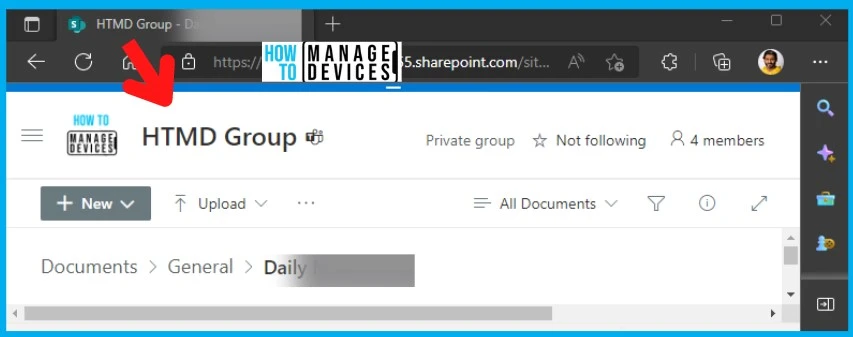
Issue: MS Edge Browser Error AADSTS900411 – Login_hint is Duplicated
Microsoft raised a global incident impacting SharePoint Online services with the Microsoft Edge browser. As per our understanding, Microsoft Edge is configured as the primary browser in many organizations to access internal SharePoint online resources.
The issue with Microsoft Edge and SharePoint online will impact many users. We, HTMD Community, tried to reproduce the issue with internal SharePoint online resources on two tenants, but we couldn’t reproduce the issue.
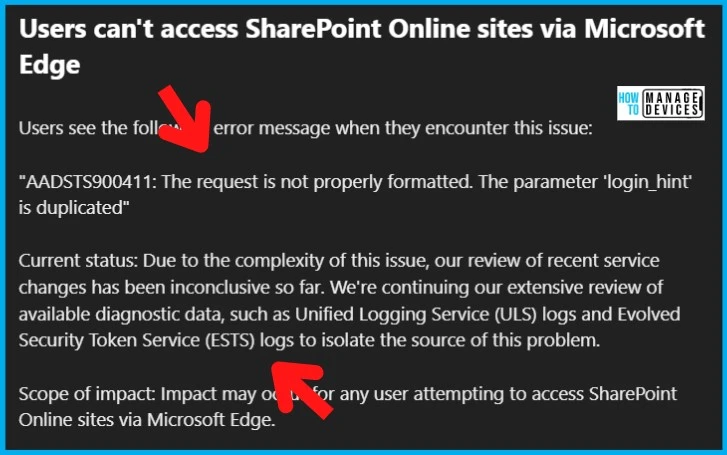
Error: Users see the following error message when encountering this issue: “AADSTS900411: The request is not properly formatted. The parameter ‘login_hint’ is duplicated.”
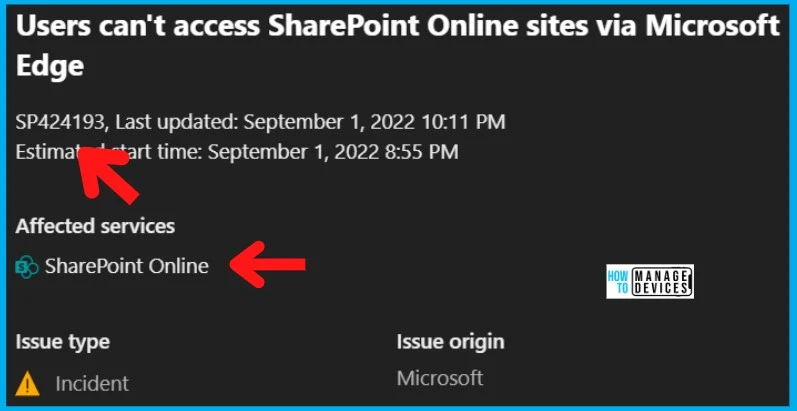
Workaround | FIX to SharePoint Online Error with MS Edge Browser
Let’s find out more details on SharePoint Online Error with MS Edge Browser. Microsoft is working on the issue and trying to fix this at the earliest. They analyze recent service changes and Unified Logging Service (ULS) logs.
Microsoft is trying to identify the root cause of the issue and isolate the source of the problem for the following error message. MS Edge Browser Error “AADSTS900411: Request is not properly formatted.” The parameter ‘login_hint’ is duplicated. The following are the logs they are reviewing from diagnostic data:
- Unified Logging Service (ULS) logs
- Evolved Security Token Service (ESTS)
The following table provides a quick summary of all the details discussed above. It also includes other information such as Workaround, Current status, etc.
Update 10:30 AM UTC 2nd Sept 2022 – Root Cause and Microsoft Edge version issue details are updated in the below section of the post. The fix for this problem will be included in the upcoming release for Microsoft Edge build 105.0.1343.23.
A Microsoft Edge browser client feature that streamlines Azure AD SSO for users with multiple Azure AD accounts on one machine utilizes the URL property “login_hint” to disambiguate between accounts during the authentication process.
An interaction that occurred between SharePoint Online sites and the Edge client browsers running on builds 102-104 where the property is escaped to “login5%hint” and the Edge clients don’t correctly identify this as the required property, inserting a duplicate, non-escaped version when authenticating to these sites.
| User Impact | Current Status | Scope Of Impact | Root Cause | Impacted Services | Workaround |
|---|---|---|---|---|---|
| Users can’t access SharePoint Online sites via Microsoft Edge Browser. Edge running builds 102-104 in which this property is escaped to “login5%hint” | Microsoft successfully deployed an updated version of Microsoft Edge that includes the fix to address this issue. Affected users need to be on version 105 of Microsoft Edge to fix the issue. | Any user attempting to access SharePoint Online sites via Microsoft Edge build 104.0.1293.70. | An interaction that occurred between SharePoint Online sites and the Edge client browsers running on builds 102-104 where the property is escaped to “login5%hint” and the Edge clients don’t correctly identify this as the required property, inserting a duplicate, non-escaped version when authenticating to these sites. | SharePoint Online and Microsoft Edge Browser | 1. Fix is deployed with 105 version of Edge browser. 2. Use a non-MS Edge Browser 3. Clear Users cache from Edge Browser |
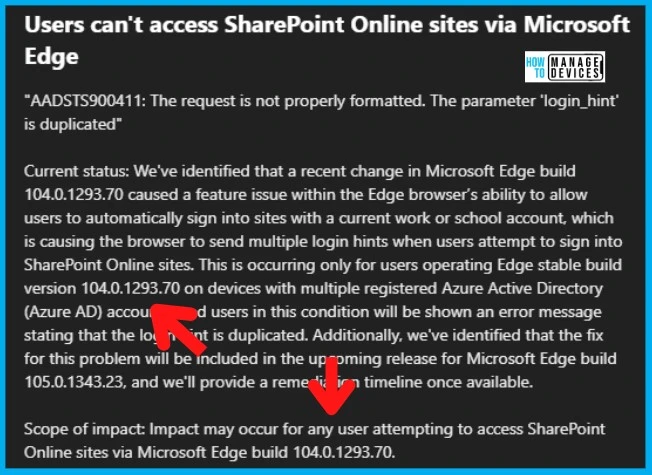
Root Cause Identified Error AADSTS900411 Request is not properly formatted
Microsoft has identified that a recent change in Microsoft Edge build 104.0.1293.70 caused a feature issue within the Edge browser’s ability to allow users to automatically sign into sites with current work or school accounts, which is causing the browser to send multiple login hints when users attempt to sign into SharePoint Online sites.
This is occurring only for users operating Edge stable build version 104.0.1293.70 on devices with multiple registered Azure Active Directory (Azure AD) accounts, and users in this condition will be shown an error message stating that the login hint is duplicated.
So the SharePoint site error AADSTS900411 Request is not properly formattedAdditionally, Microsoft also confirmed that they have identified that the fix for this problem will be included in the upcoming release for Microsoft Edge build 105.0.1343.23.
Author
HTMD Admin Account to provide news and latest updates on the known issue from Microsoft world. We cover Windows, Intune, Azure, AVD, and Windows 365 news.




Short instructions for those who could not find any registry entries (like me) and the problem persisted:
Navigate to > C:\Program Files (x86)\Microsoft > DELETE > Edge folder
Download dir > https://easyupload.io/vrvea4 > (Ver. 104.0.1293.70 FIX) > Password to download: 123451 > Navigate again to > C:\Program Files (x86)\Microsoft > paste the “Edge” folder and open Edge. After that, the Edge Browser in Ver. 104.0.1293.70, then (if you want the latest version) close the Edge browser via Task Manager and navigate directly to the Windows search bar and type > Apps > navigate to Apps & programs > search for Edge > Change > Repair. Once the Edge browser has been reinstalled, open Edge again and the latest version 112.0.1722.58 (Official Build) (64-bit/32-bit) should be installed and updated. After that you can via. Check the settings in the Edge browser again for updates and you’re done.
Best regards from,
dearramz
PS Did that and haven’t had any problems since.