






Install SCCM Hotfix KB14978429 Microsoft Connected Cache Update
Microsoft released hotfix KB14978429 for ConfigMgr 2103 through 2207. KB14978429 connected cache update is to fix several issues and adding enhancement with the update.
The installation of KB14978429 connected cache update is a bit different from a normal out-of-band hotfix. This hotfix KB14978429 replaces previously released hotfix KB12819689 Microsoft Connected Cache Update.
If you are using early update ring you must also have hotfix KB14959905 for SCCM 2207 installed. Configuration Manager KB14955905 hotfix is available only for the SCCM environments where you have used the PowerShell script to make the 2207 update available.
Admins can apply latest 2207 available update to the sites running on version 2103 or later. Also, you can go through SCCM 2207 Upgrade Step by Step Guide for a step-by-step installation guide.

Microsoft added many new features and improvements to SCCM latest version 2207 and fixes a lot of existing (known or unknown) issues with the latest version of SCCM, here you can check the Top 10 New Features Of SCCM 2207.
Summary of ConfigMgr Hotfix KB14978429 Update
The available KB14978429 update is available that fixes the following issues with the Microsoft Connected Cache feature in Configuration Manager current branch, versions 2103 – 2207.
- Incorrect access control list (ACL) set on the cache folder prevents installations from completing in some environments.
- Uninstall race condition that prevents a scheduled task from being cleaned up as expected.
- An incorrect failure state can persist after installation in some cases.
In addition, the following enhancements are included in this release.
- Added general supportability enhancements to improve logging, troubleshooting, and discoverability of error conditions.
- Added support for the latest Office Click-to-Run (C2R) host.
- It decreased installation time by approximately 30 percent.
Download ConfigMgr Hotfix KB14978429
Let’s download hotfix KB14978429 from the Microsoft Download Center and process it for copying files to resolve Microsoft Connected Cache (MCC)/DP problem.
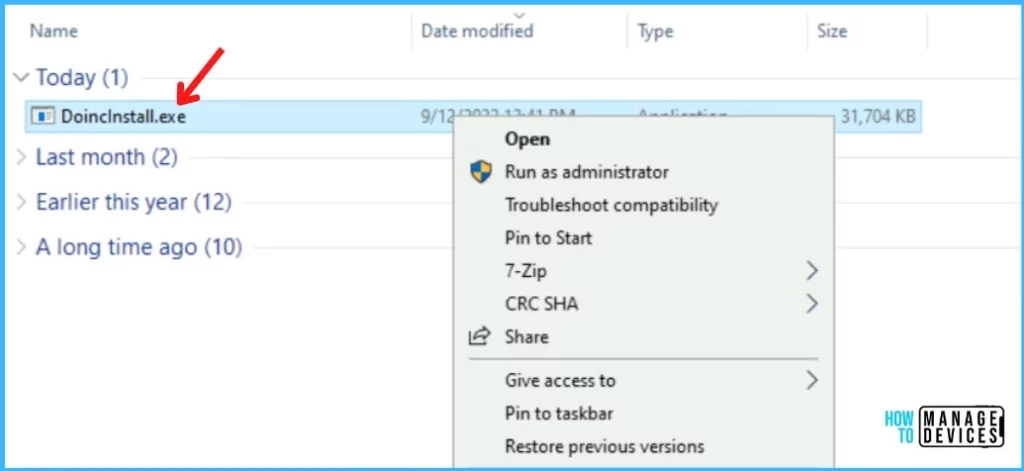
Install ConfigMgr Hotfix KB14978429
Before proceeding to the next step, ensure there is not currently an installation of the Microsoft Connected Cache (MCC) component in progress. You can confirm this by the 9522 status message generated by the SMS_DISTRIBUTION_MANAGER component.
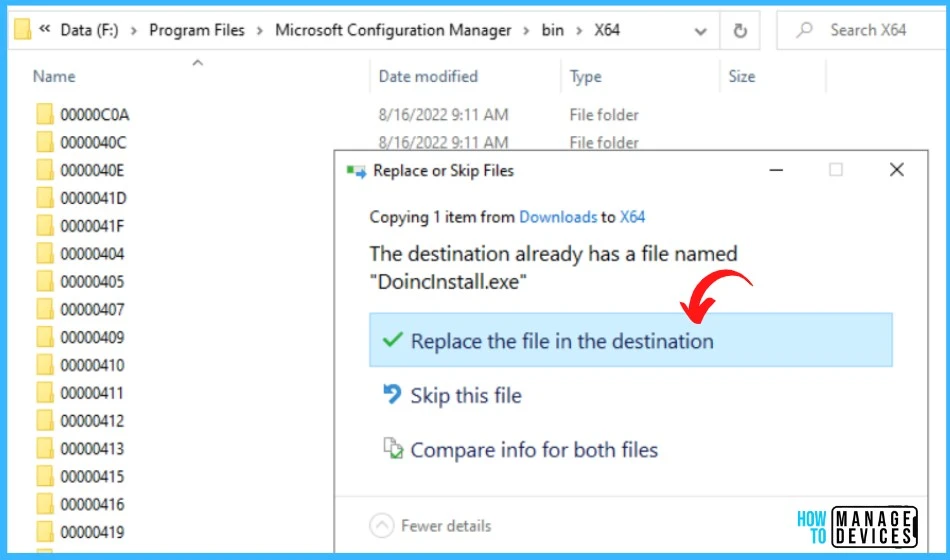
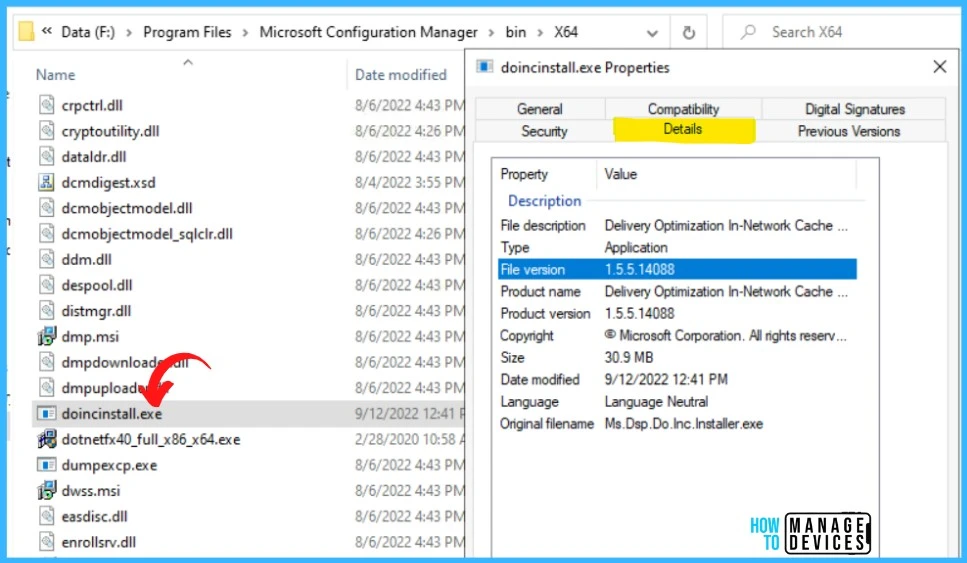
Copy the new DoincInstall.exe, version 1.5.5.14088, to the <InstalledDrive>:\Program Files\Microsoft Configuration Manager\bin\x64 (change the drive letter according to your environment) folder on all site servers, including the CAS server if present, and any passive sites.
Note – You will be prompted with Confirmation Windows to Replace the files as the destination already has a filed name “DoincInstall.exe”, Click Replace the file in the destination.
Once you copied the files in the specified location, you can validate the version from the file. You don’t have to restart the computer after you apply this hotfix KB14978429.
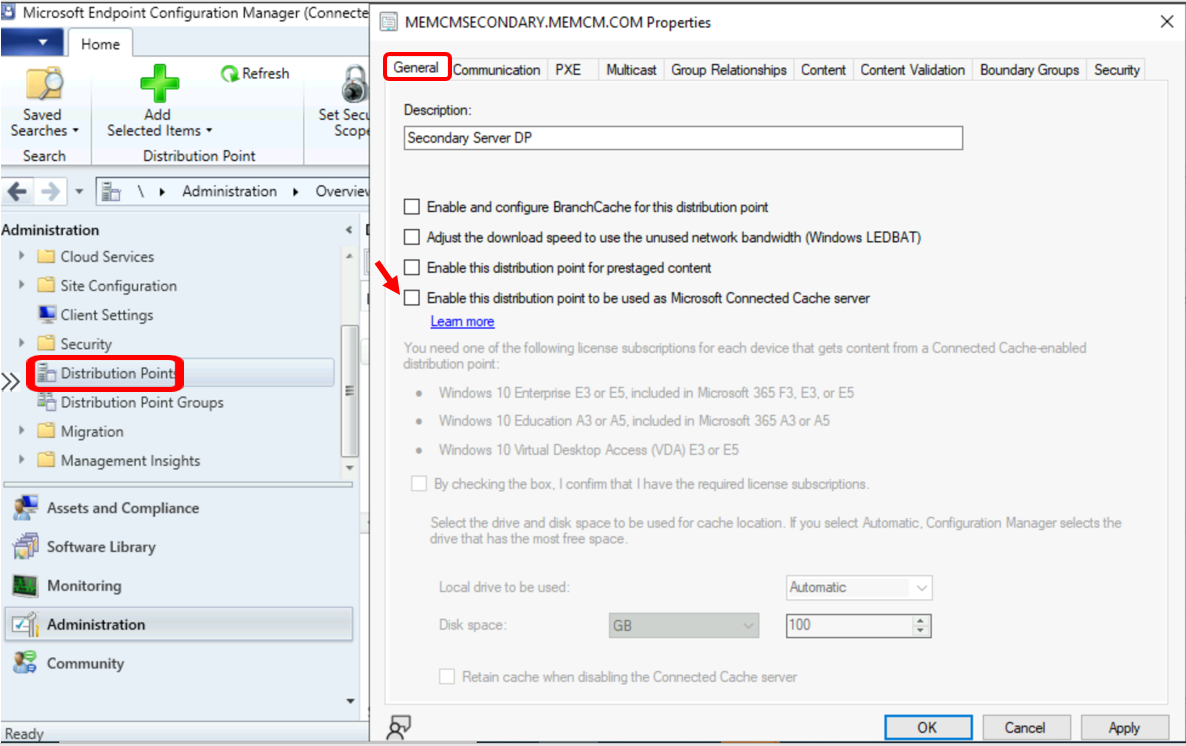
In the Configuration Manager Console, Navigate to Administration > Distribution Point. Here look for the affected distribution points.
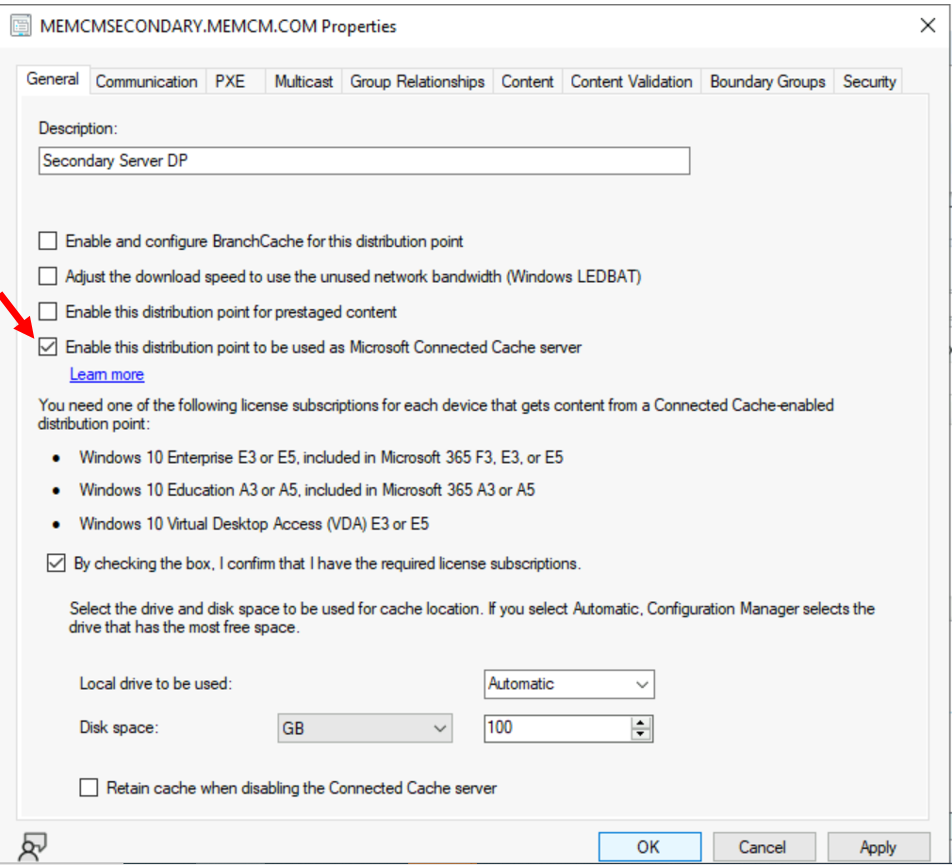
Uncheck the Enable this distribution point to be used as Microsoft Connected Cache server option in the affected distribution point’s properties.
Wait for the uninstall of MCC to complete on the distribution point. You can confirm this by 9152 success status message with the following entry in distmgr.log.
Finished waiting for DoincInstall. InvocationState: UninstallCompleted. InvocationExitCode: 0. InvocationMessage: .Once Microsoft Connected Cache (MCC) gets uninstalled, you can Recheck the Enable this distribution point to be used as Microsoft Connected Cache server option for the affected distribution point.
Installation Steps for KB14978429 on Multiple Distribution Points
When you have sites with many distribution points, In that case, it’s a bit difficult to perform the manual process by going to each DP Properties to disable and re-enable MCC (Microsoft Connected Cache) component.
Let’s follow the method provided by Microsoft to the automation option to reset DP with the new DoincInstall.exe file.
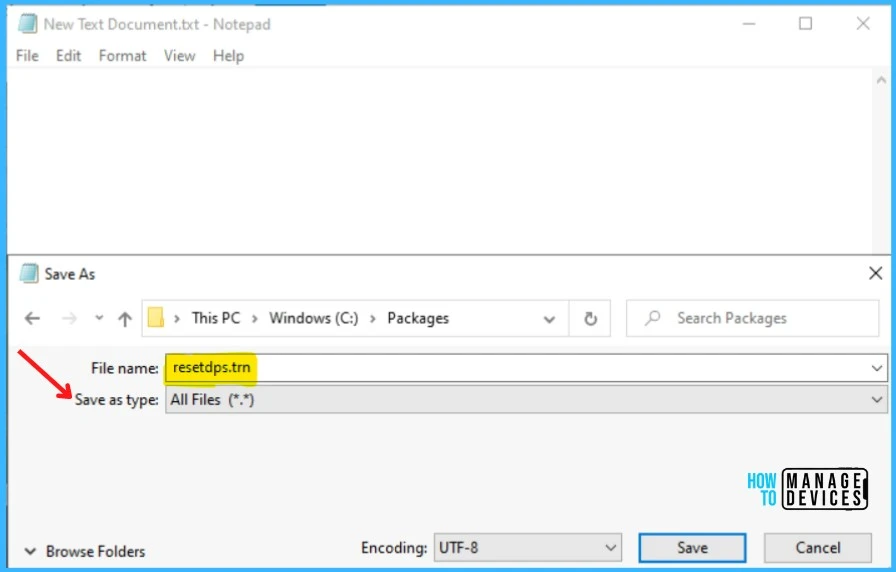
- In your server, create a blank or empty file. Open Notepad.
- In the File menu, Select Save As and click Browse to your preferred folder or location. In the File name box, provide the file name resetdps.trn and Save as type “All Files (*.*)”. Click Save.
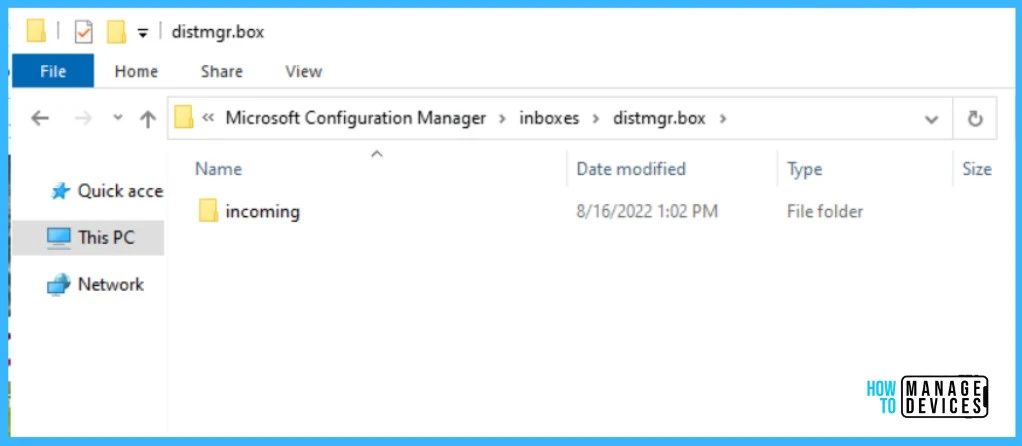
Open the {SMSInstallDir}\inboxes\distmgr.box folder (<Installed Drive>:\Program Files\Microsoft Configuration Manager\inboxes\distmgr.box).
Copy the resetdps.trn file created above.
Paste resetdps.trn file to Program Files\Microsoft Configuration Manager\inboxes\distmgr.box.
This will reinstall all distribution points for that site using the latest version of DoincInstall.exe.




Discussion