






How to Get Ability to Patch Systems Instantly using SCCM
How can we Get the Ability to Patch Systems Instantly using SCCM? Patch management through SCCM has sharpened very well during the last few years. I started working on patching in SMS 2003 + ITMU days. Previously, we needed to perform loads of complex steps to deploy patches during that period.
With SCCM 2012, we can use ADR (Automatic Deployment Rules) to Download and Deploy patches. However, some challenges in SCCM Patch management include installing patches instantly using the existing SCCM infrastructure.
Do you think it’s possible to instantly deploy patches to all the systems of a global organization? Deploying patch packages to remote office DPs would be challenging without impacting network bandwidth.
Also, keeping an aggressive frequency for the client policy pulling schedule would be challenging because this may also cause bandwidth issues when thousands of clients from a remote office try to pull the policies via Management Point at the end WAN connection at another office.
| Index |
|---|
| How to Get Ability to Patch Systems Instantly using SCCM |
- SCCM Patch Deployment issue with Windows Cumulative Updates ConfigMgr
- SCCM Patch Software Update Deployment Process Guide
- SCCM Patching Issue with Windows 10 KB5003637 June CU | Cumulative Update Confusion | ConfigMgr | WSUS

How to Get the Ability to Patch Systems Instantly using SCCM
How do you patch systems instantly without those challenges? The answer is Adaptiva Onesite, which has super cool features like Policy Push, Predictive Bandwidth Harvesting, and Client Data Upload Management. More details are below.
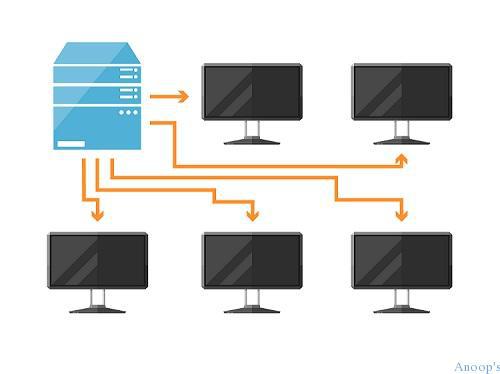
The Adaptiva OneSite, Policy Push feature, helps serve requests immediately without waiting for policy polling. Also, it (policy Push) has a significantly reduced impact on MP performance.
Normally, when you deploy software or patch to a machine (or an end-user requests installation), you must wait up to an hour (the SCCM default setting) for the activity to begin. How can you Get the Ability to Patch Systems Instantly using SCCM?
The systems will receive patches significantly faster with Predictive Bandwidth Harvesting and policy push technologies.
Client Data Upload Management and Policy Push: We can avoid SCCM client communications impacting other traffic and applications on the WAN, negatively impacting the business, and causing repercussions (clamping down) from the networking team. SCCM client communications with OneSite never impact the WAN because they are load-leveled.
More in-depth details of all these innovative technologies are explained here.
Resources
SCCM Related Posts Real World Experiences Of SCCM Admins (anoopcnair.com)
SCCM Video Tutorials For IT Pros – HTMD Blog #2 (howtomanagedevices.com)
We are on WhatsApp now. To get the latest step-by-step guides, news, and updates, Join our Channel. Click here. HTMD WhatsApp.
Author
Anoop C Nair is Microsoft MVP! He is a Device Management Admin with more than 20 years of experience (calculation done in 2021) in IT. He is a Blogger, Speaker, and Local User Group HTMD Community leader. His main focus is on Device Management technologies like SCCM 2012, Current Branch, and Intune. He writes about ConfigMgr, Windows 11, Windows 10, Azure AD, Microsoft Intune, Windows 365, AVD, etc.


Hi Anoop,
Need your help to understand the following scenario, In our environment planning to deploy updates using sccm 2012. my query is that I am planning to configure maintenance window(without configuring max runtime), we never patched the servers for years, so many updates needs to be installed and the maintenance windows will be 5-6 hours, take a scenario that I pushed 50 applicable updates to client and it is installing, mean time maintenance window completed during 43rd update, what will happen to rest of the updates and the update with already started to install. this info is really required to have the patching planned accordingly. Please help.
Thanks.