






Let’s learn the Windows 365 AI-based Cloud PC Resize Recommendations. Cloud PC is a SaaS service provided by Microsoft. It allows users to run Windows desktops in the cloud. It provides a scalable and flexible solution for remote work and virtual desktop infrastructure (VDI).
Microsoft has introduced Cloud PC recommendations by incorporating AI-based mechanisms. It helps users assess whether their devices are appropriately sized for optimal performance and usage.
The critical aspect is the integration of this functionality directly into Microsoft Intune. Microsoft Intune is a cloud-based service part of the Microsoft UEM solution. It is designed for mobile device management (MDM), mobile application management (MAM), and PC management.
Integrating Cloud PC recommendations into Intune implies a good user experience, where they don’t have to perform additional setup steps to access or utilize this feature. All these details are available in the Technical Takeoff session by Danniel Emerson.

- Learn How to Resize Cloud PC Windows 365
- Windows 365 Cloud PC 2310 October Update Service Release
- Free Intune Training 2023 for Device Management Admins
What are Microsoft Cloud PC Recommendations?
Microsoft Cloud PC Recommendations is an AI-based mechanism to assess whether devices are appropriately sized for optimal performance in a Cloud PC environment. It also provides insights into device usage.
Windows 365 AI-based Cloud PC Resize Recommendations
Let’s discuss the AI-based Cloud PC recommendations. You can easily create a Cloud PC environment that not only delivers excellent performance for end users but also does so in a way that optimizes the Total Cost of Ownership.
Critical considerations involve optimizing end-user performance and ensuring the best Total Cost of Ownership (TCO) in a Cloud PC environment. How can I ensure that my end-users get the best performance while getting the best Total Cost of Ownership (TCO)?
- Integrated into Intune, no setup is required
- Included with Windows 365 Enterprise
- Specific performance and cost-saving recommendations
- Evolving model
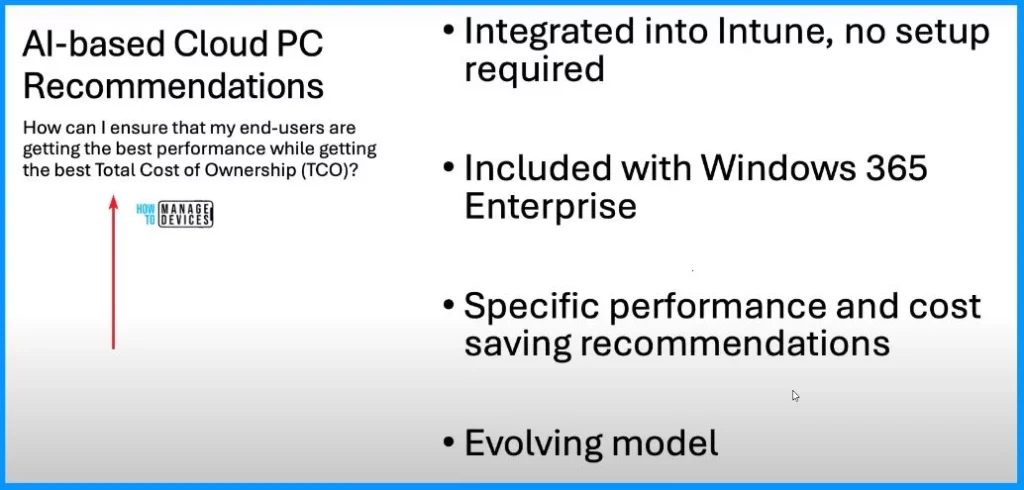
AI-based Cloud PC Recommendations
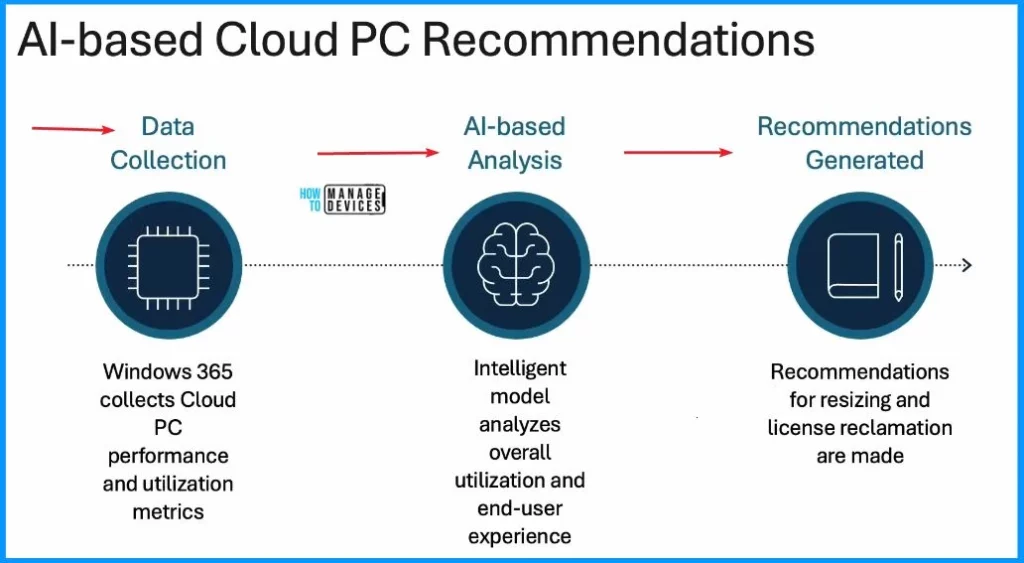
The foundation of Cloud PC Recommendations is the meticulous collection of platform data, encompassing vital metrics such as Virtual Machine (VM) resource consumption and utilization. This data is then provided into a dynamic and evolving AI model, serving as the cognitive engine behind the system.
| Data Collection | Al-based Analysis | Recommendations Generated |
|---|---|---|
| Windows 365 collects Cloud PC performance and utilization metrics | Intelligent model analyzes overall utilization and end-user experience | Recommendations for resizing and license reclamation are made |
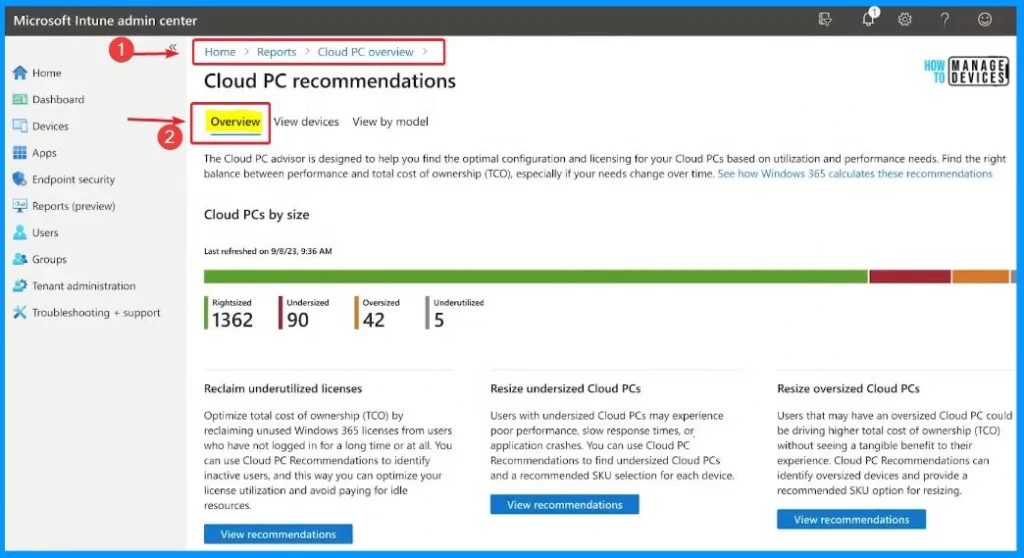
Overview Cloud PC Recommendations
The window below helps you show the Cloud PC recommendations. An AI-powered feature for Windows 365 that’s designed to allow you to optimize the performance and total cost of ownership of Cloud PCs.
The Cloud PC advisor is designed to help you find the optimal configuration and licensing for your Cloud PCs based on utilization and performance needs. Find the right balance between performance and total cost of ownership (TCO), significantly if your requirements change over time.
- Sign in to the Intune Admin Center portal https://intune.microsoft.com/.
- Home > Reports > Cloud PC overview > Cloud PC recommendations.
| Reclaim underutilized licenses | Resize undersized Cloud PCs | Resize oversized Cloud PCs |
|---|---|---|
| Optimize the total cost of ownership (TCO) by reclaiming unused Windows 365 licenses from users who have not logged in for a long time or at all. You can use Cloud PC Recommendations to identify inactive users; this way, you can optimize your license utilisation and avoid paying for idle resources. | Users with undersized Cloud PCs may experience poor performance, slow response times, or application crashes. You can use Cloud PC Recommendations to find undersized Cloud PCs and a recommended SKU selection for each device. | Users that may have an oversized Cloud PC could be driving higher total cost of ownership (TCO) without seeing a tangible benefit to their experience. Cloud PC Recommendations can identify oversized devices and provide a recommended SKU option for resizing. |
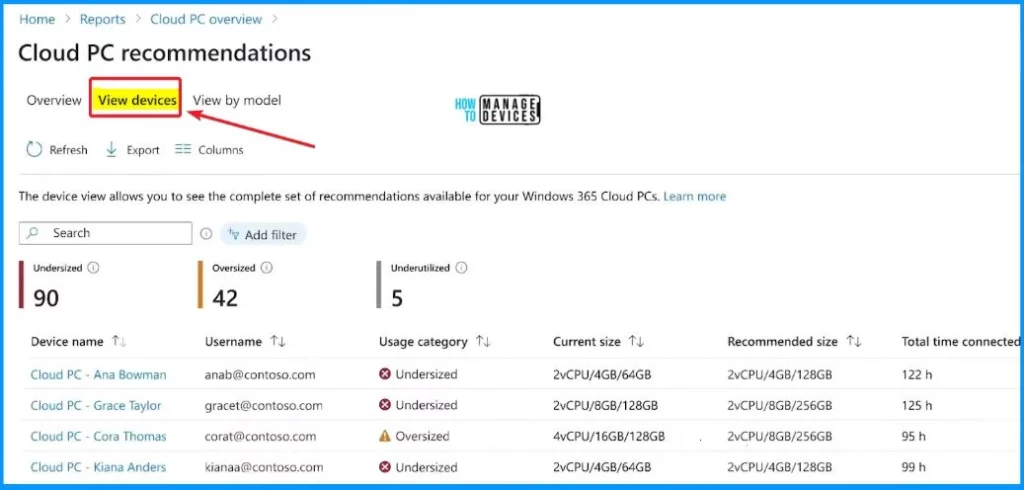
View Devices
View Devices menu lets you see the complete recommendations for your Windows 365 Cloud PCs. It also shows information such as Device name, Username, User category, Current size, Recommended size, Total time connected, etc.
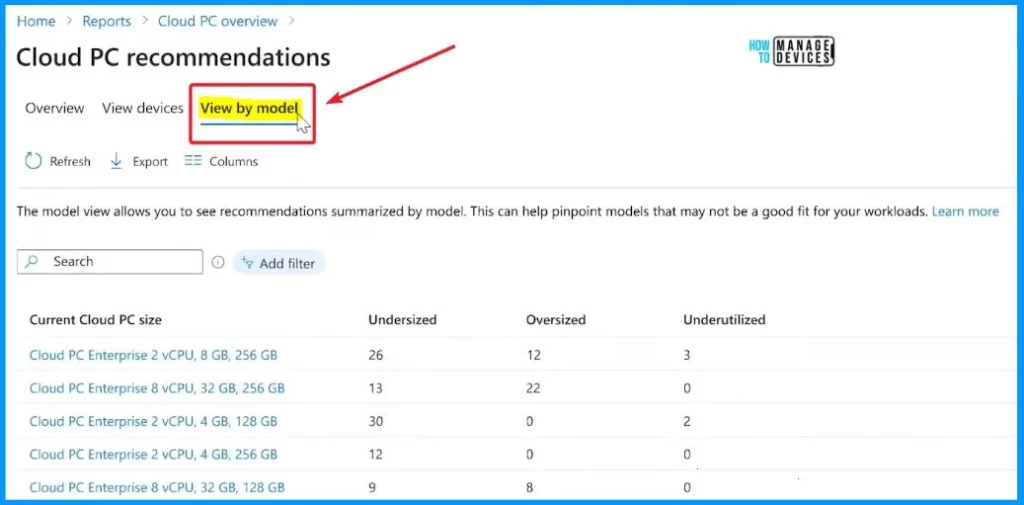
View by Model
The model view allows you to see recommendations summarized by the model. This can help pinpoint models that may not fit your workloads well. The view-by-model menu enables you to show information such as current cloud PC size, undersized, oversized, and underutilized.
(328) Intelligent IT management for Windows 365 and Azure Virtual Desktop – YouTube – NOTE! – Microsoft shared detailed information on Windows 365 AI-based Cloud PC Resize Recommendations with the latest Technical Takeoff session by Danniel Emerson.
We are on WhatsApp. To get the latest step-by-step guides and news updates, Join our Channel. Click here – HTMD WhatsApp.
Author
About the Author – Vidya is a computer enthusiast. She is here to share quick tips and tricks with Windows 11 or Windows 10 users. She loves writing on Windows 11 and related technologies. She is also keen to find solutions and write about day-to-day tech problems.


Discussion