






AI Powered Copilot in Word to Automate Creation of Complex Documents
Let’s discuss AI Powered Copilot in Word to Automate Creation of Complex Documents. Let’s check How Copilot in Word can help you create a document from your customer notes and some internal documents, as we shared this news on 22nd March via YouTube shorts.
We can do things with AI Integrated Word is called Copilot in Word. Copilot is a new feature in Word that provides users with real-time writing assistance. We have discussed AI Powered MS Excel, Outlook, etc, in the previous posts.
Copilot will scan the documents you referred from the Internal documentation and create quick business proposals for the Client. Once Copilots creates proposals, you can ask Copilots to make them similar to the internal templates for proposals.
The Copilot feature in Word helps you to analyze your writing and offer suggestions for improving your content. Suggestions include recommended sentence structure, grammar, and word choice changes. Copilot in Word helps you to find potential issues, such as spelling errors, inconsistent formatting, etc.

- Copilot in Excel AI Integration to Automate Excel Tasks Coming Soon
- Copilot AI Integrated Outlook Coming Soon
AI Powered – Copilot in Word
Copilot in Word creates a first draft for you, bringing in information from your organization as needed. With the help of Copilot, users write more quickly and accurately, and it helps them catch mistakes quickly.
Copilot can help you to add content to existing documents, summarize text, and rewrite sections or the entire document to make it more concise.
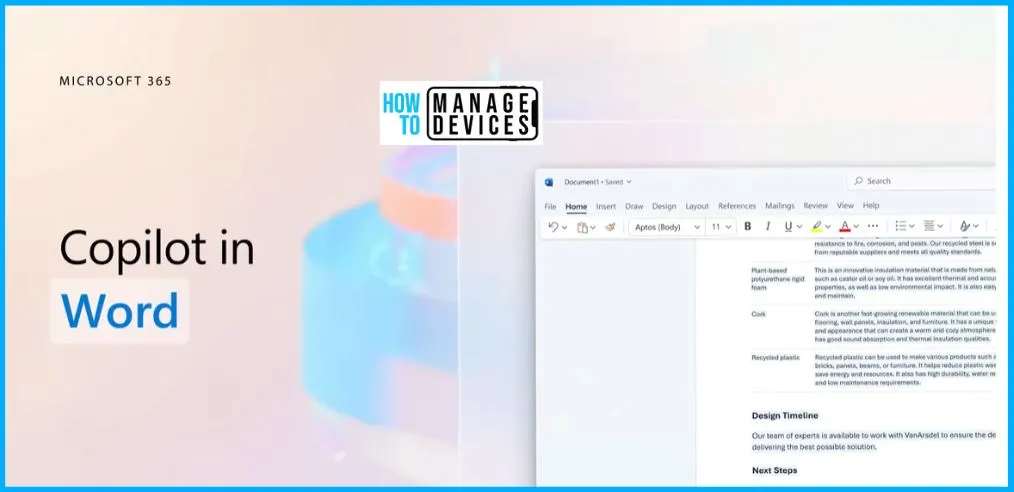
Create a Document from your Customer Notes and some Internal Documents
You can easily use Copilot to draft a proposal based on your customer notes in OneNote and some internal documents. Copilot in Microsoft 365 can help you unleash creativity at work.
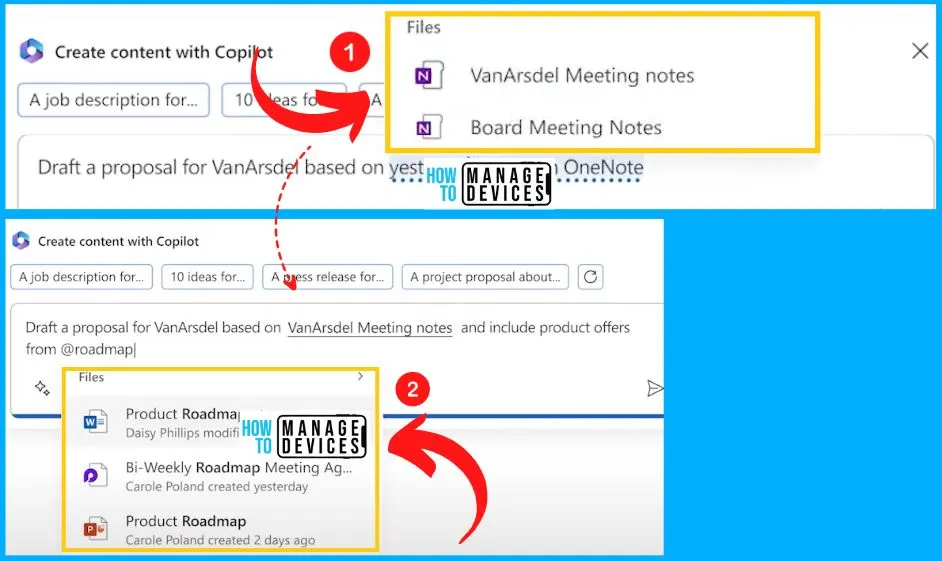
Copilot Scans the Documents and Creates quick Business Proposals
Copilot scans the target files and gets to work, quickly generating a first draft with all the key details from the files you provided. Imagine you need to create a rock-solid proposal to win the business and don’t have time for writer’s block.
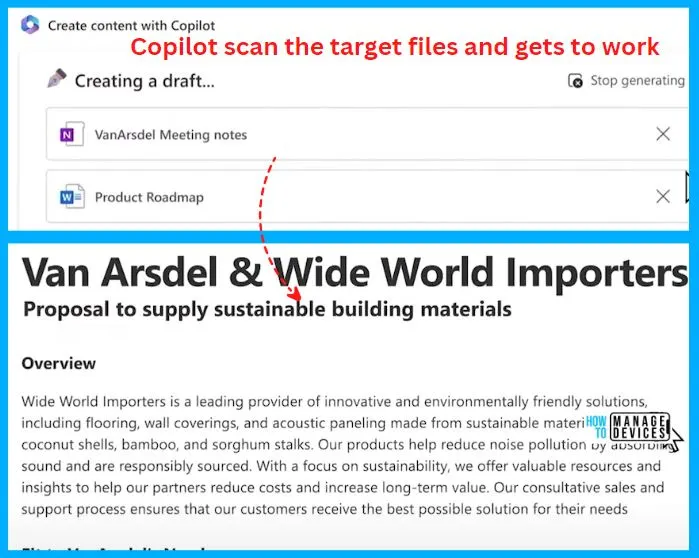
Copilots to Make it Similar to the Internal Templates for Proposal
Copilot in Word helps you to make it similar to the internal templates for proposal. Now let’s say you want this in your previous proposals. Copilot can give you a draft in the format you typically use.
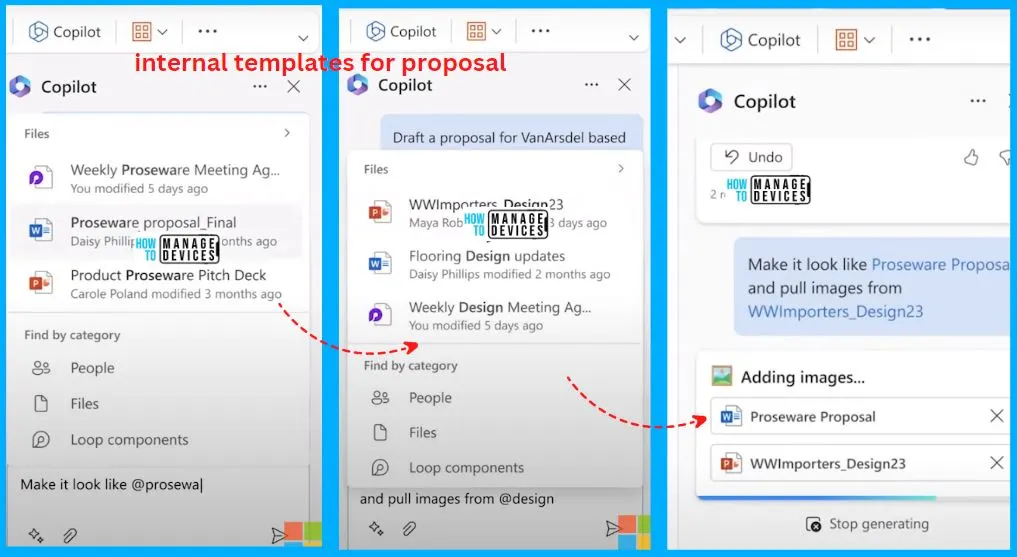
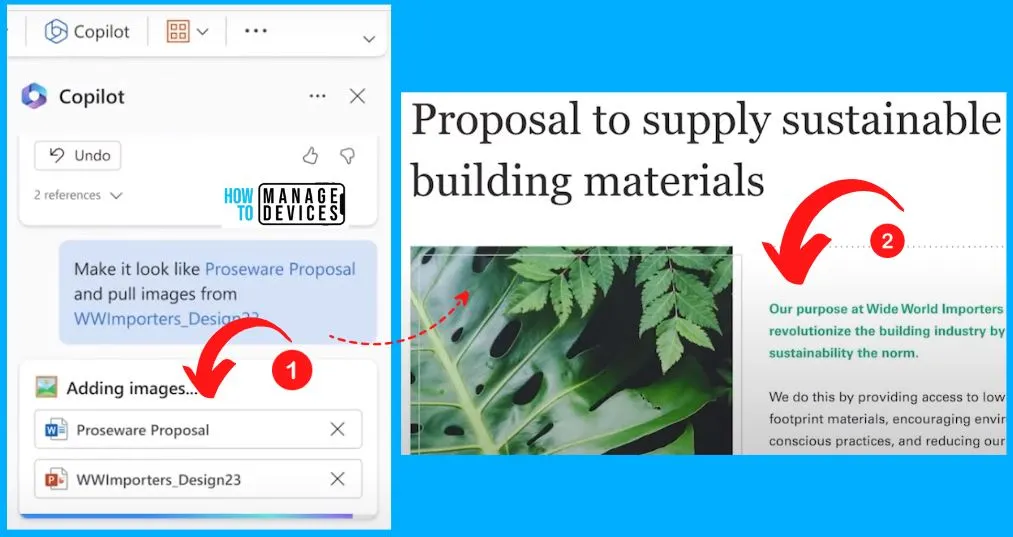
Copilot in Word to Add Images from Some Particular Files
Copilot in word helps you insert product images and pull relevant visuals from other files. The below screenshot shows how to insert product images in Word.
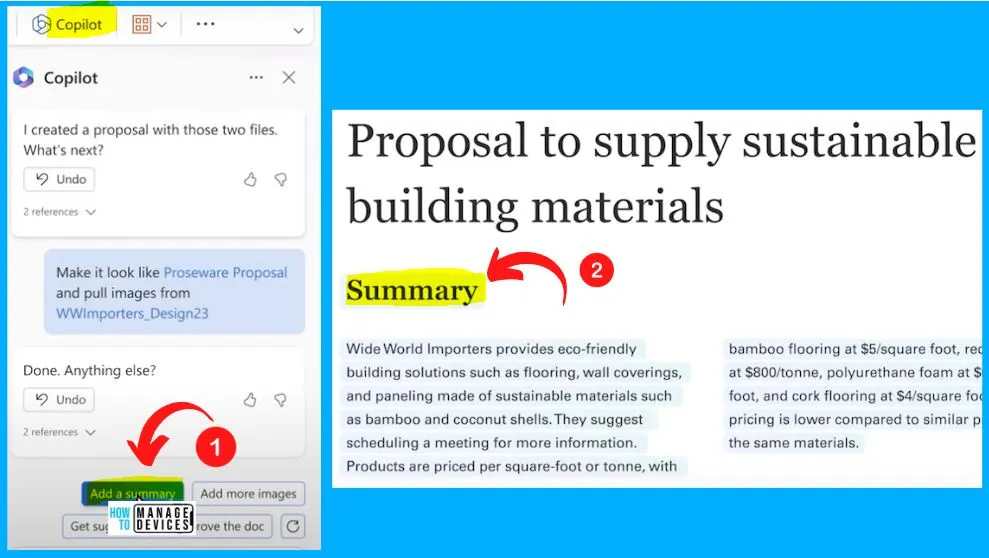
Copilot in Word to Add the Summary
With the help of Copilot, you can easily include a short summary at the top of the document. Click the “Add a Summary” button from the below screenshot. The below screenshot shows that the Summary has been added now.
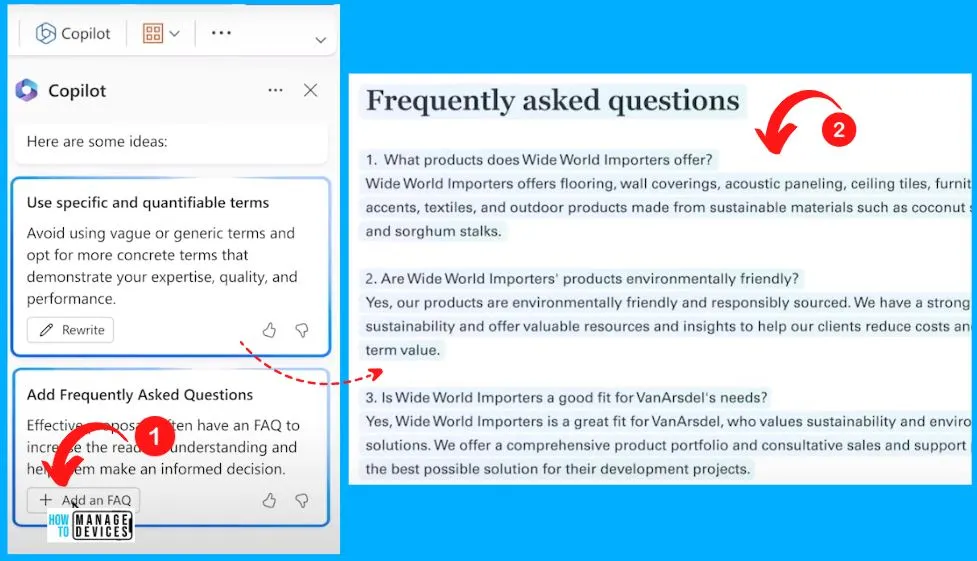
Frequently Asked Questions Added to the Proposal Document
You can easily add the Frequently asked questions to the proposal document. Click the “Add an FAQ” button from the below screenshot, and in the second screenshot, you can see that FAQ will be automatically added to this document immediately.
Author
About Author – Vidya is a computer enthusiast. She is here to share quick tips and tricks with Windows 11 or Windows 10 users. She loves writing on Windows 11 and related technologies. She is also keen to find solutions and write about day-to-day tech problems.




Discussion