






Allow commercial data pipeline Group Policy Setting is Going away | EU Data Boundary
Microsoft will soon ask enterprises to stop using Allow commercial data pipeline Group Policy Setting is Going away. This policy is used to o configure the processor option. As per Microsoft, you no longer need to use this policy in future versions of Windows 11 or Windows 10.
The production version of Windows 10 and Windows 11 versions will also be getting these code changes. The exact dates are not announced by Microsoft yet. But it’s mentioned that these changes will be rolled out no earlier than the last quarter of the calendar year 2022.
Microsoft is making this change to help ensure the Windows diagnostic data for all organization devices is processed consistently. All these diagnostic data are processed in the same geographical region. More details on this announcement are in the below section.
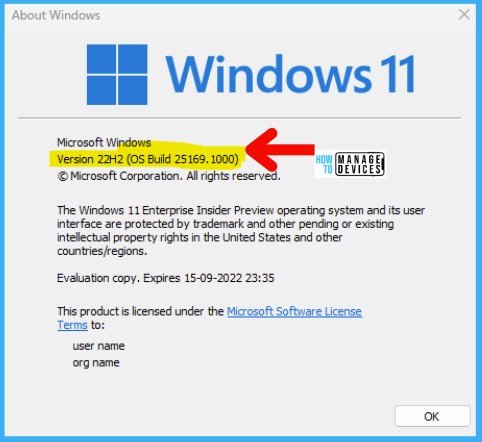
Microsoft recently announced that it would deprecate the “Allow commercial data pipeline” policy in the Windows Insider builds. The code change is already present in Windows 11 Insider build starting from 25169.

Storing and Processing EU Data in the EU
The Allow commercial data pipeline Group Policy Setting was in place as a temporary solution to comply with EU data protection law(s).
On May 6, 2021, Brad Smith – President and Chief Legal Officer, announced that “if you are a commercial or public sector customer in the EU, we will go beyond our existing data storage commitments and enable you to process and store all your data in the EU.”
Microsoft was committed to completing this by the end of the year 2022. This plan is called the EU Data Boundary for the Microsoft Cloud. This applies to all Microsoft core cloud services.
Intune Policy Allow Commercial Data Pipeline
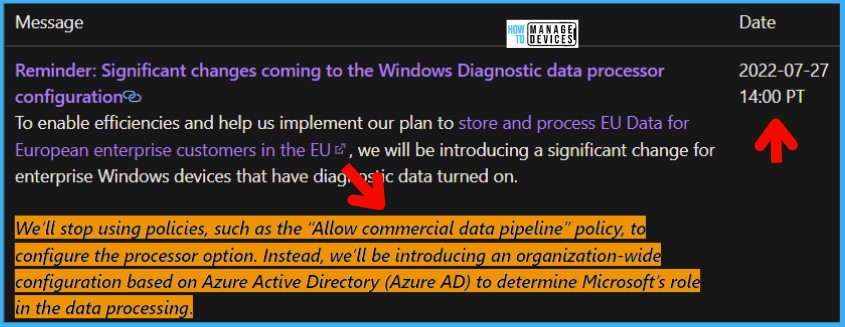
Intune Policy Allow Commercial Data Pipeline is also going away. Microsoft will release new Azure AD controls to introduce an organization-wide configuration to determine Microsoft’s role in data processing.
If you are already deployed Intune Settings Catalog policy to configure diagnostic data processing, you might need to stop using it soon!
This Allow Commercial Data Pipeline policy setting configures an Azure Active Directory-joined device so that Microsoft is the processor of the Windows diagnostic data collected from the device.
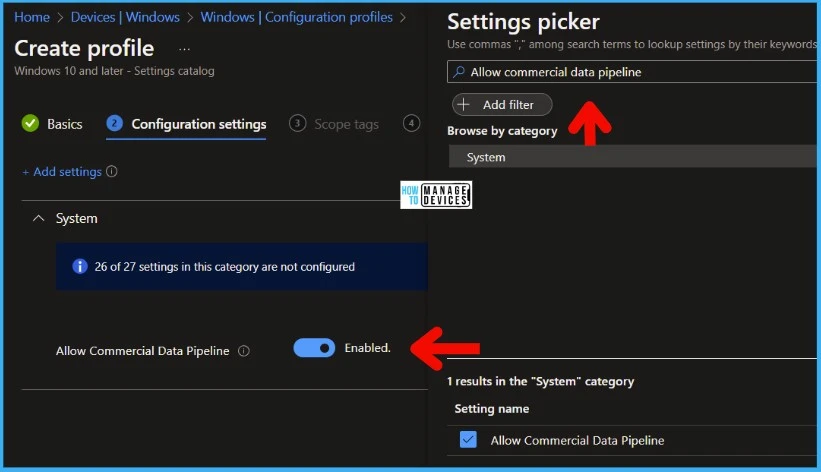
Allow commercial data pipeline Group Policy Setting
Windows diagnostic data is collected when the Allow Telemetry policy setting is set to value 1 – Required or above. Configuring Allow commercial data pipeline Group Policy Setting does not change the Windows diagnostic data collection level set.
If you disable or do not configure this setting, Microsoft will be the controller of the Windows diagnostic data collected from the device and processed in accordance with Microsoft’s privacy statement.
If you are already using this group policy setting for Azure AD registered devices, you might soon need to stop using it and migrate to Azure AD organization-wide configuration to determine Microsoft’s role in the data processing.
- Group Policy Settings Path – > Computer Configuration -> Administrative Templates -> Windows Components -> Data Collection and Preview Builds -> Allow commercial data pipeline setting.
NOTE! – I see differences in Windows 10 and Windows 11 descriptions of this policy. In Windows 10, the policy description explains the requirement of Azure AD device registration. However, Windows 11 is all about Azure AD joined scenario.
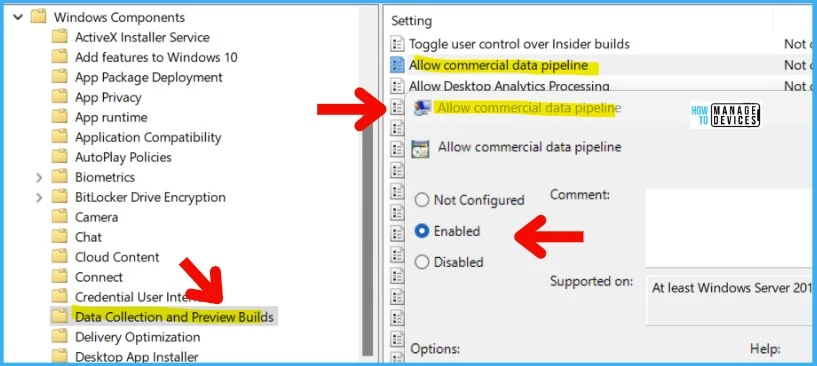
Resource -> Windows message center | Microsoft Docs
Author
Anoop C Nair is Microsoft MVP! He is a Device Management Admin with more than 20 years of experience (calculation done in 2021) in IT. He is Blogger, Speaker, and Local User Group HTMD Community leader. His main focus is on Device Management technologies like SCCM 2012, Current Branch, and Intune. He writes about ConfigMgr, Windows 11, Windows 10, Azure AD, Microsoft Intune, Windows 365, AVD, etc.




Is this the new setup for this?
To enroll your tenant through the Microsoft 365 admin center, follow the links and the screenshot below:
Enable Update Compliance if you haven’t already.
In the Microsoft 365 admin center, navigate to Software Updates, under Health.
Choose the “Windows” tab.
Select the “Configure settings” button.
Choose the Azure subscription and workspace you currently use with Update Compliance.
StaffThis config is only for “update compliance” part..isn’t it More details – https://www.anoopcnair.com/configure-update-compliance-using-intune-patch/
But the Commercial data includes other telemetry details as well I guess.