






How to Install Amazon WorkSpaces with Intune Enterprise App Catalog App
Let’s discuss installing Amazon WorkSpaces with Intune Enterprise App Catalog App. The Enterprise App Catalog is a set of pre-packaged Win32 applications provided by Microsoft. It enhances Intune’s functionality and simplifies performance.
Amazon WorkSpaces provides cloud-based virtual desktops, so you don’t need physical computers or complex software setups. It is all managed in the cloud, making it easy to give users secure Windows or Linux desktops.
In one of our posts, we explain how to set up Amazon WorkSpaces on Windows 10 or 11 devices through Intune. One of the simplest methods is to use the MSI app package, a file format used for installing software on Windows operating systems.
This post provides a complete guide on installing Amazon WorkSpaces using the Intune Enterprise App Catalog. It provides all the details you need for a smooth setup.

Table of Contents
What is Amazon WorkSpaces?
Amazon WorkSpaces is a virtual desktop service, also known as Desktop-as-a-Service (DaaS), that lets companies quickly set up Windows or Linux desktops hosted in the cloud.
Can Amazon WorkSpaces be Used on any Device?
Amazon WorkSpaces can be accessed from various devices, including laptops, tablets, and smartphones, making it easy for users to work seamlessly from multiple locations.
How to Install Amazon WorkSpaces with Intune Enterprise App Catalog App
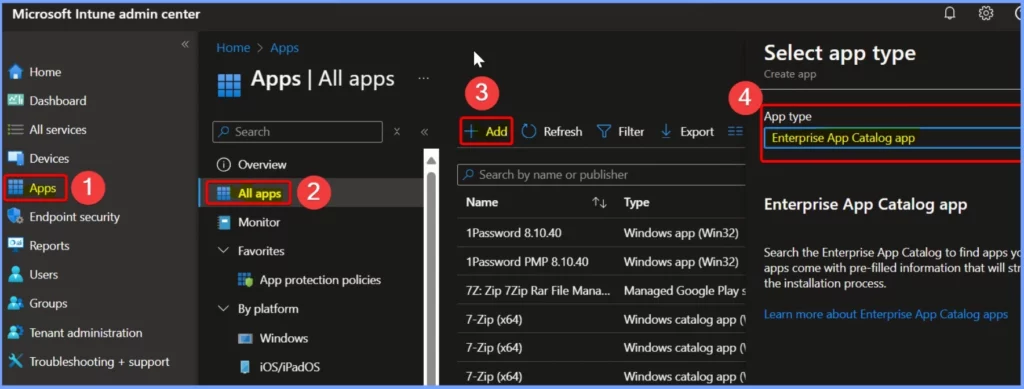
Deploying Amazon WorkSpaces through the Intune Enterprise App Catalog is simple. Start by signing in to the Intune Admin Center portal. From there, go to Apps and choose All Apps. Next, click the Add button and select Enterprise App Catalog as the app type.
- Deployment of Amazon WorkSpaces using SCCM | MSI Application Guide
- 6 Exciting Features Coming to Intune Enterprise App Management
- Update Security Baselines for Microsoft 365 Apps from Intune
- Install Mozilla Firefox with Intune Enterprise App Catalog App
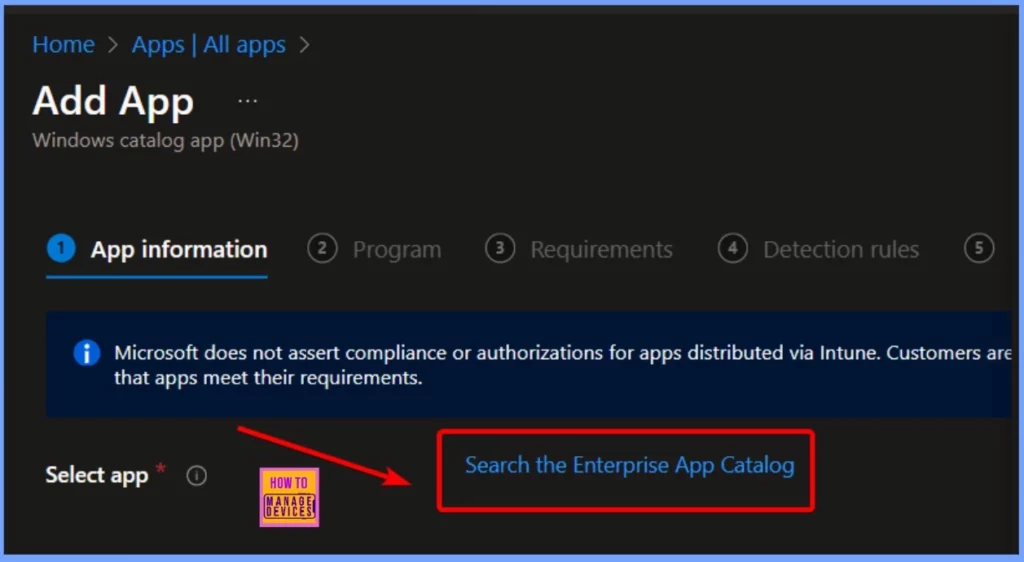
In the App Information tab, click on the “Search the Enterprise app catalog” hyperlink to explore and install different applications. This link makes finding the specific app you want to add is easy.
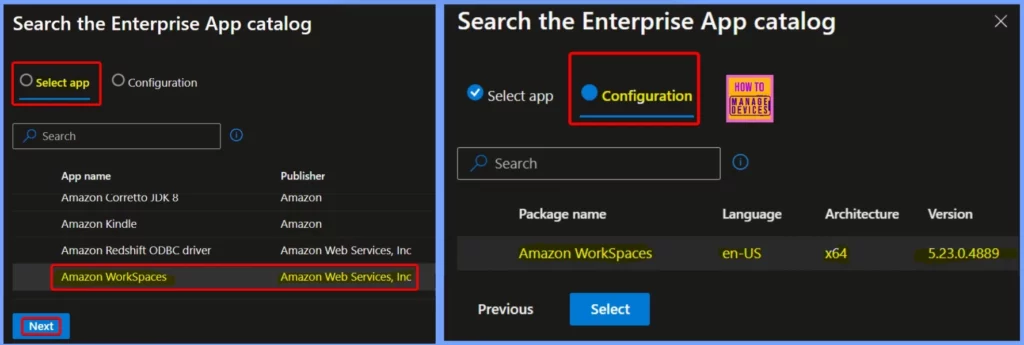
In the Select App tab, you will see a list of apps available in the Enterprise App Catalog. You can choose Amazon WorkSpaces as the app you want to deploy here. In the Configuration tab, you’ll find settings like the package name, language, architecture, and version details.
The below table shows more details.
| Package Name | Language | Architecture | Version |
|---|---|---|---|
| Amazon Workspaces | en-US | ×64 | 5.23.0.4889 |
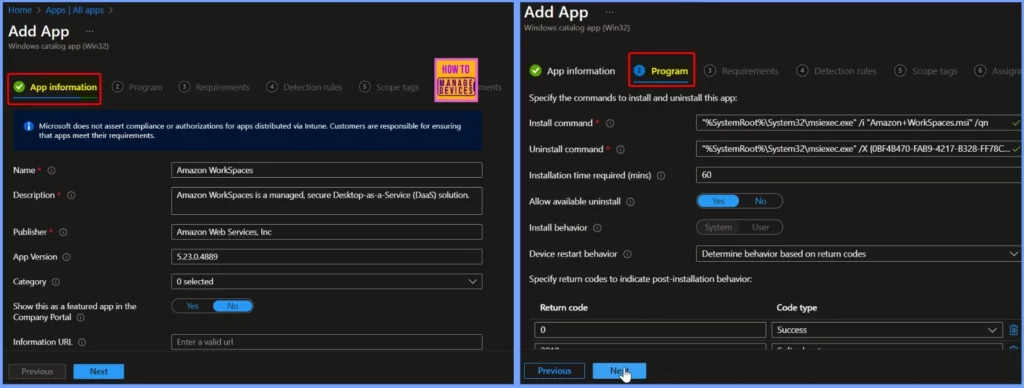
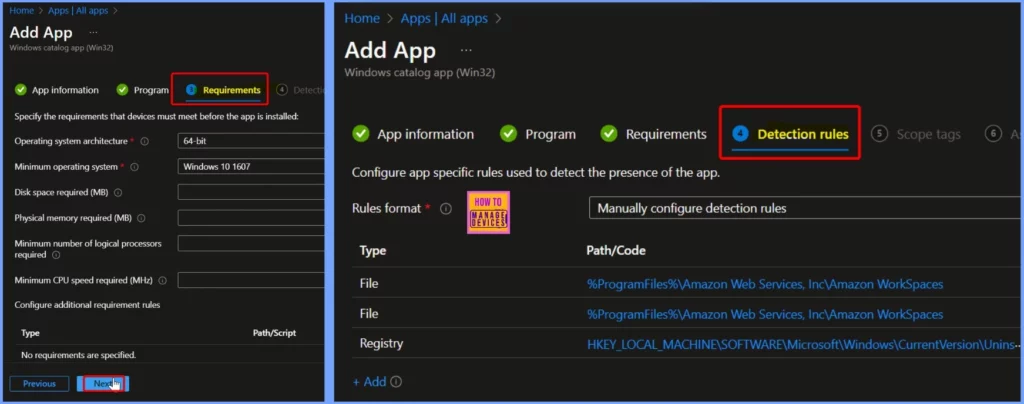
The App Information tab is the first and most important tab, which helps you show details such as the Name, Description, publisher, App version, etc. The Program tab is the second tab, which enables you to show details such as the install command, Uninstall command, installation time required, etc.
The Requirements tab provides essential details like the architecture, minimum operating system version, and required disk space. The Detection rules tab is also helpful, as it displays file paths and registry information needed for the installation.
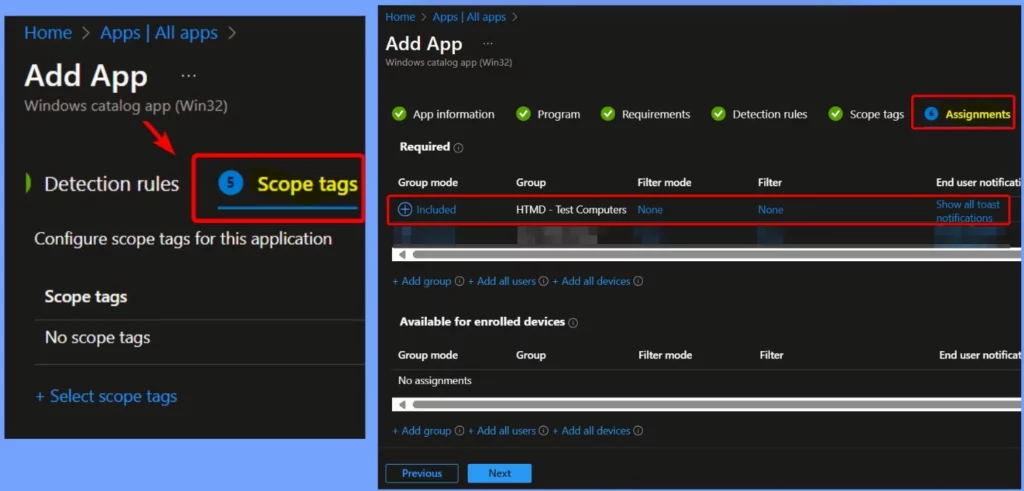
The Scope tags section allows you to configure scope tags for Amazon WorkSpaces. The Assignments tab is crucial, as it helps you manage which users or devices the WorkSpaces will be assigned to.
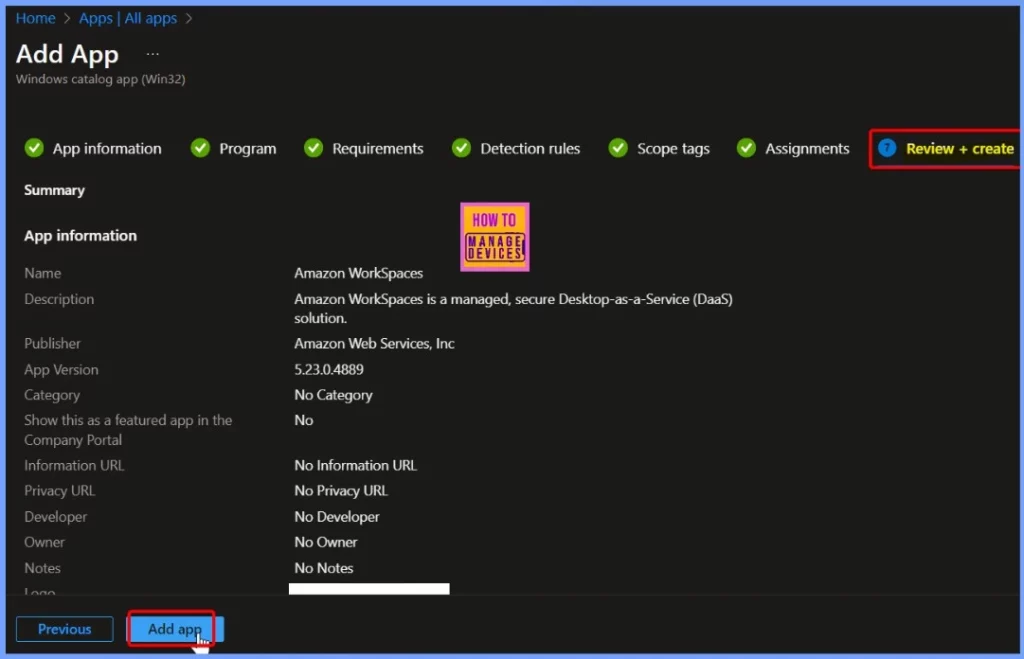
You should check your settings carefully in the Review + Create tab. Once you click Create, your changes will be saved, and the profile will be assigned. The screenshot below provides additional details for your reference.
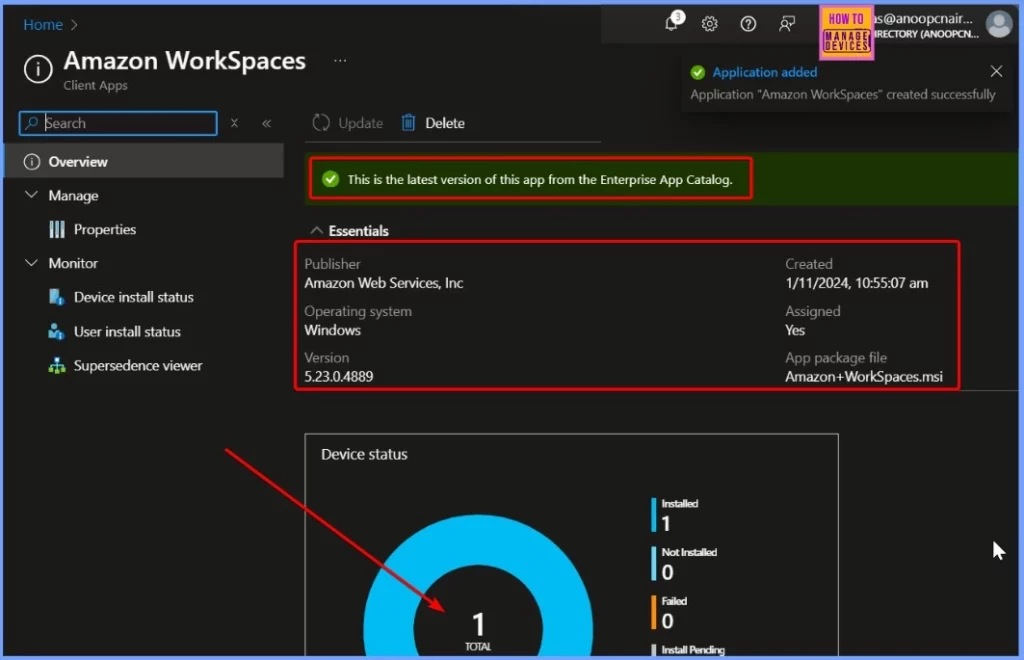
Monitor the Device Status of Amazon WorkSpaces
You will see a notification confirming that the Amazon WorkSpaces application has been created successfully. A banner message will also show that this is the latest version of the app from the Enterprise App Catalog. The Device Status shows that the application has been deployed to one device.
End User Experience
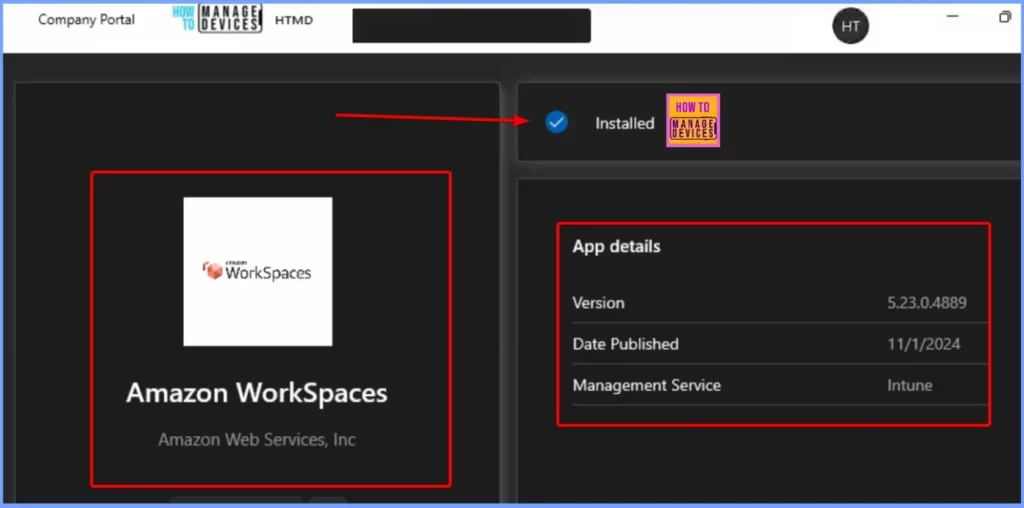
We need to check one of the targeted machines to see if the Amazon WorkSpaces update with the Enterprise App Catalog app is working. Click on Start and open the Company Portal. Then go to the Downloads & updates section and search for Amazon WorkSpaces Version 5.23.0.4889.
Need Further Assistance or Have Technical Questions?
Join the LinkedIn Page and Telegram group to get the latest step-by-step guides and news updates. Join our Meetup Page to participate in User group meetings. Also, Join the WhatsApp Community to get the latest news on Microsoft Technologies. We are there on Reddit as well.
Author
Anoop C Nair has been Microsoft MVP from 2015 onwards for ten consecutive years! He is a Workplace Solution Architect with more than 22+ years of experience in Workplace technologies. He is also a Blogger, Speaker, and Local User Group Community leader. His primary focus is on Device Management technologies like SCCM and Intune. He writes about technologies like Intune, SCCM, Windows, Cloud PC, Windows, Entra, Microsoft Security, Career, etc.


Discussion