






Analyze SCCM Client Logs Using CMPivot | ConfigMgr
Let’s learn how to analyze SCCM client logs using CMPivot. The ConfigMgr Twitter community is doing great work in sharing many CMPivot queries. Learn more about CMPivot architecture and communication details as well. SCCM CMPivot Architecture Fast Channel Making | ConfigMgr.
SCCM logs are generated on the client and site server sides. The client and server components record process information in individual log files. Enabling debug or verbose mode also produces more detailed log files.
CMPivot is a powerful feature that allows you to evaluate the status of devices within your environment in real-time. By entering a query, CMPivot seamlessly runs the query on all currently connected devices in the selected collection, enabling you to gain comprehensive insights into the state of your devices and take swift, targeted actions as needed.
When I started the SCCM (SMS) admin job, the SCCM logs reading tool was Trace32.exe. With SCCM 2012 and CB, the default SCCM logs reading tool CMTrace.exe integrated with the products. You don’t have to download it separately.

- ConfigMgr CMPivot Logs | Background Process Guide | SCCM | Configuration Manager | Endpoint Manager
- SCCM CMPivot Browser Related Queries Default List of Browsers
- SCCM CMPivot Architecture and Sample Queries
| Index |
|---|
| Launch CMPivot |
| CMPivot Query to Analyze Client Logs |
| Query WUAHandler Log |
| Script Log Analysis |
| Co-Existence Mode |
| Scan Errors Using CMPivot |
Launch CMPivot
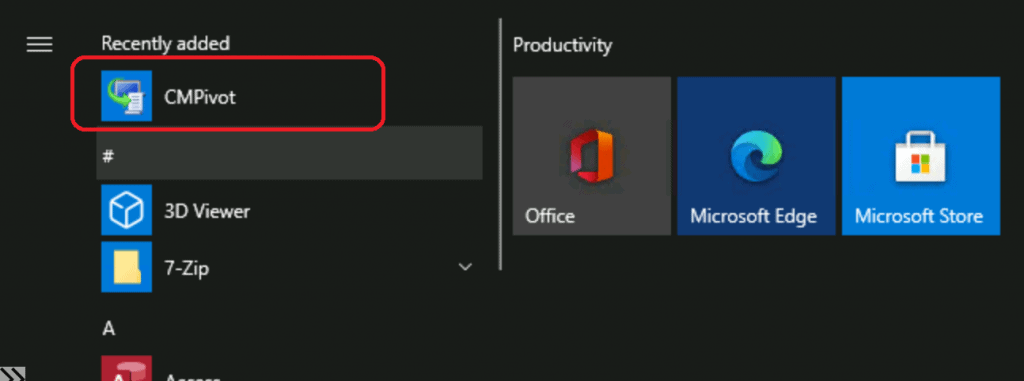
You can launch the CMPivot tool from either the Admin console or the standalone CMPivot tool. Select the device collection you want and enter the query.
CMPivot Query to Analyze Client Logs
Let’s check some queries that can help you analyze the SCCM client logs using the CMPivot query.
- CcmLog is the entity object that can query and analyze the client’s logs.
- As per Microsoft Docs, the CCMLog entity can analyze the Lines from a CCM Log file within 24 hours (by default).
Query WUAHandler Log
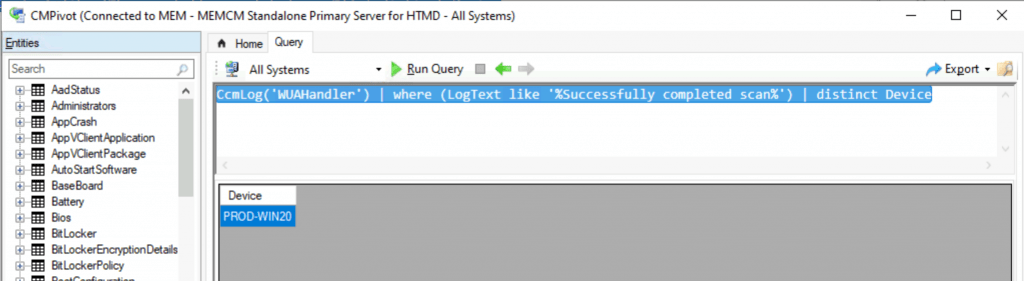
The following query might help you get the details of the successful completion of the software update scan through the WUAHandler.log file. You can use the same method to analyze the entries of various SCCM client-side logs.
The entry that I’m interested in, the WUA Handler log, is a successfully completed scan. The CMPivot query helps to analyze the log files of all the Windows 10 devices and gives us a list of devices.
CcmLog('WUAHandler') | where (LogText like '%Successfully completed scan%') | distinct Device
Script Log Analysis
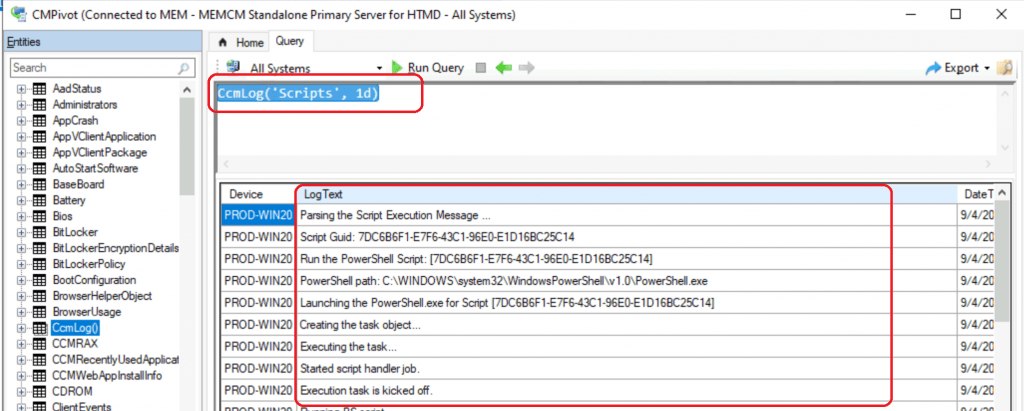
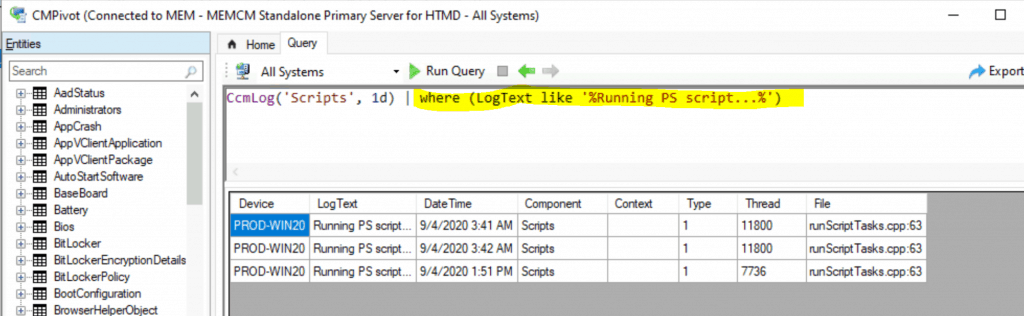
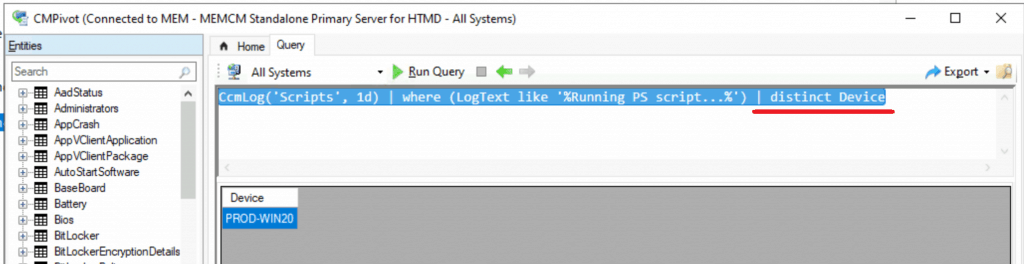
Let’s check the options for performing an analysis with the script.log file. This is useful to get the list of devices with a particular text entry in the script.log file.
CcmLog('Scripts', 1d)
CcmLog('Scripts', 1d) | where (LogText like '%Running PS script…%')
CcmLog('Scripts', 1d) | where (LogText like '%Running PS script…%') | distinct Device
Co-Existence Mode
Let’s find out which co-managed devices use the CMPivot tool—more details from Chris Buck.
Useful CMPivot Query : ccmlog (‘CCMSDKProvider’) | where (LogText like ‘%Device is in coexistence mode%’) | distinct Device – (Chris Buck (@SCCMF12TWICE) September 3, 2020)
Scan Errors Using CMPivot
Check out Matthew Hudson’s CMPivot query to analyze the updatesdeployment.log file and find scan errors.
A #CMPivot query to find machines with a given error code while scanning for updates.
ccmlog (‘UpdatesDeployment’) | where (LogText like ‘%0x87d00215%’) | distinct Device.
Then, you can select all devices – Run Script, and act on them. Matthew Hudson – [MS MVP] (@MatthewEHudson) August 28, 2020
Resources
- SCCM CMPivot Architecture Fast Channel Making | ConfigMgr
- Microsoft Doc CMPivot for real-time data in Configuration Manager
We are on WhatsApp. To get the latest step-by-step guides and news updates, Join our Channel. Click here –HTMD WhatsApp.
Author
Anoop C Nair is Microsoft MVP! He is a Device Management Admin with more than 20 years of experience (calculation done in 2021) in IT. He is a Blogger, Speaker, and Local User Group HTMD Community leader. His primary focus is Device Management technologies like SCCM 2012, Current Branch, and Intune. He writes about ConfigMgr, Windows 11, Windows 10, Azure AD, Microsoft Intune, Windows 365, AVD, etc.




Discussion