





Microsoft Introduces Android XR Support in Intune for Enterprise Device Management
Key Takeaways
- Microsoft Intune now supports Android XR device management
- Organizations can manage XR devices using existing Android Enterprise workflows
- Core features include enrollment, app deployment, and basic security policies
- Advanced features like kiosk mode and remote help are not yet available
In this post, we are discussing Microsoft Introduces Android XR Support in Intune for Enterprise Device Management. Microsoft introduced support for the Android XR platform in Microsoft Intune, marking an important step in bringing immersive devices into enterprise environments. With this update, organizations can begin managing XR devices such as the Samsung Galaxy XR headset using the same tools they already use for mobile and desktop devices.
Table of Contents
Table of Contents
Microsoft Introduces Android XR Support in Intune for Enterprise Device Management
Microsoft introduced this capability to help IT teams easily explore and adopt extended reality without changing their existing workflows. Built on the strong workflow Android Enterprise, the update ensures that admins can apply familiar policies, security settings, and app management practices to XR devices just like they do for other Android endpoints.
- Microsoft Intune Finally Restores Password Manager Support For Android Enterprise Devices
- Intune Adds Inventus OEMConfig App to Enhance Android Enterprise Management
- Understanding Android Management with Intune | Android Enterprise
- Microsoft Edge for Business Expands Policy Management to macOS iOS Android and Windows
What’s New in This Update
This release update core management capabilities for Android XR devices within Intune. Organizations can now enroll XR devices, apply policies, and deploy apps using existing workflows. This means there is no need to learn entirely new systems, and everything works within the familiar Intune environment. It enables businesses to start testing XR in real-world scenarios while preparing for more advanced capabilities in the future.
| What is supported in Intune | Info |
|---|---|
| Android Enterprise enrollment and baseline management | Devices can enroll using supported Android Enterprise flows for Fully Managed and Dedicated devices and receive policies as expected. |
| App deployment with Managed Google Play | Admins can distribute and manage approved applications through Managed Google Play. |
| Security and compliance policies | Core Android Enterprise security and compliance settings will be supported, subject to Android XR platform constraints. |
| Visibility in the Intune admin center | Android XR devices appear in the Intune console and can be monitored and managed alongside other Android endpoints. |
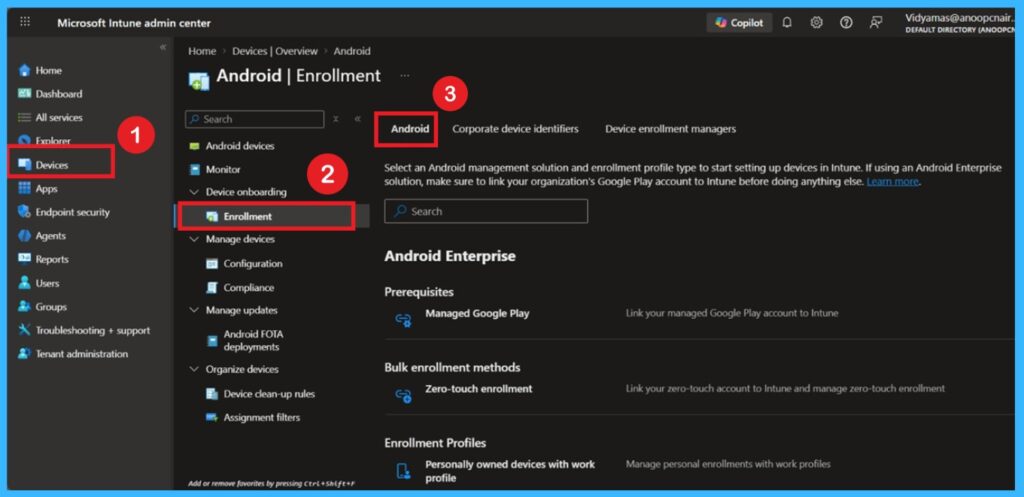
Android XR Device Management in Intune – Licensing and Availability Overview
Android XR devices will be managed in Microsoft Intune as speciality devices, aligning with other immersive and purpose-built form factors. Currently, this capability is associated with the Intune Plan 2 SKU, providing organisations with advanced management features for emerging device types. Availability of Android XR management within Windows 365 E3 and E5 licenses is planned for later in 2026.

Need Further Assistance or Have Technical Questions?
Join the LinkedIn Page and Telegram group to get the latest step-by-step guides and news updates. Join our Meetup Page to participate in User group meetings. Also, join the WhatsApp Community and the Whatsapp channel to get the latest news on Microsoft Technologies. We are there on Reddit as well
Author
Anoop C Nair is a Workplace Technology solution architect with 25+ years of experience. Microsoft Certified Trainer. Microsoft MVP from 2015 onwards for consecutive 11+ years! He is a blogger, Speaker, and Founder of HTMD Community and HTMD Conference. His main focus is on Device Management technologies like Intune, Windows, and Cloud PC. He writes about technologies like Intune, SCCM, Windows, Cloud PC, Entra, and Microsoft Security.


Discussion