






Exciting news!Additional App Configuration Permissions for Android Apps. Microsoft Intune, a powerful endpoint management platform, offers App Configuration Policies for Android Enterprise devices. Microsoft Intune 2402 service releases February update; many New features are introduced.
One of the most Specified features is Additional App Configuration Permissions for Android Apps. These policies allow administrators to customize app settings, ensuring the best user experience. Microsoft Intune 2402 February Update focuses on Additional App Configuration Permissions for Android Apps.
App Configuration Permissions for Android apps introduce a set of new features. These permissions enhance administrators’ control over the configuration of Android apps managed by Microsoft Intune.
App configuration permissions are the specific rights or settings that an app can utilize. This permission rules how a particular app behaves based on user preferences or organizational requirements.

- How to Create Application Configuration Policies for Managed Apps in Intune
- Best Guide for Multi-App Kiosk Mode for Corporate-Owned Devices in Intune
- Microsoft Intune Extends Support to Android 10 and Later from October 2024
App Configuration Permissions for Android Apps
Microsoft Intune continues to improve administrators with powerful tools. The recent update introduced exciting enhancements in the Additional App Configuration Permissions for Android Apps. The latest update introduces 6 additional permissions that can be configured using app configuration policies.
| Numbers | New Permissions |
|---|---|
| 1 | Allow background body sensor data |
| 2 | Media Video (read) |
| 3 | Media Images (read) |
| 4 | Media Audio (read) |
| 5 | Nearby Wifi Devices |
| 6 | Nearby Devices |
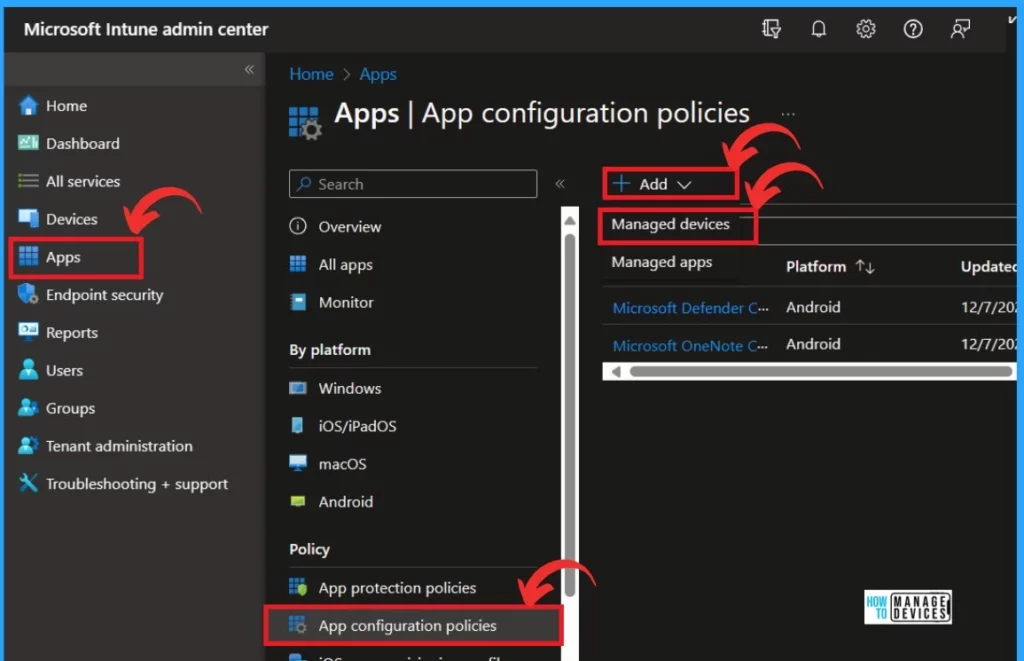
App Configuration Permissions for Android Apps through Microsoft Intune Admin Center. You can Navigate to Apps > App configuration policies > Add > Managed devices.
See More: Microsoft Intune 2402 New Features February Update
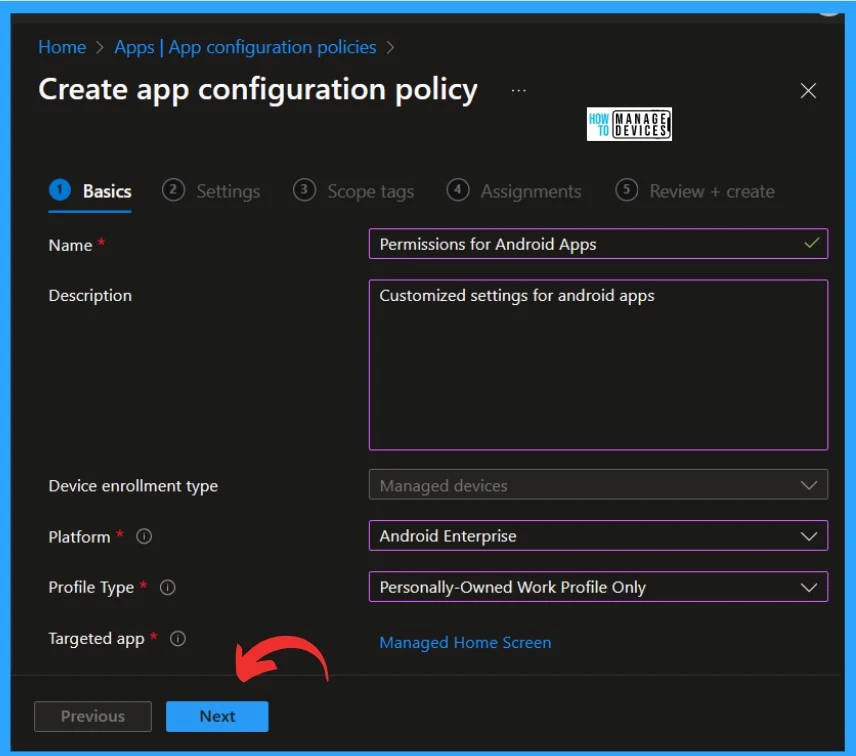
After that, you can create the app configuration policy to set the Permissions for Android Apps. You can now add basic details, such as the Policy Name; here, I name it” permission for Android apps,’‘ for example. You can add a description if you want.
- Device enrollment type – Managed Device
- Platform – Choose Android Enterprises
- In the profile type, you can add a Personally owned work profile only
- In Targeted apps, you can add the managed app to associate with the configuration policy
- Then you can click Next for the settings page.
- Create Intune App Configuration Policies for MAM for Windows
- Android AOSP Devices Support with Intune
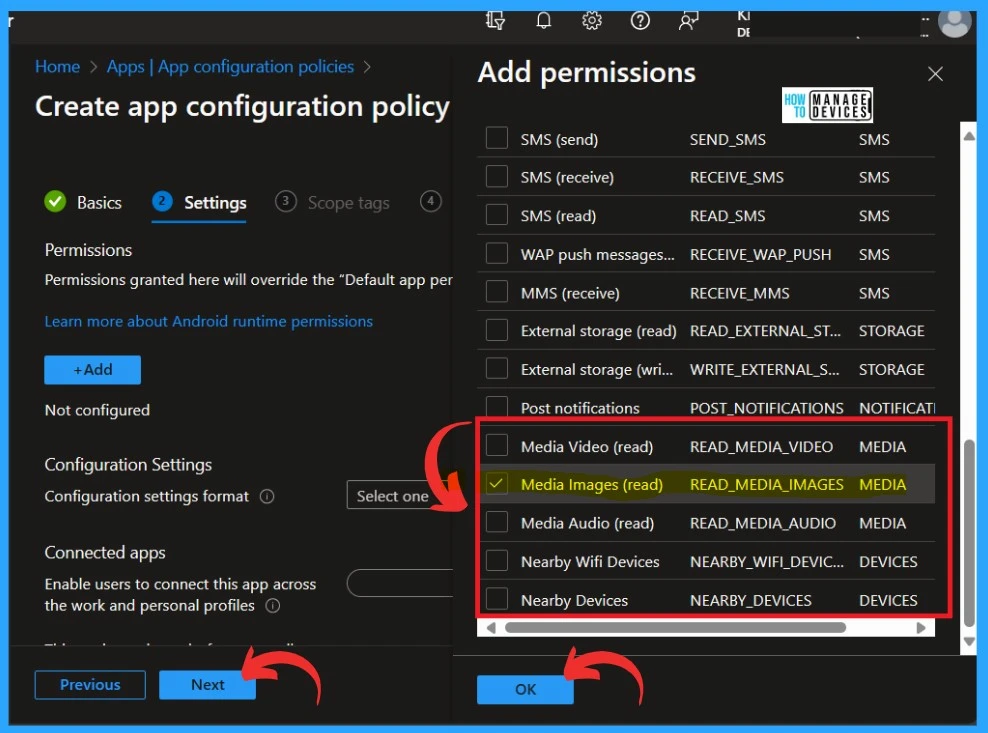
On the settings page, click on the Add option. You will then see many types of Permissions to add. Here, you can see the new additional permissions for Android Apps. Select any permission you want to apply for the policy, then Click OK.
- Suppose you want to enable connected apps. Connected apps will enable users to share app information across work and personal app instances.
- For example, connecting a calendar app can show work and personal events together. Some apps might not support connected apps. It is available on Android 11 and newer.
- Click on the Next option for the next step
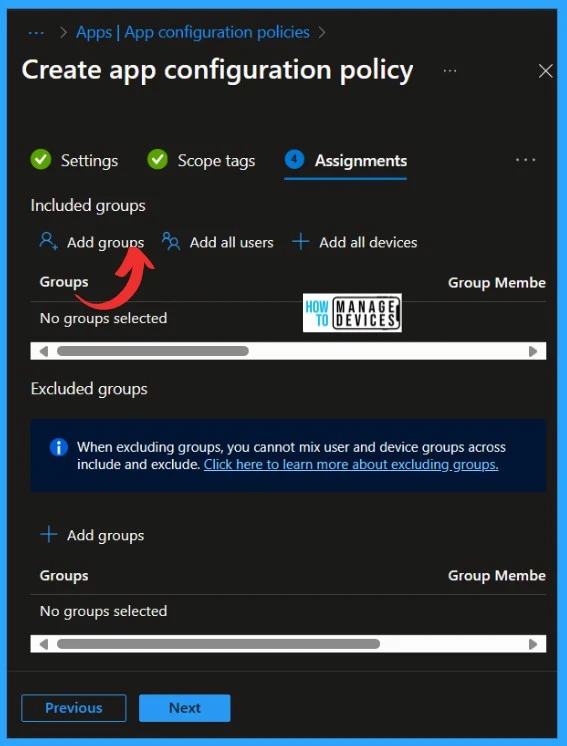
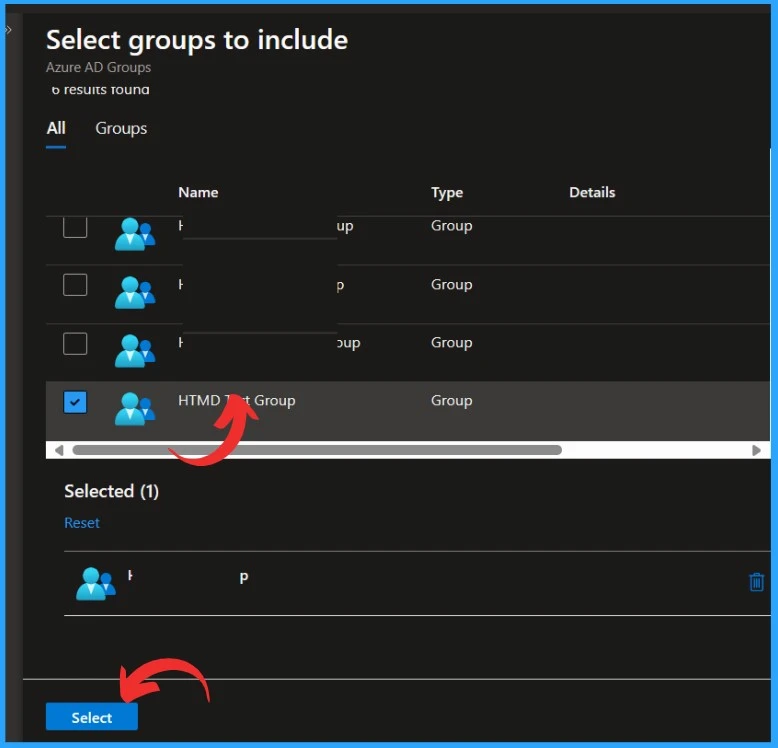
You can skip the scope tag option and Add groups for the policy from the Assignments section. Click on the Add groups under the Include groups. The included groups will Add the task to the particular group that you selected. You can also exclude any group by selecting the excluded group.
When you click Add Groups under the Include group option, you will see a pane with groups to select from. You can assign the policy to the selected group. I selected the group to which I wanted to add that policy and clicked on the Add option.
- Click on the Next option in Assignments for the last step, Review and Create
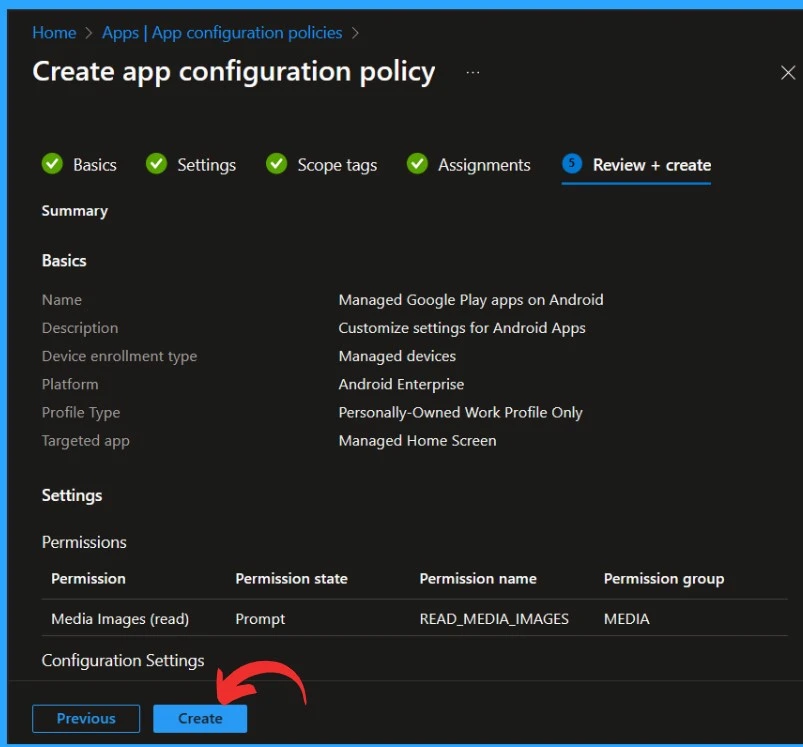
At the last step of policy creation (Review and Create), you can review the settings and Create the policy. In this step, you can check all the details and settings you added for policy creation.
- Click on Create to create the policy.
Reference
What’s new in Microsoft Intune
We are on WhatsApp. To get the latest step-by-step guides and news updates, Join our Channel. Click here –HTMD WhatsApp.
Author
Krishna. R is a computer enthusiast. She loves writing about Windows 11 and Intune-related technologies and sharing her knowledge, quick tips, and tricks about Windows 11 or 10 with the community.


Discussion