






Configure Apple VPP Application Automatic Updates from Intune
Let’s learn how to configure Apple VPP application automatic updates from Intune. You can be setting it up the behavior for automatic updates, and also prevent automatic updates for Apple VPP apps.
Configuring Apple VPP application automatic updates from Intune has several advantages. It ensures that all managed devices have the latest version of apps installed, which can improve app performance and security. Also, help you to reduce the workload of IT admins by automating the update process.
Starting with Intune 2304 April Updates, You can control the automatic update behavior for Apple VPP apps at the per-app assignment level using the Prevent automatic updates setting.
The Prevent automatic updates setting is dependent on the token-level Allow automatic updates setting. To use the Prevent automatic updates, the Allow automatic updates setting must be set to Yes.

Manually updating apps is an option if you disable automatic updates. Alternatively, automatic updates can be enabled to eliminate the need for manual updates.
Configure Apple VPP Application Automatic Updates
Let’s check the steps to Configure Apple VPP Application Automatic Updates. This article helps you configure when you already have added VPP apps, and you can also use the same method while assigning new apps.
- Sign in to the Microsoft Intune admin center https://intune.microsoft.com/.
- Select Apps > iOS/iPadOS or macOS.
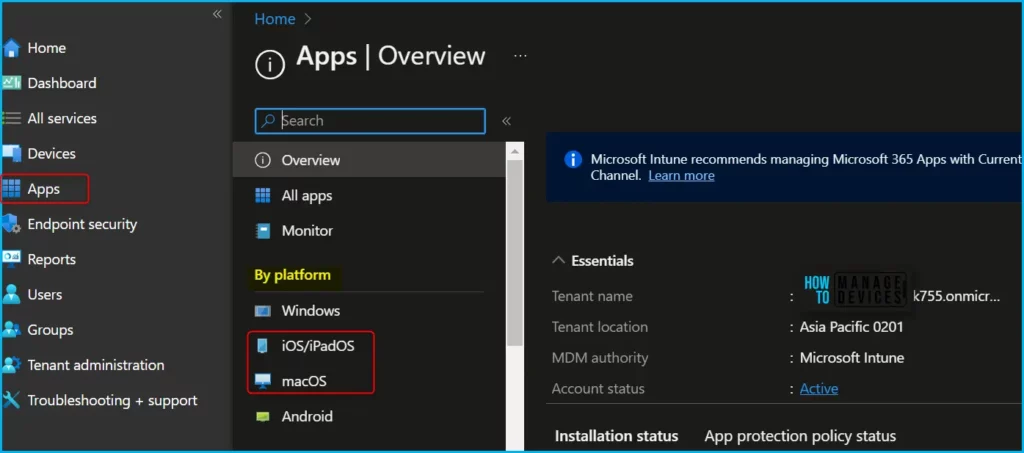
Select the existing volume purchase program app (VPP app) from the list to modify the automatic updates.
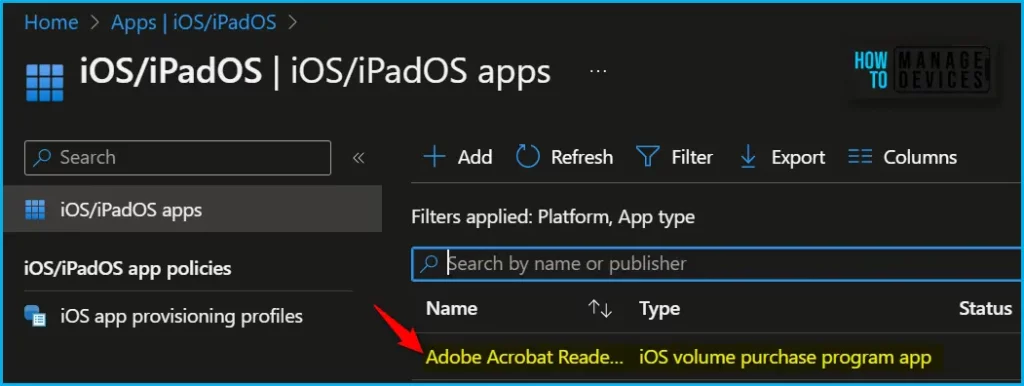
Once you select the application and select Properties, scroll down and click on Edit in the Assignments.
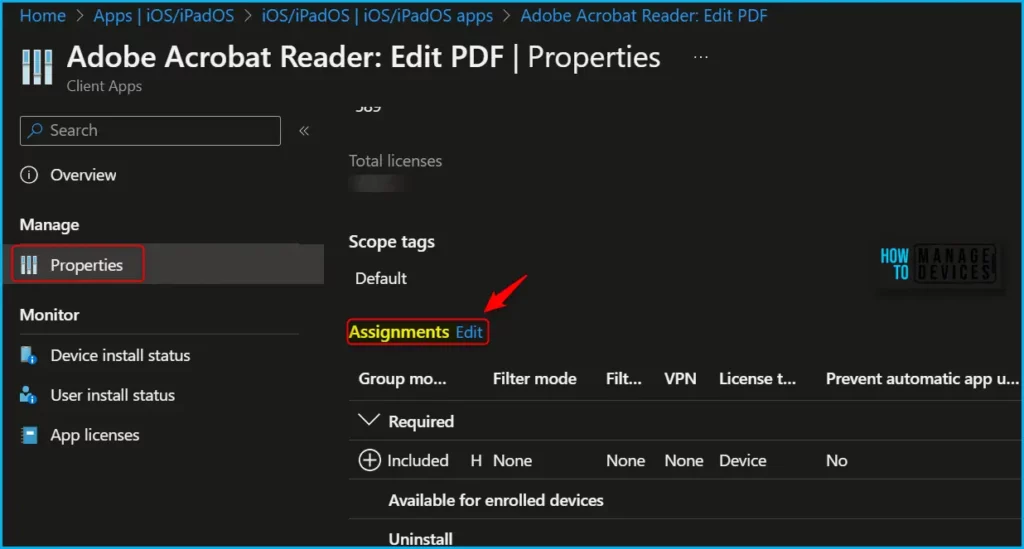
App availability can be set based on the assignment type. Assignment type can be Required, Available for enrolled devices, or Uninstall. Here the application Assignment type is Required to make this app required for all users or make this app required on all devices.
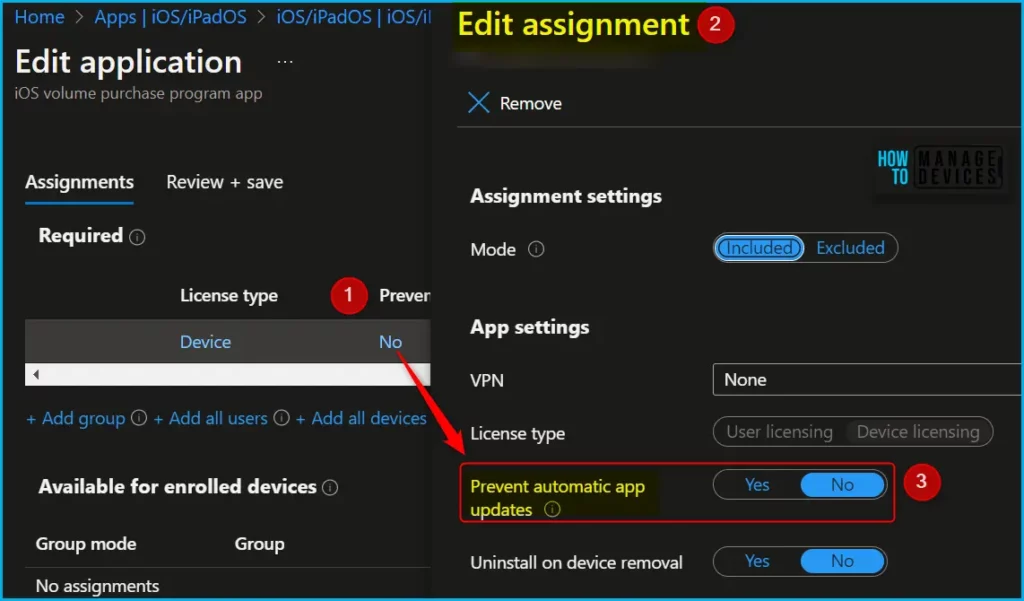
Under “Assignments”, you will see Prevent automatic app updates is set by default to “No”. Click on No (Hyperlink) A flyout will be open, and you can have the option to set Yes or No to prevent automatic app updates.
Note! Selecting Yes will Prevent this application from automatically updating when the developer makes a new update available.
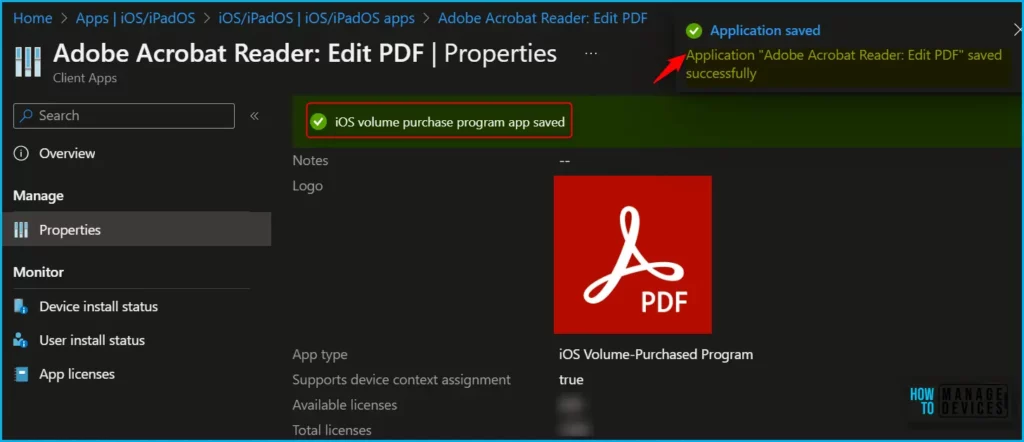
The next screen will appear with the Summary, Review the selection, and click Save. A notification will appear automatically in the top right-hand corner with the message “Application saved successfully.”
Finally, Automatic app update options can help organizations to stay compliant with regulations and security policies, by ensuring that apps are up-to-date with the latest security patches and features. Overall, configuring Apple VPP application automatic updates from Intune is a simple and effective way to manage app updates on iOS and iPadOS devices, providing benefits for both IT admins and end users.
Author
About Author – Jitesh, Microsoft MVP, has over six years of working experience in the IT Industry. He writes and shares his experiences related to Microsoft device management technologies and IT Infrastructure management. His primary focus is Windows 10/11 Deployment solution with Configuration Manager, Microsoft Deployment Toolkit (MDT), and Microsoft Intune.


Hi, so would you recommend using VPP for common apps like Microsoft 365 or Outlook? I am wondering what would be the limitations from an IT admin perspective, if this is affected on other settings as on App configuration policies or MAM, a few examples. Thanks.
Hi,
thanks for the Information. You wrote that manual app update is an option. So how do I get this ?
my setup:
– VPP automatic update on token level -> turn on
– assigned app as required
– automatic update on assignment level -> turn off
How is it possible to update the App manually or on users behalf ?
I’ve got the exact same question as Sebastian. Have you ever been able to get an answer to this?