Skip to content
New CIS Benchmark v4.0.0 Now Released for Intune and Windows 11 Explore Latest Security Enhancements

New CIS Benchmark v4.0.0 Now Released for Intune and Windows 11 Explore Latest Security Enhancements

Written By Anoop C Nair
Last Updated April 30, 2025
Posted In Intune
SHARE

Let’s discuss New CIS Benchmark v4.0.0 Now Released for Intune and Windows 11 Explore Latest Security Enhancements. Microsoft Intune released, CIS Microsoft for Windows 11 Benchmark v4.0.0. It is a security framework designed to help organizations apply best practices for configuring Windows 11 devices using Microsoft Intune.

Benchmark v4.0.0 is the upcoming security benchmark designed to help organizations configure Microsoft Intune for Windows 11 devices. with this version, you can easily manage Windows Operating Systems.

With the new version, Updated security recommendations aligned with the latest Windows 11 policies. Pre-configured JSON files for easy import into Microsoft Intune Admin Center. The new version enables modern endpoint management with streamlined security enforcement.

The new version designed to help organizations apply security best practices when managing Windows 11 devices through Microsoft Intune. In this blog post I would like to explain more about CIS Microsoft Intune for Windows 11 Benchmark v4.0.0 Coming Soon.

Patch My PC
New CIS Benchmark v4.0.0 Now Released for Intune and Windows 11 Explore Latest Security Enhancements - Fig.1
New CIS Benchmark v4.0.0 Now Released for Intune and Windows 11 Explore Latest Security Enhancements – Fig.1

New CIS Benchmark v4.0.0 Now Released for Intune and Windows 11 Explore Latest Security Enhancements

As mentioned above the new version helps to configure Windows 11 device with the best way using Intune. Helps organizations apply secure configurations to reduce vulnerabilities. Using Microsoft Intune portal you can use the new version.

Key UsesDetails
Security HardeningProvides pre-configured JSON files aligned with CIS guidelines to enhance security settings.
Policy-Based ConfigurationCovers account policies, audit settings, Defender configurations, and other security controls.
New CIS Benchmark v4.0.0 Now Released for Intune and Windows 11 Explore Latest Security Enhancements – Table.1
New CIS Benchmark v4.0.0 Now Released for Intune and Windows 11 Explore Latest Security Enhancements - Fig.2
New CIS Benchmark v4.0.0 Now Released for Intune and Windows 11 Explore Latest Security Enhancements – Fig.2

How to Use Benchmark v4.0.0

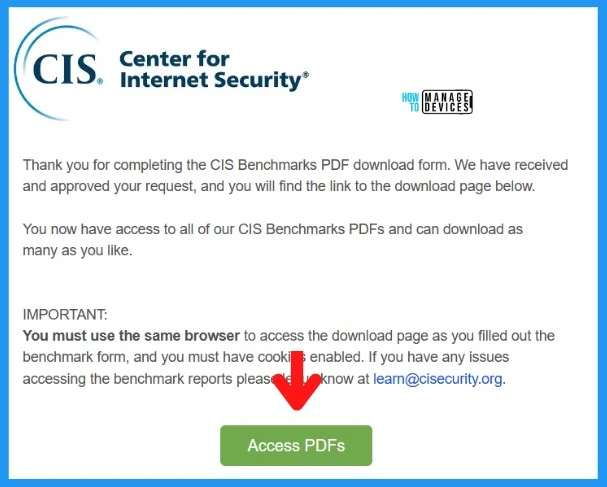
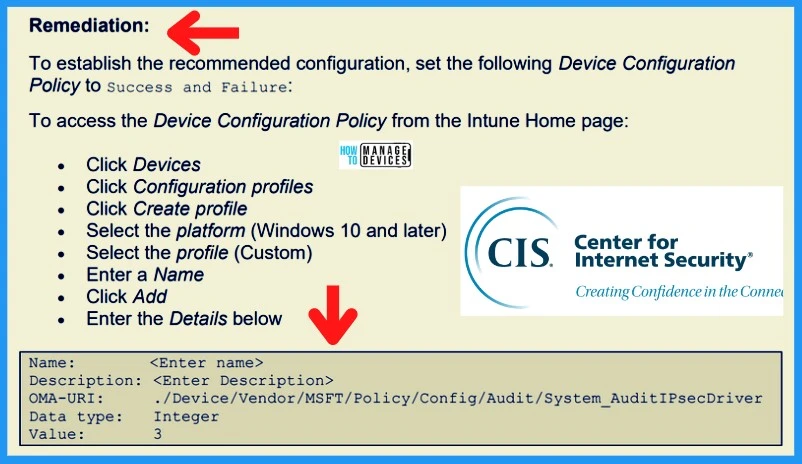
By following some steps you can apply security best practices for Windows 11 devices managed via Microsoft Intune. Download pre-configured JSON files from the GitHub repository or the official CIS website.
New CIS Benchmark v4.0.0 Now Released for Intune and Windows 11 Explore Latest Security Enhancements - Fig.3
New CIS Benchmark v4.0.0 Now Released for Intune and Windows 11 Explore Latest Security Enhancements – Fig.3

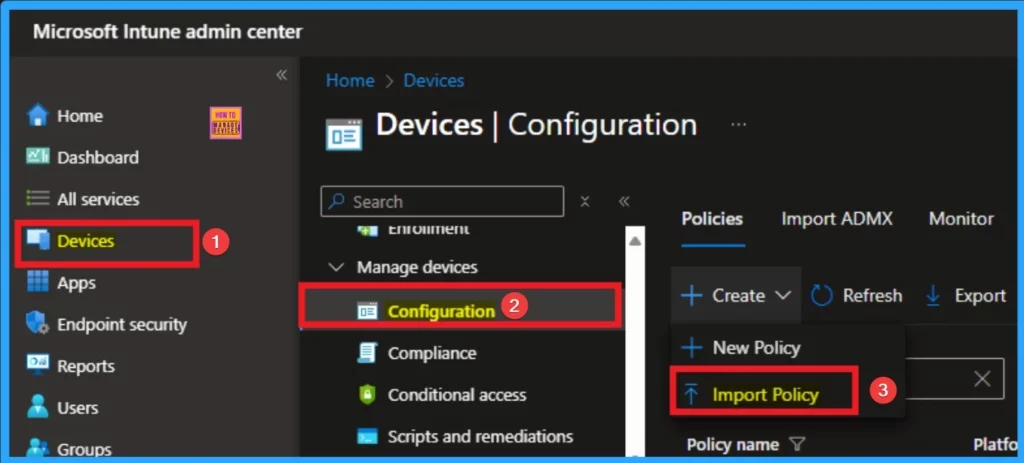
Then Open the Microsoft Intune Admin Center. Navigate to Devices > Configuration Profiles. Select Import and upload the relevant JSON file. You can assign the policies to targeted groups.
New CIS Benchmark v4.0.0 Now Released for Intune and Windows 11 Explore Latest Security Enhancements - Fig.4
New CIS Benchmark v4.0.0 Now Released for Intune and Windows 11 Explore Latest Security Enhancements – Fig.4

Need Further Assistance or Have Technical Questions?

Join the LinkedIn Page and Telegram group to get the latest step-by-step guides and news updates. Join our Meetup Page to participate in User group meetings. Also, Join the WhatsApp Community to get the latest news on Microsoft Technologies. We are there on Reddit as well.

Resource

CIS-Microsoft-Intune-for-Windows-11-Benchmark-v4.0.0

Author

Anoop C Nair has been Microsoft MVP for 10 consecutive years from 2015 onwards. He is a Workplace Solution Architect with more than 22+ years of experience in Workplace technologies. He is a Blogger, Speaker, and Local User Group Community leader. His primary focus is on Device Management technologies like SCCM and Intune. He writes about technologies like Intune, SCCM, Windows, Cloud PC, Windows, Entra, Microsoft Security, Career, etc.

Written by

Anoop C Nair is Workplace Technology solution architect with 25+ years of experience in global enterprise organizations such as JP Morgan, Capgemini, etc. Microsoft Certified Trainer. Microsoft MVP from 2015 onwards for consecutive 11+ years! He also conducts Intune and modern workplace tech training for enterprise organizations. He is Blogger, Speaker, and Founder of HTMD Community and HTMD Conference. His main focus is on Device Management technologies like Intune, Windows, Cloud PC. He writes about technologies like Intune, SCCM, Windows, Cloud PC, Windows, Entra, Microsoft Security.

Discussion · 3 comments

Join the discussion

Your email address will not be published. Required fields are marked *

Related guides

Intune

Simplify Windows Devices to Run Only the Required Applications using Intune

Key Takeaways Hey, let’s learn about Simplify Windows Devices to Run Only the Required Applications using Intune. This policy lets administrators replace the default windows shell with a custom or lightweight shell. it improves performance by using system resources and is useful for devices that run a dedicated application. If the policy is disabled or […]

AC Anoop C Nair 8 min read
Intune

Enhance macOS Compliance with Custom Security and Compliance Checks to Improve Device Security using Microsoft Intune

Key Takeaways In this post we are discussing about Enhance macOS Compliance with Custom Security and Compliance Checks to Improve Device Security using Microsoft Intune. Microsoft has announced the general availability of Custom Compliance Settings for macOS in Microsoft Intune. The feature helps organizations strengthen security controls while supporting many types of macOS management scenarios. […]

AC Anoop C Nair 4 min read
Intune

Manage Samsung Galaxy Firmware Versions to Improve Security and Compliance using Microsoft Intune

Key Takeaways In this post we are discussing Manage Samsung Galaxy Firmware Versions to Improve Security and Compliance using Microsoft Intune. Microsoft Intune has received a new update that expands firmware management capabilities for Samsung Galaxy devices through Firmware Versionsintegration. This enhancement gives IT administrators more control over firmware and operating system updates, helping them […]

AC Anoop C Nair 4 min read
Intune

MS Intune Adds Windows Registry Data Collection to Device Inventory for Single Values All Key Values and Subkeys

Key Takeaways Microsoft Intune 2607 introduces Windows Registry Data collection in Device Inventory, allowing IT admins to verify actual device configurations without relying on custom discovery or remediation scripts. Using the Properties Catalog, admins can collect registry information through Single Value, All Values Under a Key (Non-Recursive), or Same Value Across Subkeys. MS Intune Adds […]

AC Anoop C Nair 5 min read