






Learn about the Intune Create Conditional Access Policies for Windows MAM Devices. Microsoft shared detailed information on Windows MAM-related CA policy with the latest Technical Takeoff session by Danniel Emerson.
Intune MAM Create App Protection Policy for Windows Devices is the best feature. MAM on Windows can use different Microsoft products, including Entra ID, Edge Intune and Windows Security Center. MAM for Windows supports Microsoft Edge as the protected app
This feature allows administrators to protect and manage their organization’s data on the end user’s devices using Microsoft Edge as the browser. In this initial release, many functionality components are available for customers and the target deployment scenarios.
This article includes Intune MAM Create Conditional Access Policies for Windows Devices and more about Windows MAM. MAM is app layer management that is independent of device management.

- Duplicate Conditional Access Policy from Intune
- Intune MAM for Personal Windows Devices is now Generally Available
- Multiple Identity Support for Intune MAM Policies
What are the Components of MAM for Windows?
There are 3 Components for MAM for Windows;
1. App Protection Policy
2. App Configuration Policy
3. App protection conditional access
Intune create Conditional Access Policies for Windows MAM Devices
For setting up MAM for Windows, there are main 3 steps that the administrator to protect access to service resources with conditional access for secure org data on the client using an APP protection policy. Also, customise the End User Experiance in the protected application by using app configuration policies.
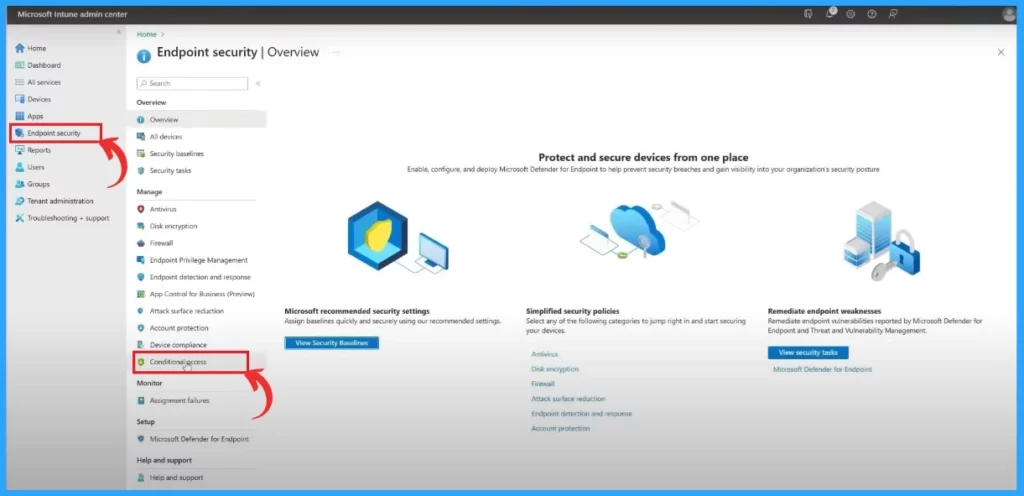
- In the Microsoft Intune Center, First Click on the Endpoint security, navigate to Conditional access
- Create New policy
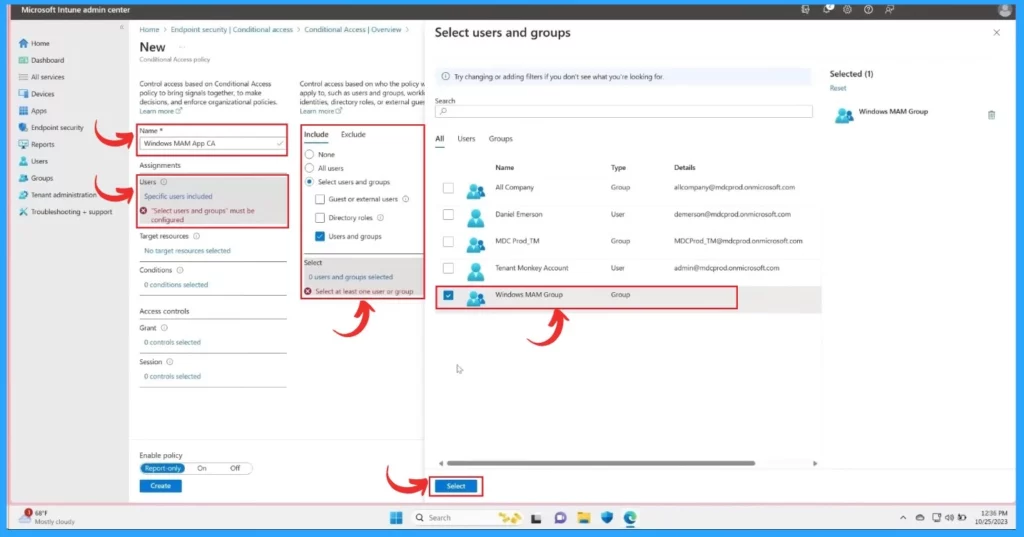
The Next step in creating a new policy that only enables Windows MAM Scenario. First, Name the policy and target the policy to the appropriate users.
- In the include section, Select users and groups
- Click on the users and groups
- In the Select Users and Groups window, select the Window MAM group
- Click on the Select
| Steps for Creating Conditional Policy |
|---|
| Name |
| Assignments |
| users |
| Target resources |
| Condition |
| Access control |
| Grant |
| Session |
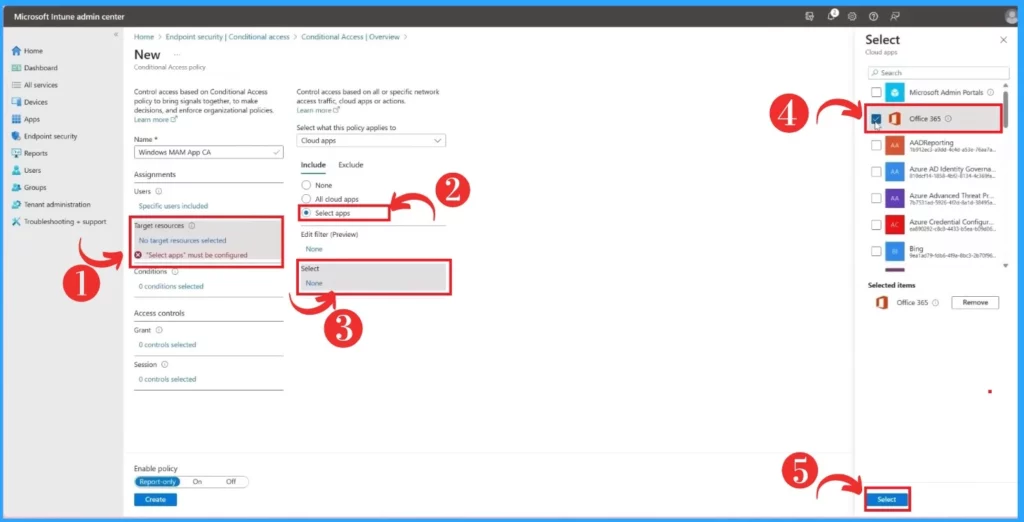
After that, in the target policy to the resource you want to protect with MAM. Click on the target resource in the target resource section. Select apps here, select Office 365, and finally, click on the select option below the screen.
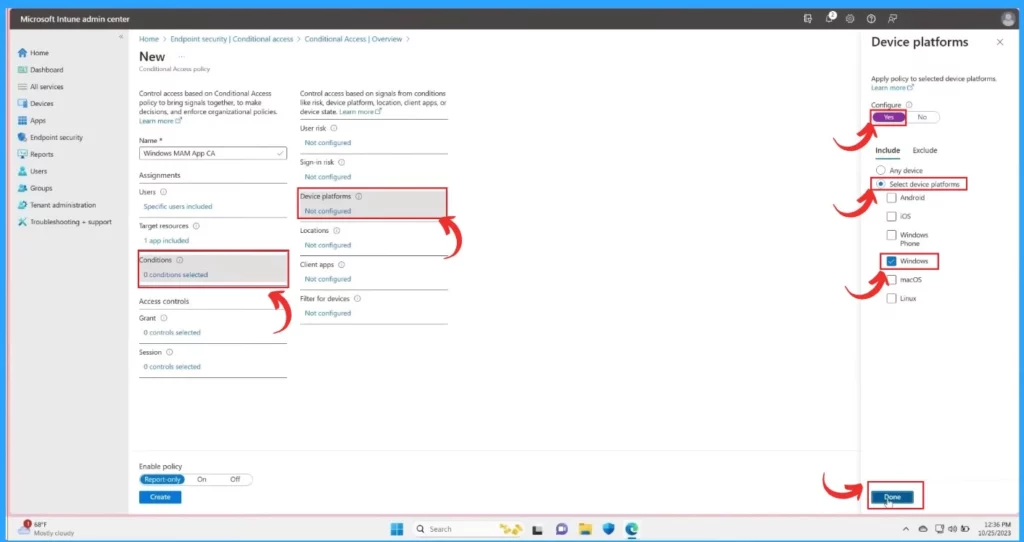
In the other window, click on the Condition, and select the Device platforms, set the condition to the policy In the device platforms on the right side of the window, configure the option in Yes. In the Include section, enable the Select device platform and Windows.
- Click on the Done
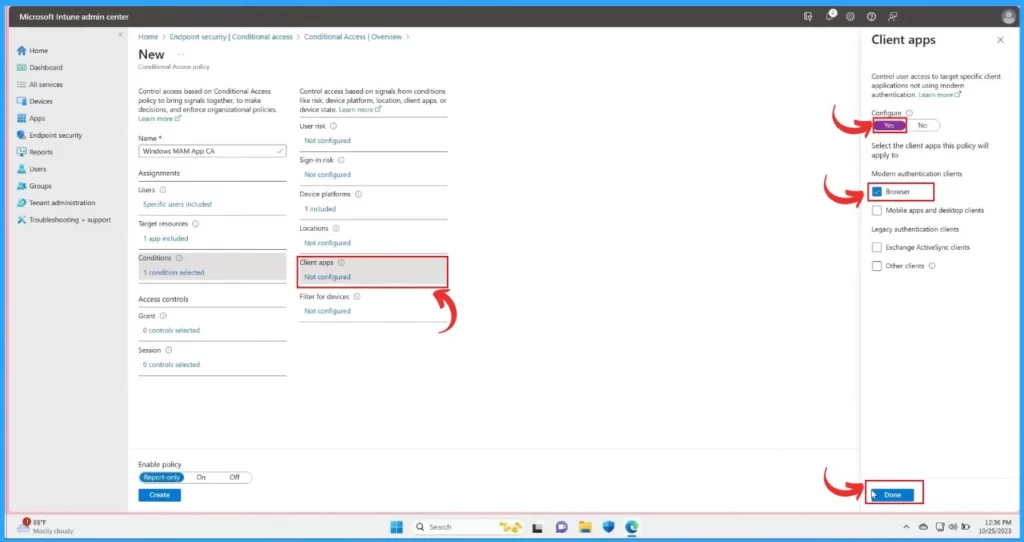
After that, include the device platform and set the client apps to the browser. To set this policy, Click on the Client apps and enable Configure Yes and in the modern authentication clients, Enable only the Browser option.
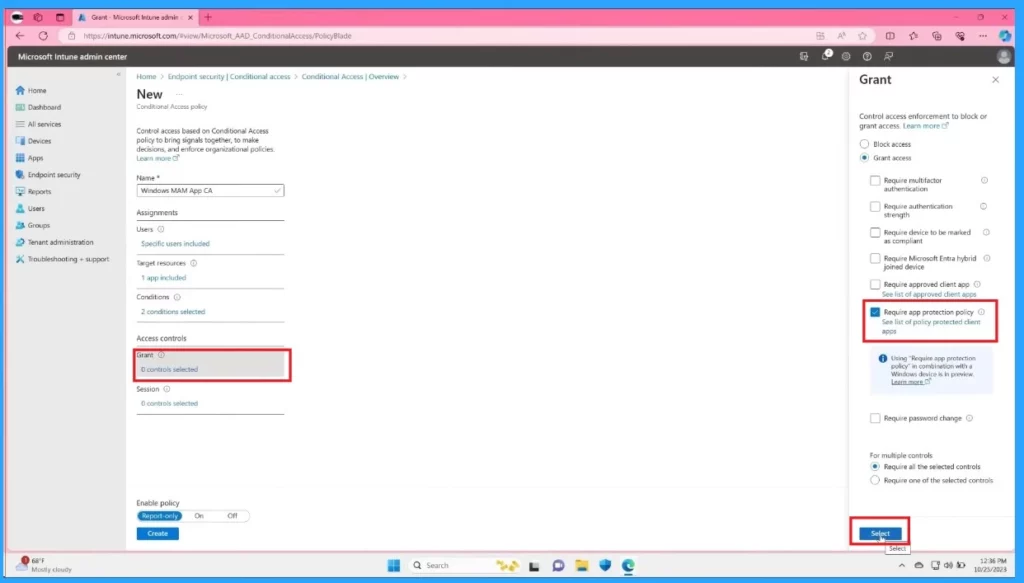
In the grant section accessing the grant requires an app protection policy and clicking on the select option. This is the last step to ensure MAM is enforced by configuring the grant control.
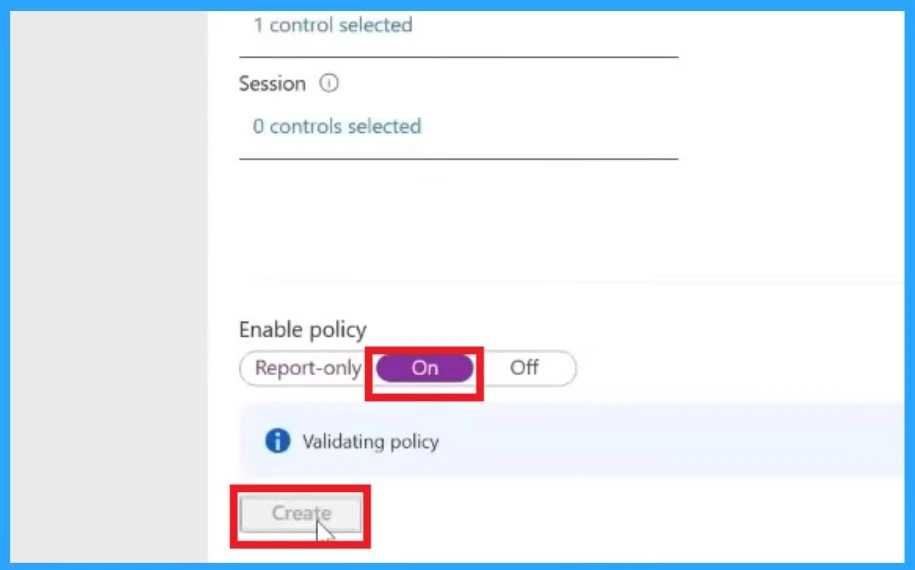
When you are done with the grant, click on the Enable policy by ON and create to save and deploy the policy. The below screenshot will guide you.
Microsoft Application Management (MAM) for Windows
Reference
We are on WhatsApp. To get the latest step-by-step guides and news updates, Join our Channel. Click here – HTMD WhatsApp.
Author
Krishna. R is a computer enthusiast. She loves writing on Windows 11 and related technologies. She likes to share her knowledge, quick tips, and tricks with Windows 11 or Windows 10 with the community.


Hi, Thanks for the article. I have a situation at my consultancy company where consultants use a BYOD phone, we are all working full time at our customers. Most of the time our customers use MAM and thus we use the Outlook/Teams app with our customer InTune settings. I wan’t to use InTune and MAM at our own company for these BYOD phones…… but we are unable to do so, because there is no support for multiple accounts with MAM enabled. I wont be able to change all our customers configurations, so I will need to find the solution at our company. What is your advise on the next best alternative if we wan’t to control apps in some way.