





ConfigMgr Shortcut EXE files RUN Commands|SCCM
Easy Access “Run” Commands for SCCM professionals. SCCM ConfigMgr commands are from the Windows RUN menu.
Updated one – SCCM Shortcut Commands Windows Shortcut Commands (anoopcnair.com)
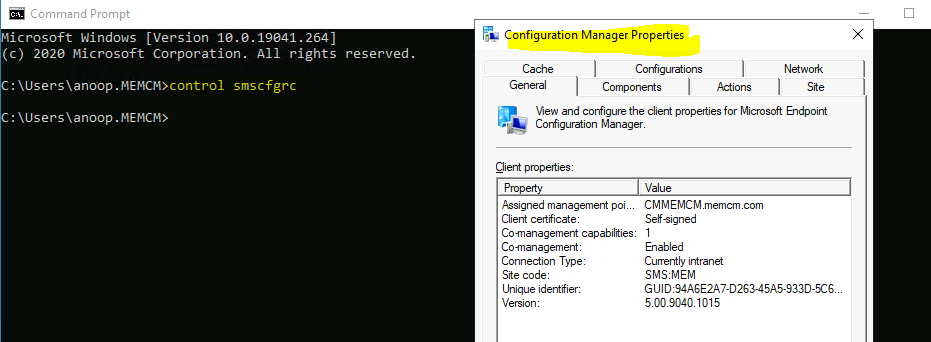
Client ConfigMgr console Properties
%windir%\System32\CCM\SMSCliUI.exe
%windir%\SysWOW64\CCM\SMSCliUI.exe
Run Advertised Program (x64 & x86)
%windir%\System32\CCM\SMSRAP.CPL
%windir%\SysWOW64\CCM\SMSRAP.CPL

Task Sequence Progress Bar (x64 & x86)
%windir%\System32\CCM\TsProgressUI.exe
%windir%\SysWOW64\CCM\TsProgressUI.exe
SMS Agent Host Restart (x64 & x86)
%windir%\System32\CCM\CcmRestart.exe
%windir%\SysWOW64\CCM\CcmRestart.exe
SCCM (ConfigMgr) Client Repair
%windir%\System32\CCM\ccmrepair.exe
%windir%\SysWOW64\CCM\ccmrepair.exe
—-policy.vbs—————-
Dim oCPAppletMgr
Set oCPAppletMgr = CreateObject("CPApplet.CPAppletMgr")
Dim oClientActions
Set oClientActions = oCPAppletMgr.GetClientActions()
Dim oClientAction
For Each oClientAction In oClientActions
If oClientAction.Name = "Request & Evaluate Machine Policy" Then oClientAction.PerformAction
End If
Next
————-
Code Snippet
function repairclient([String] $strComputer)
{
$SMSCli = [wmiclass] "\\$strComputer\root\ccm:sms_client"
$SMSCli.RepairClient()
}
We are on WhatsApp. To get the latest step-by-step guides and news updates, Join our Channel. Click here –HTMD WhatsApp.
Author
Anoop C Nair has been Microsoft MVP from 2015 onwards for 10 consecutive years! He is a Workplace Solution Architect with more than 22+ years of experience in Workplace technologies. He is Blogger, Speaker, and Local User Group Community leader. His main focus is on Device Management technologies like SCCM and Intune. He writes about technologies like Intune, SCCM, Windows, Cloud PC, Windows, Entra, Microsoft Security, Career etc…




%windir%\ccm\smscfgrc.cpl