






DP Content Validation Options in SCCM | Easy Method
In this post, you will learn about the Content Validation option in SCCM. Content validation is a feature that checks the status of content already distributed to a distribution point or distribution group.
Once you start content validation, either manually or on a schedule, Configuration Manager verifies the content on the distribution point as the content in the application or package’s source.
The content validation process verifies the integrity of content files on distribution points. Configuration Manager verifies the content files on distribution points when the content validation process starts.
If the file hash for the files on the distribution point is unexpected, Configuration Manager creates a status message that you can review in the Monitoring workspace. You can enable content validation on a schedule or manually start it from the properties of distribution points and packages.

Table of Contents
How to Enable Content Validation on a Schedule
Configuration Manager starts the process at the scheduled time when you enable content validation on a schedule. It verifies all distribution points based on the local SMS_PackagesInContLib SCCMDP class.
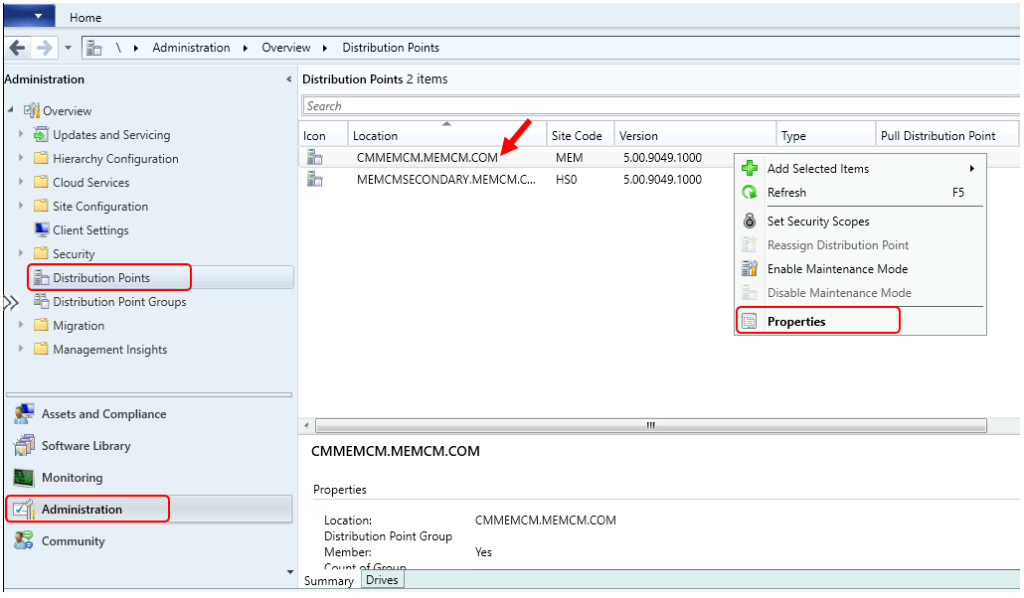
In the Configuration Manager console, select the Administration workspace. Select the Distribution Points node. Right-click on the Distribution point and select Properties.
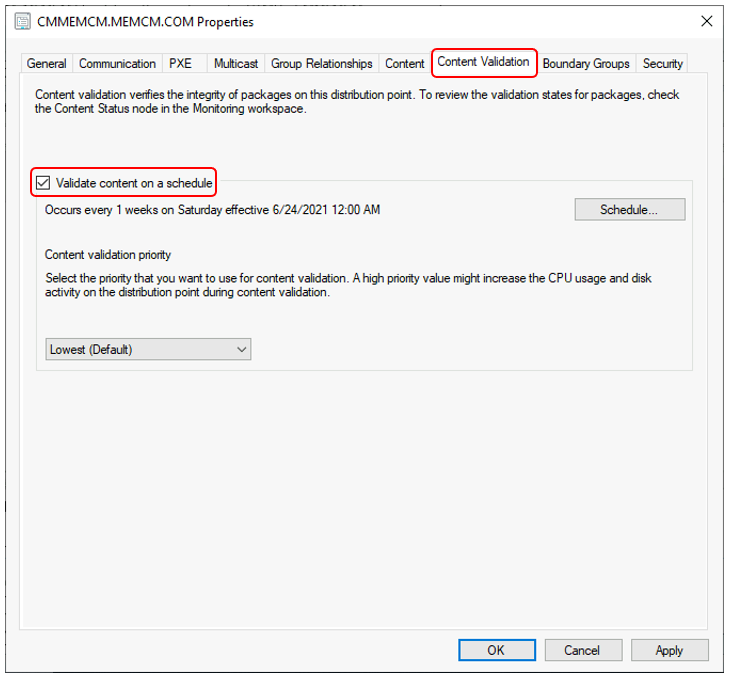
In the Distribution Point properties, switch to the Content Validation tab. Check box Validate content on a schedule and click Apply, OK.
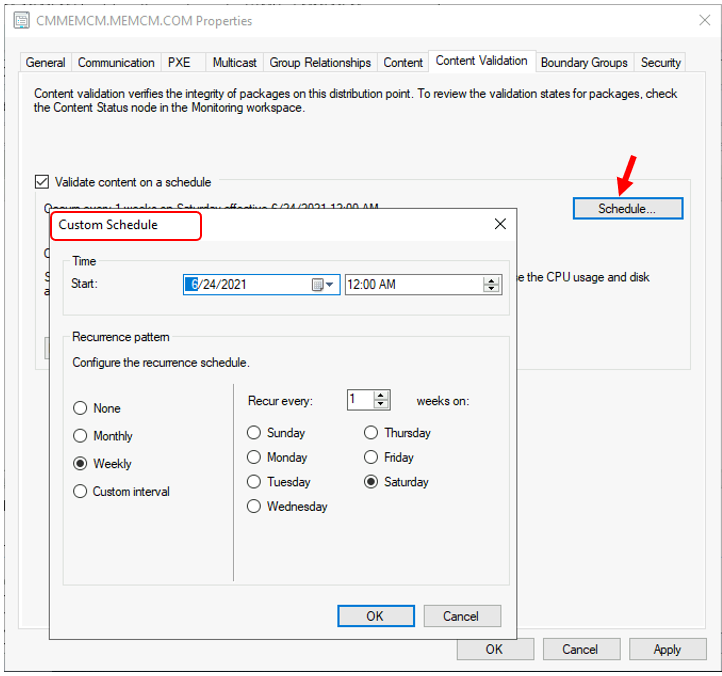
Once you have enabled content validation on a distribution point, the validation runs once a week on Saturday by default. To change or add a custom schedule, Click on the Schedule.
You can configure the schedule based on the requirement and click OK to apply the changes here.
Configure the content validation priority – By default, the priority is Lowest. Increasing the priority might increase the processor and disk utilization on the server during the validation process, but it should be completed faster.
Select the priority you want to use for content validation from the drop-down list, select Apply, and OK.
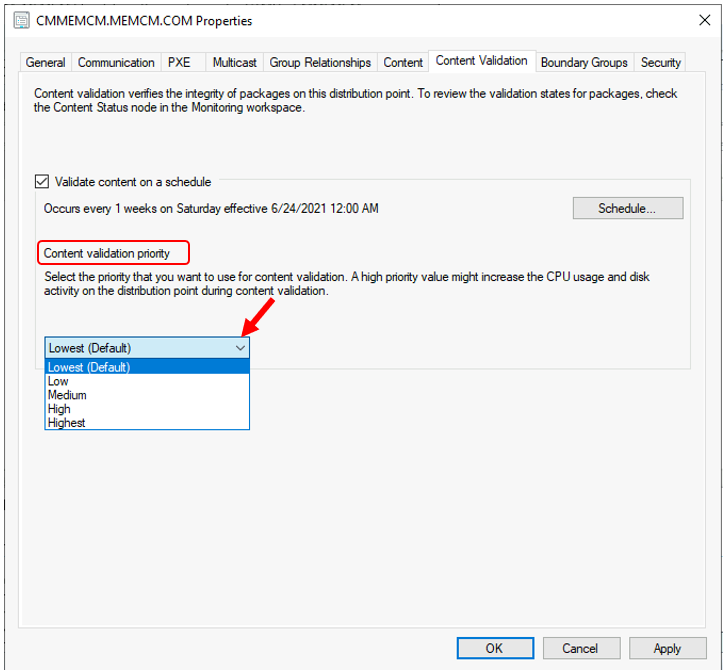
Validate Content on Distribution Point – Content Validation Options in SCCM
Let’s follow the manual process to start content validation from distribution point properties –
- In the Configuration Manager console, select the Administration workspace. Select the Distribution Points node.
- Select the distribution point from which you want to validate content—Right-click on the Distribution point and select Properties.
Switch to the Content tab. Select the package that you want to validate. Select Validate.
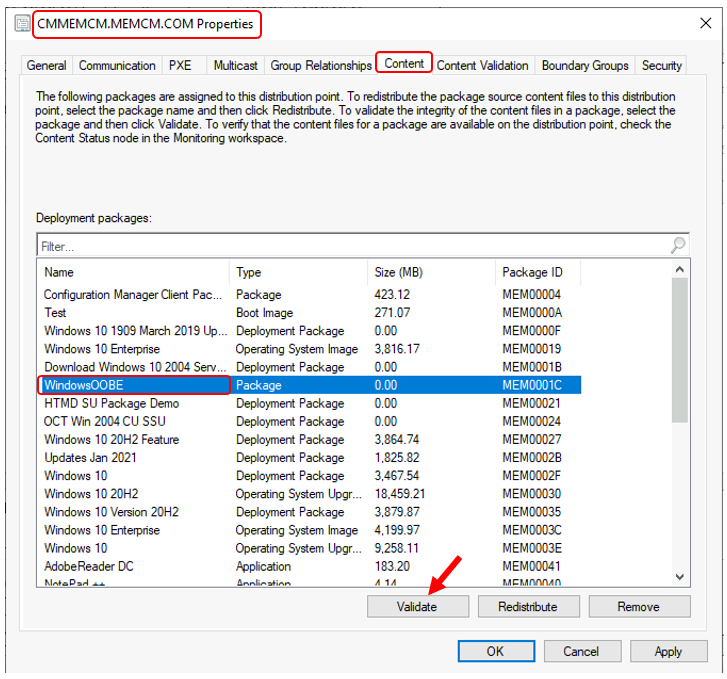
Once you select validate, A prompt will appear with the message below and choose OK.
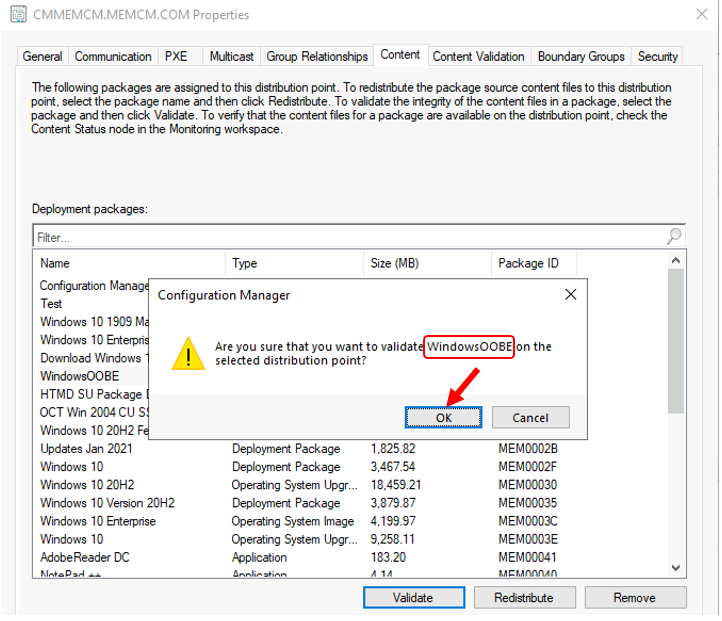
The content validation process starts for the package at the distribution point.
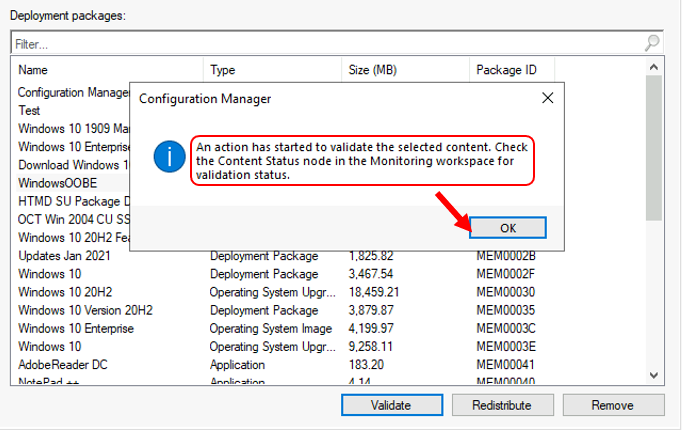
Configuration Manager verifies the content files on distribution points when the content validation process starts. If the file hash for the files on the distribution point is unexpected, Configuration Manager creates a status message that you can review in the Monitoring workspace.
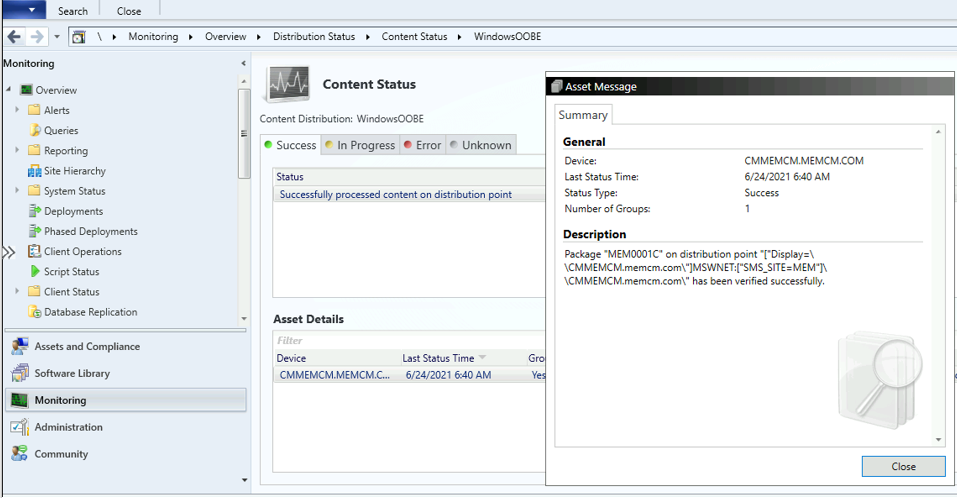
Validate Content From Software Library – DP Content Validation Options in SCCM
Let’s check the manual process to start content validation from the Software library for a specific package, application –
- In the SCCM Console, Navigate to the Software Library workspace.
- Select the content types that you want to redistribute. You can choose any type of content available in the software library –
- Packages
- Applications
- Software Update
- Boot Image
- Operating System Images
For Example, Let’s check how to validate application content to the Distribution Point. Expand Application Management and select an existing Application. Right-click on the application and choose Properties.
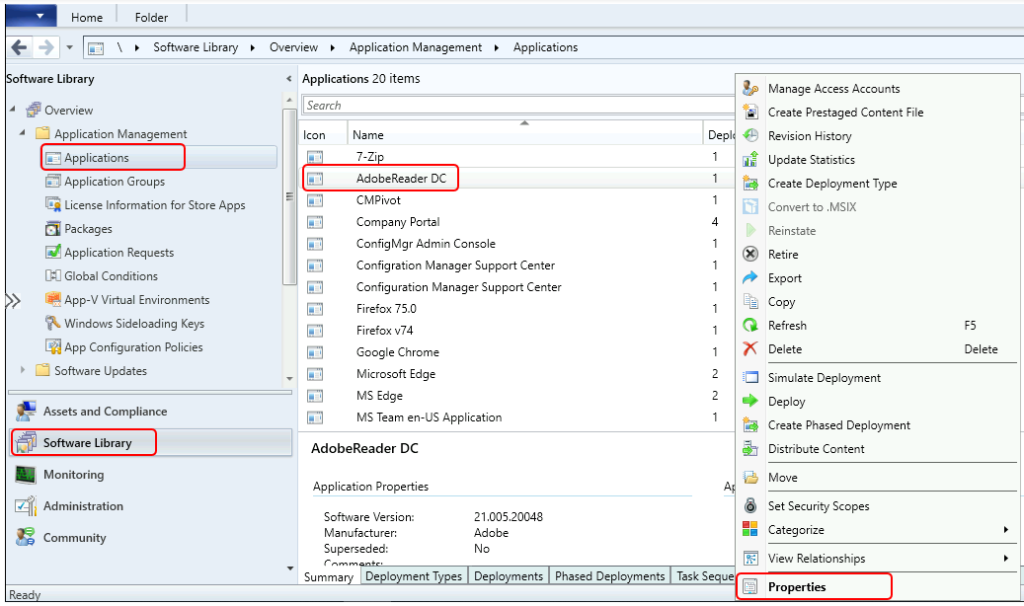
In Application Properties, Switch to the Content Locations tab. Select the distribution points or distribution groups that you want to validate. Select Validate.
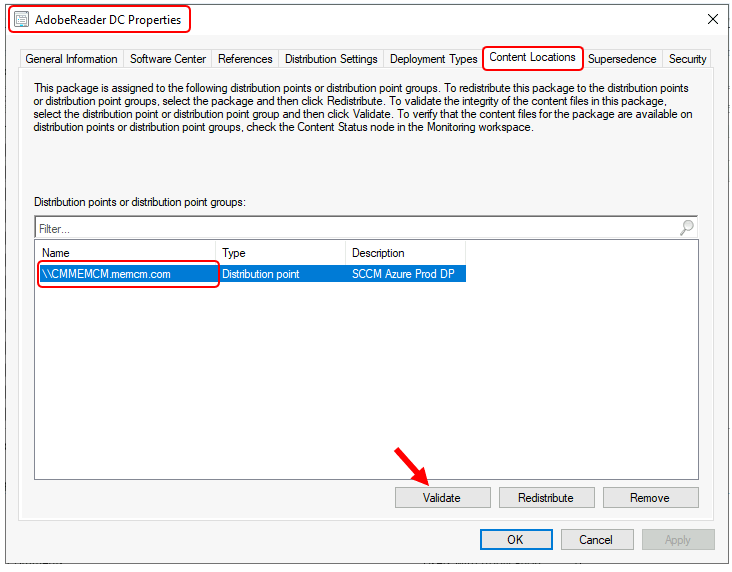
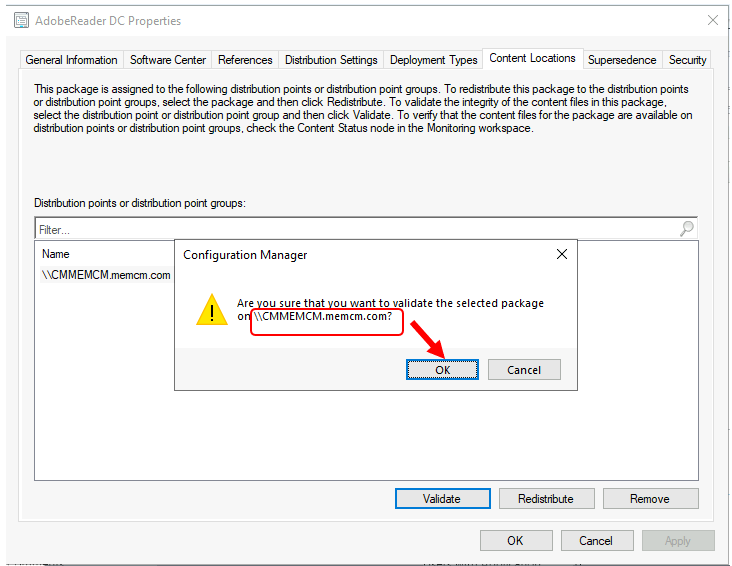
Once you select validate, A prompt will appear with the message below and choose OK.
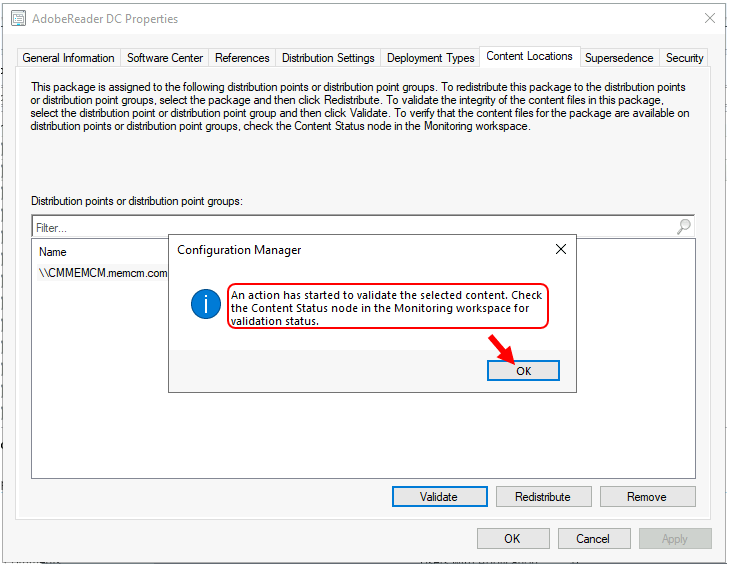
The content validation process starts for the package on the distribution point.
We are on WhatsApp. To get the latest step-by-step guides and news updates, Join our Channel. Click here –HTMD WhatsApp.
Author
Jitesh Kumar, Microsoft MVP, has over six years of working experience in the IT Industry. He writes about and shares his experiences related to Microsoft device management technologies and IT infrastructure management. His primary focus is Windows 10/11 Deployment solution with Configuration Manager, Microsoft Deployment Toolkit (MDT), and Microsoft Intune.




For on demand validation, you can login to the dp and choose to run smsdpmon.exe as well.
We use this process when we are seeing mismatches between the wmi, db and contentlib and are manually cleaning up the dp.
As long as the smsdpmon log file has warnings the moment you run the smsdpmon.exe, some package is going to be faulty and will show up in the log later
@Naman is there an easy way to see those mismatches?
I’ve been looking to see how to manually kick one of these off. Thanks @Naman!